








Introducing Hidden Devices
With Hidden Devices, you can now hide devices from your overview. Bring them back whenever you need them, without losing any settings.
Some devices you only use for a few weeks a year. Think of the smart plug powering your Christmas lights, the fan controller you unpack every summer, or the holiday lighting strip that comes out for the occasional party.
Until now, your options were limited: leave them cluttering your Homey setup, or remove them and add them again when the time comes. With Hidden Devices, there’s a better way.
How to hide a device
Go to the Devices tab in the Homey Mobile App or Homey Web App and tap ⋯ → Hidden Devices. Select which devices to hide per Zone, and they disappear from your overview.
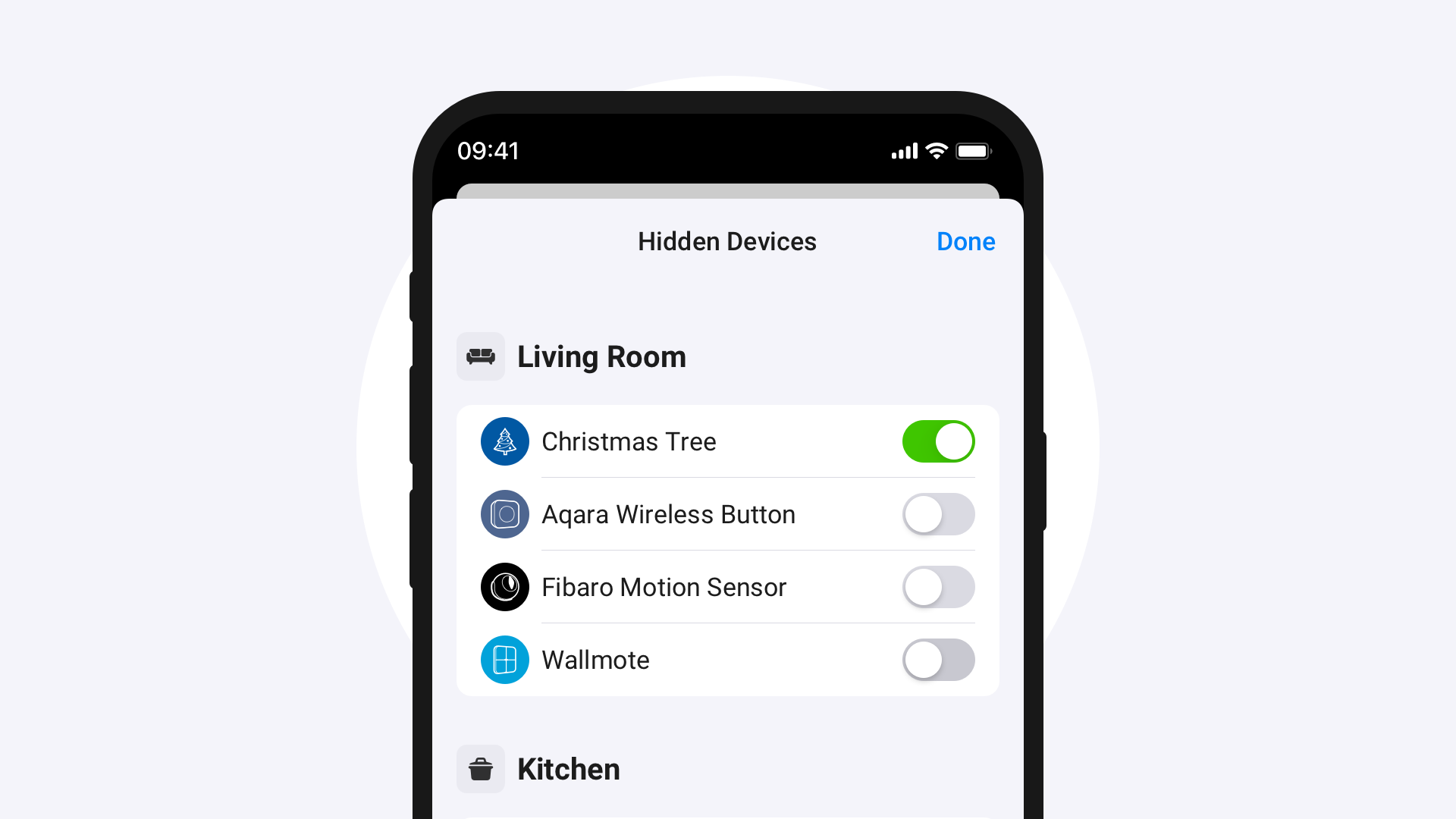
Out of sight, not out of Homey
All Flows and settings stay in place, ready for when you need them again. Since hidden devices still appear in Activity, Energy, and Batteries, your Insights remain complete.
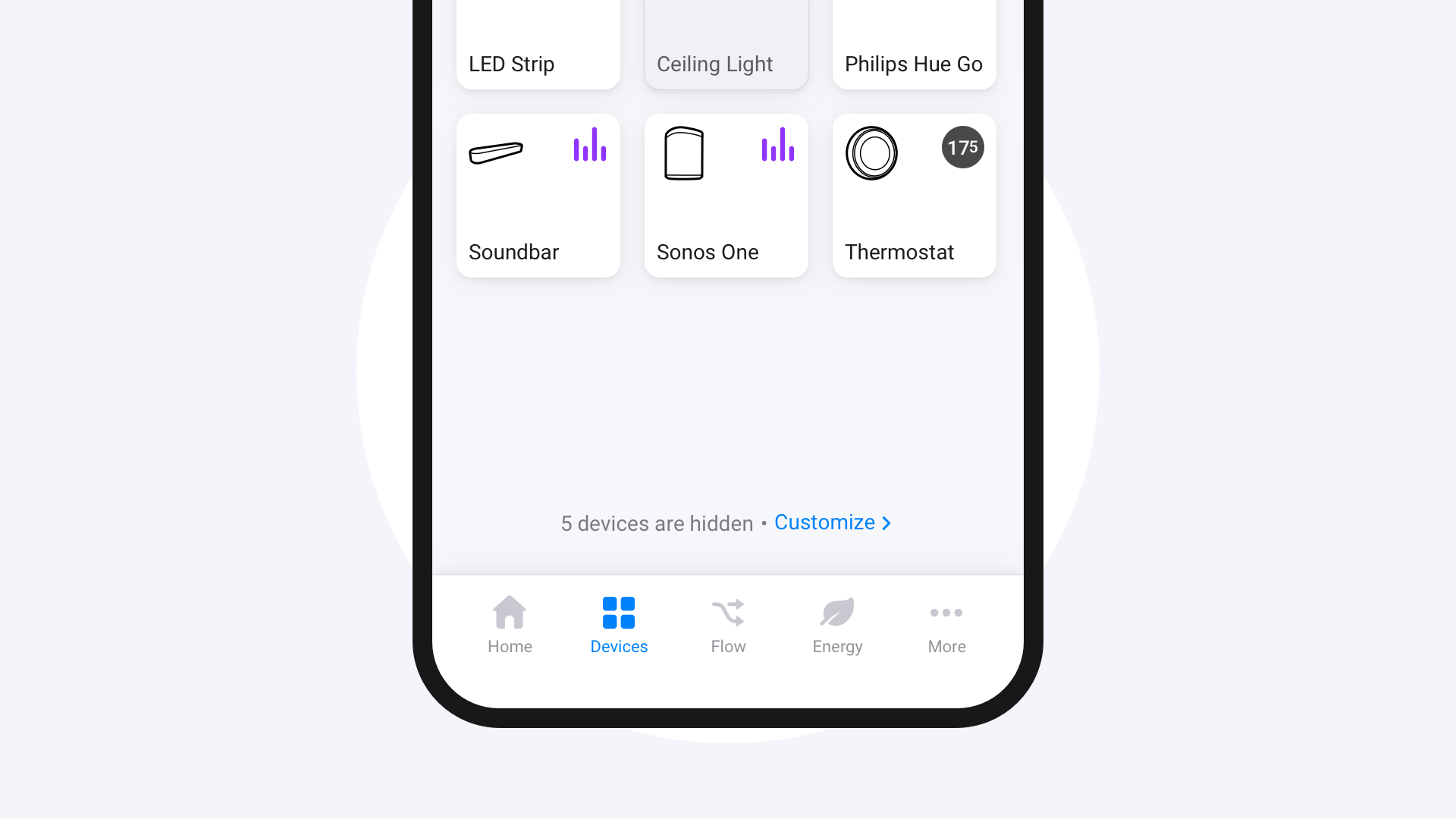
If a Zone has hidden devices, a notification appears at the bottom showing how many are tucked away. From there, you can bring them back with a single tap.
Availability
Hidden Devices is available for Homey Cloud, Homey Pro (2023 — 2026), Homey Pro mini, and Homey Self-Hosted Server. Make sure you’re on Homey Pro v12.13.0 or later, and the Homey Mobile App v9.9.0 or later.


