








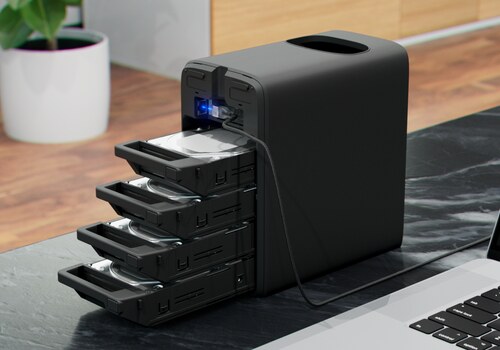
Disk
The temperature changes
Click on a device above to show related Flow cards only.




Having an issue with this app? Contact the developer via email.
Version 1.2.0 — Six new widgets keep the history the NAS does not: disk temperatures, disk activity, network, processor and memory over the last hours, the fill level over weeks with the day the array will be full, and a log of status changes. The tiles share a common layout: category, name, value and details, easier to read at a glance.
 UNAS Monitor is not compatible with the selected Homey.
 UNAS Monitor will install on Homey shortly.
We’ll let Henri Dominique Rapin know you love the app.
We’ll notify Henri Dominique Rapin you’ve sent a suggestion.
 Belgium
 Bulgaria
 Croatia
 Cyprus
 Czech Republic
 Estonia
 Finland
 Greece
 Hungary
 Iceland
 Ireland
 Latvia
 Lithuania
 Malta
Malta
 Moldova
 The Netherlands
 Portugal
 Romania
 Slovakia
 Slovenia
 Türkiye
 Ukraine
 United Kingdom


