








Quick actions are now visible on your devices
Device tiles in Homey now behave the same way, everywhere. See each device’s quick action and status before you use it, and open full controls with one tap. So there’s less guesswork, and everything feels faster to use.
Clear and consistent controls
Before, some devices responded to a tap, and others didn’t, with no way to know which until you tried. Opening the controls required a press and hold, an interaction that was easy to miss.
Now every device works the same way. Each one has a dedicated quick-action button in the top-right corner, with an icon showing which action it will perform. Tap the button to run that action, or tap the device itself to open its controls.
Changing a device’s quick action
To change a device’s quick action, press and hold the device and tap Settings, or open the device and tap the settings icon. Then go to Quick Action. From there, you can turn the quick action on or off, or choose from the toggle or press actions the device offers.
Devices with a toggle or button, like lights or plugs, get one assigned automatically. Devices without one, like most sensors, don’t get a quick action by default. But if a device offers any controllable option in its controls, you can still assign one manually here.
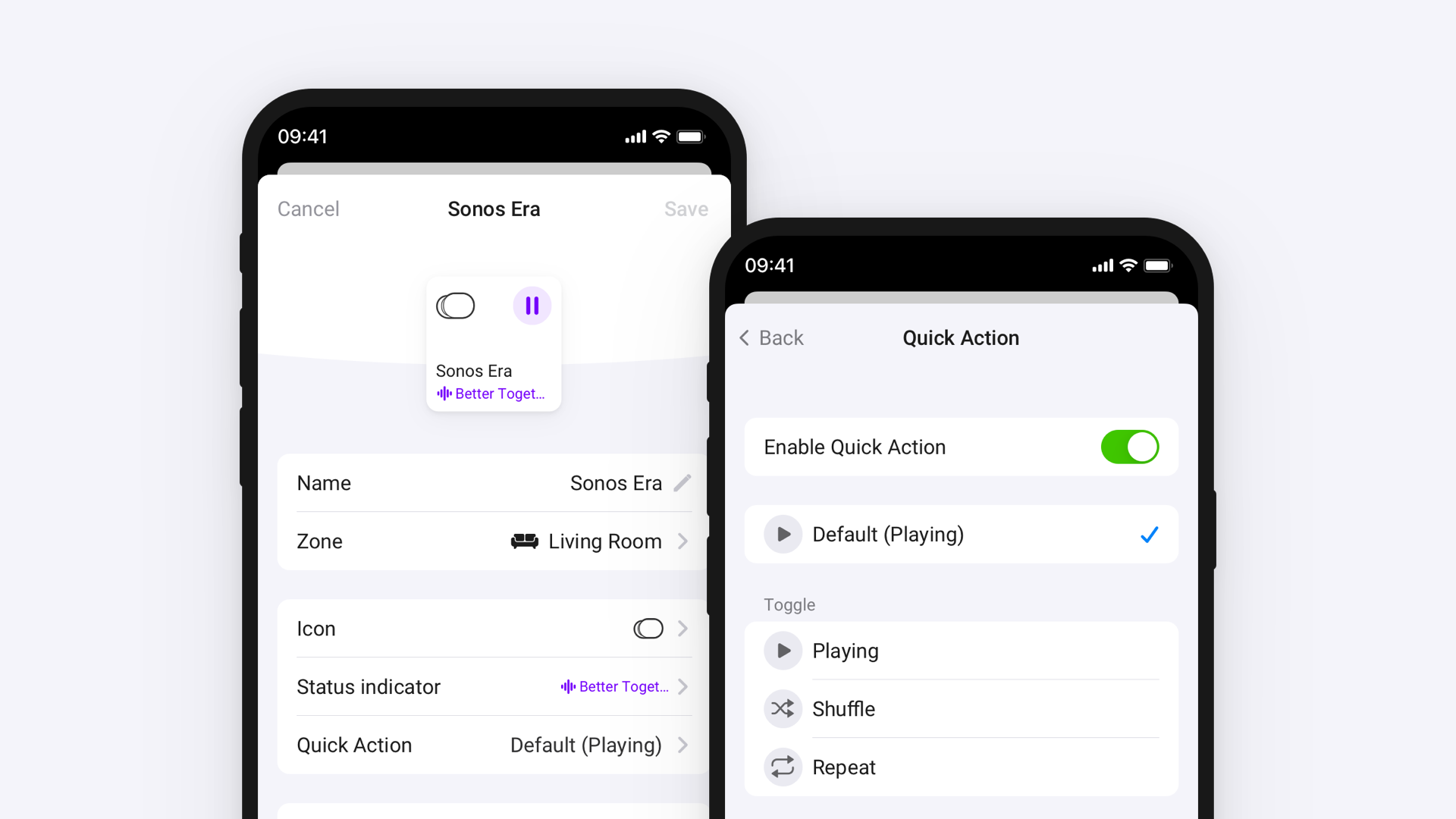
Press and hold for more options
Pressing and holding a device now opens a context menu instead of its controls, giving quick access to options like hiding or renaming the device, or opening its settings. Full controls open with a regular tap instead.
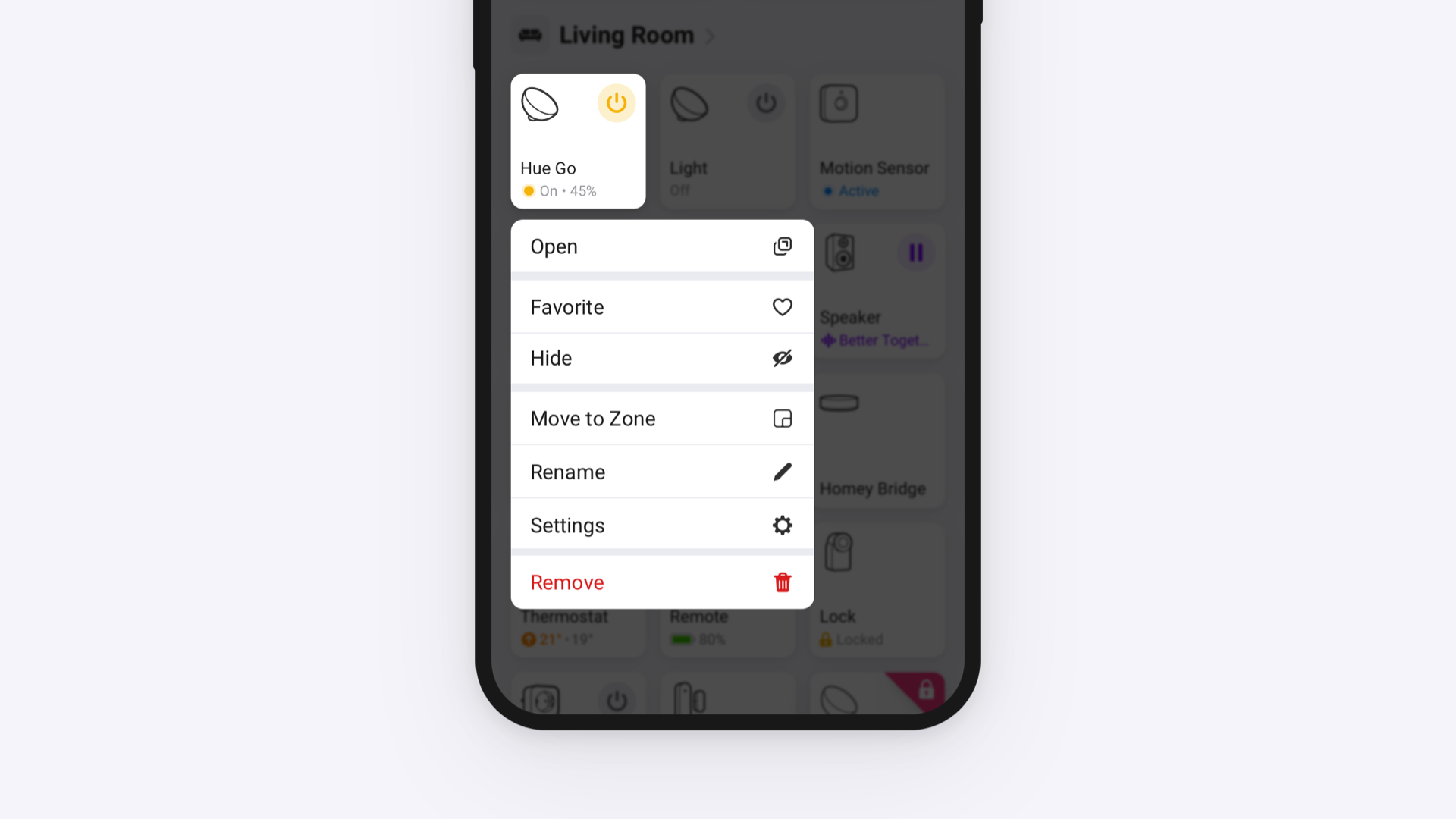
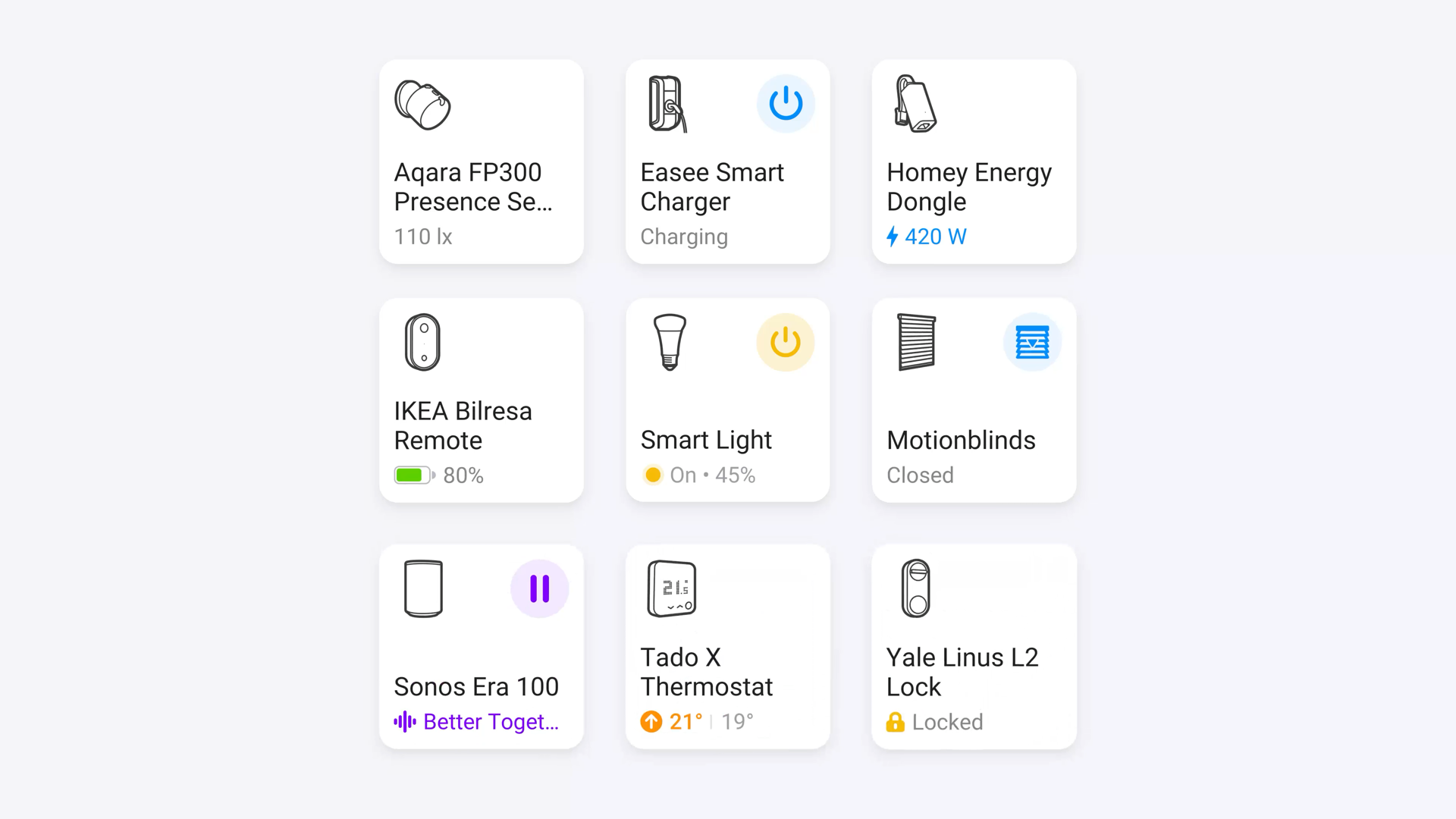
More information on every device
The status indicator has moved to the bottom of each device, creating more room for useful information. A speaker can show the title of the track currently playing, a thermostat its current temperature, and a battery-powered device its battery level, making it easier to check a device’s status without opening its controls.
Availability
Quick actions, including customizing them, are available on Homey Cloud, Homey Pro, Homey Pro mini, and Homey Self-Hosted Server.
Make sure you’re on Homey Pro v13.2.1 or later, and the Homey Mobile App v10.0.0 or later. The update is also live in the Homey Web App.


