Adds support to connect Linknlink eMotion devices to Homey via the your LAN.
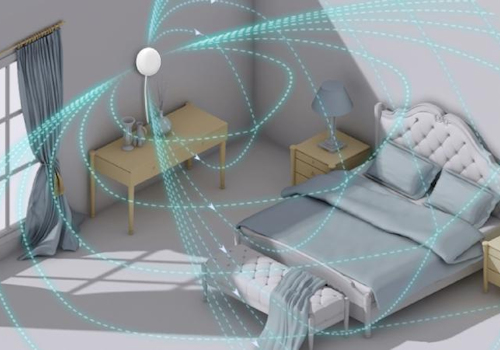
Create Flows to respond quickly to notifications from the sensors and control lights and more when someone is present in the room.
Empower Homey to do even more in your home automation by combining the LinknLink presence sensors with Homey's processing power.
Fully local control via MQTT and can either use the built in broker or an external broker of your choice.
Read more ›
Supported devices
AC Remote
eMotion
eMotion Air
eMotion Air (Zigbee)
eMotion Pro
eMotion Ultra
Switch
TV
Flow cards
Click on a device above to show related Flow cards only.
When...
AC Remote
The target temperature changed
eMotion
The presence alarm turned on
eMotion
The presence alarm turned off
eMotion
The temperature changes
eMotion
The humidity changed
eMotion
The luminance changed
eMotion
The signal strength changed
eMotion Air
The presence alarm turned on
eMotion Air
The presence alarm turned off
eMotion Air
The temperature changes
eMotion Air
The humidity changed
eMotion Air
The luminance changed
eMotion Air
The battery level changed
eMotion Air
The signal strength changed
eMotion Air
The eMotion Air button was double pressed
eMotion Air
The eMotion Air button was long pressed
eMotion Air
The eMotion Air button was pressed
eMotion Air
The eMotion Air button was released
eMotion Air
The eMotion Air button was triple pressed
eMotion Air (Zigbee)
The presence alarm turned on
eMotion Air (Zigbee)
The presence alarm turned off
eMotion Air (Zigbee)
The temperature changes
eMotion Air (Zigbee)
The humidity changed
eMotion Air (Zigbee)
The luminance changed
eMotion Air (Zigbee)
The battery level changed
eMotion Air (Zigbee)
The eMotion Air button was double pressed
eMotion Air (Zigbee)
The eMotion Air button was long pressed
eMotion Air (Zigbee)
The eMotion Air button was pressed
eMotion Air (Zigbee)
The eMotion Air button was released
eMotion Air (Zigbee)
The eMotion Air button was triple pressed
eMotion Pro
The presence alarm turned on
eMotion Pro
The presence alarm turned off
eMotion Pro
The luminance changed
eMotion Pro
The signal strength changed
eMotion Pro
The zone 1 presence alarm turned off
eMotion Pro
The zone 1 presence alarm turned on
eMotion Pro
The zone 2 presence alarm turned off
eMotion Pro
The zone 2 presence alarm turned on
eMotion Pro
The zone 3 presence alarm turned off
eMotion Pro
The zone 3 presence alarm turned on
eMotion Pro
The zone 4 presence alarm turned off
eMotion Pro
The zone 4 presence alarm turned on
eMotion Ultra
The presence alarm turned on
eMotion Ultra
The presence alarm turned off
eMotion Ultra
The temperature changes
eMotion Ultra
The humidity changed
eMotion Ultra
The luminance changed
eMotion Ultra
The signal strength changed
eMotion Ultra
The zone 1 presence alarm turned off
eMotion Ultra
The zone 1 presence alarm turned on
eMotion Ultra
The zone 2 presence alarm turned off
eMotion Ultra
The zone 2 presence alarm turned on
eMotion Ultra
The zone 3 presence alarm turned off
eMotion Ultra
The zone 3 presence alarm turned on
eMotion Ultra
The zone 4 presence alarm turned off
eMotion Ultra
The zone 4 presence alarm turned on
eMotion Ultra
the number of people changed
eMotion Ultra
the number of people in zone 1 changed
eMotion Ultra
the number of people in zone 2 changed
eMotion Ultra
the number of people in zone 3 changed
eMotion Ultra
the number of people in zone 4 changed
And...
eMotion
The presence alarm is on
eMotion Air
The presence alarm is on
eMotion Air (Zigbee)
The presence alarm is on
eMotion Pro
The presence alarm is on
eMotion Ultra
The presence alarm is on
Then...
AC Remote
Toggle on or off
AC Remote
Set the temperature °C
AC Remote
Set AC Fan to Fan Speed
AC Remote
Set AC Mode to Mode
Support
Having an issue with this app?
Contact the developer via the developer website .
What’s new
Version 1.0.13 — Added support for eMotion Air with a choice of MQTT or Zigbee drivers (MQTT requires an eMotion Ultra to bridge).
View changelog








 LinknLink is not compatible with the selected Homey.
 LinknLink will install on Homey shortly.
 Belgium
 Bulgaria
 Croatia
 Cyprus
 Czech Republic
 Estonia
 Finland
 Greece
 Hungary
 Iceland
 Ireland
 Latvia
 Lithuania
 Malta
Malta
 Moldova
 The Netherlands
 Portugal
 Romania
 Slovakia
 Slovenia
 Türkiye
 Ukraine
 United Kingdom


