







This Is What a Smart Home Is All About
 Written by Jasper Foppele
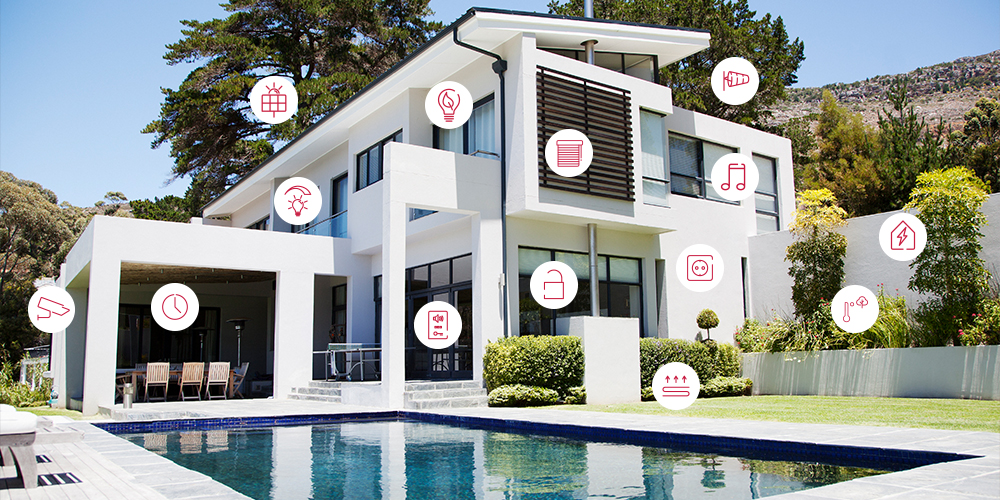
A smart home is a home where everyday devices can be controlled automatically, remotely, or together as one system. Your smart light bulbs, smart plugs, smart thermostats, door/window sensors, motion sensors, locks, blinds, and energy devices can respond to what is happening in and around your home.
That is the simple answer. A smart home is not about filling your house with gadgets. It is about making daily life feel easier, safer, more comfortable, and more energy-aware. The lights welcome you home. The heating turns down when everyone leaves. A notification tells you a window is still open. In the evening, one tap can dim the lights, close the curtains, and create a calm atmosphere for the night.
With a smart home platform like Homey, you can bring many different brands and technologies together in one app. And with smart home hubs Homey Pro or Homey Pro mini automations can run locally in your home, which helps make your setup fast, reliable, without being dependent on the cloud or subscriptions.
How Does a Smart Home Work?
A smart home works through a combination of smart home devices, wireless communication, a smart home hub or platform, a smart home app, smart automations, and, optionally, voice assistants.
Together, these parts allow your home to respond to daily life. A light can turn on when motion is detected. Heating can lower when everyone leaves. A door sensor can trigger a notification. Instead of controlling every device separately, your smart home connects them into one system.
Let's zoom in.
Smart Home Devices
Smart home devices are the visible parts of a smart home. These include lights, plugs, thermostats, sensors, locks, blinds, speakers, cameras, and energy meters.
A smart device can usually do two things. It can receive a command, such as “turn on the light,” and it can share information, such as “motion detected” or “the door is open.”
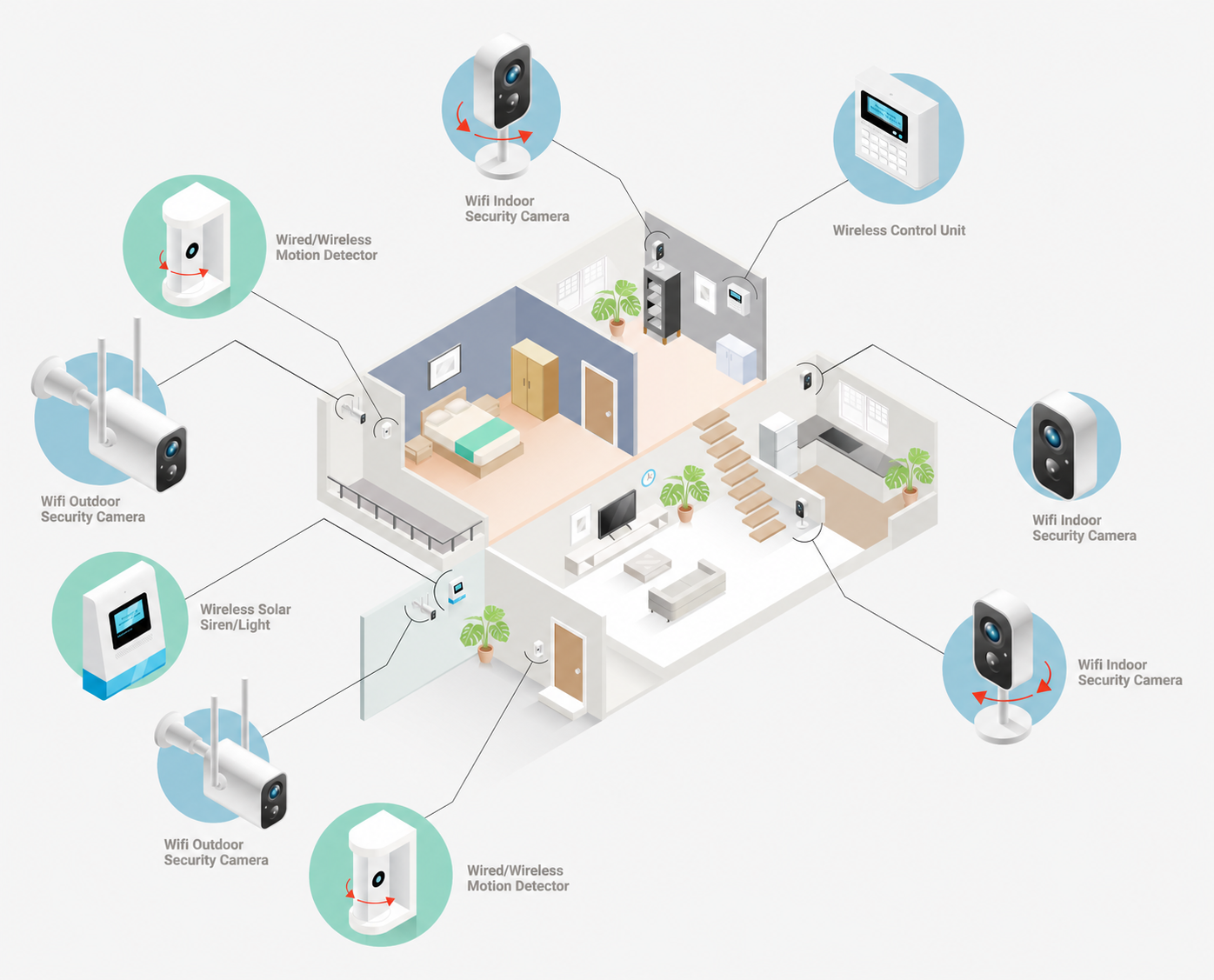
For example, a motion sensor in the hallway can detect movement after sunset. Homey can then turn on a few smart light bulbs at a soft brightness. Later, when no motion is detected, the lights can turn off again. You did not press a switch, open an app, or give a voice command. Your home simply reacted.
Wireless Communication

Behind the scenes, smart home devices communicate using wireless and wired technologies such as Zigbee, Z-Wave, Matter, Thread, KNX, 433 MHz, Wi-Fi, Bluetooth and Infrared.
You do not need to understand every protocol before you start. The key point is simple: not every smart device speaks the same language. That is why compatibility matters.
A good smart home platform helps connect these different technologies, so devices from different brands can work together more smoothly.
Matter is useful to know because it is designed to improve compatibility between smart home brands. Matter is not a wireless technology itself. It is a standard that can work over networks such as Wi-Fi, Thread, and Ethernet. In practice, Matter can make choosing smart home devices less confusing.
<< Read more on wireless protocols.>>
Smart Home Hub
A smart home hub, system, or platform helps smart devices work together as one home instead of as separate gadgets. It connects devices, lets you control them from one place, and runs automations.
Some smart home systems rely heavily on the cloud. This means commands travel through the manufacturer’s internet servers before reaching your device. Other systems can run automations locally. This means the processing happens inside your home, without needing an internet connection for every action.
Local processing is generally faster, more reliable during internet outages, and better for keeping usage data inside your home.
This is where Homey comes in.
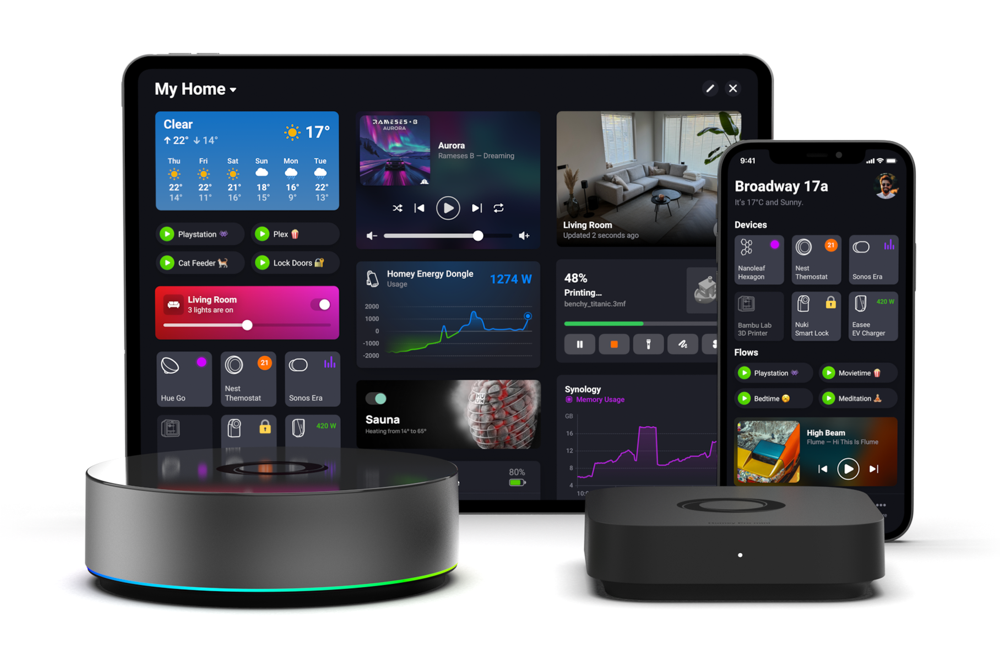
The Homey Pro smart home hub is built for people who want a connected, local-first smart home experience. It supports multiple wireless technologies, brings devices together in one app, and enables powerful automations through Flow and Advanced Flow.
The Homey Pro mini includes the essentials of the flagship model in a smaller setup. For simpler smart homes, Homey Cloud is an easy way to start without extra hardware. For advanced users who want to fine-tune every detail, there is Homey Pro Self-Hosted.
<<Learn more on smart home hubs.>>
Smart Home App
The smart home app is your control panel. It shows what is happening in your home and lets you take action. It lets you turn lights on, check whether a door is locked, monitor devices, start a “Movie Night” scene, or manage automations from anywhere in the world.
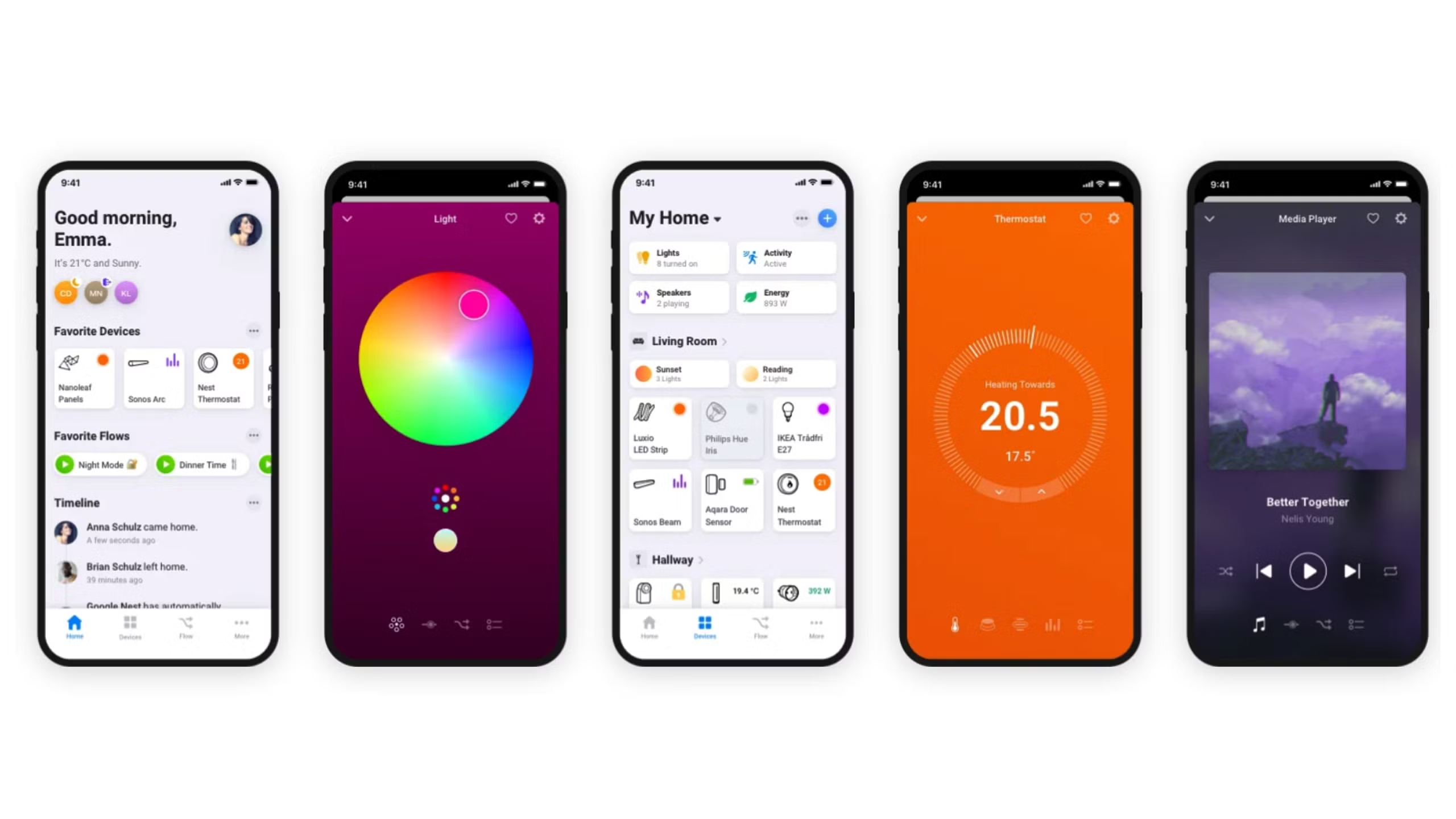
Many people end up having separate apps for each device. Over time, they often prefer one app that brings everything together. A single smart home app makes control simpler and helps you build automations across different brands and devices.
With the intuitive Homey App, you can replace them all and control, monitor and automate your home via the smart home hub from anywhere in the world.
Smart Automations or Flows
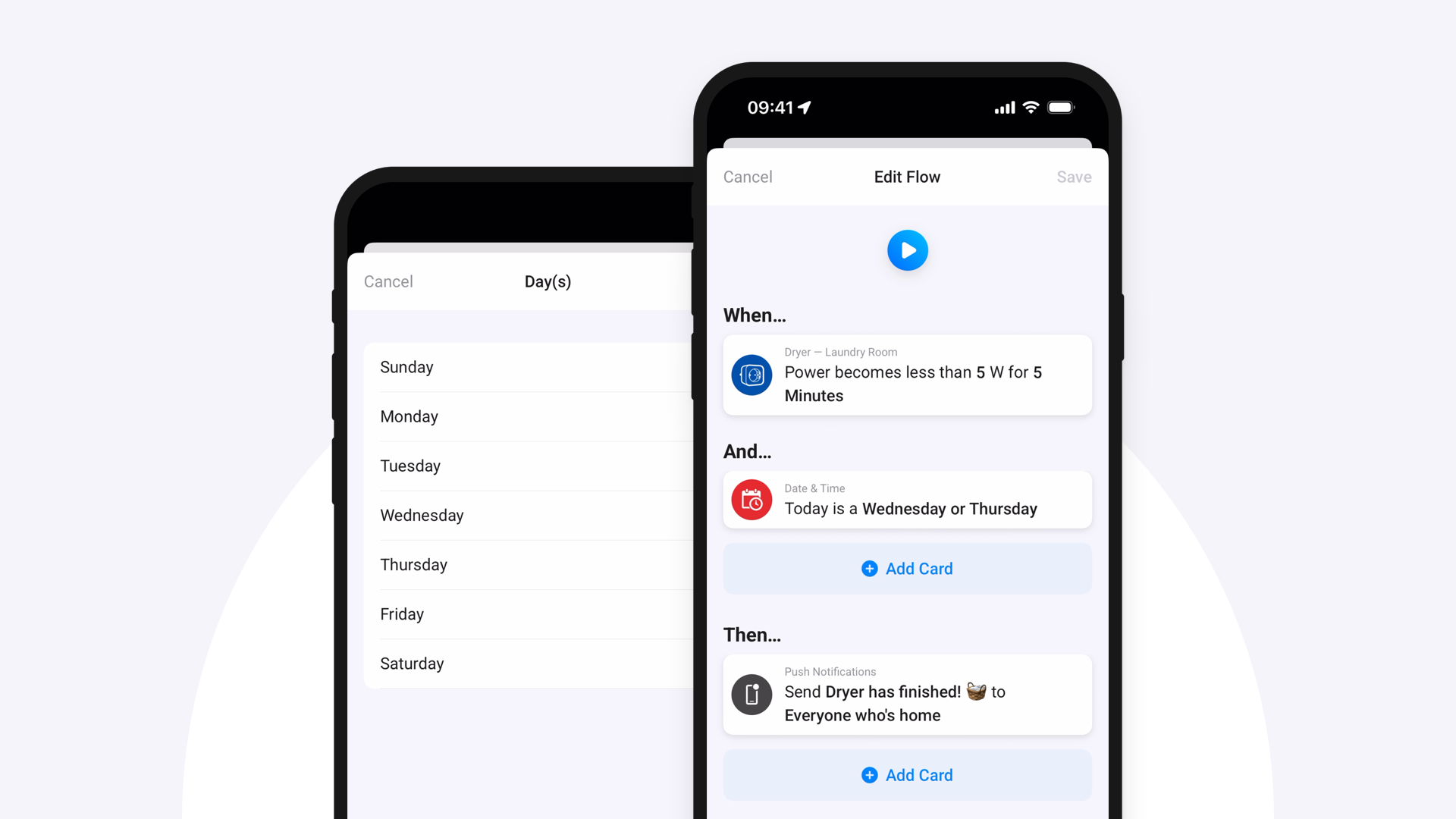
Smart automations are what make a smart home feel truly useful. They allow your home to respond automatically, without you having to press a button every time.
Most automations fall into two types: schedules and trigger-based automations.
- A schedule runs at a set time. For example, the hallway lights turn on every day at sunset.
- A trigger-based automation responds to something that happens. For example, the hallway lights turn on when motion is detected after dark.
Both are useful. Schedules are predictable. Triggers are more responsive. The best smart homes often use a mix of both.
Optional: Voice Assistants
Voice assistants are an optional way to control a smart home. The most common options are Amazon Alexa, Google Assistant, and Apple’s Siri through Apple Home.
They let you use hands-free commands such as “turn off the living room lights” or “set the thermostat to 20 degrees.”
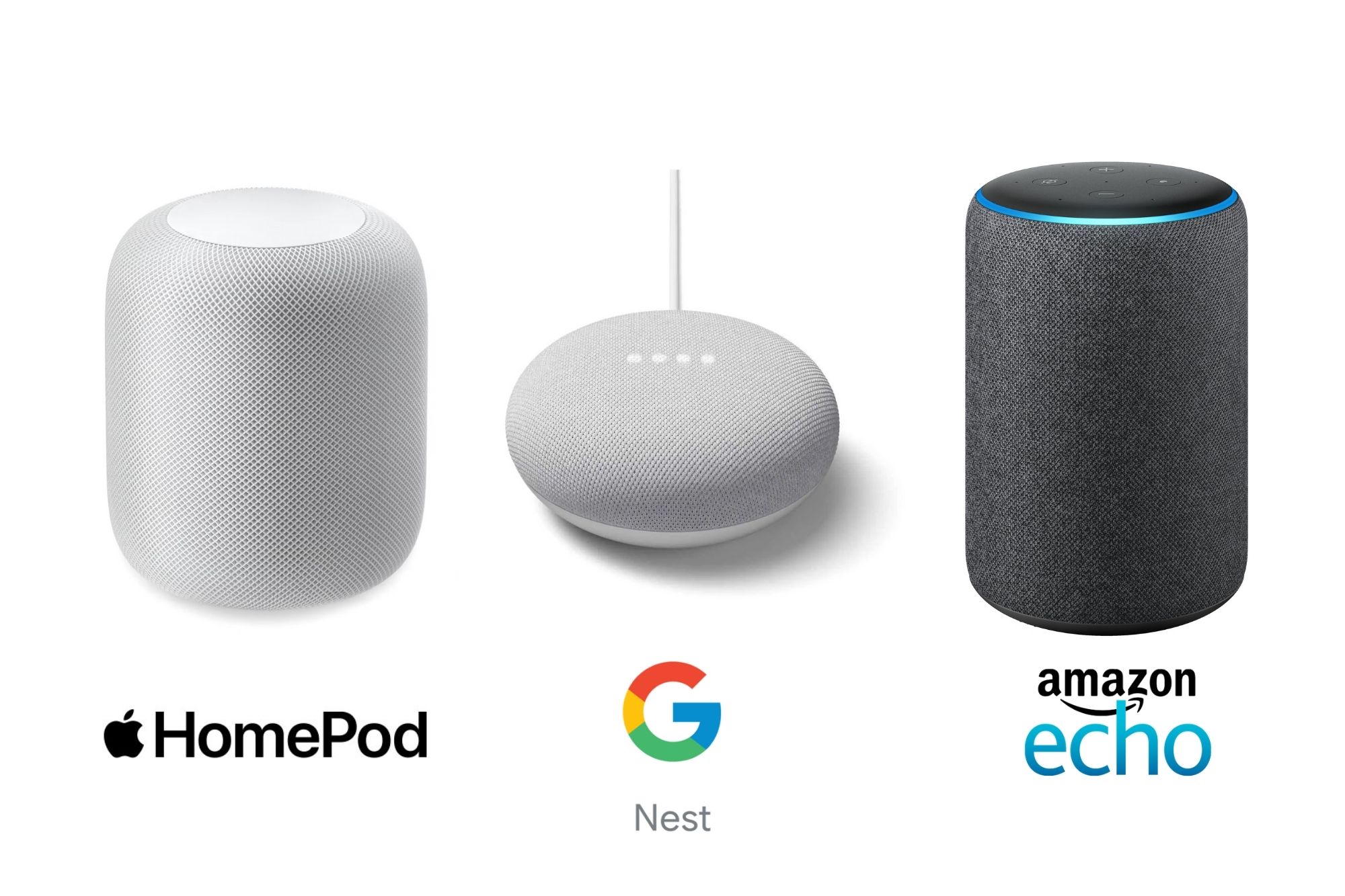
Voice assistants are convenient, but they are not the same as a smart home hub. They are mainly a control layer. They usually depend on the cloud and do not run full smart home automations on their own.
Read more on how to control Amazon Alexa, Google Home and Apple Home via Homey.
Do You Always Need a Smart Home Hub?
Not always. If you only want one or two Wi-Fi devices, such as a smart plug for a lamp or a single connected bulb in the bedroom, you can often start with the manufacturer’s app.
A smart home hub or smart home system becomes valuable when you want devices from different brands to work together with smartautomations that make life easier.That is where the home starts to feel truly smart. Your door/window sensor can trigger your lights. Your thermostat can react to presence. Your smart smoke and CO detectors can make lights flash in an emergency. Your energy data can help you understand when and where electricity is being used.
So, a smart home hub like Homey Pro becomes a useful smart home system when you want any of these:
- Devices from different brands to work together instead of living in separate apps.
- Automations that react to real life (time, motion, presence, temperature).
- A setup that scales without becoming messy.
A good hub doesn’t make your home “smart” by itself. It makes your smart devices feel like they belong together.
What Can You Automate in a Smart Home?
The best smart home automations solve small, real problems. They remove the little things you repeat every day.
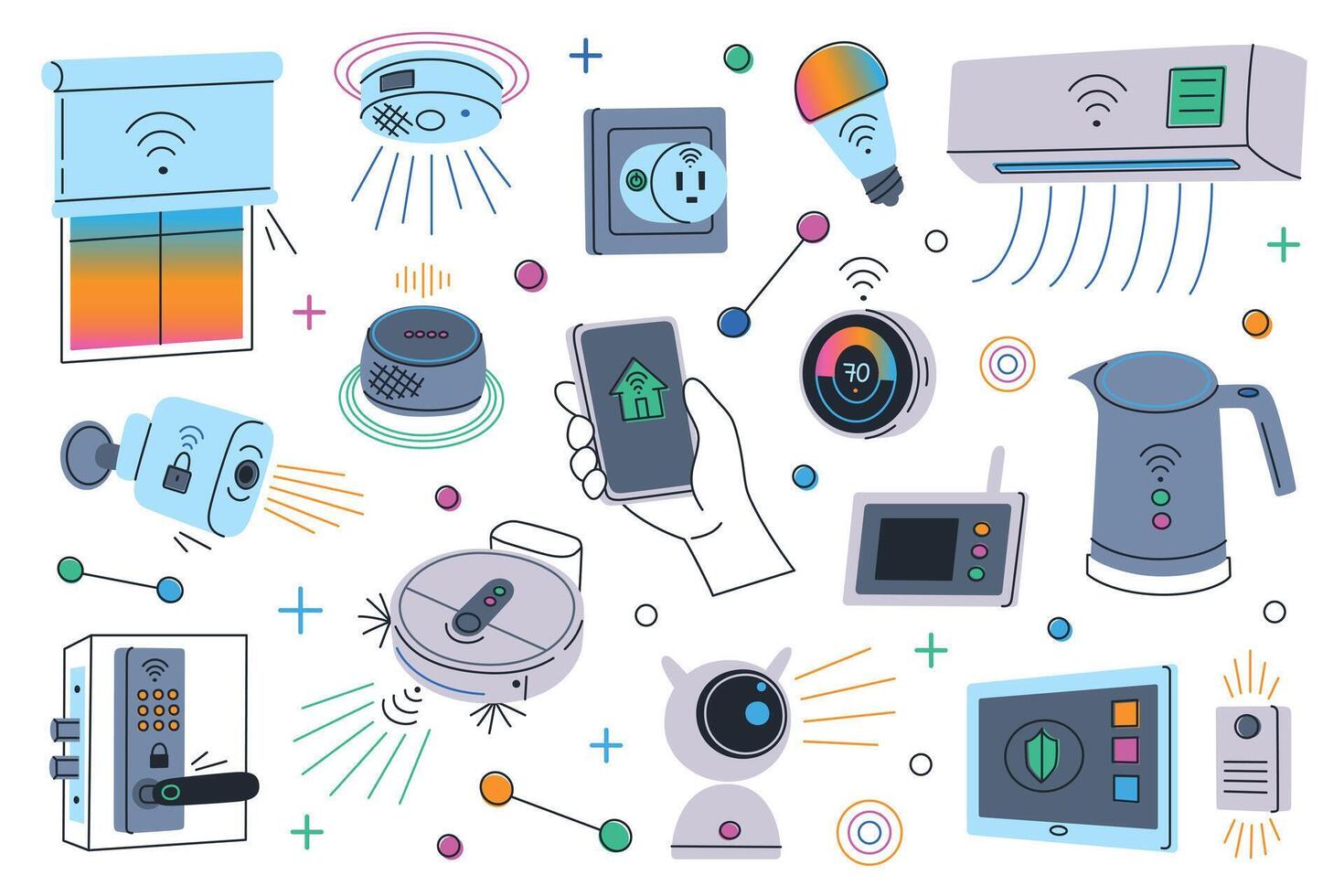
Lighting is often the easiest place to begin. With smart light bulbs or LED strips, your home can shift from bright morning light to a warm evening glow. A hallway can light up softly at night. A living room can become ready for movie night with one scene.
Heating and cooling are where comfort meets savings. A smart thermostat can lower the temperature when no one is home and warm things up before you return. In rooms you use less often, smart radiator valves can help avoid heating spaces unnecessarily.
Safety is another strong use case. A door/window sensor can tell you if the garden door is still open. A smart lock can help you check whether the front door is locked. Cameras can add visibility, while smart smoke and CO detectors can help your home react when every second matters.
Energy is becoming one of the most practical reasons to build a smart home. With energy meters, smart plugs with power monitoring, EV chargers, and solar-related devices, you can see what your home is using and make smarter choices. Instead of guessing, you get insight.
Window coverings add comfort in a quiet but noticeable way. Smart window coverings can close at dusk for privacy, open gradually in the morning, or help keep a room cooler on sunny afternoons.
Real-Life Example: A Smarter Evening at Home
Imagine arriving home on a rainy Thursday. As you unlock the door, the hallway lights turn on warmly. The living room is already comfortable because the heating started a little earlier. A smart plug switches on a small corner lamp, while the bright ceiling lights stay off because it is evening.
After dinner, you tap a “Relax” Flow in Homey. The lights dim. The smart window coverings close. The room feels calmer. Later, when you go to bed, Homey checks whether the doors are closed, turns off the remaining lights, and lowers the thermostat.
None of this feels futuristic. It feels like your home is paying attention.
Smart Home Benefits and Honest Drawbacks
The main benefit of a smart home is convenience. Your home can take care of repetitive tasks automatically. You no longer need to check every room, every switch, or every plug.
Comfort is another big advantage. Lighting, temperature, and routines can adapt to the rhythm of your household. A smart home can make mornings smoother, evenings calmer, and weekends easier.
Energy insight is increasingly important. A connected home can help you spot waste, reduce standby consumption, and better understand the impact of heating, cooling, appliances, and charging.
Safety and peace of mind also matter. A smart home can let you know when something unusual happens, whether that is movement while you are away, a door left open, smoke detected, or water where it should not be.
There are also drawbacks to consider. Smart devices cost more upfront than traditional ones. Setup can take a little patience. Compatibility matters, especially when mixing brands. Some features depend on cloud services or internet access. And like any connected technology, privacy deserves attention.
That is why it is smart to choose devices and platforms carefully. Look for reliable brands, clear privacy practices, local control where possible, and broad compatibility. A smart home should make life feel simpler, not more complicated.
| Smart home benefits | Honest drawbacks |
| Convenience: your home handles small tasks automatically. | Upfront cost: you’ll invest more at the start than with “dumb” devices. |
| Comfort: lighting and climate adapt to your routines. | Learning curve: setup can take patience the first time. |
| Energy savings: better timing reduces waste without sacrificing comfort. | Compatibility confusion: some devices don’t play nicely together. |
| Security: more awareness and better routines around “did I lock it?” | Internet reliance (sometimes): cloud features can be limited during outages. |
| Privacy-first control is possible: depending on platform and settings. | Maintenance: occasional updates and tweaks are normal. |
How Much Does a Smart Home Cost?
This question comes up early because smart homes can be affordable, or they can snowball. The answer is: it depends. In any case, the good news is you can start small and build gradually.
Starter (about $150–300 / €150–300)
A smart home can start small. Many people begin with a few smart light bulbs, a smart plug and one or two simple automations (like schedules or “turn everything off when I leave”). This kind of starter setup is often enough to discover what you actually enjoy using.
Intermediate (about $500–1,000)
A more complete setup usually includes a smart home hub, several rooms with smart lighting, a smart smart thermostat, a few motion sensors, , and some safety or energy devices. At this stage, the home starts to feel connected rather than controlled device by device.
Fully automated (about $1,500+)
A larger smart home may include multi-room lighting, security devices, smart locks, energy monitoring, smart window coverings, solar panels, home batteries and EV charging, along with more advanced automations of flows. At this tier you’re often building for reliability and long-term comfort, not just novelty. Not surprisingly, devices like solar panels, home batteries, waterboiler and EV charges demand higher investments.
The best advice is simple: start with one problem, one room, or one routine. Build from there. Note that the cheapest device is not always the best value if it locks you into a closed ecosystem without flexibility to use other brands.
<< CTA — Start free with Homey Cloud → /homey-cloud/
Curious but not ready to commit? Start with a small setup and see what feels genuinely useful. >>
Starting a Smart Home in 5 Simple Steps
The easiest way to start a smart home is not by buying devices first. Start with a problem you want your home to solve. Maybe you want the lights to turn on automatically in the evening, lower your energy use, feel safer when you are away, or make everyday routines more comfortable.
A smart home works best when every device has a clear purpose. These five steps help you build a setup that feels useful from day one.
1. Define Your Smart Home Goal
Start with one clear goal: comfort, energy savings, security, or convenience.
This keeps your smart home focused and prevents you from buying random gadgets that do not work together. For example, if comfort is your goal, you might begin with smart light bulbs or a smart thermostat. If safety matters most, start with door/window sensors, motion sensors, or smart smoke and CO detectors.
2. Choose a Smart Home Hub or Platform
A smart home hub or platform helps prevent the “five apps on your phone” problem. It brings your devices together, so you can control and automate them from one place.
Some people start with a few Wi-Fi devices and add a hub later. Others choose a platform early to keep everything organized from the beginning. Both approaches can work, as long as you think about compatibility before you buy.
A platform like Homey helps connect devices from different brands. For more advanced local control, Homey Pro is built to run your smart home reliably and bring multiple wireless technologies together.
3. Start With One Smart Home Category
Pick one category first instead of automating everything at once.
Lighting is one of the best starting points because the result is immediate. A few smart light bulbs can make your home feel warmer in the evening, brighter in the morning, and easier to control. Security sensors are another good first step because they are simple, practical, and useful every day.
Avoid doing “a bit of everything” on day one. A smart home feels better when one room or routine works smoothly before you expand.
Avoid doing “a bit of everything” on day one. A smart home feels better when one room or routine works smoothly before you expand.
4. Create Your First Smart Home Automation of Flow
This is where your smart home starts to feel truly helpful.
Begin with a simple schedule, such as: every day at sunset, turn on the hallway lights. Once that feels natural, add a trigger-based automation: when a motion sensor detects movement after sunset, turn on the hallway lights softly..
Schedules are predictable. Triggers respond to real life. Together, they make your home feel more natural and less manual.
5. Expand One Room or Floor at a Time
Smart homes work best when they feel calm, predictable, and easy to live with. Once your first room (or floor) or routine works well, move to the next.
You might add a smart plug to control a lamp, a smart thermostat to improve comfort, or smart window coverings to create more privacy in the evening.
Build slowly, test what works, and keep the setup simple enough for everyone at home to enjoy. For a smart home that can grow with you, explore Homey Pro. It brings your devices together, runs automations locally, and gives you the flexibility to make your home smarter step by step.
For a deeper step-by-step guide, check the "Getting started with smart home" blog.
<<< CTA — Explore Homey Pro — local, no subscriptions → /homey-pro/ If you prefer more local control >>>
Best Smart Home System: Which One Is Right for Your Home?
There are many smart home platforms out there: Google Home, Amazon Alexa, Apple Home, Home Assistant, and more. What sets Homey apart is the breadth of protocols it supports under one roof, combined with the ability to run automations locally without depending on the cloud. Whether you're starting small or building a fully automated home, there's a Homey for every stage.
The most important question is not “Which system has the most features?” It is “Which system will still make sense when my smart home grows?” Choose a platform that supports the devices you want today and the routines you may want tomorrow.
Here’s a neutral, quick comparison. For a deeper dive, see smart home platforms.
| Homey Cloud | Homey Cloud & Homey Bridge | Homey Pro mini | Homey Pro | |
| Processing | Cloud | Cloud + local (Bridge) | Local | Local |
| Matter | — | — | ✓ | ✓ |
| Thread | — | — | ✓ | ✓ |
| Zigbee | — | With Bridge | With Bridge | ✓ |
| Z-Wave | — | With Bridge | With Bridge | ✓ |
| Bluetooth | — | With Bridge | With Bridge | ✓ |
| Infrared | — | With Bridge | With Bridge | ✓ |
| 433 MHz | — | With Bridge | With Bridge | ✓ |
| Wi-Fi / LAN | ✓ | ✓ | ✓ | ✓ |
| Community Apps | — | — | ✓ | ✓ |
| HomeyScript | — | — | — | ✓ |
| Advanced Flow | ✓ | ✓ | ✓ | ✓ |
Privacy matters because a smart home can reveal patterns: when you're home, which rooms you use, and when certain devices are active. If you care about reducing data sharing, look for clear policies and options for local control where possible. We describe our approach on the privacy-first page.
<< For a deeper breakdown, see smart home benefits. >>
Smart home technologies and platforms supported by Homey
Smart homes often use multiple wireless technologies and platforms. As a powerful smart home hub, Homey supports a wide range of communication standards, including Zigbee, Z-Wave, Matter, Thread, KNX, 433 MHz, Wi-Fi, Bluetooth and Infrared.
Homey also integrates with popular smart home platforms such as Amazon Alexa, Google Home and Apple Home. By combining multiple technologies and platforms in one system, Homey allows devices from different ecosystems to work together in one flexible smart home setup.
Discover more about Homey by connecting additional devices through the Homey App Store. Control them with the Homey App and create your own automations with Flows and Advanced Flows. Monitor your smart home using Dashboards, and gain deeper understanding with Homey Energy and Insights.
If you want help choosing devices by category, browse compatible recommendations here.
<<< CTA — Browse the Best Buy Guides → /best-buy-guide/ >>>
Conclusion
A smart home is not about technology for technology’s sake. It is about a home that supports the way you live. It can make your mornings smoother, your evenings warmer, your energy use clearer, and your home feel a little more reassuring when you are away.
Start small, choose compatible devices, and focus on real-life routines. With Homey, you can bring those routines together in one place and let your home become smarter step by step.
Ready to make your home feel a little more helpful? Start with one room, one routine, or one device category, then explore compatible devices and see how Homey can bring everything together naturally.
Frequently Asked Questions About Smart Homes
What do you need for a smart home?
You need at least one smart device and a way to control it, usually an app. For a more connected experience, a platform like Homey helps different devices and brands work together.
Does a smart home work without the internet?
Some smart home functions can work without the internet, especially when automations run locally. Cloud features, remote access, and many voice assistants may be limited during an outage.
Is a smart home expensive?
It does not have to be. You can start with a few affordable devices, such as smart bulbs or a smart plug, and expand gradually. Larger homes with heating, security, energy, and blinds will naturally cost more.
What is the difference between a smart home and home automation?
A smart home includes connected devices you can control. Home automation means those devices act automatically based on time, motion, presence, temperature, or another trigger.
Is a smart home secure?
A smart home can be secure when you use strong passwords, keep devices updated, choose trusted brands, and avoid unnecessary access. Local control can also reduce dependence on external cloud services.
Can I make existing devices smart?
Often, yes. A smart plug can make a lamp or small appliance controllable. Smart switches, smart relays, infrared controllers, and sensors can add intelligence without replacing everything.
What is the best first smart home device?
Lighting is usually the best place to start because it is easy to understand and instantly useful. A smart plug or motion sensor is also a simple first step.
Do smart homes save energy?
They can. Smart thermostats, energy meters, smart plugs, and automations can reduce waste by turning devices off, lowering heating when rooms are empty, and making energy use visible.
Do I need one brand for everything?
No. One of the main benefits of a platform like Homey is that it can bring many brands together. The key is checking compatibility before you buy.
What is the best smart home hub?
The best hub is the one that supports your preferred devices, communication protocols, privacy expectations, and future plans. For broad compatibility and local automations, Homey Pro is a strong choice.
Smart Home Terms Explained
Smart home
A smart home is a home with connected devices that can be controlled remotely, automatically, or together through a platform.
Automation
An automation is a rule that makes something happen automatically, such as turning on lights when motion is detected.
Flow
A Flow is Homey’s way of creating automations. It connects a trigger, conditions, and actions in a simple structure.
Hub
A hub is the central device or platform that connects smart devices and helps them work together.
Protocol
A protocol is the communication language a smart device uses, such as Wi-Fi, Zigbee, Z-Wave, Thread, Bluetooth, or 433 MHz.
Matter
Matter is a smart home standard designed to make devices from different brands work together more easily.
Thread
Thread is a low-power wireless mesh technology often used by modern smart home devices, especially Matter devices.
Zigbee
Zigbee is a low-power wireless protocol commonly used for lights, plugs, sensors, and switches.
Z-Wave
Z-Wave is a wireless protocol often used for sensors, locks, plugs, and home security devices.
Scene
A scene changes several devices at once. For example, a movie scene can dim the lights, close the blinds, and set the room to a cozy evening mood.


