








Smart Home Protocols Compared and Explained
A smart home protocol is the language a device uses to send commands and share data with a hub or with other connected devices. Some protocols are built for tiny battery sensors, some for fast video, and other for a garage remote you press once a day. Picking the wrong one for the job leads to dead batteries, dropped connections and devices that feel unreliable.
This guide breaks down the wireless communication protocols you will actually run into when building a smart home. Wi-Fi, Zigbee, Z-Wave, Thread, Bluetooth, Infrared, 433 MHz, and LoRa each solve a different problem, and none of them is the single "best" choice. A smart home hub like Homey Pro exists precisely because most real smart homes end up running several of these protocols side by side.
What Are Smart Home Protocols
A smart home protocol is the set of rules a device uses to send and receive data over radio waves. The protocol decides how far a signal can travel, how much power it needs, whether devices can relay messages for each other and whether the network can grow into hundreds of devices without falling apart.
Protocols can be divided into three categories:
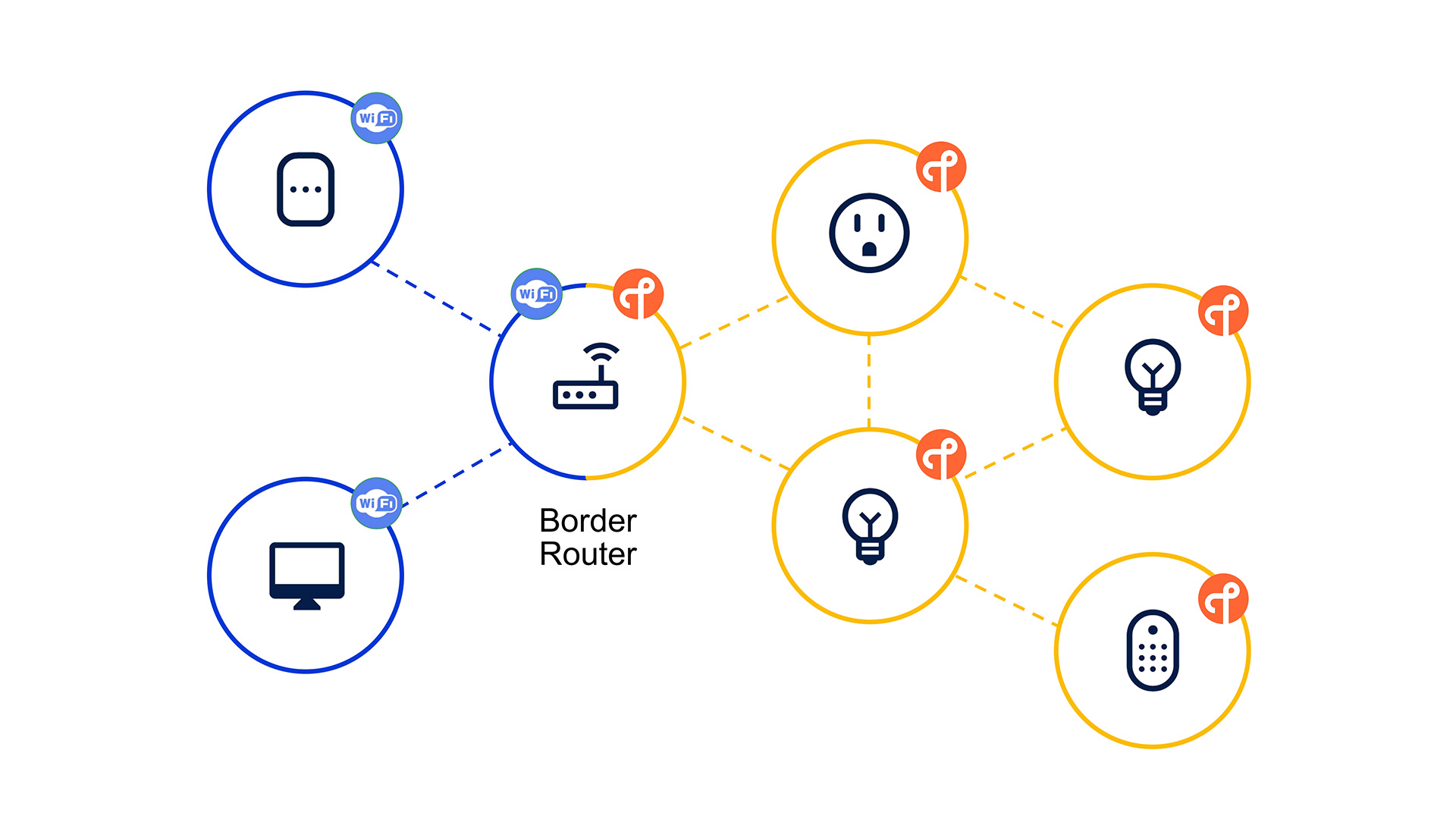
- Mesh vs point-to-point. Zigbee, Z-Wave and Thread form a mesh, where mains-powered devices act as repeaters and pass messages along until they reach the hub. Bluetooth, Infrared and most RF protocols talk directly from device to receiver, with no relay in between.
- IP-based vs non-IP. Thread and Wi-Fi carry standard internet traffic and give each device its own address on the network. Zigbee, Z-Wave, Bluetooth and the RF protocols use their own private signaling and rely on a hub to translate that into something the rest of your network understands.
- Licensed vs open. Z-Wave is controlled by the Z-Wave Alliance and every device must pass certification. Zigbee, Thread and the RF bands are open standards that any manufacturer can build on, which is part of why device choice varies so much between them.
None of these three lines determines which protocol wins. They determine which protocol fits a given device. A smart door lock wants Z-Wave's reliability. A battery sensor wants Zigbee or Thread's low power draw. A garage remote is happy with a one-way burst on 433 MHz.
Smart Home Protocols Compared: Full Specs Table
| Protocol | Frequency | Data rate | Range per hop | Topology | Power use | IP-based |
|---|---|---|---|---|---|---|
 Wi-Fi Wi-Fi | 2.4 / 5 GHz | Up to 1 Gbps+ | 30 to 50 m 10 to 15 m | Star | High | Yes |
 Zigbee Zigbee | 2.4 GHz | Up to 250 kbps | 10 to 20 m | Mesh | Low | No |
 Z-Wave Z-Wave | 908 MHz US, 868 MHz EU, 921 MHz AU | Up to 100 kbps | 30 to 100 m | Mesh | Low | No |
 Thread Thread | 2.4 GHz | Up to 250 kbps | 10 to 20 m | Mesh | Low | Yes |
 Bluetooth Bluetooth | 2.4 GHz | Up to 2 Mbps | 10 to 30 m | Point-to-point | Very low | No |
 Infrared Infrared | Light spectrum | N/A | 5 to 10 m | Point-to-point | Very low | No |
 433 MHz 433 MHz | 433.92 MHz | Up to 10 kbps | 20 to 100 m | Point-to-point | Very low | No |
 LoRaWAN LoRaWAN | Sub-GHz | Up to 50 kbps | Several km | Star | Very low | No |
 KNX KNX | Wired, Twisted pair | Up to 9.6 kbps | Wired | Bus | Mains powered | Yes, KNXnet |
Ranges are for a single hop under normal indoor conditions. Actual performance depends on walls, interference and how many repeaters are between a device and the hub.
Wi-Fi
Wi-Fi is the protocol most homes already have running before a single smart device gets added. It operates on the 2.4 GHz and 5 GHz bands, connects straight to your router, and moves far more data per second than any of the low-power protocols like Zigbee or Thread.
That bandwidth comes at a cost. Wi-Fi radios draw significantly more power than Zigbee, Z-Wave or Thread, which is why battery-powered sensors rarely use it and why Wi-Fi devices are usually plugged into mains power. It also does not form a mesh in the traditional sense. A standard Wi-Fi device talks directly to the router or an access point, not to other devices nearby. Wi-Fi mesh systems solve coverage at the network level rather than the device level.
Wi-Fi remains the right choice for cameras, video doorbells, robot vacuums, speakers and anything that needs to move real data rather than a simple on or off command. Filling a home with dozens of small Wi-Fi sensors instead is usually the wrong call, since it adds router load and drains batteries fast.
Zigbee
Zigbee runs on the 2.4 GHz band using the IEEE 802.15.4 radio standard, the same physical layer as Thread. It builds its own mesh network on top of that radio, where every mains-powered Zigbee device acts as a repeater for the others. This makes coverage grow automatically as you add switches and plugs.
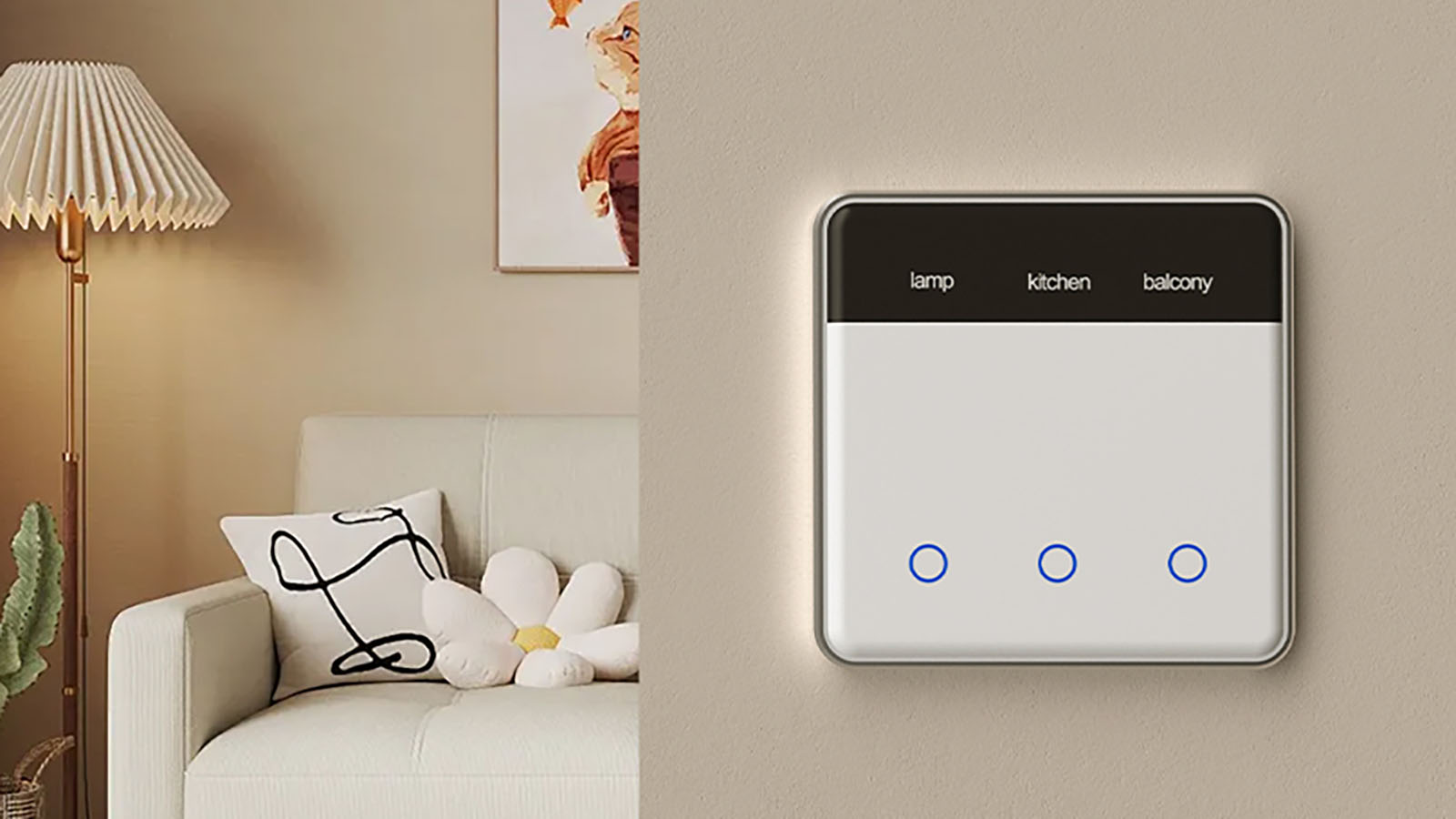
Zigbee is an open standard, so the device ecosystem is large and prices stay competitive. The tradeoff is that "Zigbee" does not always mean full compatibility. Different manufacturers implement their own extensions on top of the base standard, and some devices only work well with their own brand's hub. A smart home hub that speaks standard Zigbee, like Homey Pro, sidesteps most of those compatibility problems.
Zigbee sits in the 2.4 GHz band alongside Wi-Fi, so heavy Wi-Fi traffic on the same channels can cause interference in dense homes, unless network channels are properly configured and set up.
Z-Wave
Z-Wave operates in a sub-GHz band, which gives it better wall penetration and longer range per hop than Zigbee or Thread. It also forms a mesh, and every Z-Wave device must pass Z-Wave Alliance certification before it can carry the logo, which keeps cross-brand compatibility consistent.
The frequency is not the same everywhere, and this is where Z-Wave catches people out. The United States and most of North America use 908.42 MHz. The European Union uses 868.42 MHz. Australia and New Zealand use 921.42 MHz. Other regions have their own assigned frequency. A Z-Wave device bought for the US market will not pair with a Z-Wave controller set to the EU frequency, even though both are labelled Z-Wave. When buying Z-Wave hardware, always check it matches the region your hub is configured for.
Z-Wave's certification process and predictable mesh behavior make it a common choice for locks, security sensors and anything where a missed command is a real problem.
Thread
Thread uses the same 2.4 GHz radio as Zigbee but takes a different approach at the protocol level. It carries IPv6 traffic directly, using a compression method called 6LoWPAN, so every Thread device gets its own address on the network instead of needing a translation layer.
Thread itself only handles transport. It does not define what a "light" or a "lock" is. That job belongs to Matter, which runs on top of Thread and defines the device behavior. Most devices sold as "Thread" today are really Matter-over-Thread devices.
Thread networks can have multiple border routers, so there is no single point of failure the way there is with a Zigbee coordinator. Devices also tend to get better battery life than equivalent Zigbee hardware, since Thread was designed later with power efficiency as a priority from the start.
Bluetooth and Bluetooth Low Energy (BLE)
Bluetooth and Bluetooth Low Energy share a name and a frequency band, but they are not completely the same. Classic Bluetooth was built for streaming data, like audio to a speaker or a headset, and it draws too much power to run on a small battery for long. BLE was designed later as a separate, lighter version of the standard, built to send small bursts of data using a fraction of the power. Most smart home devices that mention Bluetooth today actually mean BLE.
BLE works in two different ways. Some devices pair and hold a connection, exchanging data back and forth, which is how a BLE smart lock talks to your phone. Others just broadcast advertisement packets on open channels without pairing to anything or checking who receives them, which is how most beacons and presence sensors work.
BLE works well for presence detection, since a phone broadcasting or connecting as it enters or leaves range is a reliable trigger for automations. Classic Bluetooth still shows up in a smart home for audio devices, but it is rarely the protocol behind wall switches or relay modules.
Infrared (IR)
Infrared is not a radio protocol at all. It sends commands as pulses of light in a wavelength invisible to the human eye, the same way a television remote works. It requires a direct line of sight between the transmitter and the receiver, and it only travels a few meters.
IR is one-directional. The transmitting device has no idea if the command was received. This makes it unsuitable for anything where confirmation matters, but it remains the only way to control most televisions, air conditioners, and older media players that were never built with a network radio.
A hub with a built-in IR blaster, such as Homey Pro, can replace a stack of physical remotes by learning and replaying their signals.
433 MHz
433 MHz is one of the oldest wireless protocols still used in smart homes. It is unlicensed in most of Europe and much of the rest of the world, cheap to implement, and covers long distances for very little power. That combination made it the default choice for garage remotes, cheap plug sockets, and basic wireless doorbells for decades.
Most 433 MHz devices are one-way and unencrypted. A remote simply broadcasts a code, and any receiver listening on that frequency picks it up. There is usually no pairing process beyond copying a code, no acknowledgment that a command arrived, and no protection against a signal being captured and replayed. This is fine for a doorbell, but it is not something to rely on for a smart door lock.
433 MHz transmission is restricted or banned outright in some countries. In the United States, Canada, and South Korea, for example, this band is not available for smart home use, so 433 MHz hardware sold there will not function.
LoRa and LoRaWAN
LoRa stands for Long Range, and that is its entire reason to exist. It trades data speed almost completely for distance and power efficiency, reaching several kilometers on a coin cell battery that can last years. LoRaWAN is the network layer built on top of raw LoRa radio, used to organize many devices talking to a central gateway.
This makes LoRa the right tool for utility meters, agricultural sensors spread across a field, or city-wide air quality monitoring, not for a house. Inside a normal home, its range is wasted and its extremely low data rate is a poor fit for anything beyond an occasional reading. You will not find LoRa devices in a typical smart home starter kit, and it is not a protocol Homey or most consumer hubs support directly.
KNX
KNX is different from everything else on this list in one important way: it is a wired protocol first. Devices connect over a dedicated twisted pair bus cable run through the walls during construction or renovation, though a KNX RF variant exists for cases where running new cable is not practical.
Because every device sits on the same physical bus, KNX does not need a central hub to function. Switches, sensors and actuators can talk to each other directly over the bus itself. This makes it extremely reliable, but it also means KNX is a professional installation, not something added device by device after the fact.
KNX shows up mostly in new builds and renovations, particularly in Europe, where an installer plans the wiring around it. It is a common backbone for lighting, blinds and HVAC control in homes and commercial buildings that want full local control without depending on a wireless mesh at all.
Which Protocol Should You Use for What
Matching a device to a protocol comes down to three questions. Does it run on battery or mains power? Does it need to react instantly or just report a state passively? And does it need to work when the internet is down.
Battery-powered sensors like motion, door and window contacts work best on Zigbee and Thread. They are low power by design and the mesh grows as you add mains-powered devices around them.
Locks and security devices lean toward Z-Wave. Its certification and long range per hop make it the more predictable choice, though a growing number of Matter-over-Thread locks now compete directly with it.
Lights and switches suit Zigbee best, since it has the largest and cheapest device selection, while Thread is catching up quickly as more manufacturers add Matter support.
Remotes and simple one-way triggers are still hard to beat on price with 433 MHz, as long as the device sits somewhere 433 MHz is legal to use.
Legacy AV equipment leaves you with Infrared as the only option, since the hardware itself was never built with a radio.
Cameras, speakers and anything streaming data need more than any of the above protocols can offer. That bandwidth is Wi-Fi or Bluetooth's job.
How Homey Brings These Protocols Together
Running eight different protocols, each with its own pairing process and quirks, is not realistic for most people or brands. This is the problem Homey solves: running multiple radios in one hub and presenting every device the same way regardless of what protocol it speaks underneath.
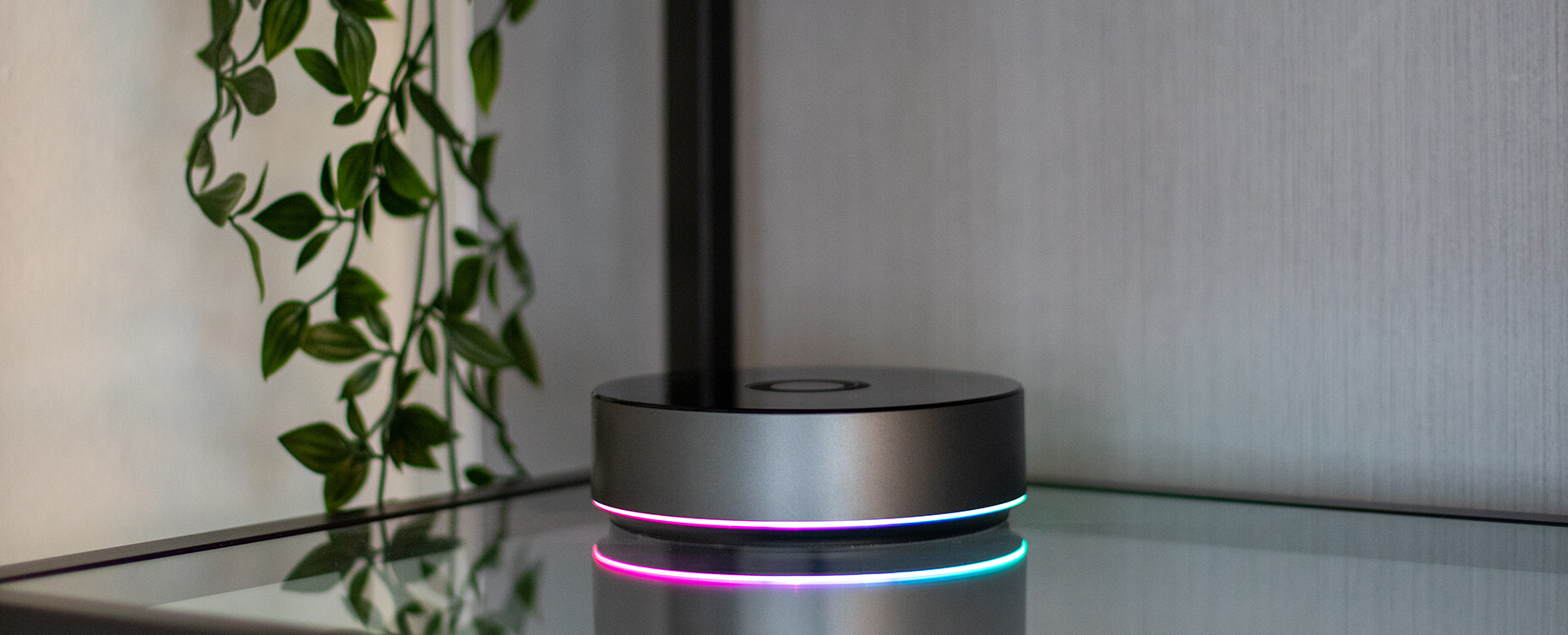
Homey Pro has the widest built-in radio support of the lineup. It runs Wi-Fi, Zigbee, Z-Wave, Matter and Thread, Bluetooth, Infrared, and 433 MHz natively, eight protocols in one local hub with no cloud dependency for processing.
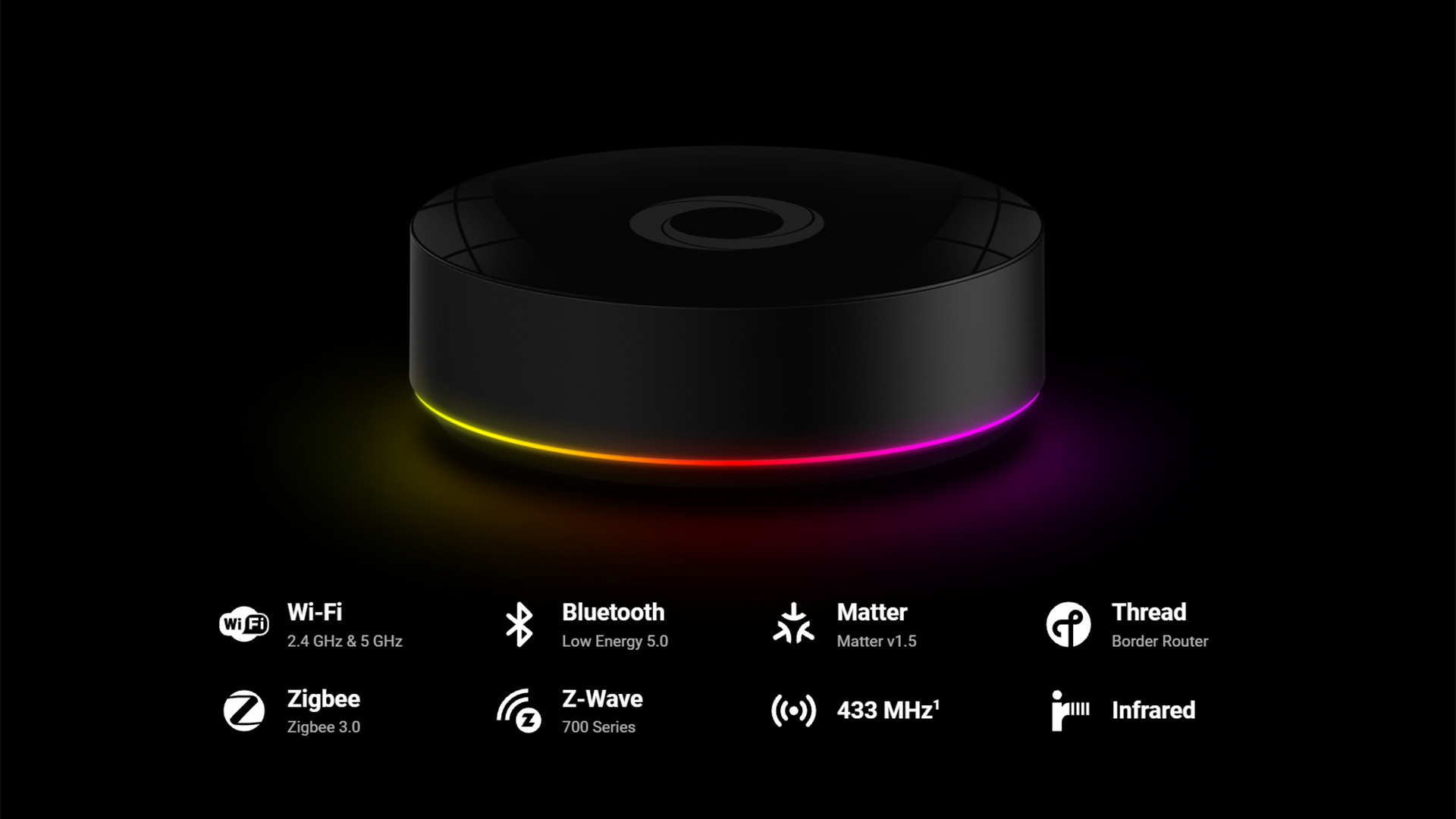
Homey Pro mini covers the core of a modern smart home out of the box, with built-in Ethernet, Zigbee, Thread and Matter. Z-Wave, Bluetooth, 433 MHz and Infrared are not built in, but can be added by pairing a Homey Bridge alongside it.
Homey Bridge on its own, connected to Homey Cloud, adds Zigbee, Z-Wave, Bluetooth, Infrared and 433 MHz connectivity without needing separate hardware for each. When paired with Homey Pro or Homey Pro mini instead, it acts as a wireless repeater, extending Zigbee and Z-Wave range and giving mini owners access to the protocols it does not have built in.
Because Homey treats a Zigbee motion sensor, a Z-Wave lock and a Thread thermostat as the same kind of object once they are paired, a single Flow can react to any of them without you needing to think about which protocol triggered it.
FAQ
Do I need to pick one protocol for my whole smart home?
No. Most real smart homes end up mixing several protocols naturally, since different device types are built on different radios. A hub that supports multiple protocols removes the need to standardize on just one.
Why does Z-Wave have different frequencies in different countries?
Z-Wave operates in a sub-GHz band, and radio regulations for that spectrum vary by country. A device is set to its region's frequency at the factory and cannot be switched to another region's frequency afterward.
Is Bluetooth good enough to control my whole smart home?
Not on its own. Bluetooth's range is short and it does not mesh the way Zigbee or Z-Wave do, so it works well for presence detection and a handful of nearby devices but not as a whole-home backbone.
Is 433 MHz secure enough for a front door lock?
No. Most 433 MHz devices send unencrypted, one-way signals with no confirmation of receipt. It is fine for a doorbell or a garage remote, not for anything protecting entry to your home.
Will LoRa ever replace Zigbee or Z-Wave in homes?
Unlikely. LoRa is built for distance and battery life at the cost of data rate, which is the wrong tradeoff for a home full of dozens of devices that need to respond in real time.
Does Thread replace Zigbee?
Not directly. Thread and Zigbee can run side by side on the same hub, and many homes will keep both for years, adding new Matter-over-Thread devices without removing existing Zigbee hardware.
Glossary
Mesh network
A network where devices relay messages for each other, extending range and adding resilience if one path fails.
Hop
A single relay between two devices in a mesh network. Total range depends on how many hops a message needs to reach the hub.
IP-based
A protocol that carries standard internet traffic, giving each device its own address that other IP devices can reach directly.
Sub-GHz
Radio frequencies below 1 GHz, used by Z-Wave, 433 MHz, 868 MHz and LoRa. Lower frequencies generally travel further and penetrate walls better than 2.4 GHz.
Line of sight
A requirement that nothing physically blocks the path between transmitter and receiver, as with Infrared.
Certification
A formal testing process a device must pass before it can carry a protocol's official logo. Z-Wave enforces this strictly, Zigbee less so.
Thread Border router
A device that connects a Thread network to the wider IP network, allowing Thread devices to reach the internet and other IP devices.


