








Create The Ultimate Homey Gaming Room
A great gaming setup is more than just a powerful computer and a comfortable chair. It is an entire environment built for focus and immersion. Juggling lights, blinds, fans, and sound systems manually can break your concentration at the most critical moments.
When you use Homey to automate your gaming room, you create a seamless experience. Everything in your room works together to pull you into the game, letting you focus on what truly matters, winning.
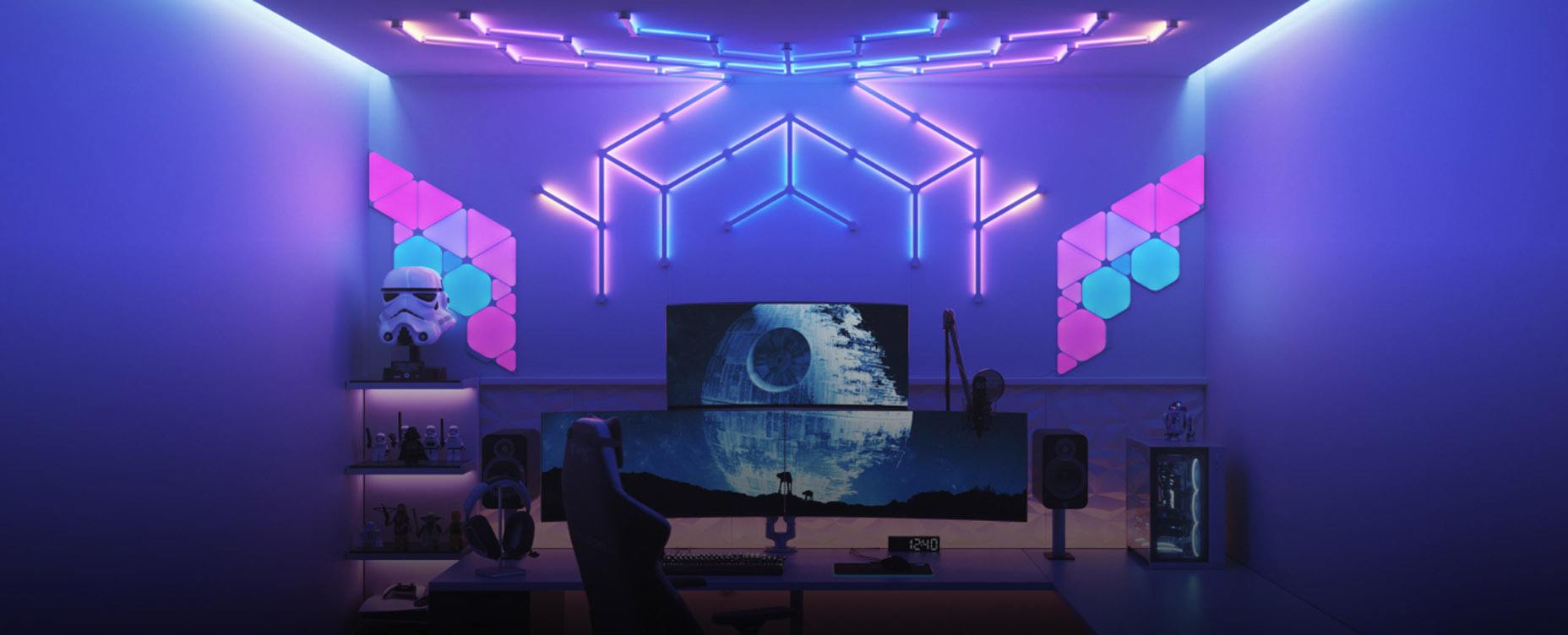
Dynamic Lighting for Total Immersion
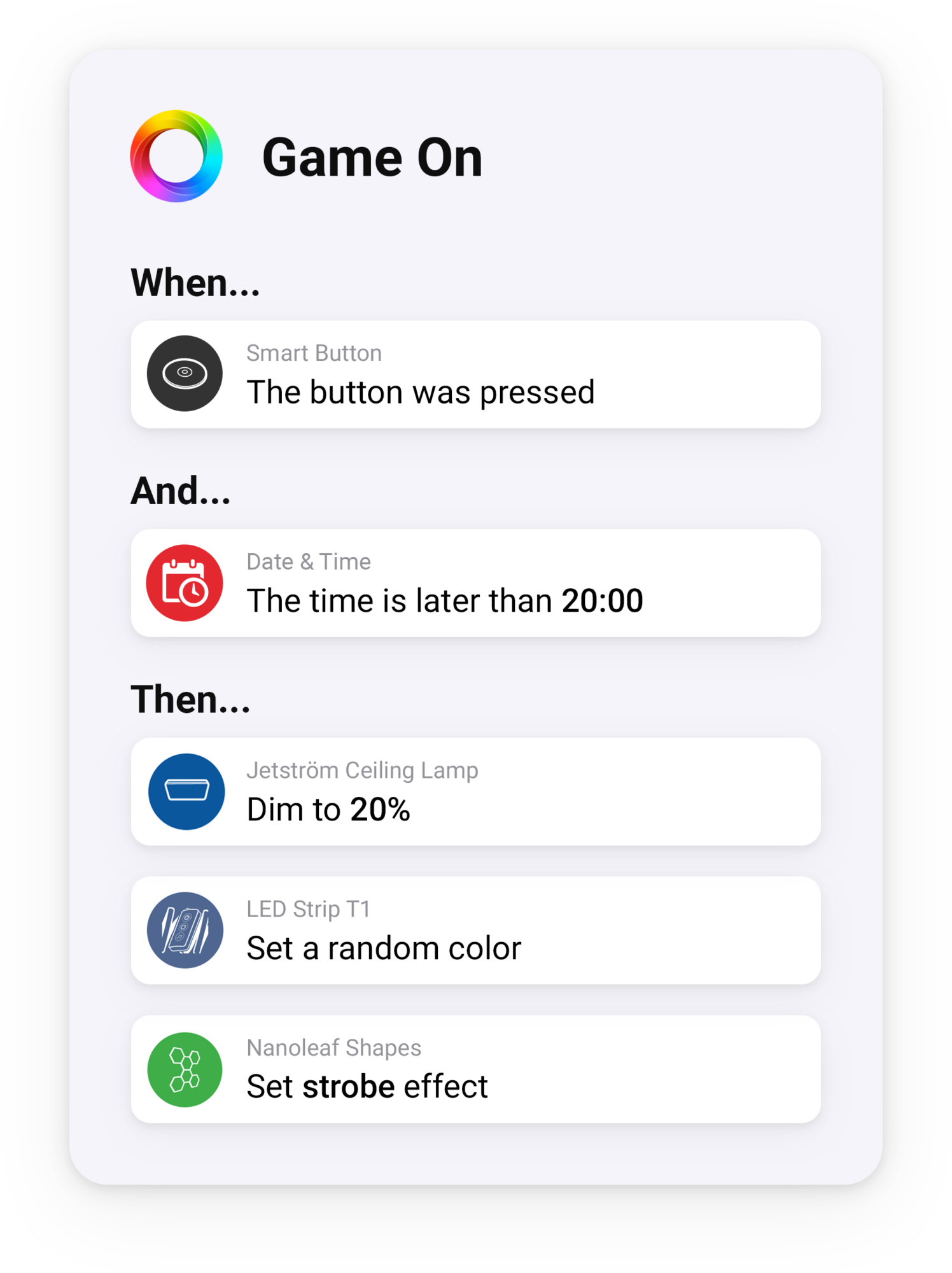
Lighting is key to creating an immersive gaming atmosphere. With a single "Game On" Flow, Homey prepares your entire room. This Flow can dim your main ceiling lights and switch on all your smart accent lights to a vibrant color scheme. You can take this further with lights like Nanoleaf panels, which can mirror the colors from your screen. This makes the game's world feel like it is extending beyond the monitor and onto your walls.
You can make your lighting even more dynamic by using sound. Many smart lights, like Nanoleaf, Govee, Aqara or Twinkly have a feature that lets them react to audio in real time. With this enabled, your lights will pulse and flash in sync with your game's soundtrack and sound effects. Explosions will cause a brilliant flash of light, and the panels will dance to the rhythm of the in-game music. This creates a powerful sense of immersion without needing any direct connection to the game itself.
Automated Comfort and Focus
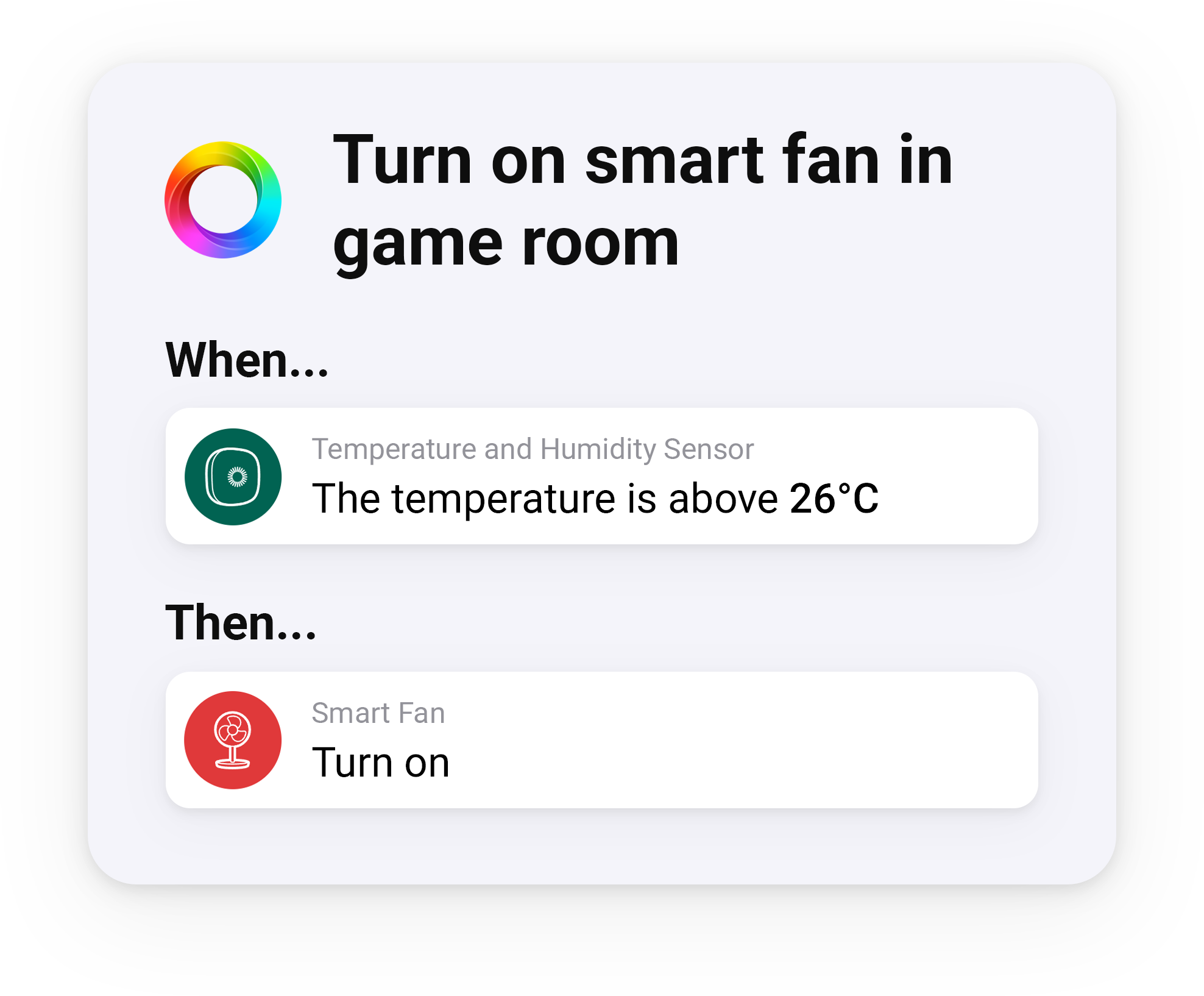
Long gaming sessions can get intense, and a stuffy room can ruin your focus. Homey can manage your room's climate automatically. Place a temperature sensor in the room, and if it gets too warm during a game, a Flow can turn on a nearby smart fan. This keeps you cool and comfortable without you ever having to pause the action.
Minimizing distractions is also essential for competitive play. Your "Game On" Flow can do more than just set the lights. It can also command your smart blinds or curtains to close completely. This eliminates screen glare from outside windows and blocks out visual distractions from the rest of the house. It helps you build a personal gaming cave where your gaming focus is absolute.
Setting the Mood for Streaming Sessions
Streaming calls for a different setup than solo gaming. A "Stream Mode" Flow can switch your accent lights to a steady brand color instead of a reactive game palette, so you look consistent on camera.
This Flow can also handle your on-air signal. A smart LED strip near your door can turn a fixed color, letting your household know you're live and to keep the noise down.
It helps behind the scenes too. Stream Mode can silence your smart doorbell and mute other notification speakers, so nothing interrupts your broadcast or shows up on screen.
Smart Power-Ups and Session Reminders
Homey can even help you manage your gaming sessions. Place a smart button on your desk to act as your real-life power-up. A press between matches could trigger a "Snack Time" Flow. This could subtly brighten the lights on the path to the kitchen. It could also send a notification to a speaker elsewhere in the house, letting your family know you are emerging for a moment.
It is also easy to lose track of time when you are deep in a game. Homey can help with a gentle "Wind Down" reminder. You can schedule a Flow to run automatically late at night. This Flow could slowly shift your vibrant game lighting to a calm, warm white and slightly lower your audio volume. It is a subtle cue that it might be time to save your progress and log off for the night.
Get Started Today
You can build your ultimate gaming room today. Homey gives you the freedom to choose, working with smart devices from hundreds of trusted brands. Get started for free with Homey Cloud, or go full-on with Homey Pro.
FAQs
Can smart lights react to my game's sound in real time?
Yes. Lights from brands like Nanoleaf, Govee, Aqara, and Twinkly can sync to audio, pulsing and flashing with your game's soundtrack and sound effects.
How does Homey keep the gaming room from overheating?
A temperature sensor can trigger a nearby smart fan automatically once the room passes a set threshold, keeping you cool without pausing your session.
What does the "Wind Down" Flow do at night?
Scheduled late at night, it shifts vibrant game lighting to a calm warm white and lowers audio volume, signaling that it's time to log off.
Can a smart button trigger actions during a gaming break?
Yes. A desk button can trigger a "Snack Time" Flow that brightens the path to the kitchen and notifies your family that you're stepping away.
Do I need Homey Pro to automate a gaming room?
Homey Cloud can run basic Game On Flows for free, while Homey Pro adds local processing and support for a wider range of smart light and sensor brands.
Glossary
Flow
A rule in Homey that connects a trigger, like a button press or a scheduled time, to one or more actions on connected devices.
Audio Sync
A feature in some smart lights that lets them change color and brightness in real time based on nearby sound, such as music or game audio.
Temperature Sensor
A device that measures the temperature of a room and can trigger automations, such as turning on a fan when it gets too warm.
Smart Button
A small physical device that triggers a Flow with a single press, often used for quick actions like starting a break or a streaming session.
Accent Lighting
Secondary lights, often panels or strips, used to add color and atmosphere to a room rather than provide the main source of light.


