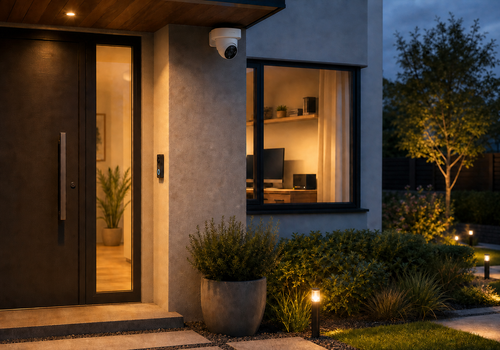
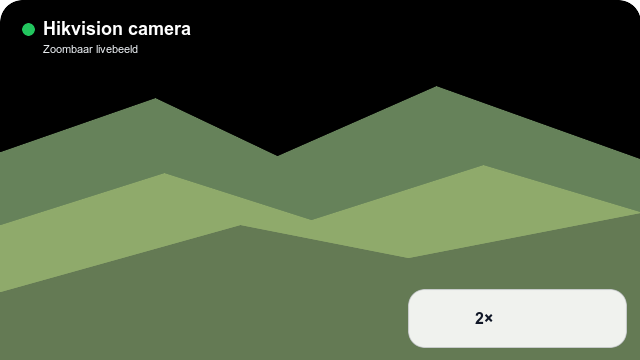
Bring compatible Hikvision cameras, video doorbells and network video recorders into Homey Pro over your local network. Check snapshots and Live video, keep an eye on multiple recorder channels and use the dashboard widget when you want a closer look.
Use camera and doorbell events to automate lighting, notifications and security routines. Compatible PTZ controls, presets and door relays can be used from Advanced Flow. Event monitoring can be paused without disabling Live video or snapshots. Support depends on the model, firmware and account permissions; enable Notify Surveillance Center for the events you want to receive.
Click on a device above to show related Flow cards only.
When...
Hikvision camera, doorbell or NVR
The motion alarm turned on
Hikvision camera, doorbell or NVR
The motion alarm turned off
Hikvision camera, doorbell or NVR
The tamper alarm turned on
Hikvision camera, doorbell or NVR
The tamper alarm turned off
Hikvision camera, doorbell or NVR
Local alarm started
Hikvision camera, doorbell or NVR
Local alarm stopped
Hikvision camera, doorbell or NVR
The doorbell was pressed
Hikvision camera, doorbell or NVR
Event monitoring was disabled
Hikvision camera, doorbell or NVR
Event monitoring was enabled
Hikvision camera, doorbell or NVR
Intrusion detected
Hikvision camera, doorbell or NVR
Intrusion ended
Hikvision camera, doorbell or NVR
Line crossing detected
Hikvision camera, doorbell or NVR
Line crossing ended
Hikvision camera, doorbell or NVR
Connected
Hikvision camera, doorbell or NVR
Disconnected
Hikvision camera, doorbell or NVR
A connection error occurred
Hikvision camera, doorbell or NVR
Region entrance detected
Hikvision camera, doorbell or NVR
Region entrance ended
Hikvision camera, doorbell or NVR
Region exiting detected
Hikvision camera, doorbell or NVR
Region exiting ended
Hikvision camera, doorbell or NVR
A snapshot was taken from the camera widget
Hikvision camera, doorbell or NVR
Camera tampering started
Hikvision camera, doorbell or NVR
Camera tampering stopped
Hikvision camera, doorbell or NVR
Video signal was lost
Hikvision camera, doorbell or NVR
Video signal was restored
Hikvision camera, doorbell or NVR
Video motion started
Hikvision camera, doorbell or NVR
Video motion stopped
Hikvision NVR camera channel
The motion alarm turned on
Hikvision NVR camera channel
The motion alarm turned off
Hikvision NVR camera channel
The tamper alarm turned on
Hikvision NVR camera channel
The tamper alarm turned off
Hikvision NVR camera channel
Local alarm started
Hikvision NVR camera channel
Local alarm stopped
Hikvision NVR camera channel
The doorbell was pressed
Hikvision NVR camera channel
Event monitoring was disabled
Hikvision NVR camera channel
Event monitoring was enabled
Hikvision NVR camera channel
Intrusion detected
Hikvision NVR camera channel
Intrusion ended
Hikvision NVR camera channel
Line crossing detected
Hikvision NVR camera channel
Line crossing ended
Hikvision NVR camera channel
Connected
Hikvision NVR camera channel
Disconnected
Hikvision NVR camera channel
A connection error occurred
Hikvision NVR camera channel
Region entrance detected
Hikvision NVR camera channel
Region entrance ended
Hikvision NVR camera channel
Region exiting detected
Hikvision NVR camera channel
Region exiting ended
Hikvision NVR camera channel
A snapshot was taken from the camera widget
Hikvision NVR camera channel
Camera tampering started
Hikvision NVR camera channel
Camera tampering stopped
Hikvision NVR camera channel
Video signal was lost
Hikvision NVR camera channel
Video signal was restored
Hikvision NVR camera channel
Video motion started
Hikvision NVR camera channel
Video motion stopped
And...
Hikvision camera, doorbell or NVR
The motion alarm is on
Hikvision camera, doorbell or NVR
The tamper alarm is on
Hikvision camera, doorbell or NVR
Intrusion is active
Hikvision camera, doorbell or NVR
Line crossing is active
Hikvision camera, doorbell or NVR
Local alarm is active
Hikvision camera, doorbell or NVR
Region entrance is active
Hikvision camera, doorbell or NVR
Region exiting is active
Hikvision camera, doorbell or NVR
Video signal is lost
Hikvision camera, doorbell or NVR
Event monitoring is enabled
Hikvision camera, doorbell or NVR
Is connected
Hikvision NVR camera channel
The motion alarm is on
Hikvision NVR camera channel
The tamper alarm is on
Hikvision NVR camera channel
Intrusion is active
Hikvision NVR camera channel
Line crossing is active
Hikvision NVR camera channel
Local alarm is active
Hikvision NVR camera channel
Region entrance is active
Hikvision NVR camera channel
Region exiting is active
Hikvision NVR camera channel
Video signal is lost
Hikvision NVR camera channel
Event monitoring is enabled
Hikvision NVR camera channel
Is connected
Then...
Hikvision camera, doorbell or NVR
Disable event monitoring for [[device]]
i
Stops ISAPI alarm events and doorbell polling in Homey while Live video and snapshots remain available.
Hikvision camera, doorbell or NVR
Enable event monitoring for [[device]]
i
Starts ISAPI alarm events and compatible doorbell polling in Homey. This does not change the camera configuration.
Hikvision camera, doorbell or NVR
End current intercom call
i
Ends the currently ringing Hikvision video-intercom call. The app checks device support and the live call status before sending the command.
Hikvision camera, doorbell or NVR
Move camera Camera channel to PTZ preset Stored preset
i
The preset must already be stored in the camera or NVR.
Hikvision camera, doorbell or NVR
Move camera Camera channel for Duration in seconds seconds: pan Pan, tilt Tilt, zoom Zoom
i
Relative values range from -100 to 100.
Hikvision camera, doorbell or NVR
Stop PTZ for camera Camera channel
i
Stops an ongoing pan, tilt or zoom movement on the selected channel.
Hikvision camera, doorbell or NVR
Take a snapshot from camera Camera channel
i
Returns the current JPEG image as a Snapshot tag in Advanced Flow.
Advanced
Hikvision camera, doorbell or NVR
Trigger door relay Door relay
i
Opens the selected relay using Hikvision access control. The device account must have permission to control the door.
Hikvision NVR camera channel
Disable event monitoring for [[device]]
i
Stops ISAPI alarm events and doorbell polling in Homey while Live video and snapshots remain available.
Hikvision NVR camera channel
Enable event monitoring for [[device]]
i
Starts ISAPI alarm events and compatible doorbell polling in Homey. This does not change the camera configuration.
Hikvision NVR camera channel
End current intercom call
i
Ends the currently ringing Hikvision video-intercom call. The app checks device support and the live call status before sending the command.
Hikvision NVR camera channel
Move camera Camera channel to PTZ preset Stored preset
i
The preset must already be stored in the camera or NVR.
Hikvision NVR camera channel
Move camera Camera channel for Duration in seconds seconds: pan Pan, tilt Tilt, zoom Zoom
i
Relative values range from -100 to 100.
Hikvision NVR camera channel
Stop PTZ for camera Camera channel
i
Stops an ongoing pan, tilt or zoom movement on the selected channel.
Hikvision NVR camera channel
Take a snapshot from camera Camera channel
i
Returns the current JPEG image as a Snapshot tag in Advanced Flow.
Advanced
Hikvision NVR camera channel
Trigger door relay Door relay
i
Opens the selected relay using Hikvision access control. The device account must have permission to control the door.
Widgets
You can add this app’s widgets to your dashboard or homescreen in the mobile app.
Hikvision camera zoom
Hikvision recordings
Support
Having an issue with this app?
Contact the developer via email.
What’s new
Version 2026.9.14 — Improve privacy-safe RTSP diagnostics, use Homey's WebRTC proxy explicitly in Automatic mode and limit RTSP-only mode to compatible video doorbells and door stations.






 Hikvision is not compatible with the selected Homey.
 Hikvision will install on Homey shortly.
 Belgium
 Bulgaria
 Croatia
 Cyprus
 Czech Republic
 Estonia
 Finland
 Greece
 Hungary
 Iceland
 Ireland
 Latvia
 Lithuania
 Malta
Malta
 Moldova
 The Netherlands
 Portugal
 Romania
 Slovakia
 Slovenia
 Türkiye
 Ukraine
 United Kingdom


