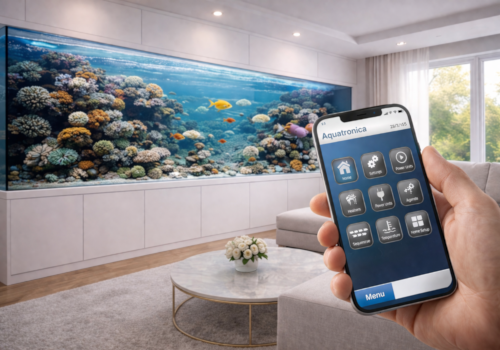
Aquatronica

Monitor and control your aquarium

Read more ›

Supported devices

Flow cards

Click on a device above to show related Flow cards only.

When...

Dosing Pump
Dosing turned off
Dosing Pump
Dosing turned on
Light Dimmer
Turned on
Light Dimmer
Turned off
Light Dimmer
The dim level changed
Light Dimmer
State mode changed
Power Unit
Turned on
Power Unit
Turned off
Power Unit
State mode changed
Power Unit
State reason changed
Program
Turned on
Program
Turned off
Pump Dimmer
Turned on
Pump Dimmer
Turned off
Pump Dimmer
The pump setpoint changed
Pump Dimmer
State mode changed
Sensor
The temperature changes
Sensor
Water level state changed
Sequence
Turned on
Sequence
Turned off
System Alarm
The generic alarm turned on
System Alarm
The generic alarm turned off
System Alarm
New alarm turned off
System Alarm
New alarm turned on

And...

Dosing Pump
Dosing is on
Light Dimmer
Is turned on
Light Dimmer
State mode is State mode
Power Unit
Is turned on
Power Unit
State mode is State mode
Power Unit
State reason is State reason
Program
Is turned on
Program
Program status is Program status
Pump Dimmer
Is turned on
Pump Dimmer
State mode is State mode
Sensor
Water level state is Water level state
Sequence
Is turned on
System Alarm
The generic alarm is on
System Alarm
New alarm is on

Then...

Dosing Pump
Dose Amount
Light Dimmer
Turn on
Light Dimmer
Turn off
Light Dimmer
Toggle on or off
Light Dimmer
Dim to %
Light Dimmer
Set relative dim-level %
i
Dim or brighten with respect to the device's current dim-level.
Light Dimmer
Set state mode to State mode
Power Unit
Turn on
Power Unit
Turn off
Power Unit
Toggle on or off
Power Unit
Set state mode to State mode
Program
Turn on
Program
Turn off
Program
Toggle on or off
Pump Dimmer
Turn on
Pump Dimmer
Turn off
Pump Dimmer
Toggle on or off
Pump Dimmer
Set the pump setpoint %
Pump Dimmer
Set state mode to State mode
Sequence
Turn on
Sequence
Turn off
Sequence
Toggle on or off
System Alarm
Press the button

Widgets

You can add this app’s widgets to your dashboard or homescreen in the mobile app.

Programs
Programs

Support

The developer of this app does not offer direct support.

What’s new

Version 2.4.6 — Clarified runtime device lifecycle registration and cleanup.

View changelog

Aquatronica

Aquatronica is not compatible with the selected Homey.

Aquatronica will install on Homey shortly.
Install App