


WASP IN A BOX (WIAB)
=====================
A Homey app that creates virtual occupancy sensors based on physical sensor triggers. Perfect for creating sophisticated presence detection systems by combining multiple sensors into a single, intelligent occupancy indicator.
WHAT IS "WASP IN A BOX"?
------------------------
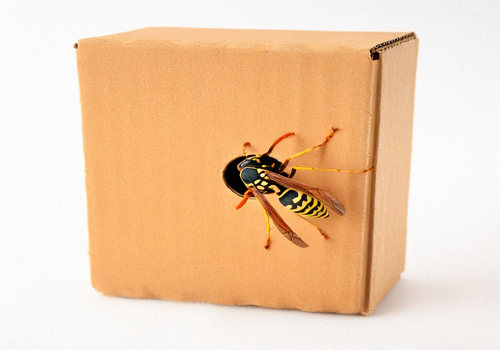
The "Wasp in a Box" concept is inspired by the behavior of wasps trapped in a container - they remain active and buzzing until they escape. Similarly, this app creates a virtual occupancy sensor that activates when motion or other triggers are detected, and only resets when specific "exit" conditions are met (like opening a door).
This approach provides more reliable presence detection than individual motion sensors, which may timeout prematurely in rooms where people remain still for extended periods.
FEATURES
--------
- Create virtual occupancy sensors that aggregate multiple physical sensors
- Quad-state occupancy model (UNKNOWN, OCCUPIED, UNOCCUPIED, PAUSED)
- Configure trigger sensors (motion detectors, presence sensors) that activate occupancy
- Configure reset sensors (door/window contacts) that deactivate occupancy
- Automatic sensor classification based on capability names
- Works with any Homey device that has boolean capabilities
- Real-time monitoring using capability listeners for instant response
- Configurable T_ENTER timer (5-60s) for entry/exit detection window
- Configurable T_CLEAR timer (60-3600s) for auto-vacate timeout
- Manual control via action cards: Set occupancy state and Resume monitoring
- Check device pause status with Is paused condition card
- Easy integration with Homey flows
- Support for both local and cloud Homey platforms
INSTALLATION
------------
1. Open the Homey App Store on your Homey device or in the Homey mobile app
2. Search for "Wasp in a Box" or "WIAB"
3. Click "Install" to add the app to your Homey
4. The app will be installed and ready to configure
CONFIGURATION
-------------
Adding a WIAB Device:
1. Go to "Devices" in your Homey app
2. Click the "+" button to add a new device
3. Select "Wasp in a Box" from the app list
4. Choose "WIAB Device"
5. Give your virtual occupancy sensor a meaningful name (e.g., "Living Room Occupancy")
6. Click "Add Device"
Configuring Trigger Sensors:
Trigger sensors (motion/presence sensors) activate the occupancy state when they detect activity.
1. Open your WIAB device settings
2. Find the "Trigger Sensors" field
3. Enter a JSON array of sensor configurations (typically configured during pairing)
Configuring Reset Sensors:
Reset sensors (door/window contacts) deactivate the occupancy state when triggered.
1. Open your WIAB device settings
2. Find the "Reset Sensors" field
3. Enter a JSON array of sensor configurations (typically configured during pairing)
Configuring Timer Settings:
WIAB uses two configurable timers to implement intelligent occupancy detection:
- T_ENTER (5-60 seconds): Entry/exit detection window after door events
- T_CLEAR (60-3600 seconds): Auto-vacate timeout when doors are open and no motion detected
USING THE APP
-------------
Basic Operation:
Once configured, your WIAB device will automatically monitor all configured sensors and update the occupancy state based on their activity.
The device exposes two capabilities:
- Occupancy Alarm (alarm_occupancy): Boolean indicating if room is occupied
- Occupancy State (occupancy_state): Detailed state (UNKNOWN, OCCUPIED, UNOCCUPIED, PAUSED)
Flow Cards:
WIAB provides several flow cards for automation:
- When... Occupancy alarm turned on/off
- And... Device is paused
- Then... Set occupancy state (Occupied/Unoccupied)
- Then... Resume monitoring
TROUBLESHOOTING
---------------
Device Not Responding:
- Check that all configured sensors are online and working
- Verify device IDs in settings are correct
- Check Homey app logs for error messages
Occupancy Not Updating:
- Verify trigger sensors are properly configured
- Check that sensors have the correct capability names
- Ensure sensors are triggering (test them manually)
- Review T_ENTER and T_CLEAR timer settings
SUPPORT
-------
For issues, questions, or feature requests, please visit:
https://github.com/NdyGen/wiab/issues
CHANGELOG
---------
Version 1.0.0 (2025-12-15)
- First production release
- Virtual occupancy sensor with trigger/reset logic
- Quad-state occupancy model
- Event-driven monitoring using capability listeners
- Configurable T_ENTER and T_CLEAR timers
- Pause/unpause functionality with manual state control
- Complete device pairing flow
- Action cards: Set occupancy state, Resume monitoring
- Condition card: Device is paused
- Comprehensive documentation and test coverage
LICENSE
-------
MIT License
Copyright (c) 2025 Andy van Dongen
CREDITS
-------
Developed by: Andy van Dongen
Contact: andy@dongen.net
Repository: https://github.com/NdyGen/wiab
Mehr lesen ›