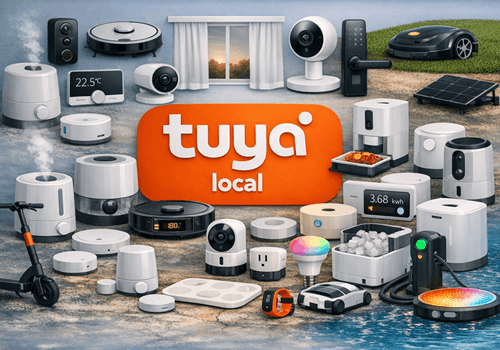
Purpose-built drivers cover the most common Tuya smart home device types — from air conditioners, smart plugs and lights to garage doors, heat pumps and curtain motors. Each driver automatically detects the device's data points at pairing time and maps them to the right Homey capabilities, so most devices are ready to use straight away. A generic driver is included for any device type not covered by the dedicated drivers.
All communication runs directly over your local Wi-Fi network. Devices respond instantly to Homey commands and push state changes in real time, even without an internet connection. Every driver comes with a full set of Flow cards — triggers, conditions and actions — tailored to its device type, so you can build automations the moment your device is added.
Kliknij na urządzenie powyżej, aby wyświetlić tylko powiązane karty Flow.
Kiedy...
Air Conditioner
Włączone
Air Conditioner
Wyłączone
Air Conditioner
Zmiana celu temperatury
Air Conditioner
Zmiana temperatury
Air Conditioner
AC connected
Air Conditioner
AC disconnected
Air Conditioner
AC data point changed
Air Conditioner
AC fault alarm triggered
Air Conditioner
AC mode changed
Air Conditioner
AC child lock was Child lock
Air Quality Monitor
Poziom jakości powietrza zmienił się na ...
Air Quality Monitor
Zmiana temperatury
Air Quality Monitor
Zmiana wilgotności
Air Quality Monitor
Zmieniła się wartość PM10
Air Quality Monitor
Zmieniła się wartość PM2.5
Air Quality Monitor
Zmieniła się wartość PM1
Air Quality Monitor
Zmienił się poziom CO₂
Air Quality Monitor
Zmienił się poziom formaldehydu
Air Quality Monitor
Zmieniła się wartość wszystkich LZO
Air Quality Monitor
Zmienił się poziom CO
Air Quality Monitor
Zmienił się poziom baterii
Air Quality Monitor
Alarm stanu baterii włączony
Air Quality Monitor
Alarm stanu baterii wyłączony
Air Quality Monitor
Stan ładowania baterii uległ zmianie ...
Air Quality Monitor
Alarm CO₂ włączony
Air Quality Monitor
Alarm CO₂ wyłączony
Air Quality Monitor
Alarm o CO włączony
Air Quality Monitor
Alarm o CO wyłączony
Air Quality Monitor
Alarm PM2.5 włączony
Air Quality Monitor
Alarm PM2.5 wyłączony
Air Quality Monitor
Monitor connected
Air Quality Monitor
Monitor disconnected
Air Quality Monitor
Monitor data point changed
Air Quality Monitor
Air quality level changed
i
Fires when the monitor’s own overall verdict moves to another step — not on every changed measurement. The step it came from is a token, so a flow can tell getting better from getting worse.
Air Quality Monitor
PM0.3 rose above PM0.3 (µg/m³) µg/m³
i
Fires the moment the reading crosses the threshold in the card, not on every reading above it. PM0.3 is the one measurement Homey has no card of its own for.
Air Quality Monitor
Alarm volume changed
i
Fires when the monitor reports a different alarm volume — whether it was changed from Homey or on the monitor itself.
Air Quality Monitor
Display backlight changed
Air Quality Monitor
Buzzer was Buzzer
Ceiling Fan Light
Włączone
Ceiling Fan Light
Wyłączone
Ceiling Fan Light
Zmienił się poziom przygaszenia
Ceiling Fan Light
Ceiling fan light connected
Ceiling Fan Light
Ceiling fan light disconnected
Ceiling Fan Light
Fan data point changed
Ceiling Fan Light
Fan mode changed
Ceiling Fan Light
Fan direction changed
Ceiling Fan Light
The fan was Fan
i
Homey supplies the equivalent for the light by itself, because on this driver the light is the fitting’s main switch. The fan has its own switch beside it, and this is the card that watches it.
Ceiling Fan Light
Ceiling fan child lock was Child lock
Ceiling Fan Light
Ceiling fan oscillation was Oscillation
Curtain Motor
Zmiana stanu ...
Curtain Motor
Zmieniła się pozycja
Curtain Motor
Zasunięte
Curtain Motor
Rozchylone
Curtain Motor
Curtain fully opened
Curtain Motor
Curtain fully closed
Curtain Motor
Curtain position changed
Curtain Motor
Curtain motor fault triggered
Curtain Motor
Curtain motor connected
Curtain Motor
Curtain motor disconnected
Curtain Motor
Curtain motor data point changed
Dehumidifier
Włączone
Dehumidifier
Wyłączone
Dehumidifier
Zmiana wilgotności
Dehumidifier
Prędkość wentylatora zmieniła się
Dehumidifier
Zmieniła się docelowa wilgotność
Dehumidifier
Humidity went above Humidity (%)%
Dehumidifier
Humidity dropped below Humidity (%)%
Dehumidifier
Water tank became full
Dehumidifier
Water tank was emptied
Dehumidifier
Dehumidifier connected
Dehumidifier
Dehumidifier disconnected
Dehumidifier
A data point changed
Dehumidifier
Dehumidifier child lock was Child lock
Dehumidifier
Dehumidifier oscillation was Oscillation
Doorbell
Alarm ogólny włączony
Doorbell
Alarm ogólny wyłączony
Doorbell
Doorbell rang
Doorbell
Doorbell motion detected
Doorbell
Doorbell connected
Doorbell
Doorbell disconnected
Doorbell
Doorbell data point changed
Energy Meter
Zmiana mocy
Energy Meter
Zmiana poziomu napięcia
Energy Meter
Zmiana prądu elektrycznego
Energy Meter
Energy meter connected
Energy Meter
Energy meter disconnected
Energy Meter
A data point changed
EV Charger
Rozpoczęto ładowanie
EV Charger
Zatrzymano ładowanie
EV Charger
Stan ładowania ładowarki EV uległ zmianie ...
EV Charger
Moc docelowa uległa zmianie
EV Charger
Zmiana mocy
EV Charger
Zmiana poziomu napięcia
EV Charger
Zmiana prądu elektrycznego
EV Charger
Charger connected
EV Charger
Charger disconnected
EV Charger
Charging session finished
i
Fires when the charger leaves the charging state, with the energy delivered in that session as a token. For a plain start/stop trigger use the built-in "Started charging" / "Stopped charging" cards.
EV Charger
Detailed charger state changed
i
Fires on any change of the charger's raw Tuya state, which is more granular than Homey's standard charging state (it tells "waiting", "finished" and "plugged in" apart).
EV Charger
Charging mode changed
i
Fires when the charger reports a different charging mode (Tuya work_mode, usually DP 14) — whether it was changed from Homey, from the charger, or from the manufacturer's own app. Requires DP Work Mode to be set in device settings.
EV Charger
Charger fault occurred
EV Charger
Charger data point changed
Fan
Włączone
Fan
Wyłączone
Fan
Fan connected
Fan
Fan disconnected
Fan
Fan data point changed
Fan
Fan mode changed
Fan
Fan direction changed
Fan
Fan child lock was Child lock
Fan
Fan oscillation was Oscillation
Garage Door
Zamknięta
Garage Door
Otwarta
Garage Door
Garage door opened
Garage Door
Garage door closed
Garage Door
Garage door alarm triggered
Garage Door
Garage door opener connected
Garage Door
Garage door opener disconnected
Garage Door
Garage door data point changed
Generic Tuya Device
A data point changed
Generic Tuya Device
DP DP number changed
i
Fires only when the given DP number changes value. Use the Value / Previous Value tokens in the notification text or a further AND card.
Generic Tuya Device
Device connected
Generic Tuya Device
Device disconnected
Heat Pump
Włączone
Heat Pump
Wyłączone
Heat Pump
Zmiana celu temperatury
Heat Pump
Zmiana temperatury
Heat Pump
Heat pump mode changed
Heat Pump
Heat pump fault alarm triggered
Heat Pump
Heat pump connected
Heat Pump
Heat pump disconnected
Heat Pump
Heat pump data point changed
Heat Pump
Silent mode changed
Heater
Włączone
Heater
Wyłączone
Heater
Zmiana celu temperatury
Heater
Heater connected
Heater
Heater disconnected
Heater
Heater data point changed
Heater
Heater started heating
Heater
Heater stopped heating
Heater
Heater fault alarm triggered
Heater
Heater child lock was Child lock
Heater
Heater oscillation was Oscillation
Humidifier
Włączone
Humidifier
Wyłączone
Humidifier
Zmiana wilgotności
Humidifier
Prędkość wentylatora zmieniła się
Humidifier
Zmieniła się docelowa wilgotność
Humidifier
Humidity went above Humidity (%)%
Humidifier
Humidity dropped below Humidity (%)%
Humidifier
Water tank became empty
Humidifier
Water tank was refilled
Humidifier
Humidifier connected
Humidifier
Humidifier disconnected
Humidifier
Humidifier data point changed
Humidifier
Humidifier child lock was Child lock
IR Blaster
Zmiana temperatury
IR Blaster
Zmiana wilgotności
IR Blaster
Blaster connected
IR Blaster
Blaster disconnected
IR Blaster
Blaster data point changed
IR Blaster
An IR code was learned
i
Fires when a code arrives from the blaster, however learning was started — from a flow, or by putting the blaster into learning mode yourself. The code is a token, so it can be handed straight to "Send a raw IR code" on another blaster.
Light
Włączone
Light
Wyłączone
Light
Zmienił się poziom przygaszenia
Light
Light connected
Light
Light disconnected
Light
Light data point changed
Pet Feeder
Food level changed
Pet Feeder
Feeding completed
Pet Feeder
Pet feeder connected
Pet Feeder
Pet feeder disconnected
Pet Feeder
Pet feeder data point changed
Pet Feeder
Feeder child lock was Child lock
Presence Sensor
Czujnik ruchu włączony
Presence Sensor
Czujnik ruchu wyłączony
Presence Sensor
Alarm ogólny włączony
Presence Sensor
Alarm ogólny wyłączony
Presence Sensor
Zmieniła się odległość
Presence Sensor
Zmiana luminacji
Presence Sensor
Presence detected
Presence Sensor
Presence cleared
Presence Sensor
Presence sensor connected
Presence Sensor
Presence sensor disconnected
Presence Sensor
Presence sensor data point changed
Presence Sensor
Daylight threshold changed
Presence Sensor
Motion sensitivity changed
Presence Sensor
Mode changed
Smart Kettle
Włączone
Smart Kettle
Wyłączone
Smart Kettle
Zmiana temperatury
Smart Kettle
Kettle connected
Smart Kettle
Kettle disconnected
Smart Kettle
A data point changed
Smart Kettle
Kettle status changed
Smart Kettle
Kettle finished boiling
Smart Plug
Włączone
Smart Plug
Wyłączone
Smart Plug
Zmiana mocy
Smart Plug
Zmiana poziomu napięcia
Smart Plug
Zmiana prądu elektrycznego
Smart Plug
Zmiana w liczniku mocy
Smart Plug
Smart plug connected
Smart Plug
Smart plug disconnected
Smart Plug
A data point changed
Smart Plug
Power went above Power (W) W
Smart Plug
Power dropped below Power (W) W
Smart Plug
Smart plug fault alarm triggered
Smoke Detector
Alarm przeciwdymny włączony
Smoke Detector
Alarm przeciwdymny wyłączony
Smoke Detector
Zmienił się poziom baterii
Smoke Detector
Alarm stanu baterii włączony
Smoke Detector
Alarm stanu baterii wyłączony
Smoke Detector
Alarm antyingerencyjny włączony
Smoke Detector
Alarm antyingerencyjny wyłączony
Smoke Detector
Alarm ogólny włączony
Smoke Detector
Alarm ogólny wyłączony
Smoke Detector
Detector connected
Smoke Detector
Detector disconnected
Smoke Detector
Self-test finished
i
Fires when the detector reports the outcome of a self-test, however it was started — from a flow, or by pressing the button on the detector itself.
Smoke Detector
Detector data point changed
Smoke Detector
Smoke level rose above Smoke level (ppm) ppm
i
Fires the moment the reading crosses the threshold, not on every reading above it. An early warning: the concentration rises before the detector sounds.
Thermostat
Włączone
Thermostat
Wyłączone
Thermostat
Zmiana celu temperatury
Thermostat
Zmiana temperatury
Thermostat
Thermostat connected
Thermostat
Thermostat disconnected
Thermostat
A data point changed
Thermostat
Thermostat mode changed
Thermostat
Thermostat child lock was Child lock
Ultrasonic Level Sensor
Level state changed
Ultrasonic Level Sensor
Level sensor connected
Ultrasonic Level Sensor
Level sensor disconnected
Ultrasonic Level Sensor
Level sensor data point changed
Ultrasonic Level Sensor
Liquid level rose above Level (%)%
Ultrasonic Level Sensor
Liquid level dropped below Level (%)%
Wall Switch
Włączone
Wall Switch
Wyłączone
Wall Switch
Wall switch connected
Wall Switch
Wall switch disconnected
Wall Switch
A data point changed
Wall Switch
Switch Gang changed
Weather Station
Zmiana temperatury
Weather Station
Comfort level changed
Weather Station
Weather station connected
Weather Station
Weather station disconnected
Weather Station
Weather station data point changed
Oraz...
Air Conditioner
Jest włączone
Air Conditioner
AC is connected
Air Conditioner
AC mode is Mode
Air Conditioner
AC fan speed is Fan Speed
Air Conditioner
AC sleep mode is on
Air Conditioner
AC fault alarm is active
Air Conditioner
AC child lock is on
Air Quality Monitor
Jakość powietrza jest ...
Air Quality Monitor
Alarm stanu baterii jest włączony
Air Quality Monitor
Stan ładowania baterii to ...
Air Quality Monitor
Alarm CO₂ jest włączony
Air Quality Monitor
Alarm CO jest włączony
Air Quality Monitor
Alarm PM2.5 jest włączony
Air Quality Monitor
Monitor is connected
Air Quality Monitor
PM0.3 is above PM0.3 µg/m³
Air Quality Monitor
Alarm volume is Volume
i
Worth checking before a flow relies on the monitor to wake somebody: a monitor left on mute measures exactly as well and says nothing.
Air Quality Monitor
Display backlight is Level
Air Quality Monitor
Buzzer is on
Ceiling Fan Light
Jest włączone
Ceiling Fan Light
Ceiling fan light is connected
Ceiling Fan Light
Fan mode is Mode
Ceiling Fan Light
Fan direction is ...
Ceiling Fan Light
Fan is running
Ceiling Fan Light
The fan is oscillating
Ceiling Fan Light
Fan speed is Fan speed
Ceiling Fan Light
The child lock is on
Curtain Motor
Stan to ...
Curtain Motor
Są zasunięte
Curtain Motor
Curtain is open (> 50%)
Curtain Motor
Curtain is fully closed
Curtain Motor
Curtain is moving
Curtain Motor
Curtain motor is connected
Dehumidifier
Jest włączone
Dehumidifier
Humidity is above Humidity (%)%
Dehumidifier
Humidity is below Humidity (%)%
Dehumidifier
Water tank is full
Dehumidifier
Dehumidifier is connected
Dehumidifier
Mode is Mode
Dehumidifier
Dehumidifier child lock is on
Dehumidifier
Dehumidifier oscillation is on
Doorbell
Alarm ogólny jest włączony
Doorbell
Doorbell motion is active
Doorbell
Night light is on
Doorbell
Doorbell is connected
Energy Meter
Energy meter is connected
Energy Meter
Power is above Watts W
Energy Meter
Current is above Amps A
i
Useful as an overload warning on a circuit whose breaker rating you know.
Energy Meter
Fault is active
EV Charger
Jest w trakcie ładowania
EV Charger
Stan ładowania ładowarki EV to ...
EV Charger
Charger is connected
EV Charger
Detailed charger state is State
i
Checks the charger's raw Tuya state, which distinguishes "waiting", "finished" and "plugged in" — states that Homey's standard charging state groups together.
EV Charger
Charging mode is Mode
i
Reads the value the charger reports on its work mode data point. A charger that does not implement a mode simply never reports it.
Fan
Jest włączone
Fan
Fan is connected
Fan
Light is on
Fan
Fan mode is Mode
Fan
Fan direction is ...
Fan
Fan child lock is on
Fan
Fan oscillation is on
Garage Door
Jest zamknięta
Garage Door
Garage door is open
Garage Door
Garage door opener is connected
Generic Tuya Device
Device is connected
Generic Tuya Device
DP DP number value is Value
i
Compares the last known value of a DP. Value is parsed automatically: 'true'/'false' → boolean, numbers → number, everything else → string.
Heat Pump
Jest włączone
Heat Pump
Heat pump is on
Heat Pump
Heat pump fault alarm is active
Heat Pump
Heat pump is connected
Heat Pump
Silent mode is on
Heater
Jest włączone
Heater
Heater is connected
Heater
Heater is actively heating
Heater
Heater fault alarm is active
Heater
Heating level is Level
Heater
Heater mode is Mode
Heater
Heater child lock is on
Heater
Heater oscillation is on
Humidifier
Jest włączone
Humidifier
Humidifier is connected
Humidifier
Humidity is above Humidity (%)%
Humidifier
Humidity is below Humidity (%)%
Humidifier
Water tank is empty
Humidifier
Humidifier child lock is on
IR Blaster
Blaster is connected
Light
Jest włączone
Light
Light is connected
Light
Light colour mode is Mode
Pet Feeder
Food level is low
Pet Feeder
Pet feeder is connected
Pet Feeder
Feeder child lock is on
Presence Sensor
Czujnik ruchu jest włączony
Presence Sensor
Alarm ogólny jest włączony
Presence Sensor
Presence is detected
Presence Sensor
Presence sensor is connected
Presence Sensor
Daylight threshold is Threshold
Presence Sensor
Motion sensitivity is Sensitivity
Presence Sensor
Motion detection is on
Presence Sensor
Mode is Mode
Smart Kettle
Jest włączone
Smart Kettle
Kettle is connected
Smart Kettle
Kettle is heating
Smart Plug
Jest włączone
Smart Plug
Smart plug is connected
Smart Plug
Fault alarm is active
Smart Plug
Power is above Power (W) W
Smoke Detector
Alarm przeciwdymny jest włączony
Smoke Detector
Alarm stanu baterii jest włączony
Smoke Detector
Alarm antyingerencyjny jest włączony
Smoke Detector
Alarm ogólny jest włączony
Smoke Detector
Detector is connected
Smoke Detector
Smoke level is above Smoke level (ppm) ppm
Thermostat
Jest włączone
Thermostat
Thermostat is connected
Thermostat
Mode is Mode
Thermostat
Thermostat child lock is on
Ultrasonic Level Sensor
Level state is State
Ultrasonic Level Sensor
Liquid level is above Level (%)%
Ultrasonic Level Sensor
Level sensor is connected
Wall Switch
Jest włączone
Wall Switch
Wall switch is connected
Wall Switch
Switch Gang is on
Weather Station
Comfort level is Comfort
Weather Station
Wind speed is above km/h km/h
Weather Station
Wind is from the Direction
i
Each direction covers a 90° sector, so “north” means anything from north-west round to north-east.
Weather Station
Weather station is connected
Wtedy...
Air Conditioner
Włącz
Air Conditioner
Wyłącz
Air Conditioner
Przełącz na wł. lub wył.
Air Conditioner
Ustaw temperaturę °C
Air Conditioner
Set AC mode to Mode
Air Conditioner
Set AC fan speed to Fan Speed
Air Conditioner
Set AC target temperature to Temperature (°C) °C
Air Conditioner
Set AC swing to Swing
Air Conditioner
Set AC sleep mode Sleep
Air Conditioner
Set AC ECO mode ECO
Air Conditioner
Set AC ioniser Ioniser
Air Conditioner
Set AC horizontal swing Horizontal swing
Air Conditioner
Set AC child lock Child lock
Air Conditioner
Force AC reconnect
Air Conditioner
Refresh AC device
Air Conditioner
Set AC timer Duration
Air Quality Monitor
Set alarm volume to Volume
i
Mute is the one to reach for at night. It silences the monitor’s own buzzer, not Homey — the readings and the alarms in this app carry on.
Air Quality Monitor
Set display backlight to Level
Air Quality Monitor
Turn the buzzer State
Air Quality Monitor
Force monitor reconnect
Air Quality Monitor
Refresh monitor values
Ceiling Fan Light
Włącz
Ceiling Fan Light
Wyłącz
Ceiling Fan Light
Przełącz na wł. lub wył.
Ceiling Fan Light
Przygaś do %
Ceiling Fan Light
Ustaw względny poziom przygaszenia %
i
Przygaś lub rozjaśnij względem obecnego poziomu przygaszenia urządzenia.
Ceiling Fan Light
Set fan mode to Mode
Ceiling Fan Light
Set fan speed to Fan Speed
Ceiling Fan Light
Set fan oscillation Oscillate
Ceiling Fan Light
Force ceiling fan light reconnect
Ceiling Fan Light
Refresh ceiling fan light values
Ceiling Fan Light
Set fan direction to ...
Ceiling Fan Light
Set timer to Duration
Ceiling Fan Light
Turn the fan Fan
Ceiling Fan Light
Set fan speed to Speed%
i
For fittings whose speed is a number rather than a named step. The percentage is mapped onto the range in the device settings, so 100% is the fitting’s own highest step — six on most of them. Use “Set fan speed” instead where the fitting names its steps.
Ceiling Fan Light
Set the child lock Child lock
Ceiling Fan Light
Set light mode to Mode
i
Sends a mode token to the light's own mode data point — including scene and music, which the standard light controls cannot express. Requires the Light Mode DP in device settings.
Curtain Motor
Ustaw stan ...
Curtain Motor
Ustaw pozycję na %
i
Zmień pozycję na rozchylone (100%), zasunięte (0%) lub wartość pomiędzy.
Curtain Motor
Zasuń
Curtain Motor
Rozchyl
Curtain Motor
Przełącz na rozchylone lub zasłonięte
Curtain Motor
Open curtain
Curtain Motor
Close curtain
Curtain Motor
Stop curtain
Curtain Motor
Set curtain position to Position (%)%
Curtain Motor
Move curtain to favourite position
Curtain Motor
Force curtain motor reconnect
Curtain Motor
Refresh curtain motor values
Dehumidifier
Włącz
Dehumidifier
Wyłącz
Dehumidifier
Przełącz na wł. lub wył.
Dehumidifier
Ustaw prędkość wentylatora na %
Dehumidifier
Ustaw wilgotność %
Dehumidifier
Set target humidity to Target humidity (%)%
Dehumidifier
Set mode to Mode
Dehumidifier
Set fan speed to Fan Speed
Dehumidifier
Set timer to Duration
Dehumidifier
Set child lock Child Lock
Dehumidifier
Set ioniser Ioniser
Dehumidifier
Set dehumidifier oscillation Oscillate
Dehumidifier
Set self-clean Self-Clean
Dehumidifier
Set water pump Water Pump
Dehumidifier
Force dehumidifier reconnect
Dehumidifier
Refresh dehumidifier values
Doorbell
Enable motion detection
Doorbell
Disable motion detection
Doorbell
Force doorbell reconnect
Doorbell
Refresh doorbell values
Doorbell
Set night vision to Mode
Doorbell
Set chime volume to Volume (0–100)
Doorbell
Turn night light State
Doorbell
Turn alarm reporting State
Doorbell
Set ring tone to Melody number
Doorbell
Set motion sensitivity to Sensitivity
Energy Meter
Force energy meter reconnect
Energy Meter
Refresh energy meter values
EV Charger
Rozpoczęcie ładowania
EV Charger
Zatrzymanie ładowania
EV Charger
Ustaw moc docelową W
i
To również przełącza tryb mocy docelowej na Homey. W przypadku ładowarek EV ładowanie jest automatycznie uruchamiane lub zatrzymywane.
EV Charger
Set charge current to Current A
i
Clamped to the Current Min / Current Max range configured in device settings.
EV Charger
Set charging mode to Mode
i
Switches the charger between immediate, scheduled and target-based charging. Useful before "Start charging": several chargers ignore the charge switch while they are in scheduled mode. Not every charger implements every mode — one it does not know is discarded without an error, so check DP Debug after the first try.
EV Charger
Reset energy meter
EV Charger
Force charger reconnect
EV Charger
Refresh charger values
Fan
Włącz
Fan
Wyłącz
Fan
Przełącz na wł. lub wył.
Fan
Set fan mode to Mode
Fan
Set fan speed to Fan Speed
Fan
Set fan oscillation Oscillate
Fan
Force fan reconnect
Fan
Refresh fan values
Fan
Set fan direction to ...
Fan
Set timer to Duration
Fan
Turn light Light
Fan
Set light brightness to Brightness%
Fan
Set light mode to Mode
i
Sends a mode token to the light's own mode data point — including scene and music, which the standard light controls cannot express. Requires the Light Mode DP in device settings.
Fan
Set fan child lock Child lock
Garage Door
Zamknij
Garage Door
Otwórz
Garage Door
Przełącz na otwartą lub zamkniętą
Garage Door
Open garage door
Garage Door
Close garage door
Garage Door
Toggle garage door
Garage Door
Stop garage door
Garage Door
Force garage door opener reconnect
Garage Door
Refresh garage door values
Generic Tuya Device
Force reconnect
Generic Tuya Device
Refresh device values
Generic Tuya Device
Set DP DP number to Value
i
Send a raw data point (DP) command. Value is parsed automatically: 'true'/'false' → boolean, numbers → integer/float, everything else → string.
Heat Pump
Włącz
Heat Pump
Wyłącz
Heat Pump
Przełącz na wł. lub wył.
Heat Pump
Ustaw temperaturę °C
Heat Pump
Set heat pump mode to Mode
Heat Pump
Set heat pump preset to Preset
Heat Pump
Force heat pump reconnect
Heat Pump
Refresh heat pump values
Heat Pump
Turn silent mode ...
Heater
Włącz
Heater
Wyłącz
Heater
Przełącz na wł. lub wył.
Heater
Ustaw temperaturę °C
Heater
Set heater mode to Mode
Heater
Set heater target temperature to Temperature (°C) °C
Heater
Set heating level to Level
i
The heating power step. These heaters offer named steps rather than a percentage, so the choices come from what your device declares.
Heater
Set heater oscillation Oscillate
Heater
Set heater child lock Child lock
Heater
Force heater reconnect
Heater
Refresh heater values
Heater
Set heater timer Duration
Humidifier
Włącz
Humidifier
Wyłącz
Humidifier
Przełącz na wł. lub wył.
Humidifier
Ustaw prędkość wentylatora na %
Humidifier
Ustaw wilgotność %
Humidifier
Set target humidity to Target humidity (%)%
Humidifier
Set humidifier mode to Mode
Humidifier
Set humidifier fan speed to Fan Speed
Humidifier
Force humidifier reconnect
Humidifier
Refresh humidifier values
Humidifier
Set humidifier ioniser Ioniser
Humidifier
Set humidifier child lock Child lock
Humidifier
Set humidifier timer Duration
IR Blaster
Send the IR code Saved code
i
Sends a code this blaster learned earlier. The list is the blaster’s own — a code learned on one is not on another until it is learned there too, or copied across with "Send a raw IR code".
IR Blaster
Send the raw IR code IR code
i
For a code from somewhere else — another blaster’s "An IR code was learned" token, or one written down earlier. Paste it exactly as it was learned, without the leading format character some tools add.
IR Blaster
Learn an IR code and save it as Name
i
Puts the blaster into learning mode and returns straight away — it does not wait for the button press. Point the remote at the blaster from close up and press once. The code arrives on the "An IR code was learned" trigger and is saved under this name, ready for "Send an IR code".
IR Blaster
Stop learning
i
Leaves learning mode. Worth running once if a blaster stops responding to learn requests: one left in learning mode will not enter it again.
IR Blaster
Forget the IR code Saved code
IR Blaster
Force blaster reconnect
IR Blaster
Refresh blaster values
IR Blaster
Send the IR code named Name
i
The same as "Send an IR code", but with the name typed in rather than picked from a list — a dropdown cannot be filled from a tag, so this is the one to use when the flow works out which button to press. An unknown name fails the card and lists the names this blaster does know.
IR Blaster
Send the IR code Saved codeTimes times, Gap (ms) ms apart
i
For the buttons nobody presses once — volume and channel. The gap is the pause between sends; leave it at 0 and they go out back to back, which some receivers read as one long press and others miss entirely. At most 10 sends a second apart, because the flow waits for the last one.
Light
Włącz
Light
Wyłącz
Light
Przełącz na wł. lub wył.
Light
Przygaś do %
Light
Ustaw względny poziom przygaszenia %
i
Przygaś lub rozjaśnij względem obecnego poziomu przygaszenia urządzenia.
Light
Force light reconnect
Light
Refresh light values
Light
Set light colour mode to Mode
i
Switches the lamp between coloured and white light. Homey normally sets this implicitly when a flow changes the colour or the colour temperature; this card changes it on its own. Requires the Colour Mode DP in device settings — the words the lamp itself uses are configurable there too.
Pet Feeder
Feed Portions portion(s) now
Pet Feeder
Force pet feeder reconnect
Pet Feeder
Refresh pet feeder values
Pet Feeder
Set feeder child lock Child lock
Pet Feeder
Set feeder indicator light Indicator light
Pet Feeder
Set feeder voice playback Voice playback
Presence Sensor
Reconnect presence sensor
Presence Sensor
Refresh presence sensor values
Presence Sensor
Set daylight threshold to Threshold
Presence Sensor
Set motion sensitivity to Sensitivity
Presence Sensor
Set hold time to Seconds s
Presence Sensor
Turn motion detection ...
Presence Sensor
Set mode to Mode
Smart Kettle
Włącz
Smart Kettle
Wyłącz
Smart Kettle
Przełącz na wł. lub wył.
Smart Kettle
Force kettle reconnect
Smart Kettle
Refresh kettle values
Smart Kettle
Set temperature to Temperature (°C) °C
Smart Kettle
Set mode to Mode
Smart Kettle
Set keep warm to State
Smart Plug
Włącz
Smart Plug
Wyłącz
Smart Plug
Przełącz na wł. lub wył.
Smart Plug
Force smart plug reconnect
Smart Plug
Refresh smart plug values
Smart Plug
Set auto-off countdown to Duration (s, 0 = off) s
Smart Plug
Reset energy meter
Smoke Detector
Silence the alarm
i
Silences a sounding detector, where it offers a data point for it. It does not clear the smoke reading — the alarm returns if smoke is still present.
Smoke Detector
Run self-test
i
Starts the detector’s own test. The outcome arrives on the "Self-test finished" trigger and on the Self-Test Failed alarm.
Smoke Detector
Force detector reconnect
Smoke Detector
Refresh detector values
Thermostat
Włącz
Thermostat
Wyłącz
Thermostat
Przełącz na wł. lub wył.
Thermostat
Ustaw temperaturę °C
Thermostat
Force thermostat reconnect
Thermostat
Refresh thermostat values
Thermostat
Set mode to Mode
Thermostat
Set temperature to Temperature (°C) °C
Thermostat
Set thermostat child lock Child lock
Tuya Local
Reconnect Which devices
i
Rebuilds the local connection for every Tuya Local device at once, so one flow covers the whole installation instead of one per device. Useful on a schedule after a router restart. "Offline devices only" leaves working devices untouched and is safe to run repeatedly.
Ultrasonic Level Sensor
Set high threshold to Level (%)%
i
Writes the level above which the device raises its high alarm.
Ultrasonic Level Sensor
Set low threshold to Level (%)%
i
Writes the level below which the device raises its low alarm.
Ultrasonic Level Sensor
Turn the Which alarm level alarm State
Ultrasonic Level Sensor
Force level sensor reconnect
Ultrasonic Level Sensor
Refresh level sensor values
Wall Switch
Włącz
Wall Switch
Wyłącz
Wall Switch
Przełącz na wł. lub wył.
Wall Switch
Force wall switch reconnect
Wall Switch
Refresh wall switch values
Wall Switch
Set switch Gang to State
Wall Switch
Toggle switch Gang
Weather Station
Force weather station reconnect
Weather Station
Refresh weather station values
Pomoc
Masz problem z tą aplikacją?
Skontaktuj się z twórcami aplikacji tutaj.
Nowości
Wersja 1.0.276 — Commands the device never answers are now logged. On protocol 3.4/3.5, and with Fire and forget, a command goes out without waiting for a reply, so a flow reported success even when the device ignored it — reported with a siren that stayed silent while every flow succeeded. When a device does not report a data point again within 10 s of a command that changes it, the log and the support bundle now say "Command not confirmed", once per data point and connection. And the support bundle now carries the connection trace from Record connection start in a section of its own; before, it was only in the log.








 Tuya Local nie jest kompatybilna z wybranym Homey.
 Tuya Local zostanie wkrótce zainstalowana na Homey.
 Belgium
 Bulgaria
 Croatia
 Cyprus
 Czech Republic
 Estonia
 Finland
 Greece
 Hungary
 Iceland
 Ireland
 Latvia
 Lithuania
 Malta
Malta
 Moldova
 The Netherlands
 Portugal
 Romania
 Slovakia
 Slovenia
 Türkiye
 Ukraine
 United Kingdom


