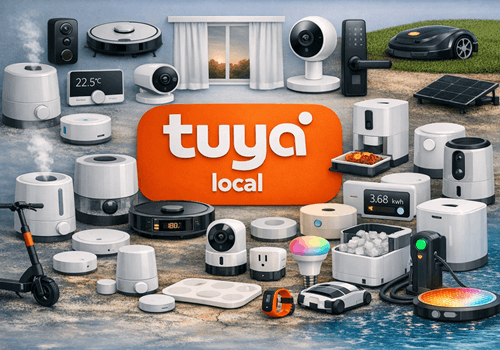
Tuya Local

Local WiFi/LAN control of Tuya devices — no cloud, no Zigbee hub required

Read more ›

Supported devices

Flow cards

Click on a device above to show related Flow cards only.

When...

Air Conditioner
Turned on
Air Conditioner
Turned off
Air Conditioner
The target temperature changed
Air Conditioner
The temperature changes
Air Conditioner
AC connected
Air Conditioner
AC disconnected
Air Conditioner
AC data point changed
Air Conditioner
AC fault alarm triggered
Air Conditioner
AC mode changed
Curtain Motor
The state changed ...
Curtain Motor
The position changed
Curtain Motor
Closed
Curtain Motor
Opened
Curtain Motor
Curtain fully opened
Curtain Motor
Curtain fully closed
Curtain Motor
Curtain position changed
Curtain Motor
Curtain motor fault triggered
Curtain Motor
Curtain motor connected
Curtain Motor
Curtain motor disconnected
Curtain Motor
Curtain motor data point changed
Dehumidifier
Turned on
Dehumidifier
Turned off
Dehumidifier
The humidity changed
Dehumidifier
The fan speed changed
Dehumidifier
The target humidity changed
Dehumidifier
Humidity went above Humidity (%)%
Dehumidifier
Humidity dropped below Humidity (%)%
Dehumidifier
Water tank became full
Dehumidifier
Water tank was emptied
Dehumidifier
Device connected
Dehumidifier
Device disconnected
Dehumidifier
A data point changed
Doorbell
The generic alarm turned on
Doorbell
The generic alarm turned off
Doorbell
Doorbell rang
Doorbell
Doorbell motion detected
Doorbell
Doorbell connected
Doorbell
Doorbell disconnected
Doorbell
Doorbell data point changed
EV Charger
Started charging
EV Charger
Stopped charging
EV Charger
The EV charger charging state changed ...
EV Charger
The target power changed
EV Charger
The power changed
EV Charger
The voltage changed
EV Charger
The electric current changed
EV Charger
Charger connected
EV Charger
Charger disconnected
EV Charger
Charging session finished
i
Fires when the charger leaves the charging state, with the energy delivered in that session as a token. For a plain start/stop trigger use the built-in "Started charging" / "Stopped charging" cards.
EV Charger
Detailed charger state changed
i
Fires on any change of the charger's raw Tuya state, which is more granular than Homey's standard charging state (it tells "waiting", "finished" and "plugged in" apart).
EV Charger
Charger fault occurred
EV Charger
Charger data point changed
Fan
Turned on
Fan
Turned off
Fan
The dim level changed
Fan
Fan connected
Fan
Fan disconnected
Fan
Fan data point changed
Fan
Fan mode changed
Fan
Fan direction changed
Garage Door
Closed
Garage Door
Opened
Garage Door
Garage door opened
Garage Door
Garage door closed
Garage Door
Garage door alarm triggered
Garage Door
Garage door opener connected
Garage Door
Garage door opener disconnected
Garage Door
Garage door data point changed
Generic Tuya Device
A data point changed
Generic Tuya Device
DP DP number changed
i
Fires only when the given DP number changes value. Use the Value / Previous Value tokens in the notification text or a further AND card.
Generic Tuya Device
Device connected
Generic Tuya Device
Device disconnected
Heat Pump
Turned on
Heat Pump
Turned off
Heat Pump
The target temperature changed
Heat Pump
The temperature changes
Heat Pump
Heat pump mode changed
Heat Pump
Heat pump fault alarm triggered
Heat Pump
Heat pump connected
Heat Pump
Heat pump disconnected
Heat Pump
Heat pump data point changed
Heater
Turned on
Heater
Turned off
Heater
The target temperature changed
Heater
Heater connected
Heater
Heater disconnected
Heater
Heater data point changed
Heater
Heater started heating
Heater
Heater stopped heating
Heater
Heater fault alarm triggered
Humidifier
Turned on
Humidifier
Turned off
Humidifier
The humidity changed
Humidifier
The fan speed changed
Humidifier
The target humidity changed
Humidifier
Humidity went above Humidity (%)%
Humidifier
Humidity dropped below Humidity (%)%
Humidifier
Water tank became empty
Humidifier
Water tank was refilled
Humidifier
Humidifier connected
Humidifier
Humidifier disconnected
Humidifier
Humidifier data point changed
Light
Turned on
Light
Turned off
Light
The dim level changed
Light
Light connected
Light
Light disconnected
Light
Light data point changed
Pet Feeder
Food level changed
Pet Feeder
Feeding completed
Pet Feeder
Pet feeder connected
Pet Feeder
Pet feeder disconnected
Pet Feeder
Pet feeder data point changed
Presence Sensor
The motion alarm turned on
Presence Sensor
The motion alarm turned off
Presence Sensor
The generic alarm turned on
Presence Sensor
The generic alarm turned off
Presence Sensor
The distance changed
Presence Sensor
The luminance changed
Presence Sensor
Presence detected
Presence Sensor
Presence cleared
Presence Sensor
Presence sensor connected
Presence Sensor
Presence sensor disconnected
Presence Sensor
Presence sensor data point changed
Smart Kettle
Turned on
Smart Kettle
Turned off
Smart Kettle
The temperature changes
Smart Kettle
Device connected
Smart Kettle
Device disconnected
Smart Kettle
A data point changed
Smart Kettle
Kettle status changed
Smart Kettle
Kettle finished boiling
Smart Plug
Turned on
Smart Plug
Turned off
Smart Plug
The power changed
Smart Plug
The voltage changed
Smart Plug
The electric current changed
Smart Plug
The power meter changed
Smart Plug
Device connected
Smart Plug
Device disconnected
Smart Plug
A data point changed
Smart Plug
Power went above Power (W) W
Smart Plug
Power dropped below Power (W) W
Smart Plug
Smart plug fault alarm triggered
Thermostat
Turned on
Thermostat
Turned off
Thermostat
The target temperature changed
Thermostat
The temperature changes
Thermostat
Device connected
Thermostat
Device disconnected
Thermostat
A data point changed
Thermostat
Thermostat mode changed
Wall Switch
Turned on
Wall Switch
Turned off
Wall Switch
Device connected
Wall Switch
Device disconnected
Wall Switch
A data point changed
Wall Switch
Switch Gang changed

And...

Air Conditioner
Is turned on
Air Conditioner
AC is connected
Air Conditioner
AC mode is Mode
Air Conditioner
AC fan speed is Fan Speed
Air Conditioner
AC sleep mode is on
Air Conditioner
AC fault alarm is active
Curtain Motor
The state is  ...
Curtain Motor
Are closed
Curtain Motor
Curtain is open (> 50%)
Curtain Motor
Curtain is fully closed
Curtain Motor
Curtain is moving
Curtain Motor
Curtain motor is connected
Dehumidifier
Is turned on
Dehumidifier
Humidity is above Humidity (%)%
Dehumidifier
Humidity is below Humidity (%)%
Dehumidifier
Water tank is full
Dehumidifier
Device is connected
Dehumidifier
Mode is Mode
Doorbell
The generic alarm is on
Doorbell
Doorbell motion is active
Doorbell
Night light is on
Doorbell
Doorbell is connected
EV Charger
Is charging
EV Charger
The EV charger charging state is ...
EV Charger
Charger is connected
EV Charger
Detailed charger state is State
i
Checks the charger's raw Tuya state, which distinguishes "waiting", "finished" and "plugged in" — states that Homey's standard charging state groups together.
Fan
Is turned on
Fan
Fan is connected
Fan
Light is on
Fan
Fan mode is Mode
Fan
Fan direction is ...
Garage Door
Is closed
Garage Door
Garage door is open
Garage Door
Garage door opener is connected
Generic Tuya Device
Device is connected
Generic Tuya Device
DP DP number value is Value
i
Compares the last known value of a DP. Value is parsed automatically: 'true'/'false' → boolean, numbers → number, everything else → string.
Heat Pump
Is turned on
Heat Pump
Heat pump is on
Heat Pump
Heat pump fault alarm is active
Heat Pump
Heat pump is connected
Heater
Is turned on
Heater
Heater is connected
Heater
Heater is actively heating
Heater
Heater fault alarm is active
Heater
Heater mode is Mode
Humidifier
Is turned on
Humidifier
Humidifier is connected
Humidifier
Humidity is above Humidity (%)%
Humidifier
Humidity is below Humidity (%)%
Humidifier
Water tank is empty
Light
Is turned on
Light
Light is connected
Pet Feeder
Food level is low
Pet Feeder
Pet feeder is connected
Presence Sensor
The motion alarm is on
Presence Sensor
The generic alarm is on
Presence Sensor
Presence is detected
Presence Sensor
Presence sensor is connected
Smart Kettle
Is turned on
Smart Kettle
Device is connected
Smart Kettle
Kettle is heating
Smart Plug
Is turned on
Smart Plug
Device is connected
Smart Plug
Fault alarm is active
Smart Plug
Power is above Power (W) W
Thermostat
Is turned on
Thermostat
Device is connected
Thermostat
Mode is Mode
Wall Switch
Is turned on
Wall Switch
Device is connected
Wall Switch
Switch Gang is on

Then...

Air Conditioner
Turn on
Air Conditioner
Turn off
Air Conditioner
Toggle on or off
Air Conditioner
Set the temperature °C
Air Conditioner
Set AC mode to Mode
Air Conditioner
Set AC fan speed to Fan Speed
Air Conditioner
Set AC target temperature to Temperature (°C) °C
Air Conditioner
Set AC swing to Swing
Air Conditioner
Set AC sleep mode Sleep
Air Conditioner
Set AC ECO mode ECO
Air Conditioner
Set AC ioniser Ioniser
Air Conditioner
Set AC horizontal swing Horizontal swing
Air Conditioner
Set AC child lock Child lock
Air Conditioner
Force AC reconnect
Air Conditioner
Refresh AC device
Curtain Motor
Set state ...
Curtain Motor
Set the position to %
i
Change the position to open (100%), closed (0%), or a value in between.
Curtain Motor
Close
Curtain Motor
Open
Curtain Motor
Toggle open or closed
Curtain Motor
Open curtain
Curtain Motor
Close curtain
Curtain Motor
Stop curtain
Curtain Motor
Set curtain position to Position (%)%
Curtain Motor
Move curtain to favourite position
Curtain Motor
Force curtain motor reconnect
Curtain Motor
Refresh curtain motor values
Dehumidifier
Turn on
Dehumidifier
Turn off
Dehumidifier
Toggle on or off
Dehumidifier
Set the fan speed to %
Dehumidifier
Set the humidity %
Dehumidifier
Set target humidity to Target humidity (%)%
Dehumidifier
Set mode to Mode
Dehumidifier
Set fan speed to Fan Speed
Dehumidifier
Set timer to Duration
Dehumidifier
Set child lock Child Lock
Dehumidifier
Set ioniser Ioniser
Dehumidifier
Set dehumidifier oscillation Oscillate
Dehumidifier
Set self-clean Self-Clean
Dehumidifier
Set water pump Water Pump
Dehumidifier
Force reconnect
Dehumidifier
Refresh device values
Doorbell
Enable motion detection
Doorbell
Disable motion detection
Doorbell
Force doorbell reconnect
Doorbell
Refresh doorbell values
Doorbell
Set night vision to Mode
Doorbell
Set chime volume to Volume (0–100)
Doorbell
Turn night light State
Doorbell
Set ring tone to Melody number
Doorbell
Set motion sensitivity to Sensitivity
EV Charger
Start charging
EV Charger
Stop charging
EV Charger
Set the target power W
i
This also switches the target power mode to Homey. For EV chargers, charging is automatically started or stopped.
EV Charger
Set charge current to Current A
i
Clamped to the Current Min / Current Max range configured in device settings.
EV Charger
Reset energy meter
EV Charger
Force charger reconnect
EV Charger
Refresh charger values
Fan
Turn on
Fan
Turn off
Fan
Toggle on or off
Fan
Dim to %
Fan
Set relative dim-level %
i
Dim or brighten with respect to the device's current dim-level.
Fan
Set fan mode to Mode
Fan
Set fan speed to Fan Speed
Fan
Set fan oscillation Oscillate
Fan
Force fan reconnect
Fan
Refresh fan values
Fan
Set fan direction to ...
Fan
Set timer to Duration
Fan
Turn light Light
Fan
Set light brightness to Brightness%
Garage Door
Close
Garage Door
Open
Garage Door
Toggle open or closed
Garage Door
Open garage door
Garage Door
Close garage door
Garage Door
Toggle garage door
Garage Door
Stop garage door
Garage Door
Force garage door opener reconnect
Garage Door
Refresh garage door values
Generic Tuya Device
Force reconnect
Generic Tuya Device
Refresh device values
Generic Tuya Device
Set DP DP number to Value
i
Send a raw data point (DP) command. Value is parsed automatically: 'true'/'false' → boolean, numbers → integer/float, everything else → string.
Heat Pump
Turn on
Heat Pump
Turn off
Heat Pump
Toggle on or off
Heat Pump
Set the temperature °C
Heat Pump
Set heat pump mode to Mode
Heat Pump
Set heat pump preset to Preset
Heat Pump
Force heat pump reconnect
Heat Pump
Refresh heat pump values
Heater
Turn on
Heater
Turn off
Heater
Toggle on or off
Heater
Set the temperature °C
Heater
Set heater mode to Mode
Heater
Set heater target temperature to Temperature (°C) °C
Heater
Set heater child lock Child lock
Heater
Force heater reconnect
Heater
Refresh heater values
Humidifier
Turn on
Humidifier
Turn off
Humidifier
Toggle on or off
Humidifier
Set the fan speed to %
Humidifier
Set the humidity %
Humidifier
Set target humidity to Target humidity (%)%
Humidifier
Set humidifier mode to Mode
Humidifier
Set humidifier fan speed to Fan Speed
Humidifier
Force humidifier reconnect
Humidifier
Refresh humidifier values
Light
Turn on
Light
Turn off
Light
Toggle on or off
Light
Dim to %
Light
Set relative dim-level %
i
Dim or brighten with respect to the device's current dim-level.
Light
Force light reconnect
Light
Refresh light values
Pet Feeder
Feed Portions portion(s) now
Pet Feeder
Force pet feeder reconnect
Pet Feeder
Refresh pet feeder values
Presence Sensor
Reconnect presence sensor
Presence Sensor
Refresh presence sensor values
Smart Kettle
Turn on
Smart Kettle
Turn off
Smart Kettle
Toggle on or off
Smart Kettle
Force reconnect
Smart Kettle
Refresh device values
Smart Kettle
Set temperature to Temperature (°C) °C
Smart Kettle
Set mode to Mode
Smart Kettle
Set keep warm to State
Smart Plug
Turn on
Smart Plug
Turn off
Smart Plug
Toggle on or off
Smart Plug
Force reconnect
Smart Plug
Refresh device values
Smart Plug
Set auto-off countdown to Duration (s, 0 = off) s
Smart Plug
Reset energy meter
Thermostat
Turn on
Thermostat
Turn off
Thermostat
Toggle on or off
Thermostat
Set the temperature °C
Thermostat
Force reconnect
Thermostat
Refresh device values
Thermostat
Set mode to Mode
Thermostat
Set temperature to Temperature (°C) °C
Wall Switch
Turn on
Wall Switch
Turn off
Wall Switch
Toggle on or off
Wall Switch
Force reconnect
Wall Switch
Refresh device values
Wall Switch
Set switch Gang to State
Wall Switch
Toggle switch Gang

Support

Having an issue with this app? Report issues via the developer issue tracker.

What’s new

Version 1.0.165 — Doorbell: wireless chimes and plug-in receivers now work. On these the ring never fired at all — they send the same payload on every press of a given button, and that payload was already known from the moment the connection opened, so every press looked like nothing had changed. They also gain a night light tile and a melody selection, their volume can be set from a flow, and the motion tile is no longer shown on devices that cannot detect motion. With Tuya Cloud credentials saved, such a chime is configured correctly while pairing: where the specification proves the device does not have a data point the driver would otherwise have guessed at, that setting is switched off instead of pointing at a number from a different device family. A device on protocol 3.2 — some curtain motors are — is now also offered that version when the app cycles through protocols after repeated failures; pairing already tried it, so such a device paired correctly and then never saw 3.2 again if it later dropped off the network for long enough. The app settings have been reworked: it is now obvious which tab you are on, the jump list in the help pages lands on the heading instead of behind the bars pinned above it, headings look like headings, and reporting a device problem has its own section that the other tabs link to. The redundant raw data view is gone, the two copy buttons say which table they copy, and each device in Cloud Lookup has a Show DPs button — its specification had always opened by clicking the device name, but nothing said so and most people never found it. The one-time setup instructions fold away once credentials are stored. The help pages gained the answers users ask for most: what DP Instruction Mode changes and how to switch it on, that a free Tuya account is locked to a single data center and some countries cannot select all of them, that mode and preset values are matched case-sensitively so "Heat" is not "heat", how to tell which router entry belongs to which device when they all report the same hostname, how to check in two minutes whether a device supports local control at all, and which device types cannot work locally whatever the settings say. Several statements that were simply wrong have been corrected, including which copy button contains identifying data.

View changelog

Tuya Local

Tuya Local is not compatible with the selected Homey.

Tuya Local will install on Homey shortly.
Install App