





Wear OS/ESP32 panel Controller

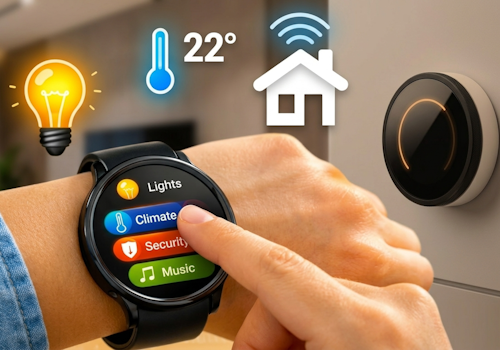
Your smart home, right on your wrist or walls.

Les mer ›

Støttede enheter

Flow-kort

Klikk på en enhet ovenfor for å kun vise relaterte Flow-kort.

Når …

Phone
Batterinivået ble endret
Phone
Batterialarmen ble aktivert
Phone
Batterialarmen ble deaktivert
Wall panel
Aktivert
Wall panel
Deaktivert
Wall panel
Dempingsnivået ble endret
Wall panel
Signalstyrken ble endret
Wall panel
Er frakoblet
Wall panel
Er tilkoblet
Wall panel
A light card is used: What happened
i
Someone changed a light from this panel. Use it to run whatever Homey cannot reach on its own, such as a scene of your own.
Wall panel
Which mood is applied
i
Someone picked a mood on this panel. Homey applies the mood itself; this is for everything it cannot, such as a custom scene on lights of your own.
Wall panel
A climate card is used: What happened
Wall panel
A media card is used: What happened
Wall panel
A device card is used: Which control
Wall panel
Someone sets What was set at the panel
i
Someone said at the panel that they are leaving, back, awake or asleep. Homey's own user flags follow along, so its own 'everyone is asleep' flows keep working; this is for what belongs to this room.
Wall panel
The alarm goes off: Which alarm
i
The panel's own alarm reached its time. The panel says so; what happens next - music, lights, a spoken greeting - is this flow.
Wall panel
The alarm is snoozed: Which alarm
i
Someone pressed Snooze at the panel. It will ring again after the snooze time set on this device. Use this to stop the music you started when it went off - it starts again with the next ring.
Wall panel
The alarm stops: Which alarm
i
The alarm is over: someone pressed Off, the alarm was switched off, or it rang out with nobody answering. The reason says which. This is where the music ends and a night mode is lifted.
Wall panel
Which card comes into view
i
The panel now shows this card, whether someone swiped to it, a flow asked for it, or the panel moved on by itself.
Wall panel
Night mode turns on
i
The panel went dark and quiet - from a flow, from its device page, or because someone switched it there. A good place to turn the rest of the room down too.
Wall panel
Night mode turns off
i
The panel is back to its normal colours. This also fires when an alarm lifts it, which is the one that comes without anybody touching anything - so a morning routine can hang here instead of on the alarm itself.
Wear OS/ESP32 panel Controller
Wear action Action id received
i
Fires when the watch sends this action id to the Wear OS Controller. Use the Value tokens for e.g. a target temperature.
Wear OS/ESP32 panel Controller
Wear event Event received
i
Fires when the phone or watch reports a system signal (e.g. charging, do-not-disturb). Pick the event from the list (or type a custom one). The device label arrives as the Tag token; State is e.g. on/off.

Og …

Phone
Batterialarmen er på
Wall panel
Er slått på
Wall panel
Er frakoblet
Wall panel
Night mode is on
i
Whether this panel is in night mode right now. An alarm lifts it, so a flow that assumes it is still on after one went off would be wrong.

Så …

Wall panel
Slå på
Wall panel
Slå av
Wall panel
Veksle mellom på og av
Wall panel
Demp til %
Wall panel
Innstill relativt dempingsnivå %
i
Demp eller gjør lysere i forhold til enhetens gjeldende dimmingsnivå.
Wall panel
Turn night mode On or off
i
Draw everything on the panel in a dim colour at the lowest brightness, and stop moving to the next card. What that looks like is set on this device. A ringing alarm lifts it by itself, and the first touch brings the light back for twenty seconds so nobody changes the heating by feel in the dark.
Wall panel
Show Which card
i
Bring one of this panel's cards to the front. The panel switches within a few seconds.
Wall panel
Set Which alarm to Time (On or off)
i
Set an alarm card's time, switch it on, or switch it off. Leave the time empty to change only whether it is set.
Wall panel
Draw Which card in Colour
i
Repaint one of this panel's cards. The colour holds until something changes it again, so a card that turned red on an alarm stays red until a flow, or the card editor, says otherwise. "The panel colour" hands the card back to the panel's own setting.
Wall panel
Write Which card in Text colour
i
The words on one of this panel's cards - the value you read from across the room. Separate from the card's colour, which paints the ring and the tiles. White is what every card used before this existed.

Støtte

Har du et problem med denne appen? Kontakt utvikleren her.

Nyheter

Versjon 1.44.0 — The buttons on a wall panel work again: a tap on Snooze or Off now actually reaches Homey. A press of the knob does the button the panel highlights, and turning the knob moves to the next one.

Vis endringslogg

Wear OS/ESP32 panel Controller

Denne appen kan styre alle aspekter ved Homey.

Wear OS/ESP32 panel Controller er ikke kompatibel med den valgte Homey.

Wear OS/ESP32 panel Controller vil straks installeres på Homey.
Installer