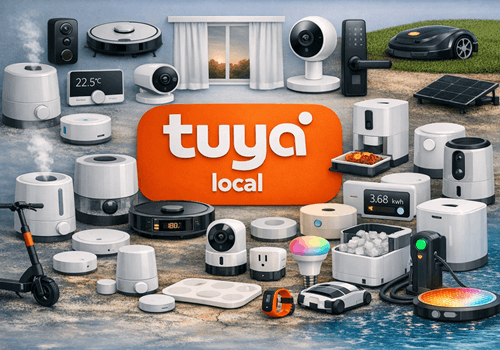
Purpose-built drivers cover the most common Tuya smart home device types — from air conditioners, smart plugs and lights to garage doors, heat pumps and curtain motors. Each driver automatically detects the device's data points at pairing time and maps them to the right Homey capabilities, so most devices are ready to use straight away. A generic driver is included for any device type not covered by the dedicated drivers.
All communication runs directly over your local Wi-Fi network. Devices respond instantly to Homey commands and push state changes in real time, even without an internet connection. Every driver comes with a full set of Flow cards — triggers, conditions and actions — tailored to its device type, so you can build automations the moment your device is added.
Fires when the charger leaves the charging state, with the energy delivered in that session as a token. For a plain start/stop trigger use the built-in "Started charging" / "Stopped charging" cards.
EV Charger
Detailed charger state changed
i
Fires on any change of the charger's raw Tuya state, which is more granular than Homey's standard charging state (it tells "waiting", "finished" and "plugged in" apart).
EV Charger
Charger fault occurred
EV Charger
Charger data point changed
Fan
켜지면
Fan
꺼지면
Fan
밝기가 변경되면
Fan
Fan connected
Fan
Fan disconnected
Fan
Fan data point changed
Fan
Fan mode changed
Fan
Fan direction changed
Garage Door
차고 문이 닫히면
Garage Door
차고 문이 열리면
Garage Door
Garage door opened
Garage Door
Garage door closed
Garage Door
Garage door alarm triggered
Garage Door
Garage door opener connected
Garage Door
Garage door opener disconnected
Garage Door
Garage door data point changed
Generic Tuya Device
A data point changed
Generic Tuya Device
DP DP number changed
i
Fires only when the given DP number changes value. Use the Value / Previous Value tokens in the notification text or a further AND card.
Generic Tuya Device
Device connected
Generic Tuya Device
Device disconnected
Heat Pump
켜지면
Heat Pump
꺼지면
Heat Pump
희망 온도가 변경되면
Heat Pump
온도가 변경되면
Heat Pump
Heat pump mode changed
Heat Pump
Heat pump fault alarm triggered
Heat Pump
Heat pump connected
Heat Pump
Heat pump disconnected
Heat Pump
Heat pump data point changed
Heater
켜지면
Heater
꺼지면
Heater
희망 온도가 변경되면
Heater
Heater connected
Heater
Heater disconnected
Heater
Heater data point changed
Heater
Heater started heating
Heater
Heater stopped heating
Heater
Heater fault alarm triggered
Humidifier
켜지면
Humidifier
꺼지면
Humidifier
습도가 변경되면
Humidifier
팬 속도가 변경되면
Humidifier
희망 습도가 변경되면
Humidifier
Humidity went above Humidity (%)%
Humidifier
Humidity dropped below Humidity (%)%
Humidifier
Water tank became empty
Humidifier
Water tank was refilled
Humidifier
Humidifier connected
Humidifier
Humidifier disconnected
Humidifier
Humidifier data point changed
Light
켜지면
Light
꺼지면
Light
밝기가 변경되면
Light
Light connected
Light
Light disconnected
Light
Light data point changed
Pet Feeder
Food level changed
Pet Feeder
Feeding completed
Pet Feeder
Pet feeder connected
Pet Feeder
Pet feeder disconnected
Pet Feeder
Pet feeder data point changed
Presence Sensor
움직임이 감지되면
Presence Sensor
움직임이 없으면
Presence Sensor
알람이 켜지면
Presence Sensor
알람이 꺼지면
Presence Sensor
거리가 변경되면
Presence Sensor
조도가 변경되면
Presence Sensor
Presence detected
Presence Sensor
Presence cleared
Presence Sensor
Presence sensor connected
Presence Sensor
Presence sensor disconnected
Presence Sensor
Presence sensor data point changed
Smart Kettle
켜지면
Smart Kettle
꺼지면
Smart Kettle
온도가 변경되면
Smart Kettle
Device connected
Smart Kettle
Device disconnected
Smart Kettle
A data point changed
Smart Kettle
Kettle status changed
Smart Kettle
Kettle finished boiling
Smart Plug
켜지면
Smart Plug
꺼지면
Smart Plug
소비 전력이 변경되면
Smart Plug
전압이 변경되면
Smart Plug
전류가 변경되면
Smart Plug
전력량이 변경되면
Smart Plug
Device connected
Smart Plug
Device disconnected
Smart Plug
A data point changed
Smart Plug
Power went above Power (W) W
Smart Plug
Power dropped below Power (W) W
Smart Plug
Smart plug fault alarm triggered
Thermostat
켜지면
Thermostat
꺼지면
Thermostat
희망 온도가 변경되면
Thermostat
온도가 변경되면
Thermostat
Device connected
Thermostat
Device disconnected
Thermostat
A data point changed
Thermostat
Thermostat mode changed
Wall Switch
켜지면
Wall Switch
꺼지면
Wall Switch
Device connected
Wall Switch
Device disconnected
Wall Switch
A data point changed
Wall Switch
Switch Gang changed
그리고...
Air Conditioner
켜지면
Air Conditioner
AC is connected
Air Conditioner
AC mode is Mode
Air Conditioner
AC fan speed is Fan Speed
Air Conditioner
AC sleep mode is on
Air Conditioner
AC fault alarm is active
Curtain Motor
창문 가림 상태가 다음이면 ...
Curtain Motor
창문 커버가 닫히면
Curtain Motor
Curtain is open (> 50%)
Curtain Motor
Curtain is fully closed
Curtain Motor
Curtain is moving
Curtain Motor
Curtain motor is connected
Dehumidifier
켜지면
Dehumidifier
Humidity is above Humidity (%)%
Dehumidifier
Humidity is below Humidity (%)%
Dehumidifier
Water tank is full
Dehumidifier
Device is connected
Dehumidifier
Mode is Mode
Doorbell
알람이 켜지면
Doorbell
Doorbell motion is active
Doorbell
Night light is on
Doorbell
Doorbell is connected
EV Charger
충전 중이면
EV Charger
전기차 충전기 충전 상태가 다음과 같음 ...
EV Charger
Charger is connected
EV Charger
Detailed charger state is State
i
Checks the charger's raw Tuya state, which distinguishes "waiting", "finished" and "plugged in" — states that Homey's standard charging state groups together.
Fan
켜지면
Fan
Fan is connected
Fan
Light is on
Fan
Fan mode is Mode
Fan
Fan direction is ...
Garage Door
차고 문이 닫히면
Garage Door
Garage door is open
Garage Door
Garage door opener is connected
Generic Tuya Device
Device is connected
Generic Tuya Device
DP DP number value is Value
i
Compares the last known value of a DP. Value is parsed automatically: 'true'/'false' → boolean, numbers → number, everything else → string.
Heat Pump
켜지면
Heat Pump
Heat pump is on
Heat Pump
Heat pump fault alarm is active
Heat Pump
Heat pump is connected
Heater
켜지면
Heater
Heater is connected
Heater
Heater is actively heating
Heater
Heater fault alarm is active
Heater
Heater mode is Mode
Humidifier
켜지면
Humidifier
Humidifier is connected
Humidifier
Humidity is above Humidity (%)%
Humidifier
Humidity is below Humidity (%)%
Humidifier
Water tank is empty
Light
켜지면
Light
Light is connected
Pet Feeder
Food level is low
Pet Feeder
Pet feeder is connected
Presence Sensor
움직임이 감지되면
Presence Sensor
알람이 켜지면
Presence Sensor
Presence is detected
Presence Sensor
Presence sensor is connected
Smart Kettle
켜지면
Smart Kettle
Device is connected
Smart Kettle
Kettle is heating
Smart Plug
켜지면
Smart Plug
Device is connected
Smart Plug
Fault alarm is active
Smart Plug
Power is above Power (W) W
Thermostat
켜지면
Thermostat
Device is connected
Thermostat
Mode is Mode
Wall Switch
켜지면
Wall Switch
Device is connected
Wall Switch
Switch Gang is on
그러면...
Air Conditioner
켜기
Air Conditioner
끄기
Air Conditioner
켬/끔 상태 전환하기
Air Conditioner
희망 온도 설정 °C
Air Conditioner
Set AC mode to Mode
Air Conditioner
Set AC fan speed to Fan Speed
Air Conditioner
Set AC target temperature to Temperature (°C) °C
Air Conditioner
Set AC swing to Swing
Air Conditioner
Set AC sleep mode Sleep
Air Conditioner
Set AC ECO mode ECO
Air Conditioner
Set AC ioniser Ioniser
Air Conditioner
Set AC horizontal swing Horizontal swing
Air Conditioner
Set AC child lock Child lock
Air Conditioner
Force AC reconnect
Air Conditioner
Refresh AC device
Curtain Motor
창문 가림 상태 설정 ...
Curtain Motor
창문 가림 %를 다음으로 설정 %
i
위치를 열림(100%), 닫힘(0%) 또는 그 사이의 값으로 변경해요.
Curtain Motor
창문 커버 닫기
Curtain Motor
창문 커버 열기
Curtain Motor
창문 커버 열림/닫힘 상태 전환하기
Curtain Motor
Open curtain
Curtain Motor
Close curtain
Curtain Motor
Stop curtain
Curtain Motor
Set curtain position to Position (%)%
Curtain Motor
Move curtain to favourite position
Curtain Motor
Force curtain motor reconnect
Curtain Motor
Refresh curtain motor values
Dehumidifier
켜기
Dehumidifier
끄기
Dehumidifier
켬/끔 상태 전환하기
Dehumidifier
팬 속도를 다음으로 설정 %
Dehumidifier
희망 습도 설정 %
Dehumidifier
Set target humidity to Target humidity (%)%
Dehumidifier
Set mode to Mode
Dehumidifier
Set fan speed to Fan Speed
Dehumidifier
Set timer to Duration
Dehumidifier
Set child lock Child Lock
Dehumidifier
Set ioniser Ioniser
Dehumidifier
Set dehumidifier oscillation Oscillate
Dehumidifier
Set self-clean Self-Clean
Dehumidifier
Set water pump Water Pump
Dehumidifier
Force reconnect
Dehumidifier
Refresh device values
Doorbell
Enable motion detection
Doorbell
Disable motion detection
Doorbell
Force doorbell reconnect
Doorbell
Refresh doorbell values
Doorbell
Set night vision to Mode
Doorbell
Set chime volume to Volume (0–100)
Doorbell
Turn night light State
Doorbell
Set ring tone to Melody number
Doorbell
Set motion sensitivity to Sensitivity
EV Charger
충전 시작
EV Charger
충전 중지
EV Charger
충전전력 제한 설정 W
i
이렇게 하면 충전전력 제한 모드도 Homey로 전환돼요. 전기차 충전기의 충전이 상황에 맞게 자동으로 시작되거나 중지되죠.
EV Charger
Set charge current to Current A
i
Clamped to the Current Min / Current Max range configured in device settings.
EV Charger
Reset energy meter
EV Charger
Force charger reconnect
EV Charger
Refresh charger values
Fan
켜기
Fan
끄기
Fan
켬/끔 상태 전환하기
Fan
다음 밝기로 조절 %
Fan
상대 밝기 설정 %
i
제품의 현재 디밍 수준에 따라 어둡게 또는 밝게 설정돼요.
Fan
Set fan mode to Mode
Fan
Set fan speed to Fan Speed
Fan
Set fan oscillation Oscillate
Fan
Force fan reconnect
Fan
Refresh fan values
Fan
Set fan direction to ...
Fan
Set timer to Duration
Fan
Turn light Light
Fan
Set light brightness to Brightness%
Garage Door
차고 문 닫기
Garage Door
차고 문 열기
Garage Door
차고 문 열림/닫힘 상태 전환하기
Garage Door
Open garage door
Garage Door
Close garage door
Garage Door
Toggle garage door
Garage Door
Stop garage door
Garage Door
Force garage door opener reconnect
Garage Door
Refresh garage door values
Generic Tuya Device
Force reconnect
Generic Tuya Device
Refresh device values
Generic Tuya Device
Set DP DP number to Value
i
Send a raw data point (DP) command. Value is parsed automatically: 'true'/'false' → boolean, numbers → integer/float, everything else → string.
Heat Pump
켜기
Heat Pump
끄기
Heat Pump
켬/끔 상태 전환하기
Heat Pump
희망 온도 설정 °C
Heat Pump
Set heat pump mode to Mode
Heat Pump
Set heat pump preset to Preset
Heat Pump
Force heat pump reconnect
Heat Pump
Refresh heat pump values
Heater
켜기
Heater
끄기
Heater
켬/끔 상태 전환하기
Heater
희망 온도 설정 °C
Heater
Set heater mode to Mode
Heater
Set heater target temperature to Temperature (°C) °C
버전 1.0.165 — Doorbell: wireless chimes and plug-in receivers now work. On these the ring never fired at all — they send the same payload on every press of a given button, and that payload was already known from the moment the connection opened, so every press looked like nothing had changed. They also gain a night light tile and a melody selection, their volume can be set from a flow, and the motion tile is no longer shown on devices that cannot detect motion. With Tuya Cloud credentials saved, such a chime is configured correctly while pairing: where the specification proves the device does not have a data point the driver would otherwise have guessed at, that setting is switched off instead of pointing at a number from a different device family. A device on protocol 3.2 — some curtain motors are — is now also offered that version when the app cycles through protocols after repeated failures; pairing already tried it, so such a device paired correctly and then never saw 3.2 again if it later dropped off the network for long enough. The app settings have been reworked: it is now obvious which tab you are on, the jump list in the help pages lands on the heading instead of behind the bars pinned above it, headings look like headings, and reporting a device problem has its own section that the other tabs link to. The redundant raw data view is gone, the two copy buttons say which table they copy, and each device in Cloud Lookup has a Show DPs button — its specification had always opened by clicking the device name, but nothing said so and most people never found it. The one-time setup instructions fold away once credentials are stored. The help pages gained the answers users ask for most: what DP Instruction Mode changes and how to switch it on, that a free Tuya account is locked to a single data center and some countries cannot select all of them, that mode and preset values are matched case-sensitively so "Heat" is not "heat", how to tell which router entry belongs to which device when they all report the same hostname, how to check in two minutes whether a device supports local control at all, and which device types cannot work locally whatever the settings say. Several statements that were simply wrong have been corrected, including which copy button contains identifying data.