







Route
Incident event in category category
경고! 이 앱이 제대로 작동하지 않을 수 있습니다.
이 앱 버전은 현재 테스트 중이며 아직 검토되지 않았습니다. 기대한 대로 작동하지 않을 수 있습니다.
이 앱을 설치할 때는 각별히 주의하세요.

위의 디바이스를 클릭하면 관련 Flow 카드만 표시됩니다.
이 앱에 문제가 있습니까? 개발자에게 문의하려면 여기를 클릭하세요..
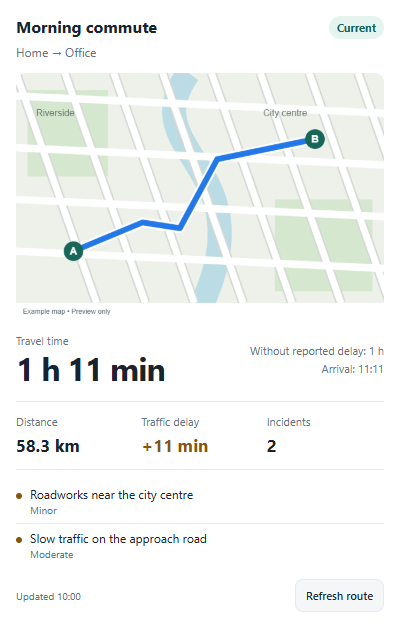
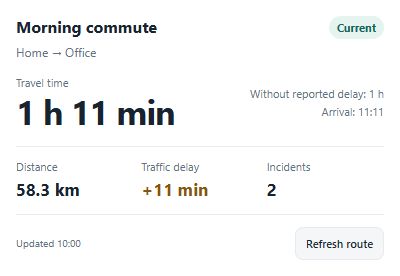
버전 1.0.2 — Added per-route dashboard widgets with maps, travel times, distance, traffic delays, incidents and manual refresh.
 선택하신 Homey에 TomTom Traffic & Travel Time이(가) 호환되지 않습니다.
 TomTom Traffic & Travel Time이(가) 곧 Homey에 설치됩니다.
Bretislav Kubesa 님께 앱을 잘 사용하고 있다고 알려주세요. Bretislav Kubesa 님께 기부하여 후원해주는 것은 어떠세요?
TomTom Traffic & Travel Time의 개발자는 기부를 받습니다.
기부하여 고마운 마음을 전하세요!
제안을 보내주셨다고 Bretislav Kubesa 님에게 알리겠습니다.
 Belgium
 Bulgaria
 Croatia
 Cyprus
 Czech Republic
 Estonia
 Finland
 Greece
 Hungary
 Iceland
 Ireland
 Latvia
 Lithuania
 Malta
 Moldova
 The Netherlands
 Portugal
 Romania
 Slovakia
 Slovenia
 Türkiye
 Ukraine
 United Kingdom


