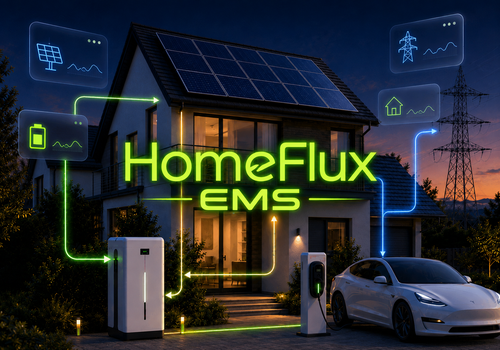
HomeFlux EMS

Your energy, managed differently

Leggi di più ›

Dispositivi supportati

Schede dei Flow

Clicca su un dispositivo qui sopra per visualizzare solo le schede dei Flow correlate.

Quando...

HomeFlux EMS
Battery Balance warning
i
Fires when battery SoC spread keeps increasing while balancing is actively controlling the batteries.
HomeFlux EMS
Battery commands are updated
i
Fires when HomeFlux EMS publishes a new set of battery power commands.
HomeFlux EMS
New battery setpoint calculated
i
Fires when HomeFlux EMS calculates a different battery setpoint, before the minimum command interval decides when it may be published. It stays silent while Hybrid EMS has delegated battery control to an external EMS.
HomeFlux EMS
Boiler power command is updated
i
Use the boolean token to switch the boiler or store its current HomeFlux state in a Logic variable.
HomeFlux EMS
Boiler warmed status is updated
i
The boolean token is Yes while HomeFlux still considers the boiler warmed after a completed heating cycle.
HomeFlux EMS
Charge plan is updated
i
Fires when HomeFlux decides or changes the overnight charge plan. Use the Charge plan token with Homey's standard Logic action to write it to a text variable.
HomeFlux EMS
EMS status changed
i
Fires when the compact HomeFlux EMS status line changes.
HomeFlux EMS
EV charge current is updated
i
Use this output to set the EV charger current. Peak Guard can always reduce it. Only slots within the saved device count are offered. At count 0 the list is empty.
HomeFlux EMS
EV charge mode is updated
i
For chargers that are controlled with modes instead of amperes. Map stop/smart/standard to the matching charger actions. Only slots within the saved device count are offered. At count 0 the list is empty.
HomeFlux EMS
EV charging permission is updated
i
Only slots within the saved device count are offered. At count 0 the list is empty.
HomeFlux EMS
EV target cannot be reached
i
Fires once when HomeFlux determines that an EV deadline cannot be met with the currently available selected tariff windows, or cannot be met at all. The message token can be sent as a push notification.
HomeFlux EMS
Set external EMS to self consumption
i
Fires when Hybrid EMS delegates pure self-consumption to the external EMS, and once more if the watchdog requests a retry.
HomeFlux EMS
HVAC fan command is updated
i
Only slots within the saved device count are offered. At count 0 the list is empty.
HomeFlux EMS
HVAC mode command is updated
i
Only slots within the saved device count are offered. At count 0 the list is empty.
HomeFlux EMS
HVAC power command is updated
i
Only slots within the saved device count are offered. At count 0 the list is empty.
HomeFlux EMS
HVAC setpoint command is updated
i
Only slots within the saved device count are offered. At count 0 the list is empty.
HomeFlux EMS
PV power limit is updated
i
Use the percentage token to limit PV/inverter output. 100% is unrestricted; HomeFlux never commands below 10%.
HomeFlux EMS
Request Battery SoC is needed
i
Fires every 3 minutes and once at app start when this battery is configured. Send its current SoC to HomeFlux EMS. Only slots within the saved device count are offered. At count 0 the list is empty.
HomeFlux EMS
EV SoC is needed
i
Fires every 3 minutes and once after enabling EV SoC support. It stops completely when EV SoC support is disabled. Only slots within the saved device count are offered. At count 0 the list is empty.
HomeFlux EMS
Request forecast is needed
i
Fires every 30 minutes and once at app start. Use it to send the remaining PV forecast to HomeFlux EMS.
HomeFlux EMS
Tomorrow PV forecast is needed
i
Fires every 30 minutes and once at app start. Use it to send tomorrow's total PV forecast to HomeFlux EMS.
HomeFlux EMS
Request PV power is needed
i
Fires every 15 seconds and once at app start. Use it to send the latest PV power to HomeFlux EMS.
HomeFlux EMS
Battery: switch to charge mode
i
Only fires when split command is enabled for the selected Battery and HomeFlux needs charge mode. Power follows 1 second after an allowed mode switch. Only slots within the saved device count are offered. At count 0 the list is empty.
HomeFlux EMS
Battery: charge power is updated
i
Use the power token for the selected Battery charge power. After a charge-mode switch this fires 1 second later. Only slots within the saved device count are offered. At count 0 the list is empty.
HomeFlux EMS
Battery: switch to discharge mode
i
Only fires when split command is enabled for the selected Battery and HomeFlux needs discharge mode. Power follows 1 second after an allowed mode switch. Only slots within the saved device count are offered. At count 0 the list is empty.
HomeFlux EMS
Battery: discharge power is updated
i
Use the power token for the selected Battery discharge power. After a discharge-mode switch this fires 1 second later. Only slots within the saved device count are offered. At count 0 the list is empty.

E...

HomeFlux EMS
Water heater output is on
HomeFlux EMS
Water heater is marked warm
HomeFlux EMS
EMS action is Action
HomeFlux EMS
Average battery SoC is above SoC (%)%
HomeFlux EMS
Battery group is Battery state
HomeFlux EMS
EMS control is enabled
HomeFlux EMS
Current tariff is Tariff name
HomeFlux EMS
EMS mode is Mode
HomeFlux EMS
Peak Guard is actively limiting
HomeFlux EMS
Planning phase is Planning phase
HomeFlux EMS
Price data is current
HomeFlux EMS
PV power is above Power (W) W
HomeFlux EMS
HomeFlux allows EV to charge
i
Only slots within the saved device count are offered. At count 0 the list is empty.
HomeFlux EMS
EV is charging
i
Only slots within the saved device count are offered. At count 0 the list is empty.
HomeFlux EMS
EV is connected
i
Only slots within the saved device count are offered. At count 0 the list is empty.
HomeFlux EMS
EV mode is Mode
i
Only slots within the saved device count are offered. At count 0 the list is empty.
HomeFlux EMS
Current slot is inside the cheapest consecutive Hours hour block today
HomeFlux EMS
Current Homey Energy price is among the Hours cheapest hours today
HomeFlux EMS
Current Homey Energy price is among the Hours most expensive hours today
HomeFlux EMS
HVAC is actively managed
i
Only slots within the saved device count are offered. At count 0 the list is empty.

Poi...

HomeFlux EMS
Clear EV planning override
i
Clears the persistent Flow minimum target for the selected EV, whether it was supplied as SoC or required kWh. HomeFlux immediately falls back to the target/deadline settings configured in the app. Only slots within the saved device count are offered. At count 0 the list is empty.
HomeFlux EMS
EV charging session has ended
i
Use a reliable charger or vehicle end status. HomeFlux immediately withdraws the selected EV grid permission, sends Stop for mode control and resumes normal battery control. The end remains latched until the selected EV reconnects. Only slots within the saved device count are offered. At count 0 the list is empty.
HomeFlux EMS
Get current HomeFlux EMS status
i
Returns the current EMS status as tokens. Connect the status token to Homey's own Logic card to write it to a text variable.
Advanced
HomeFlux EMS
Recalculate EMS now
HomeFlux EMS
Refresh Homey Energy prices
i
Refreshes Homey's own dynamic electricity price data for monitoring.
HomeFlux EMS
Set Battery SoC to SoC (%)%
i
Only slots within the saved device count are offered. At count 0 the list is empty.
HomeFlux EMS
EV: Energy needed (kWh) kWh needed by Deadline (HH:mm) · guaranteed: Guarantee target?
i
Sets a persistent minimum energy target for the selected EV. It remains active until another EV target is submitted or the planning override is cleared. HomeFlux tracks delivered energy from the reported charge current. Guarantee = No keeps deadline charging on configured favourable tariffs/PV; Yes may use any tariff when required to secure the minimum. After the minimum is reached, charging may continue on favourable moments. Peak Guard always remains absolute. Only slots within the saved device count are offered. At count 0 the list is empty.
HomeFlux EMS
EV override for one session: EV 1 operating mode
i
Temporarily use the selected the selected EV operating mode for one connection session. If the the selected EV is already connected, the override ends when it disconnects. If it is disconnected, the override waits for the next connect → disconnect cycle. The configured the selected EV mode is never overwritten. Only slots within the saved device count are offered. At count 0 the list is empty.
HomeFlux EMS
EV: minimum Minimum SoC (%)% SoC by Deadline (HH:mm) · guaranteed: Guarantee target?
i
Sets a persistent minimum SoC and deadline for the selected EV. It remains active until another EV target is submitted or the planning override is cleared. Guarantee = No tries to secure the minimum on configured favourable tariffs/PV; Yes may use any tariff when required. After the minimum SoC is reached, charging may continue on favourable moments. Peak Guard always remains absolute. Only slots within the saved device count are offered. At count 0 the list is empty.
HomeFlux EMS
Set EV SoC to EV 1 SoC (%)%
i
Push the current the selected EV state of charge to HomeFlux. Only used when the selected EV SoC support is enabled in settings. Only slots within the saved device count are offered. At count 0 the list is empty.
HomeFlux EMS
Set EV: EV 1 available, Actual charge current (A) A
i
Push the selected EV availability and actual charging current to HomeFlux. the selected EV SoC has its own Flow card. Only slots within the saved device count are offered. At count 0 the list is empty.
HomeFlux EMS
Exported energy today is Exported energy today (kWh) kWh
i
Send the cumulative grid-export energy for today in kWh. HomeFlux uses it only to calibrate the calculated PV/battery export totals in Savings; it does not change EMS control.
HomeFlux EMS
Set external electricity price to Electricity price (EUR/kWh) EUR/kWh
i
Generic fallback input in EUR/kWh. HomeFlux only uses it when external fallback is enabled for a dynamic contract. A full curve is still required for price-based planning.
HomeFlux EMS
Set external electricity price curve to Price curve JSON
i
Send a JSON string containing hourly or 15-minute prices. ISO timestamps are recommended. HomeFlux accepts arrays, pricesPerInterval payloads and timestamp-to-price maps.
HomeFlux EMS
Set external EMS battery setpoint to External EMS setpoint (W) W
i
Feed the actual battery setpoint used by the external EMS back to HomeFlux while Hybrid EMS is delegated. Positive = discharge, negative = charge.
HomeFlux EMS
Current export price is Export price (EUR/kWh) EUR/kWh
i
Sets the current feed-in/export price in EUR/kWh for Savings, mainly for dynamic contracts. Positive means compensation you receive; negative means a cost you pay to inject. Fixed and multi-rate contracts use their configured tariff export prices.
HomeFlux EMS
Set EMS mode to Mode
HomeFlux EMS
Set remaining PV forecast to Remaining PV (kWh) kWh
HomeFlux EMS
Set tomorrow PV forecast to Tomorrow PV (kWh) kWh
HomeFlux EMS
Set grid power to Grid power (W) W
i
Positive is grid import, negative is export.
HomeFlux EMS
Set HVAC automatic control to Automatic control
i
Only slots within the saved device count are offered. At count 0 the list is empty.
HomeFlux EMS
Set HVAC fan speed to Fan speed value
i
Only slots within the saved device count are offered. At count 0 the list is empty.
HomeFlux EMS
Set HVAC mode to Mode
i
Only slots within the saved device count are offered. At count 0 the list is empty.
HomeFlux EMS
Set HVAC outdoor temperature to Outdoor temperature for all HVACs (C) C
HomeFlux EMS
Set HVAC room temperature to Room temperature (C) C
i
Only slots within the saved device count are offered. At count 0 the list is empty.
HomeFlux EMS
Set HVAC setpoint to Setpoint (C) C
i
Only slots within the saved device count are offered. At count 0 the list is empty.
HomeFlux EMS
Imported energy today is Imported energy today (kWh) kWh
i
Send the cumulative grid-import energy for today in kWh. HomeFlux uses it only to proportionally correct the live calculated grid-consumption and battery-charging totals for Savings.
HomeFlux EMS
Set PBTH Period electricity prices to PBTH Prices JSON
i
Connect the Prices token from Power by the Hour's 'Provide import prices JSON' card. Select the same period in both cards. HomeFlux derives 15- or 60-minute resolution from the configured dynamic contract.
HomeFlux EMS
Set PV power to PV power (W) W

Widget

Puoi aggiungere i widget di questa app alla dashboard oppure alla schermata iniziale nell’app mobile.

Savings
Savings
EMS status
EMS status

Supporto

Hai un problema con questa app? Contatta lo sviluppatore qui.

Novità

Versione 0.7.12 — Consolidated numbered Battery, EV and HVAC Flow cards into generic cards. All 31 slot selectors now dynamically offer only configured slots, including inputs, outputs, SoC requests and conditions. EV/HVAC names are shown; zero configured devices gives an empty selection. Numbered cards and previous fixed-dropdown cards remain deprecated but functional for existing Flows. Energy management, safety limits, planning and the slogan remain unchanged.

Visualizza il changelog

HomeFlux EMS

Questa app può gestire l’intero Homey.

HomeFlux EMS non è compatibile con l’Homey selezionato.

HomeFlux EMSverrà installato a breve su Homey.
Installa