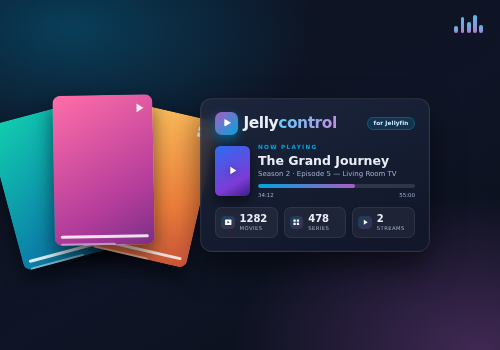
Jellycontrol brings your self-hosted Jellyfin media server into Homey. Each Homey device represents a single Jellyfin user, and playback automatically follows that user to whichever client they are watching on — the living-room TV in the evening, a phone on the go — so your home can respond to what is actually playing.
This is an unofficial app and is not affiliated with or endorsed by the Jellyfin Foundation. Jellyfin is a trademark of the Jellyfin Foundation.
Clicca su un dispositivo qui sopra per visualizzare solo le schede dei Flow correlate.
Quando...
Jellyfin Player
Riproduzione avviata
Jellyfin Player
Riproduzione interrotta
Jellyfin Player
La traccia è cambiata
Jellyfin Player
L'artista è cambiato
Jellyfin Player
L'album è cambiato
Jellyfin Player
Il volume è cambiato
Jellyfin Player
Playback paused (player)
i
Fires when playback on this player is paused.
Jellyfin Player
Playback resumed (player)
i
Fires when playback on this player is resumed after a pause.
Jellyfin Player
Playback started (player)
i
Fires when this player starts playing something.
Jellyfin Player
Playback stopped (player)
i
Fires when this player stops playing (not the same as pausing).
Jellyfin Server
Failed login attempt
i
Fires on a failed Jellyfin login attempt — useful for security notifications. Rate-limited to a few events per minute.
Jellyfin Server
Library scan finished
Jellyfin Server
New Type in Library
i
Triggers when a new movie, episode or series is added.
Jellyfin Server
Server connection restored
Jellyfin Server
Server connection lost
Jellyfin Server
Active streams changed
Jellyfin Server
Task Task completed
i
Fires when a scheduled task started via the 'Start a scheduled task' card finishes. Tasks are monitored for up to 30 minutes; if a task runs longer, the card fires with status 'TimedOut'. Tasks started elsewhere are not monitored.
Jellyfin Server
Transcoding started
Jellyfin Server
Transcoding stopped
Jellyfin Server
Server update available
i
Fires when Jellyfin starts reporting an available server update. Checked roughly every 6 hours while connected. Fires once per detected update, even across app restarts.
Jellyfin Server
User User logged in
Jellyfin User
Riproduzione avviata
Jellyfin User
Riproduzione interrotta
Jellyfin User
La traccia è cambiata
Jellyfin User
L'artista è cambiato
Jellyfin User
L'album è cambiato
Jellyfin User
Il volume è cambiato
Jellyfin User
Daily summary
i
Fires once a day with watch-time totals for the user.
Jellyfin User
Intro started
i
Fires when playback enters an intro segment of the current item. Requires Jellyfin 10.10+ with media segments (e.g. the Intro Skipper plugin).
Jellyfin User
Minutes minutes before end
i
Fires once per item when the remaining time crosses the threshold.
Jellyfin User
Now playing changed
i
Fires when the item this Jellyfin user is playing changes. This card is for user devices; player devices have their own cards.
Jellyfin User
Outro started
i
Fires when playback enters an outro (credits) segment of the current item. Requires Jellyfin 10.10+ with media segments (e.g. the Intro Skipper plugin).
Jellyfin User
Playback paused
i
Fires when playback for this Jellyfin user is paused. This card is for user devices; player devices have their own card.
Jellyfin User
Playback resumed
i
Fires when playback for this Jellyfin user is resumed after a pause. This card is for user devices; player devices have their own card.
Jellyfin User
Playback started
Jellyfin User
Playback stopped
i
Fires when playback for this Jellyfin user stops. This card is for user devices; player devices have their own card.
Jellyfin User
Reached Percent% of item
i
Fires once per item when playback crosses the given percentage.
E...
Jellyfin Player
È in riproduzione
Jellyfin Server
Active streams is above Threshold
Jellyfin User
È in riproduzione
Jellyfin User
Is playing
Jellyfin User
User is transcoding
Jellyfin User
Media type is Type
Jellyfin User
Is playing on Client
i
True when the user's current session runs on a client whose name or device contains this text (e.g. 'Web', 'Android TV', 'Chrome'). Case-insensitive.
Jellyfin User
User is disabled
i
Checks whether this user's Jellyfin account is disabled (parental control). Requires an admin API key.
Poi...
Jellyfin Player
Riproduci
Jellyfin Player
Pausa
Jellyfin Player
Alterna riproduzione/pausa
Jellyfin Player
Successivo
Jellyfin Player
Precedente
Jellyfin Player
Imposta il volume a %
Jellyfin Player
Imposta il volume relativo %
i
Modifica il volume rispetto al volume attuale del dispositivo.
Jellyfin Player
Disattiva il volume
Jellyfin Player
Riattiva il volume
Jellyfin Player
Attiva o disattiva il volume disattivato
Jellyfin Server
Health check
Advanced
Jellyfin Server
Restart Jellyfin server
i
Requires the API key to belong to an admin user.
Jellyfin Server
Start scheduled task Task
i
Starts a Jellyfin scheduled task. The 'Task completed' card fires when it finishes. The task is monitored for up to 30 minutes; if it runs longer, the card fires with status 'TimedOut'. Requires the API key to belong to an admin user.
Jellyfin Server
Shut down Jellyfin server
i
Requires the API key to belong to an admin user.
Jellyfin Server
Scan library Library
Jellyfin User
Riproduci
Jellyfin User
Pausa
Jellyfin User
Alterna riproduzione/pausa
Jellyfin User
Successivo
Jellyfin User
Precedente
Jellyfin User
Imposta il volume a %
Jellyfin User
Imposta il volume relativo %
i
Modifica il volume rispetto al volume attuale del dispositivo.
Jellyfin User
Disattiva il volume
Jellyfin User
Riattiva il volume
Jellyfin User
Attiva o disattiva il volume disattivato
Jellyfin User
Bookmark current item to Playlist
i
Adds the currently playing item to a Jellyfin playlist (auto-created on first use).
Advanced
Jellyfin User
Resume Continue Watching
Advanced
Jellyfin User
Show Item on the client
i
Opens the item's detail page on the client the user is active on, without starting playback.
Jellyfin User
Mark current item as watched
Jellyfin User
Send Command to the client
i
Sends a remote-control navigation command (home, back, select, arrows) to the client the user is active on.
Jellyfin User
Play Item
i
Searches the user's library and starts the picked item on whatever client they're active on.
Jellyfin User
Play Playlist / collection (Order)
i
Starts every playable item of the picked playlist or collection on whatever client the user is active on.
Jellyfin User
Play a random Type in Genre
Advanced
Jellyfin User
Queue Item (Position)
Jellyfin User
Clear queue / stop
Jellyfin User
Skip Delta (s) s
i
Negative values skip backward (e.g. -30).
Jellyfin User
Seek to Position (s) s
Jellyfin User
Send message Header: Text (timeout Timeout (ms) ms)
Jellyfin User
Set audio track to Track
Jellyfin User
Set subtitle to Track
Jellyfin User
Mode this user account
i
Blocks or unblocks this user's Jellyfin account (parental control). A disabled user cannot sign in. Requires an admin API key.
Jellyfin User
Skip Direction chapter
i
Jumps to the previous / next chapter boundary using the item's chapter data. Handy for Intros & Credits.
Jellyfin User
Skip current segment
i
Seeks to the end of the segment (intro, outro, recap or commercial) the playback is currently in. Does nothing when no segment is active. Requires Jellyfin 10.10+ with media segments (e.g. the Intro Skipper plugin).
Jellyfin User
Stop all playback of this user
i
Sends a stop command to every session of this user that is currently playing something (max. 20 sessions). Requires an admin API key.
Jellyfin User
Toggle favorite on current item
Widget
Puoi aggiungere i widget di questa app alla dashboard oppure alla schermata iniziale nell’app mobile.
Now playing
Recently added
Server overview
Supporto
Hai un problema con questa app?
Contatta lo sviluppatore qui.
Novità
Versione 4.0.0 — `Quick Connect pairing, playlist playback, intro/outro skip, parental controls, server maintenance cards, new Recently Added widget, plus major reliability, security and performance fixes.`











 Jellycontrol non è compatibile con l’Homey selezionato.
 Jellycontrolverrà installato a breve su Homey.
 Belgium
 Bulgaria
 Croatia
 Cyprus
 Czech Republic
 Estonia
 Finland
 Greece
 Hungary
 Iceland
 Ireland
 Latvia
 Lithuania
 Malta
Malta
 Moldova
 The Netherlands
 Portugal
 Romania
 Slovakia
 Slovenia
 Türkiye
 Ukraine
 United Kingdom


