# Porsche Connect for Homey
Monitor and control your Porsche (EV, hybrid or petrol) from Homey Pro. The most complete Porsche integration available on any home automation platform.
## What's New in 5.5
- **Scheduled preconditioning** — set a departure time, pick days from a simple dropdown (Weekdays / Weekends / Every day / Custom), lead time and target temperature; the car warms/cools itself in time, and can skip when unplugged. Plus a **Precondition now** button and heated-seat **zones**.
- **Real climate feedback** — the climate widget lights up the instant you set a temperature, confirms when the car applies it, glows warm (heating) or cool (cooling), and shows the remaining timer.
- **Charging profile picker** — choose one of your car's actual profiles from a live list in a flow and activate it (no typing names).
- **Security summary** — a single "not secured" alarm plus triggers/conditions covering lock and every door, lid, window and sunroof.
- **Geofence & tracking mode** — a GPS home geofence ("left the zone" alerts) and automatable VTS/valet-mode changes.
- **Kinder on the car** — charging no longer wakes the car every 5 minutes (adjustable), cutting rate-limit errors and 12V drain; parked cars poll more slowly and snap back the moment they move.
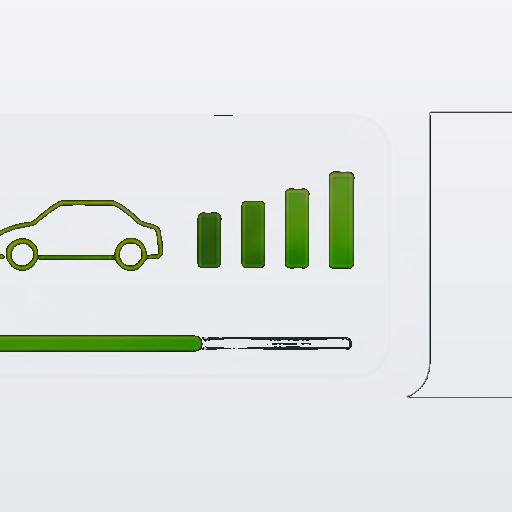
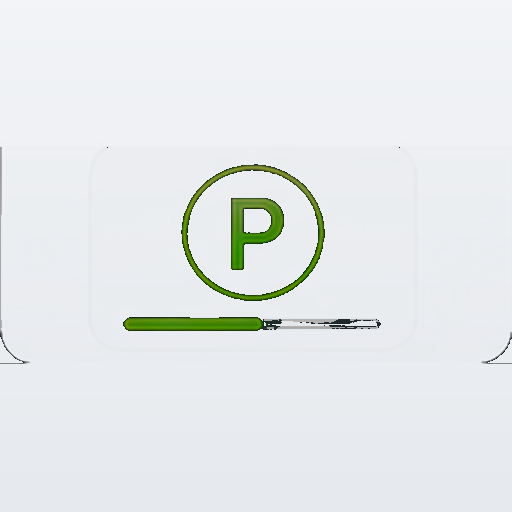
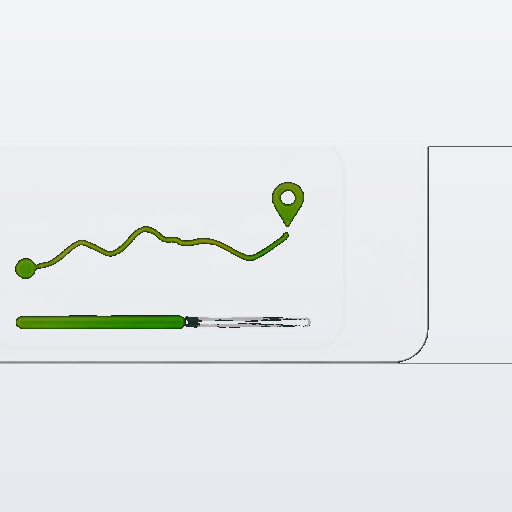
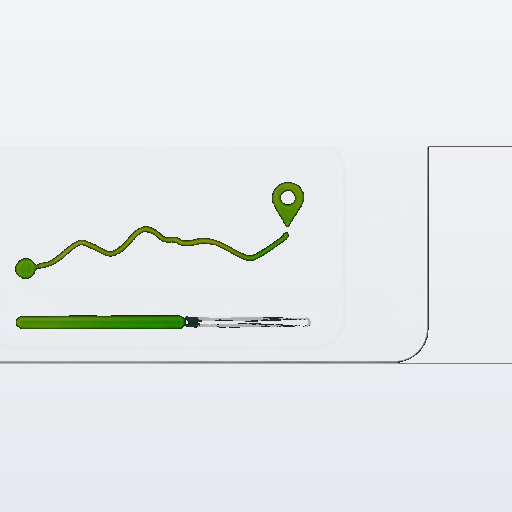
- **Parking map widget** — the parked location on a map with a pin and an in-app "Open in Maps" view.
- **Energy accuracy** — charging energy is measured from the live power curve when possible, and an external meter (Peblar/P1/SDM630) can supply the exact figure via a flow.
- **MQTT + Home Assistant** discovery and **Tibber** price-aware charging.
## Capabilities (48 total)
### EV / Charging
| Capability | Description |
|---|---|
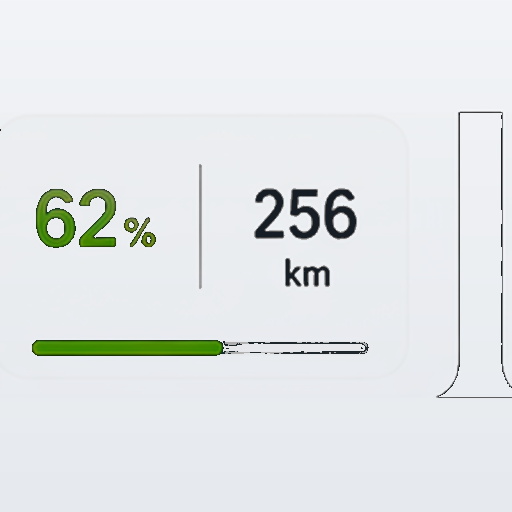
| `measure_battery` | State of charge (%) |
| `meter_range` | Estimated range (km/mi) |
| `ev_charging_state` | plugged_in_charging / plugged_in / plugged_in_paused / plugged_out |
| `measure_power` | Live charging power (kW) |
| `plug_connected` | Cable physically connected (true/false) |
| `target_soc` | Charge limit from active profile (%) |
| `charge_finish_time` | Estimated completion time (HH:MM) |
| `measure_charging_current` | Charging current (A) |
| `measure_charging_voltage` | Charging voltage (V) |
| `measure_charging_rate` | Charging rate (km/min) |
| `measure_remaining_charge_time` | Minutes to target SoC |
| `charging_switch` | Start/stop charging (Porsche profile) |
| `direct_charge_switch` | Override charging profile (bypass schedule) |
| `meter_session_energy` | kWh added in current session |
| `meter_cost_today` | Charging cost today (€, uses electricity price setting) |
| `meter_daily_charged` | Total kWh charged today |
### Location & Movement
| Capability | Description |
|---|---|
| `measure_latitude` / `measure_longitude` | Live GPS |
| `meter_parking_duration` | Minutes parked since last movement |
| `measure_distance_from_home` | Distance from home geofence center (km) |
| `vehicle_status` | Driving / Charging / Parked / Sleeping / Offline / Unknown |
| `car_sleeping` | Car sleep state |
### Environment
| Capability | Description |
|---|---|
| `measure_outside_temperature` | Ambient temperature from vehicle sensors (°C) |
| `measure_12v_voltage` | 12V aux battery voltage (V) — warn below 12.2V |
| `measure_climate_target_temp` | Climate setpoint (°C) |
| `target_temperature` | HVAC target (Homey built-in, setable) |
### Trip & Daily Stats
| Capability | Description |
|---|---|
| `meter_odometer` | Total lifetime distance (km) |
| `meter_daily_distance` | Distance driven today (km) |
| `meter_trip_distance` | Last/current trip distance |
| `meter_trip_energy` | Last/current trip energy (kWh) |
| `meter_trip_efficiency` | Last/current trip efficiency (kWh/100km) |
| `meter_sporty` | Sporty driving score (%) |
### Security & Alarms
| Capability | Description |
|---|---|
| `locked` | Lock state |
| `alarm_generic.doors` | Any door/lid open |
| `alarm_generic.tires` | Tire pressure warning |
| `alarm_frunk` | Front trunk open |
| `alarm_trunk` | Rear trunk open |
| `alarm_chargeport` | Charge port open |
### Tire Pressures
`measure_tire_pressure_fl` / `fr` / `rl` / `rr` — individual bar values
### Scheduling
| Capability | Description |
|---|---|
| `last_vehicle_update` | Last API data timestamp |
| `next_departure` | Active departure timer time |
## Dashboard / AVD-Friendly Fields
All 46 capabilities are `getable: true` and AVD-compatible. Best fields for a dashboard widget:
```
measure_battery → Battery %
meter_range → Range
ev_charging_state → Charging state
plug_connected → Cable connected
target_soc → Charge limit
charge_finish_time → Finishes at HH:MM
meter_parking_duration → Parked X min
measure_distance_from_home → X km from home
meter_session_energy → Session kWh
meter_cost_today → Cost today €
vehicle_status → Driving/Charging/Parked/Sleeping
last_vehicle_update → Last seen X min ago
measure_outside_temperature → Outside °C
measure_12v_voltage → 12V health
```
## Flow Cards
### Triggers (51)
All device-scoped. Key ones:
- `charging_started` / `charging_stopped` / `vehicle_charging_complete`
- `battery_level_changed` / `range_below_threshold` / `low_battery_critical`
- `plugged_in_changed` / `plug_connected_changed`
- `vehicle_status_changed` — fires on any status transition
- `arrived_home` / `left_home` — with trip distance token
- `long_trip_completed` — configurable threshold (default 100km)
- `charging_power_exceeded` — AC/DC detection (set 50kW threshold)
- `charging_error` — with `error_reason` token (INFRASTRUCTURE_ERROR etc.)
- `tire_warning` / `tire_pressure_changed`
- `outside_temp_changed` / `low_12v_battery`
- `car_location_updated` / `vehicle_moved` / `location_changed`
- `charging_session_ended` / `charging_profile_changed` / `charging_details_changed`
- `geofence_breached` / `speed_alert_triggered`
- `door_opened` / `window_opened` / `window_closed`
- `direct_charge_changed` / `solar_charging_active`
- `trip_started` / `trip_completed` / `co2_milestone`
- `tibber_cheap_hour_started` / `tibber_price_dropped_below` — price-aware charging
### Conditions (36)
- `is_charging` / `is_plugged_in` / `is_plug_connected`
- `vehicle_status_is` — dropdown: Driving/Charging/Parked/Sleeping/Offline
- `battery_above` / `battery_below` / `range_above` / `range_below_number`
- `is_sleeping` / `car_is_awake`
- `is_home` / `car_at_location`
- `moved_within_minutes` — "car moved in last X minutes"
- `updated_within_minutes` — "API data fresher than X minutes"
- `outside_temp_below` — freeze warning flows
- `voltage_12v_above` — 12V health check
- `charging_longer_than` — "charging > X minutes"
- `charging_error_active` / `is_congestion_window`
- `all_doors_closed` / `windows_closed` / `tires_ok`
- `charging_power_above` / `remaining_charge_below`
- `is_direct_charging` / `charging_profile_is`
- `tibber_price_is_cheap` / `tibber_now_in_cheapest_hours`
### Actions (35)
- `lock_vehicle` / `unlock_vehicle`
- `start_charging` / `stop_charging`
- `start_climate` / `stop_climate` / `start_climate_temp` / `set_climate_temp`
- `set_charge_target` / `set_charging_profile` / `set_charge_limit_soc`
- `enable_direct_charge` / `disable_direct_charge`
- `wake_car` / `force_refresh` / `refresh_status`
- `push_abrp` / `send_webhook` / `notify_energy_status`
- `get_energy_report` — returns 5 tokens: kWh/km/cost/CO2/efficiency
- `send_energy_summary` — pushes daily summary notification
- `get_charge_history` — returns last 10 session totals
- `set_departure_timer` / `toggle_privacy_mode`
- `tibber_refresh_prices` — force a Tibber price refresh
- `set_external_charge_energy` — attach precise kWh from an external meter (Peblar/P1/SDM630)
## Flow Examples
### Solar surplus charging
```
WHEN: Every 5 minutes
AND: Solar power > 4 kW
AND: Home battery > 90%
AND: Taycan battery < 80%
AND: Car is plugged in
→ Set Solar charging profile
→ Enable direct charging
```
### Net congestion window (Peblar / smart charger)
```
WHEN: Charging error occurred
AND: Is NOT in net congestion window (17:00–20:00)
→ Send push: "Unexpected charger fault"
```
### Freeze warning pre-conditioning
```
WHEN: Every day at 07:30
AND: Outside temperature below 0°C
AND: Car is at home
→ Start climate at 21°C
```
### Long trip arrival
```
WHEN: Arrived home
AND: Trip distance > 0 (from token)
→ Send summary notification
→ Start charging
```
### DC fast charge detection
```
WHEN: Charging power exceeded 50 kW
→ Send push "DC fast charging active"
→ Log to Insights
```
### 12V health alert
```
WHEN: 12V battery is low (trigger)
→ Send push "Taycan 12V aux battery low: X.X V"
→ Check dealer
```
## Settings
### Configure
| Group | Key Settings |
|---|---|
| Account & Connection | Email, VIN |
| Security | S-PIN, flow unlock/direct-charge access |
| Polling & Performance | Normal (15 min), charge-complete (30 min), night (60 min) |
| Charging Control | Charge limit, Solar profile name, direct charge SoC stop |
| Alerts & Notifications | Range alert, tire threshold, net congestion window (17:00–20:00) |
| Integrations | ABRP token, Webhook URL, InfluxDB URL |
| Trip & Location | Trip timeout, geofences ×5, long-trip threshold |
| EV Analytics | Electricity price (€/kWh), battery capacity |
### Monitor (read-only, auto-updated)
Vehicle Status, Today's Stats, Last Charging Session, Charging History (last 10), Last Trip, Maintenance, API Diagnostics, About
## Setup
1. Install from Homey App Store or sideload
2. Add device → Porsche Vehicle → enter email + password
3. Complete CAPTCHA if prompted (first login only)
4. Set S-PIN in Security settings for unlock flows
5. Set electricity price for cost calculations
6. Set ABRP token for live telemetry
## 12V Battery Protection
- `getStoredOverview` (no wake) when idle or charge complete
- `getCurrentOverview` (wake) only when charging or moving
- Daily API wake count visible in Settings → About
- Night mode: 60 min polling
- CHARGING_COMPLETED: 30 min polling (configurable 10–120 min)
- Rate limit protection: outage guard after 429 or 3+ consecutive timeouts
## Integrations
**ABRP** — live SoC/range/charging push. Token: ABRP → Settings → Live Data → Generic.
**Webhook** — POST full vehicle JSON on every poll. Works with Node-RED, Home Assistant, Zapier, Make.
**InfluxDB/Grafana** — direct line protocol push: battery, range, power, all four tire pressures.
**Sigenergy** — battery SoC tag for cross-app solar+storage flows.
## MQTT & Home Assistant
Publish full vehicle state to any MQTT broker once per poll. Enable under
Settings → 📡 MQTT and set the broker URL (`mqtt://host:1883` or, for TLS,
`mqtts://host:8883`), optional username/password, and a topic prefix
(default `porsche/car`). State is published retained under `<prefix>/<field>`;
availability is published under `<prefix>/status` (`online` / `offline` via
Last-Will), and only changed values are re-published.
| Topic (`<prefix>/…`) | Meaning |
|----------------------|---------|
| `battery`, `range_km`, `power_kw`, `odometer_km`, `target_soc`, `outside_temp`, `fuel_pct` | numeric state |
| `charging`, `vehicle_status`, `finish_time` | text/enum state |
| `locked`, `plugged_in`, `doors_open`, `windows_open`, `tire_alarm`, `car_sleeping` | booleans |
| `location` (JSON `{latitude,longitude}`), `location_state` (`home`/`not_home`) | position |
| `status` | availability (`online`/`offline`) |
Turn on **Home Assistant discovery** to auto-create entities (sensors,
binary sensors and a device tracker) under the HA discovery prefix
(default `homeassistant`) — no manual YAML needed.
> The `mqtt` package is a runtime dependency. Run `npm install` in the app
> folder **before** `homey app publish` so `node_modules/mqtt` is bundled.
> MQTT stays silently disabled (one log line) if the package is missing or
> `mqtt_enabled` is off — the Porsche polling path is never affected.
## Tibber price-aware charging
Add a Tibber API token (developer.tibber.com) under Settings → ⚡ Tibber to
unlock price-aware flows. Prices are fetched on the normal poll cycle
(30-minute cache — effectively free). Configure the charge window
(default `23:00`–`07:00`, may cross midnight) and how many of the cheapest
hours in that window count as "cheap". No Tibber call is made when no token
is set.
Flow cards: triggers **Cheapest electricity hour started** and **Electricity
price dropped below [threshold]**; conditions **price is cheap** and **now in
the N cheapest hours**; action **Refresh Tibber prices**.
**Example — start charging when a cheap hour begins:**
WHEN *Cheapest electricity hour started* → AND *plugged in* → THEN
*Set charge target 80%* + *Start charging (direct)*.
**Example — stop when leaving the cheap window (unless battery is low):**
WHEN *the [N] cheapest hours* no longer apply (AND *now isn't in the cheapest
hours*) → AND *battery above 40%* → THEN *Stop charging*.
## Charging energy accuracy
Porsche's API never reports charged kWh directly — only battery %, charge rate,
and status. So this app derives session energy, and tells you how, with a marker
in **Charging History**:
| Marker | Meaning |
|--------|---------|
| (none) | **Measured** — integrated from the live power curve. Used when polling caught the charge densely enough (≥ 60% of the session sampled). |
| `≈` | **Estimated** — battery %-gain × pack size. Used when the charge was only seen sparsely (e.g. a completed charge caught between night polls). Directionally right, not exact. |
| `✓` | **External** — a precise figure pushed in from your own meter (see below). Overrides the above. |
Two things affect estimate accuracy:
- **`battery_capacity` setting** — set it to your car's true *usable* kWh. This
is the single biggest lever for the `≈` estimate. A Taycan 4S is ~83.7 kWh
usable; adjust for your exact build.
- **Charges the app never saw charging** still land in history via a SoC-based
fallback: if the battery % rose while plugged in, the session is reconstructed
and marked `≈`.
### External energy meter (Peblar, P1, SDM630, …)
Your wall meter is the *authoritative* source for what you actually pay, because
it measures energy **delivered from the wall** — which is ~10–15% higher than
what reaches the battery, due to AC→DC conversion and thermal losses. The
Porsche-derived figures measure **battery-side** energy, so a higher Peblar
reading is expected, not an error.
To feed it in, use the action **Record external charging energy [kWh]**. It
overwrites the most recent session's energy (and recomputes cost + lifetime
totals), marking it `✓`.
**Recommended flow — auto-attach Peblar energy when a charge ends:**
```
WHEN Porsche · A charging session ended
THEN Porsche · Record external charging energy [ {{Peblar session kWh}} ]
```
Because this triggers only when the app itself recorded a session, it attaches
to the right one. If your charger exposes a running meter total rather than a
per-session value, compute the delta in the flow (session-end total − a value
you stored at charge start).
> **Homey Energy note:** if your Peblar already reports to Homey Energy as a
> consumer, treat it — not this app's `meter_power.imported` — as the metered
> wall source, so the same kWh isn't counted twice.
## Preconditioning (warm/cool before you leave)
Porsche's API can't store a reliable recurring timer, so scheduling lives in
Homey instead — which is far more flexible. Three ways to do it:
**1. Built-in weekly schedule (no flow needed).** Settings → 🌡️ Preconditioning:
enable it, set a departure time, days (e.g. `MO,TU,WE,TH,FR`), lead time
(minutes before departure), target temperature, and optionally *only when
plugged in*. The app starts climate itself at *departure − lead*, once per day.
**2. Flow (most flexible).** Use the **Start preconditioning** action with a
temperature and optional auto-stop duration, triggered however you like:
```
WHEN Time is 07:10 on weekdays
AND Car is plugged in (AND, optionally: Now in the cheapest hours)
THEN Porsche · Precondition at 21°C for 20 min
```
**3. Calendar-aware.** With Homey's Google Calendar, trigger the same action a
set time before your first event — something the Porsche app itself can't do:
```
WHEN 30 minutes before a calendar event starts
AND Car is plugged in
THEN Porsche · Precondition at 21°C for 25 min
```
**Precondition now:** the device also has a **Precondition now** button for the
unplanned cold morning — one tap starts climate at your preconditioning
temperature.
Guards worth adding to any flow: *only when plugged*, *battery above X%*, or
*now in the cheapest hours* (Tibber), so you never precondition at a bad moment.
## External charger (real current & voltage)
Porsche reports charging **power** (kW) but usually not amps/volts. Two ways to
fill those in:
**A. Estimate from power** — Settings → 🔋 Charging Control → *Charging supply*:
pick 1-phase 230V, 3-phase 400V, or DC and the app derives current & voltage
from power. Estimated values show a `~` in the widget.
**B. Feed real measured values from your wall charger** (exact). If your charger
has a Homey app, it exposes its own live current/voltage — pipe those in with a
flow:
```
WHEN <Charger> · Current changed
THEN Porsche · Set charging current to {{Charger current}}
WHEN <Charger> · Voltage changed
THEN Porsche · Set charging voltage to {{Charger voltage}}
```
This overrides the estimate with the charger's measured figures (the `~` drops).
**Works with any charger that has a Homey app**, including the 10 most common:
1. **Peblar** 2. **Easee** 3. **Zaptec** 4. **Wallbox** 5. **Alfen (Eve)**
6. **go-e Charger** 7. **KEBA / BMW Wallbox** 8. **Hypervolt** 9. **Ohme**
10. **Tesla Wall Connector**
Install the charger's own Homey app, then wire the two flows above using that
charger's current/voltage tokens. (The app can't call each charger's cloud API
directly — Homey chargers already publish these values locally, which is more
reliable and needs no extra credentials.)
## Parking map
The Parking widget shows where the car is parked on a real street map with a pin,
plus an **Open in Maps** button (opens an in-app map view). The map uses
**OpenStreetMap tiles and is on by default**. To use a lightweight stylised map
instead (and load no tiles), turn off Settings → 🎨 Widget Appearance →
*Show live map tiles*. Map data © OpenStreetMap contributors.
## Supported Vehicles
All Porsche Connect-enabled models. Tested on Taycan 4S Sport Turismo.
Full EV (Taycan, Macan Electric, Cayenne Electric), PHEV (Cayenne/Panamera E-Hybrid), ICE (911, Cayenne petrol, Macan petrol) — fuel level and range auto-detected.
Requires Homey Pro (SDK3, Homey ≥ 12.4.5).
## Roadmap
- Yesterday / this week / this month charging stats
- Rolling charging analytics (avg session duration, avg power, peak hour)
- Battery degradation estimate (nominal vs usable capacity)
- Monthly + yearly charging cost accumulation
- Historical charging efficiency by temperature/season
## Installation
**From source folder (recommended):**
```bash
# Unzip the release
unzip porsche-connect-v4.5.19.zip -d porsche-connect-homey
cd porsche-connect-homey
# Install to Homey (development)
homey app install
# OR publish to App Store
homey app publish
```
The CLI automatically merges `widget.compose.json` files into the app manifest during install/publish. This is required for dashboard widgets to appear.
**Do not** use `homey app install <file.zip>` — install from the unzipped folder only.
## API quota & rate limiting
Porsche allows roughly **150 API calls per day** per account. The app is
designed to stay well under this (~60–70 calls/day in normal operation), and
protects the quota in several ways:
- Idle polls use the stored overview (no vehicle wake, protects the 12V
battery). The car is only woken while charging, moving, or on an explicit
"wake" flow action — and forced wakes are one-shot.
- The one-time init fetch of capabilities, maintenance and the vehicle image
runs **at most once per day**, survives restarts, is spaced 3 seconds apart,
and aborts entirely if the API has already rate-limited this cycle.
- On a 429 response the app backs off, suppresses token refreshes for the
outage window, and re-arms with bounded escalation. You will see
"Rate limited — backing off" in the log; this resolves itself.
- The current day's call count is visible under **About → API Calls Today**.
## Privacy & Credentials
- Your Porsche ID email and password are stored **only on your Homey**, in the
device's local store. They are used solely to authenticate against Porsche's
official Connect API (`identity.porsche.com`) and are never sent anywhere else.
- Refresh tokens are likewise kept on-device. Removing the device deletes them.
- No telemetry, analytics or third-party services are involved by default. All
vehicle data flows directly between your Homey and the Porsche API.
- **If you enable MQTT**, vehicle state (including location, if your broker
topic map includes it) is published to *your own* broker only. Broker
credentials are stored on your Homey; credentials embedded in the broker URL
are redacted from the debug log.
- **If you configure Tibber**, your Tibber API token is stored on your Homey
and used solely to fetch electricity prices from api.tibber.com. No vehicle
data is ever sent to Tibber.
- The in-app debug log redacts GPS coordinates, VIN and addresses, and never
contains passwords or tokens. Raw API payload logging only occurs when
"Debug logging" is explicitly enabled in device settings.
## Disclaimer
This is an **unofficial** community app. It is not affiliated with, endorsed by
or supported by Dr. Ing. h.c. F. Porsche AG. "Porsche" and model names are
trademarks of their respective owners. Use at your own risk.
## Troubleshooting
- **Widgets stuck on a spinner after update** → remove the app, reboot Homey,
reinstall, re-pair. Stale device records survive normal reinstalls.
- **"Rate limited" in the log** → normal self-recovery; see API quota above.
Avoid restarting the app repeatedly in one day.
- **A reading shows "Not reported by this vehicle"** → that key is genuinely
absent from your car's API data (e.g. 12V voltage on Taycan); it is not a
bug.
- **MQTT not connecting** → check the broker URL scheme (`mqtt://` or
`mqtts://`) and credentials; the app retries automatically with backoff and
never blocks vehicle polling.
- **App version in device settings differs from the store version** → re-pair
the device; the running code is older than the installed package.
Leggi di più ›















 Porsche Connect non è compatibile con l’Homey selezionato.
 Porsche Connectverrà installato a breve su Homey.
 Belgium
 Bulgaria
 Croatia
 Cyprus
 Czech Republic
 Estonia
 Finland
 Greece
 Hungary
 Iceland
 Ireland
 Latvia
 Lithuania
 Malta
Malta
 Moldova
 The Netherlands
 Portugal
 Romania
 Slovakia
 Slovenia
 Türkiye
 Ukraine
 United Kingdom


