





🖤 Risparmia € 50 su Homey Pro e fino al 29% su tutto il resto Nessun codice richiesto • Sconto applicato automaticamente in fase di pagamento

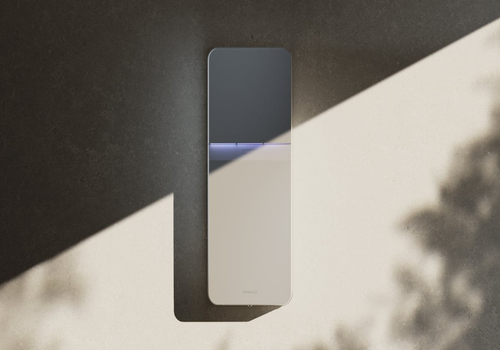
Homevolt

Home energy at your fingertips

Attenzione! Questa app potrebbe non funzionare correttamente.

Questa app è in fase di test e non è mai stata recensita. Potrebbe non funzionare come previsto.
Fai molta attenzione quando installi questa app.
« Torna alla versione normale

Home energy at your fingertips

Leggi di più ›

Dispositivi supportati

Schede dei Flow

Clicca su un dispositivo qui sopra per visualizzare solo le schede dei Flow correlate.

Quando...

Homevolt battery
Il livello della batteria è cambiato
Homevolt battery
L'energia è cambiata
Homevolt battery
La temperatura è cambiata
Homevolt battery
La frequenza è cambiata
Homevolt battery
La potenza target è cambiata
Homevolt battery
La modalità potenza target è passata a ...
i
"Homey" significa che Homey controlla la potenza target del dispositivo. Le altre modalità sono determinate dal dispositivo.
Homevolt battery
Battery status changed
i
Triggers when the battery changes status, e.g. charging -> idle.
Homevolt grid sensor
L'energia è cambiata
Homevolt grid sensor
L'intensità del segnale è cambiata
Homevolt solar panel
L'energia è cambiata
Homevolt solar panel
L'intensità del segnale è cambiata

E...

Homevolt battery
La modalità potenza target è ...
i
"Homey" significa che Homey controlla la potenza target del dispositivo. Le altre modalità sono determinate dal dispositivo.
Homevolt battery
Status is Status
i
Checks if the current battery status equals a specific status.

Poi...

Homevolt battery
Imposta la potenza target W
i
Questo imposta anche la modalità potenza target su Homey. Per i caricatori EV, la ricarica viene avviata o interrotta automaticamente.
Homevolt battery
Imposta la modalità potenza target su ...
i
Per controllare la potenza target di questo dispositivo tramite Homey, seleziona "Homey". Le altre modalità sono determinate dal dispositivo.
Homevolt battery
Clear schedule
i
Clear all local schedules
Homevolt battery
Plan charging: PowerW from Start date Start time to End date End time
i
Plan charging the battery
Homevolt battery
Plan discharging: PowerW from Start date Start time to End date End time
i
Plan discharging the battery
Homevolt battery
Charge from grid now at Grid powerW
i
Charge immediately, with the power measured at the grid connection point instead of at the inverter: the battery adjusts itself so that grid import matches the given value.
Homevolt battery
Discharge to grid now at Grid powerW
i
Discharge immediately, with the power measured at the grid connection point instead of at the inverter: the battery adjusts itself so that grid export matches the given value.
Homevolt battery
Hold grid connection at Grid power (+ import / − export)W
i
Charge or discharge as needed to hold the grid connection at the given power. Positive = import from the grid, negative = export to the grid, 0 = neither (self-consumption).
Homevolt battery
Plan grid charging: Grid powerW from Start date Start time to End date End time
i
Plan charging over a time window, with the power measured at the grid connection point instead of at the inverter.
Homevolt battery
Plan grid discharging: Grid powerW from Start date Start time to End date End time
i
Plan discharging over a time window, with the power measured at the grid connection point instead of at the inverter.
Homevolt battery
Plan grid setpoint: Grid power (+ import / − export)W from Start date Start time to End date End time
i
Plan a time window in which the battery charges or discharges as needed to hold the grid connection at the given power. Positive = import from the grid, negative = export to the grid, 0 = neither (self-consumption).

Supporto

Hai un problema con questa app? Contatta lo sviluppatore qui.

Novità

Versione 1.8.0 — Supports Homevolts with sign-in and HTTPS turned on. Both are detected when you add or repair a device, and you are only asked for the device password (the QR code on the device) or an access token when sign-in is on. One entry covers the battery, grid sensor and solar devices. If sign-in was turned on by a firmware update, enter the password or token in the device settings under Sign-in. Homevolts without sign-in work as before. A rejected password is never retried, so Homey cannot lock you out of the Homevolt's web interface.

Visualizza il changelog

Homevolt

Homevolt non è compatibile con l’Homey selezionato.

Homevoltverrà installato a breve su Homey.
Installa