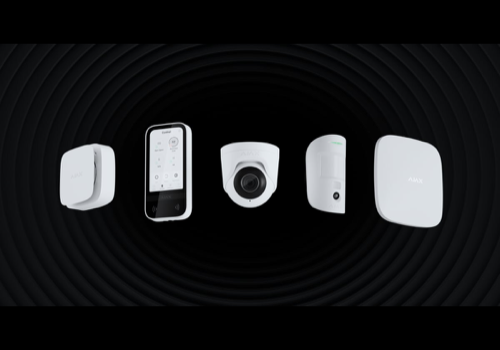
Ajax Security System

Make Ajax alarms part of your smart home

Leggi di più ›

Dispositivi supportati

Schede dei Flow

Clicca su un dispositivo qui sopra per visualizzare solo le schede dei Flow correlate.

Quando...

Ajax Automation & Transmitter
Automation channel Channel changed
i
Triggers when the selected channel of an Ajax switch, relay, or automation device changes.
Ajax Automation & Transmitter
The selected Ajax device alarm was restored
i
Triggers when this Ajax device's alarm clears.
Ajax Automation & Transmitter
The selected Ajax device triggered an alarm
i
Triggers when this Ajax device raises an alarm.
Ajax Automation & Transmitter
This Ajax wired input reported Wired input event
i
Triggers when this Ajax Transmitter, MultiTransmitter, or wired/digital input reports a push event.
Ajax Camera/Video
L'allarme di movimento è stato attivato
Ajax Camera/Video
L'allarme di movimento è stato disattivato
Ajax Camera/Video
L'allarme manomissione è stato attivato
Ajax Camera/Video
L'allarme manomissione è stato disattivato
Ajax Camera/Video
L'allarme sicurezza si è acceso
Ajax Camera/Video
L'allarme sicurezza si è spento
Ajax Camera/Video
The selected Ajax device alarm was restored
i
Triggers when this Ajax device's alarm clears.
Ajax Camera/Video
The selected Ajax device triggered an alarm
i
Triggers when this Ajax device raises an alarm.
Ajax Camera/Video
This Ajax camera detected Detection type
i
Triggers when this Ajax camera/NVR channel reports a push detection such as motion, human, pet, vehicle, line crossing, or digital line activity.
Ajax Camera/Video
Ajax video event snapshot ready
i
Triggers for this camera or DoorBell after its event-specific snapshot is fully available.
Ajax DoorBell
L'allarme generico è stato attivato
Ajax DoorBell
L'allarme generico è stato disattivato
Ajax DoorBell
L'allarme di movimento è stato attivato
Ajax DoorBell
L'allarme di movimento è stato disattivato
Ajax DoorBell
L'allarme manomissione è stato attivato
Ajax DoorBell
L'allarme manomissione è stato disattivato
Ajax DoorBell
L'allarme sicurezza si è acceso
Ajax DoorBell
L'allarme sicurezza si è spento
Ajax DoorBell
Il livello della batteria è cambiato
Ajax DoorBell
Lo stato di carica della batteria è cambiato ...
Ajax DoorBell
The selected Ajax device alarm was restored
i
Triggers when this Ajax device's alarm clears.
Ajax DoorBell
The selected Ajax device triggered an alarm
i
Triggers when this Ajax device raises an alarm.
Ajax DoorBell
This Ajax camera detected Detection type
i
Triggers when this Ajax camera/NVR channel reports a push detection such as motion, human, pet, vehicle, line crossing, or digital line activity.
Ajax DoorBell
DoorBell call ended: Call outcome
i
Triggers when this DoorBell call is accepted, declined, or otherwise ends.
Ajax DoorBell
Ajax video event snapshot ready
i
Triggers for this camera or DoorBell after its event-specific snapshot is fully available.
Ajax DoorProtect
L'allarme di contatto è stato attivato
Ajax DoorProtect
L'allarme di contatto è stato disattivato
Ajax DoorProtect
L'allarme manomissione è stato attivato
Ajax DoorProtect
L'allarme manomissione è stato disattivato
Ajax DoorProtect
L'allarme vibrazione si è acceso
Ajax DoorProtect
L'allarme vibrazione si è spento
Ajax DoorProtect
L'allarme sicurezza si è acceso
Ajax DoorProtect
L'allarme sicurezza si è spento
Ajax DoorProtect
La temperatura è cambiata
Ajax DoorProtect
Il livello della batteria è cambiato
Ajax DoorProtect
L'allarme generico è stato attivato
Ajax DoorProtect
L'allarme generico è stato disattivato
Ajax DoorProtect
La posizione è cambiata
Ajax DoorProtect
Lo stato è cambiato ...
Ajax DoorProtect
L'inclinazione è cambiata
Ajax DoorProtect
The selected Ajax device alarm was restored
i
Triggers when this Ajax device's alarm clears.
Ajax DoorProtect
The selected Ajax device triggered an alarm
i
Triggers when this Ajax device raises an alarm.
Ajax FireProtect
L'allarme fumo è stato attivato
Ajax FireProtect
L'allarme fumo è stato disattivato
Ajax FireProtect
L'allarme di calore è stato attivato
Ajax FireProtect
L'allarme di calore è stato disattivato
Ajax FireProtect
L'allarme CO è stato attivato
Ajax FireProtect
L'allarme CO è stato disattivato
Ajax FireProtect
L'allarme antincendio è stato attivato
Ajax FireProtect
L'allarme antincendio è stato disattivato
Ajax FireProtect
L'allarme manomissione è stato attivato
Ajax FireProtect
L'allarme manomissione è stato disattivato
Ajax FireProtect
La temperatura è cambiata
Ajax FireProtect
Il livello della batteria è cambiato
Ajax FireProtect
The selected Ajax device alarm was restored
i
Triggers when this Ajax device's alarm clears.
Ajax FireProtect
The selected Ajax device triggered an alarm
i
Triggers when this Ajax device raises an alarm.
Ajax Hub
Lo stato è cambiato ...
Ajax Hub
The selected Ajax hub alarm mode changed to Alarm mode
Ajax Hub
The system was armed and a device triggered the alarm
i
Triggers when any Ajax device raises an alarm while this hub is armed or in night mode. Same as the app-level "Ajax armed alarm went off" card, attached to the hub for easier discovery.
Ajax Hub
Ajax entry delay ended
i
Triggers when an inferred entry delay ends. The reason token tells you how: 'disarmed' (someone disarmed in time), 'alarm' (the delay expired into an intrusion alarm), or 'timeout' (the closing event was missed). Best-effort, like the entry-delay started card.
Ajax Hub
Ajax entry delay started
i
Triggers when the system is armed and a door or motion sensor reports activity that looks like someone entering, before any intrusion alarm. Ajax does not report entry delay directly, so this is inferred and best-effort — use it for convenience flows (hallway light, 'disarm now' announcement), not as proof of an intrusion.
Ajax Hub
Ajax exit delay ended
i
Triggers when Ajax reports that the exit delay countdown has completed and the hub has left the exit-delay state.
Ajax Hub
Ajax exit delay started
i
Triggers when Ajax reports that the system is armed but still waiting for the exit delay to finish. Useful for leaving-home flows that should run during the countdown, not only after the hub becomes fully armed.
Ajax Hub
A fire or smoke alarm was detected
i
Triggers for any Ajax fire detector on this hub reporting smoke, heat, or steam (FireProtect / FireProtect 2 and combi sensors). Fires regardless of arm state. Same as the app-level fire alarm card, attached to the hub for easier discovery.
Ajax Hub
Ajax group Group name was armed
i
Triggers when an Ajax security group on this hub is armed.
Ajax Hub
Ajax group Group name was disarmed
i
Triggers when an Ajax security group on this hub is disarmed.
Ajax KeyPad, Button & Keyfob
L'allarme manomissione è stato attivato
Ajax KeyPad, Button & Keyfob
L'allarme manomissione è stato disattivato
Ajax KeyPad, Button & Keyfob
L'allarme sicurezza si è acceso
Ajax KeyPad, Button & Keyfob
L'allarme sicurezza si è spento
Ajax KeyPad, Button & Keyfob
Il livello della batteria è cambiato
Ajax KeyPad, Button & Keyfob
This Ajax button reported Button event
i
Triggers when this Ajax Button, DoubleButton, SpaceControl, or panic button reports a push event.
Ajax KeyPad, Button & Keyfob
The selected Ajax device alarm was restored
i
Triggers when this Ajax device's alarm clears.
Ajax KeyPad, Button & Keyfob
The selected Ajax device triggered an alarm
i
Triggers when this Ajax device raises an alarm.
Ajax LeakProtect & WaterStop
L'allarme acqua è stato attivato
Ajax LeakProtect & WaterStop
L'allarme acqua è stato disattivato
Ajax LeakProtect & WaterStop
L'allarme manomissione è stato attivato
Ajax LeakProtect & WaterStop
L'allarme manomissione è stato disattivato
Ajax LeakProtect & WaterStop
La temperatura è cambiata
Ajax LeakProtect & WaterStop
Il livello della batteria è cambiato
Ajax LeakProtect & WaterStop
The selected Ajax device alarm was restored
i
Triggers when this Ajax device's alarm clears.
Ajax LeakProtect & WaterStop
The selected Ajax device triggered an alarm
i
Triggers when this Ajax device raises an alarm.
Ajax LeakProtect & WaterStop
The WaterStop valve changed to Valve state
i
Triggers when this Ajax WaterStop valve changes from open to closed or closed to open.
Ajax LifeQuality
La temperatura è cambiata
Ajax LifeQuality
L'umidità è cambiata
Ajax LifeQuality
Il livello di CO₂ è cambiato
Ajax LifeQuality
L'allarme CO₂ è stato attivato
Ajax LifeQuality
L'allarme CO₂ è stato disattivato
Ajax LifeQuality
L'allarme sicurezza si è acceso
Ajax LifeQuality
L'allarme sicurezza si è spento
Ajax LifeQuality
Il livello della batteria è cambiato
Ajax LifeQuality
The selected Ajax device alarm was restored
i
Triggers when this Ajax device's alarm clears.
Ajax LifeQuality
The selected Ajax device triggered an alarm
i
Triggers when this Ajax device raises an alarm.
Ajax MotionProtect
L'allarme di movimento è stato attivato
Ajax MotionProtect
L'allarme di movimento è stato disattivato
Ajax MotionProtect
L'allarme manomissione è stato attivato
Ajax MotionProtect
L'allarme manomissione è stato disattivato
Ajax MotionProtect
L'allarme vibrazione si è acceso
Ajax MotionProtect
L'allarme vibrazione si è spento
Ajax MotionProtect
L'allarme sicurezza si è acceso
Ajax MotionProtect
L'allarme sicurezza si è spento
Ajax MotionProtect
La temperatura è cambiata
Ajax MotionProtect
Il livello della batteria è cambiato
Ajax MotionProtect
The selected Ajax device alarm was restored
i
Triggers when this Ajax device's alarm clears.
Ajax MotionProtect
The selected Ajax device triggered an alarm
i
Triggers when this Ajax device raises an alarm.
Ajax Other Device
L'allarme generico è stato attivato
Ajax Other Device
L'allarme generico è stato disattivato
Ajax Other Device
The selected Ajax device alarm was restored
i
Triggers when this Ajax device's alarm clears.
Ajax Other Device
The selected Ajax device triggered an alarm
i
Triggers when this Ajax device raises an alarm.
Ajax Security System
Excessive Ajax alarms detected
i
Triggers when Ajax reports unusually frequent alarms (more than 100 alarms within an hour). The generic Ajax push event still fires as an alarm update too.
Ajax Security System
An Ajax enterprise event of type Event type was received
i
Requires Enterprise API login with SQS event queues configured.
Ajax Security System
An Ajax push event of type Event type was received
i
Fires for every decoded Ajax push notification. Use the event filter to match a specific type.
Ajax Security System
A local Ajax SIA event of type Event type with code SIA code was received
i
Requires the local SIA receiver to be enabled and listening in app settings.
Ajax Security System
Ajax DoorBell doorbell was pressed
i
Triggers when this Ajax camera/video device reports a doorbell button press.
Ajax Security System
The Ajax alarm from Device name, type Device type, was restored
i
Triggers when an Ajax device's alarm clears.
Ajax Security System
A real Ajax alarm was triggered by Device name, type Device type
i
Triggers when any Ajax device raises an alarm.
Ajax Security System
The Ajax system was armed and any device triggered the alarm
i
Triggers when an Ajax alarm goes off while the system is armed or in night mode.
Ajax Security System
Ajax button Button event event from Device name on Hub name received
i
Triggers for Ajax Button, DoubleButton, SpaceControl, and panic/hold-up button push events when Ajax reports them.
Ajax Security System
Bypass for Device name, type Device type, changed to Bypassed (yes/no)
Ajax Security System
Firmware status of Device name changed to Firmware status
i
Fires when an Ajax device reports a firmware update in progress, failed, a critical update available, or completion (up_to_date). Requires Ajax account / mobile app login. Leave fields empty to match any device or status.
Ajax Security System
Device name went offline
Ajax Security System
Device Device name came online
Ajax Security System
Device name, type Device type, reported an Ajax problem: Malfunction count
Ajax Security System
The Ajax problem from Device name, type Device type, was restored
i
Triggers when an Ajax device clears its reported malfunction or problem state.
Ajax Security System
Ajax DoorBell DoorBell name on Hub name call ended: Call outcome
i
Triggers when a DoorBell call is accepted, declined, or otherwise ends.
Ajax Security System
Ajax doorbell Doorbell name on Hub name was pressed
i
Triggers when an Ajax doorbell or video doorbell button is pressed.
Ajax Security System
Duress alarm triggered
i
Triggers when the system is disarmed under duress (coercion). This is a silent distress signal.
Ajax Security System
A fire/smoke/heat Ajax alarm was triggered by Device name
i
Triggers for any Ajax fire detector reporting smoke, heat, or steam (FireProtect / FireProtect 2 and combi sensors). Leave the device name blank to react to any detector. Fires regardless of arm state.
Ajax Security System
A gas/CO Ajax alarm was triggered by Device name
i
Triggers for any Ajax detector reporting carbon monoxide (CO), CO2, or gas. Leave the device name blank to react to any detector. Fires regardless of arm state.
Ajax Security System
A glass break Ajax alarm was triggered by Device name
i
Triggers when a GlassProtect or CombiProtect detects breaking glass. Leave the device name blank to react to any device. The general intrusion alarm trigger also fires for glass break.
Ajax Security System
Ajax group Group name on Hub name was armed
i
Triggers when an Ajax security group is armed.
Ajax Security System
Ajax group Group name on Hub name was disarmed
i
Triggers when an Ajax security group is disarmed.
Ajax Security System
Connection path of hub Hub name changed to Connection
i
Triggers when the hub switches between Ethernet, Wi-Fi, and cellular — for example when it falls back to cellular after an internet outage. Requires Ajax account / mobile app login.
Ajax Security System
Hub Hub name went offline
Ajax Security System
Hub Hub name came online
Ajax Security System
External power of hub Hub name failed
i
Triggers when the hub loses mains power and runs on battery.
Ajax Security System
External power of hub Hub name was restored
Ajax Security System
An intrusion Ajax alarm was triggered by Device name
i
Triggers for any Ajax intrusion alarm — motion, opening, glass break, or vibration. Leave the device name blank to react to any device. Fires regardless of arm state; use the "armed alarm" trigger if you only want it while armed.
Ajax Security System
A medical alarm was triggered by Device name
i
Triggers when Ajax reports a medical emergency alarm.
Ajax Security System
Night mode was activated on Hub name
Ajax Security System
Night mode was deactivated on Hub name
Ajax Security System
A panic button was pressed on Device name
i
Triggers when a panic or SOS alarm is raised.
Ajax Security System
Ajax camera Camera name on Hub name detected something
i
Triggers from Ajax FCM push when radar-equipped video hardware reports a detection (requires Ajax account / mobile login and push registration). Throttled to once per 30 seconds per camera.
Ajax Security System
Ajax SmartLock SmartLock event event from Device name on Hub name received
i
Triggers for Ajax/Yale SmartLock push events such as locked, unlocked, doorbell pressed, door left open, connection lost, tamper, stuck, keypad disabled, credential changes, or secure mode enabled.
Ajax Security System
Hub name was armed
Ajax Security System
Hub name was disarmed
Ajax Security System
A tamper Ajax alarm was triggered by Device name
i
Triggers when any Ajax device reports tampering (case opened, removed from its mount). Leave the device name blank to react to any device. Fires regardless of arm state.
Ajax Security System
Ajax camera Camera name on Hub name detected Detection type
i
Triggers for Ajax camera/NVR push detections such as motion, human, pet, vehicle, line crossing, and digital line events. Camera motion is also reflected on alarm_motion for about 30 seconds when the matched Homey camera device has that capability.
Ajax Security System
Video event snapshot ready
i
Triggers after the event-specific snapshot is fully available. The regular doorbell and detection cards still trigger immediately.
Ajax Security System
A water leak Ajax alarm was triggered by Device name
i
Triggers for any Ajax LeaksProtect or water detector reporting a leak. Leave the device name blank to react to any detector. Fires regardless of arm state.
Ajax Security System
WaterStop valve from Device name on Hub name changed to Valve state
i
Triggers when Ajax reports that a WaterStop valve changed from open to closed or closed to open.
Ajax Security System
Ajax wired input Wired input event event from Device name on Hub name received
i
Triggers for Ajax Transmitter, MultiTransmitter, external contact, and wired/digital input push events when Ajax reports them.
Ajax Siren
L'allarme generico è stato attivato
Ajax Siren
L'allarme generico è stato disattivato
Ajax Siren
L'allarme manomissione è stato attivato
Ajax Siren
L'allarme manomissione è stato disattivato
Ajax Siren
L'allarme sicurezza si è acceso
Ajax Siren
L'allarme sicurezza si è spento
Ajax Siren
La temperatura è cambiata
Ajax Siren
Il livello della batteria è cambiato
Ajax Siren
The selected Ajax device alarm was restored
i
Triggers when this Ajax device's alarm clears.
Ajax Siren
The selected Ajax device triggered an alarm
i
Triggers when this Ajax device raises an alarm.
Ajax Smart Lock
Chiusa
Ajax Smart Lock
Aperta
Ajax Smart Lock
L'allarme generico è stato attivato
Ajax Smart Lock
L'allarme generico è stato disattivato
Ajax Smart Lock
L'allarme manomissione è stato attivato
Ajax Smart Lock
L'allarme manomissione è stato disattivato
Ajax Smart Lock
L'allarme sicurezza si è acceso
Ajax Smart Lock
L'allarme sicurezza si è spento
Ajax Smart Lock
Il livello della batteria è cambiato
Ajax Smart Lock
The selected Ajax device alarm was restored
i
Triggers when this Ajax device's alarm clears.
Ajax Smart Lock
The selected Ajax device triggered an alarm
i
Triggers when this Ajax device raises an alarm.
Ajax Smart Lock
This Ajax SmartLock received SmartLock event
i
Triggers when this Ajax/Yale SmartLock reports a push event such as locked, unlocked, doorbell pressed, door left open, connection lost, tamper, stuck, keypad disabled, credential changes, or secure mode enabled.

E...

Ajax Automation & Transmitter
Automation channel Channel is State
i
Checks the latest reported state of a specific channel on an Ajax switch, relay, or automation device.
Ajax Automation & Transmitter
The selected Ajax device has a problem
Ajax Automation & Transmitter
The selected Ajax device is bypassed
Ajax Automation & Transmitter
The selected Ajax device is online
i
Checks the latest Ajax connection state for the selected device.
Ajax Camera/Video
L'allarme di movimento è acceso
Ajax Camera/Video
L'allarme manomissione è acceso
Ajax Camera/Video
L'allarme sicurezza è acceso
Ajax Camera/Video
The selected Ajax device has a problem
Ajax Camera/Video
The selected Ajax device is bypassed
Ajax Camera/Video
The selected Ajax device is online
i
Checks the latest Ajax connection state for the selected device.
Ajax DoorBell
L'allarme generico è acceso
Ajax DoorBell
L'allarme di movimento è acceso
Ajax DoorBell
L'allarme manomissione è acceso
Ajax DoorBell
L'allarme sicurezza è acceso
Ajax DoorBell
Lo stato di carica della batteria è ...
Ajax DoorBell
The selected Ajax device has a problem
Ajax DoorBell
The selected Ajax device is bypassed
Ajax DoorBell
The selected Ajax device is online
i
Checks the latest Ajax connection state for the selected device.
Ajax DoorProtect
L'allarme di contatto è acceso
Ajax DoorProtect
L'allarme manomissione è acceso
Ajax DoorProtect
L'allarme vibrazione è acceso
Ajax DoorProtect
L'allarme sicurezza è acceso
Ajax DoorProtect
L'allarme generico è acceso
Ajax DoorProtect
Lo stato è ...
Ajax DoorProtect
The selected Ajax device has a problem
Ajax DoorProtect
The selected Ajax device is bypassed
Ajax DoorProtect
The selected Ajax device is online
i
Checks the latest Ajax connection state for the selected device.
Ajax FireProtect
L'allarme fumo è acceso
Ajax FireProtect
L'allarme di calore è acceso
Ajax FireProtect
L'allarme CO è acceso
Ajax FireProtect
L'allarme antincendio è acceso
Ajax FireProtect
L'allarme manomissione è acceso
Ajax FireProtect
The selected Ajax device has a problem
Ajax FireProtect
The selected Ajax device is bypassed
Ajax FireProtect
The selected Ajax device is online
i
Checks the latest Ajax connection state for the selected device.
Ajax Hub
Lo stato è  ...
Ajax Hub
Selected Ajax group Group is Group mode
i
Checks the current armed or disarmed state of an Ajax security group on the selected hub.
Ajax Hub
The selected Ajax hub alarm mode is Alarm mode
Ajax Hub
The selected Ajax hub connection is Connection
i
Checks the hub's active Ethernet, Wi-Fi, cellular, or offline path. Requires Ajax account / mobile app login with HTS telemetry.
Ajax Hub
GSM signal is weak
i
Checks the hub's cellular signal (weak or no signal). Requires Ajax account / mobile app login with HTS telemetry.
Ajax Hub
Wi-Fi signal is weak
i
Checks the hub's Wi-Fi signal (weak or no signal). Requires Ajax account / mobile app login with HTS telemetry.
Ajax KeyPad, Button & Keyfob
L'allarme manomissione è acceso
Ajax KeyPad, Button & Keyfob
L'allarme sicurezza è acceso
Ajax KeyPad, Button & Keyfob
The selected Ajax device has a problem
Ajax KeyPad, Button & Keyfob
The selected Ajax device is bypassed
Ajax KeyPad, Button & Keyfob
The selected Ajax device is online
i
Checks the latest Ajax connection state for the selected device.
Ajax LeakProtect & WaterStop
L'allarme acqua è acceso
Ajax LeakProtect & WaterStop
L'allarme manomissione è acceso
Ajax LeakProtect & WaterStop
The selected Ajax device has a problem
Ajax LeakProtect & WaterStop
The selected Ajax device is bypassed
Ajax LeakProtect & WaterStop
The selected Ajax device is online
i
Checks the latest Ajax connection state for the selected device.
Ajax LeakProtect & WaterStop
The WaterStop valve is Valve state
Ajax LifeQuality
L'allarme CO₂ è attivato
Ajax LifeQuality
L'allarme sicurezza è acceso
Ajax LifeQuality
The selected Ajax device has a problem
Ajax LifeQuality
The selected Ajax device is bypassed
Ajax LifeQuality
The selected Ajax device is online
i
Checks the latest Ajax connection state for the selected device.
Ajax MotionProtect
L'allarme di movimento è acceso
Ajax MotionProtect
L'allarme manomissione è acceso
Ajax MotionProtect
L'allarme vibrazione è acceso
Ajax MotionProtect
L'allarme sicurezza è acceso
Ajax MotionProtect
The selected Ajax device has a problem
Ajax MotionProtect
The selected Ajax device is bypassed
Ajax MotionProtect
The selected Ajax device is online
i
Checks the latest Ajax connection state for the selected device.
Ajax Other Device
L'allarme generico è acceso
Ajax Other Device
The selected Ajax device has a problem
Ajax Other Device
The selected Ajax device is bypassed
Ajax Other Device
The selected Ajax device is online
i
Checks the latest Ajax connection state for the selected device.
Ajax Siren
L'allarme generico è acceso
Ajax Siren
L'allarme manomissione è acceso
Ajax Siren
L'allarme sicurezza è acceso
Ajax Siren
The selected Ajax device has a problem
Ajax Siren
The selected Ajax device is bypassed
Ajax Siren
The selected Ajax device is online
i
Checks the latest Ajax connection state for the selected device.
Ajax Smart Lock
Una serratura è chiusa
Ajax Smart Lock
L'allarme generico è acceso
Ajax Smart Lock
L'allarme manomissione è acceso
Ajax Smart Lock
L'allarme sicurezza è acceso
Ajax Smart Lock
The selected Ajax device has a problem
Ajax Smart Lock
The selected Ajax device is bypassed
Ajax Smart Lock
The selected Ajax device is online
i
Checks the latest Ajax connection state for the selected device.

Poi...

Ajax Automation & Transmitter
Set the selected Ajax device locate LED to LED blinking
i
Blinks the device's LED so you can physically find it, or stops the blinking. Requires Ajax account / mobile app login.
Ajax Automation & Transmitter
Set Ajax automation channel Channel State
i
Targets one reported Ajax switch/relay channel instead of the default channel. Available with Ajax account/mobile app login and Enterprise User or Company API login; Enterprise supports channels 1–4.
Ajax Automation & Transmitter
Set Ajax automation channel Channel brightness to Brightness (%)%
i
Targets one reported Ajax dimmer/light channel instead of the default channel. Available with Ajax account/mobile app login and Enterprise User or Company API login; Enterprise supports channels 1–4.
Ajax Automation & Transmitter
Set the selected Ajax device bypass to Bypass state
Ajax Camera/Video
Add Ajax PTZ preset Preset name
i
Stores the current PTZ position as a new preset on the selected Ajax camera/DoorBell channel. Requires high-impact camera/DoorBell management actions.
Ajax Camera/Video
Get Ajax camera or MotionCam image
i
For MotionCam, requests a fresh Ajax Photo on Demand. For video cameras, returns Ajax's latest stored preview; if unavailable, Homey tries local ONVIF and then one H.264 or H.265 keyframe from Ajax WebRTC. Unsupported MotionProtect models report that Photo on Demand is unavailable. Source age is -1 when Ajax supplies no timestamp.
Advanced
Ajax Camera/Video
Get Ajax video audio and PoE diagnostics
i
Returns microphone, speaker, codec, volume, PoE budget, port, power, and error details.
Advanced
Ajax Camera/Video
Get Video SDK identifiers
i
Returns Ajax video and channel identifiers plus available diagnostics. Direct local RTSP live view uses the camera’s LAN/ONVIF details and does not require the Ajax Video SDK; native Ajax live/archive playback does require approved Ajax Video SDK/API access and its native SDK service.
Advanced
Ajax Camera/Video
Get Ajax video connection diagnostics
i
Returns VideoEdge identity, LAN, RTSP, ONVIF, permission, and live-view readiness details.
Advanced
Ajax Camera/Video
Get Ajax video detection diagnostics
i
Returns motion, PIR, object, radar, line-crossing, monitoring, notification, and Digital Line details.
Advanced
Ajax Camera/Video
Get Ajax video PTZ diagnostics
i
Returns PTZ support and the available preset IDs, names, and types for the selected camera.
Advanced
Ajax Camera/Video
Get Ajax video recording and storage diagnostics
i
Returns channel recording, local storage, cloud archive, capacity, health, and firmware details.
Advanced
Ajax Camera/Video
Move Ajax camera to PTZ preset PTZ preset ID
i
Moves the selected Ajax camera/DoorBell channel to a PTZ preset ID. Use the video identifiers action to see available preset IDs. Requires high-impact camera/DoorBell management actions.
Ajax Camera/Video
Set the selected Ajax device locate LED to LED blinking
i
Blinks the device's LED so you can physically find it, or stops the blinking. Requires Ajax account / mobile app login.
Ajax Camera/Video
Mark camera motion for Duration (seconds) seconds
i
Use this after a motion trigger from another Homey camera app, such as UniFi Protect. The selected Ajax camera's motion alarm is held for 5–300 seconds and then cleared automatically, without clearing a genuine Ajax motion event that is still active.
Ajax Camera/Video
Reboot the Ajax camera/DoorBell
i
Reboots the selected Ajax camera or DoorBell (Video Edge). Requires the high-impact camera/DoorBell management actions to be enabled in app settings, and an Ajax account / mobile app login.
Ajax Camera/Video
Remove ONVIF user ONVIF username
i
Removes an ONVIF user from the selected Ajax camera/DoorBell. Requires high-impact camera/DoorBell management actions.
Ajax Camera/Video
Remove Ajax PTZ preset PTZ preset ID
i
Removes a PTZ preset from the selected Ajax camera/DoorBell channel. Requires high-impact camera/DoorBell management actions.
Ajax Camera/Video
Rotate ONVIF password for ONVIF username to New password
i
Sets a new password for an existing ONVIF user on the selected Ajax camera/DoorBell. Leave password empty to generate one and update the camera tile's RTSP URL when possible. Requires high-impact camera/DoorBell management actions.
Advanced
Ajax Camera/Video
Update Ajax PTZ preset PTZ preset ID to Preset name
i
Updates a PTZ preset on the selected Ajax camera/DoorBell channel. Leave name empty to update the saved position only. Requires high-impact camera/DoorBell management actions.
Ajax Camera/Video
Set the selected Ajax device bypass to Bypass state
Ajax Camera/Video
Set up Ajax ONVIF access for user ONVIF username with role Role — live view After ONVIF setup
i
Creates an ONVIF user, enables ONVIF authentication, and saves the local credentials for fresh snapshots and RTSP. By default the current Automatic/WebRTC live-view mode is preserved; switching live view to RTSP is optional. Requires camera/DoorBell management actions to be enabled in app settings.
Advanced
Ajax Camera/Video
Trigger Ajax PTZ autofocus
i
Triggers autofocus on the selected Ajax camera/DoorBell channel when PTZ autofocus is supported. Requires high-impact camera/DoorBell management actions.
Ajax Camera/Video
Update ONVIF user Current username to New username with role Role
i
Renames an ONVIF user and/or updates its role on the selected Ajax camera/DoorBell. Requires high-impact camera/DoorBell management actions.
Ajax DoorBell
Add Ajax PTZ preset Preset name
i
Stores the current PTZ position as a new preset on the selected Ajax camera/DoorBell channel. Requires high-impact camera/DoorBell management actions.
Ajax DoorBell
Get Ajax video audio and PoE diagnostics
i
Returns microphone, speaker, codec, volume, PoE budget, port, power, and error details.
Advanced
Ajax DoorBell
Get Video SDK identifiers
i
Returns Ajax video and channel identifiers plus available diagnostics. Direct local RTSP live view uses the camera’s LAN/ONVIF details and does not require the Ajax Video SDK; native Ajax live/archive playback does require approved Ajax Video SDK/API access and its native SDK service.
Advanced
Ajax DoorBell
Get Ajax video connection diagnostics
i
Returns VideoEdge identity, LAN, RTSP, ONVIF, permission, and live-view readiness details.
Advanced
Ajax DoorBell
Get Ajax video detection diagnostics
i
Returns motion, PIR, object, radar, line-crossing, monitoring, notification, and Digital Line details.
Advanced
Ajax DoorBell
Get Ajax video PTZ diagnostics
i
Returns PTZ support and the available preset IDs, names, and types for the selected camera.
Advanced
Ajax DoorBell
Get Ajax video recording and storage diagnostics
i
Returns channel recording, local storage, cloud archive, capacity, health, and firmware details.
Advanced
Ajax DoorBell
Move Ajax camera to PTZ preset PTZ preset ID
i
Moves the selected Ajax camera/DoorBell channel to a PTZ preset ID. Use the video identifiers action to see available preset IDs. Requires high-impact camera/DoorBell management actions.
Ajax DoorBell
Set the selected Ajax device locate LED to LED blinking
i
Blinks the device's LED so you can physically find it, or stops the blinking. Requires Ajax account / mobile app login.
Ajax DoorBell
Mark camera motion for Duration (seconds) seconds
i
Use this after a motion trigger from another Homey camera app, such as UniFi Protect. The selected Ajax camera's motion alarm is held for 5–300 seconds and then cleared automatically, without clearing a genuine Ajax motion event that is still active.
Ajax DoorBell
Reboot the Ajax camera/DoorBell
i
Reboots the selected Ajax camera or DoorBell (Video Edge). Requires the high-impact camera/DoorBell management actions to be enabled in app settings, and an Ajax account / mobile app login.
Ajax DoorBell
Remove ONVIF user ONVIF username
i
Removes an ONVIF user from the selected Ajax camera/DoorBell. Requires high-impact camera/DoorBell management actions.
Ajax DoorBell
Remove Ajax PTZ preset PTZ preset ID
i
Removes a PTZ preset from the selected Ajax camera/DoorBell channel. Requires high-impact camera/DoorBell management actions.
Ajax DoorBell
Rotate ONVIF password for ONVIF username to New password
i
Sets a new password for an existing ONVIF user on the selected Ajax camera/DoorBell. Leave password empty to generate one and update the camera tile's RTSP URL when possible. Requires high-impact camera/DoorBell management actions.
Advanced
Ajax DoorBell
Update Ajax PTZ preset PTZ preset ID to Preset name
i
Updates a PTZ preset on the selected Ajax camera/DoorBell channel. Leave name empty to update the saved position only. Requires high-impact camera/DoorBell management actions.
Ajax DoorBell
Set the selected Ajax device bypass to Bypass state
Ajax DoorBell
Set up Ajax ONVIF access for user ONVIF username with role Role — live view After ONVIF setup
i
Creates an ONVIF user, enables ONVIF authentication, and saves the local credentials for fresh snapshots and RTSP. By default the current Automatic/WebRTC live-view mode is preserved; switching live view to RTSP is optional. Requires camera/DoorBell management actions to be enabled in app settings.
Advanced
Ajax DoorBell
Trigger Ajax PTZ autofocus
i
Triggers autofocus on the selected Ajax camera/DoorBell channel when PTZ autofocus is supported. Requires high-impact camera/DoorBell management actions.
Ajax DoorBell
Update ONVIF user Current username to New username with role Role
i
Renames an ONVIF user and/or updates its role on the selected Ajax camera/DoorBell. Requires high-impact camera/DoorBell management actions.
Ajax DoorProtect
Imposta la posizione su %
i
Modifica la posizione su aperto (100%), chiuso (0%) o su un valore intermedio.
Ajax DoorProtect
Imposta lo stato ...
Ajax DoorProtect
Imposta l'inclinazione su %
i
Modifica l'inclinazione su aperto (100%), chiuso (0%) o su un valore intermedio.
Ajax DoorProtect
Set the selected Ajax device locate LED to LED blinking
i
Blinks the device's LED so you can physically find it, or stops the blinking. Requires Ajax account / mobile app login.
Ajax DoorProtect
Run a self-test on the selected Ajax device
i
Starts the device's built-in self-test and reports success/failure when observable, otherwise in_progress. Available with Ajax account/mobile app login and Enterprise User or Company API login.
Advanced
Ajax DoorProtect
Set the selected Ajax device bypass to Bypass state
Ajax DoorProtect
Stop Ajax RollerShutter
i
Stops a moving Ajax RollerShutter immediately.
Ajax FireProtect
Set the selected Ajax device locate LED to LED blinking
i
Blinks the device's LED so you can physically find it, or stops the blinking. Requires Ajax account / mobile app login.
Ajax FireProtect
Mute this Ajax fire detector
i
Runs only while Ajax explicitly reports that the selected detector can be muted and the current account has mute permission.
Ajax FireProtect
Run a self-test on the selected Ajax device
i
Starts the device's built-in self-test and reports success/failure when observable, otherwise in_progress. Available with Ajax account/mobile app login and Enterprise User or Company API login.
Advanced
Ajax FireProtect
Set the selected Ajax device bypass to Bypass state
Ajax Hub
Imposta stato ...
Ajax Hub
Mute Ajax fire detectors for Scope
i
Silences fire detectors on the hub during a fire alarm. Available with Ajax account/mobile app login and Enterprise User API login; Enterprise Company API does not expose this command.
Ajax Hub
Raise an Ajax panic alarm
i
Raises a panic alarm for the hub's space, exactly like pressing panic in the Ajax app — sirens sound and the monitoring station is notified. Available with Ajax account/mobile app login and Enterprise User or Company API login.
Ajax Hub
Retrieve photo URL for notification Ajax notification ID
Advanced
Ajax Hub
Set photo-on-demand on the selected Ajax hub for users to Users and scenarios to Scenarios
Ajax Hub
Set walk test Mode for Timeout (minutes) minutes
i
Starts or stops hub-wide walk test mode for checking detector coverage. Requires Ajax account / mobile app login.
Ajax Hub
Set alarm mode to Alarm mode
Ajax Hub
Arm in away mode
Ajax Hub
Force arm in away mode
Ajax Hub
Disarm Ajax alarm
Ajax Hub
Arm in night mode
Ajax Hub
Force arm in night mode
Ajax Hub
Disarm night mode
i
Exits night mode using Ajax’s native command. Groups that were armed separately stay armed, unlike a full disarm.
Ajax Hub
Set Ajax group Group to Group mode
i
Ajax exposes group commands for armed and disarmed only. Night mode is a hub-level mode.
Ajax Hub
Arm Ajax group Group
Ajax Hub
Force arm Ajax group Group
Ajax Hub
Disarm Ajax group Group
Ajax KeyPad, Button & Keyfob
Set the selected Ajax device locate LED to LED blinking
i
Blinks the device's LED so you can physically find it, or stops the blinking. Requires Ajax account / mobile app login.
Ajax KeyPad, Button & Keyfob
Set the selected Ajax device bypass to Bypass state
Ajax LeakProtect & WaterStop
Close the WaterStop valve
i
Closes the selected Ajax WaterStop valve. Available with Ajax account/mobile app login and Enterprise User or Company API login.
Ajax LeakProtect & WaterStop
Set the selected Ajax device locate LED to LED blinking
i
Blinks the device's LED so you can physically find it, or stops the blinking. Requires Ajax account / mobile app login.
Ajax LeakProtect & WaterStop
Open the WaterStop valve
i
Opens the selected Ajax WaterStop valve. Available with Ajax account/mobile app login and Enterprise User or Company API login.
Ajax LeakProtect & WaterStop
Run a self-test on the selected Ajax device
i
Starts the device's built-in self-test and reports success/failure when observable, otherwise in_progress. Available with Ajax account/mobile app login and Enterprise User or Company API login.
Advanced
Ajax LeakProtect & WaterStop
Set the selected Ajax device bypass to Bypass state
Ajax LeakProtect & WaterStop
Set the WaterStop valve to Valve state
Ajax LeakProtect & WaterStop
Turn WaterStop Power state
i
Uses Ajax's device on/off command for WaterStop: on opens the valve and off closes it.
Ajax LifeQuality
Set the selected Ajax device locate LED to LED blinking
i
Blinks the device's LED so you can physically find it, or stops the blinking. Requires Ajax account / mobile app login.
Ajax LifeQuality
Set the selected Ajax device bypass to Bypass state
Ajax MotionProtect
Get Ajax camera or MotionCam image
i
For MotionCam, requests a fresh Ajax Photo on Demand. For video cameras, returns Ajax's latest stored preview; if unavailable, Homey tries local ONVIF and then one H.264 or H.265 keyframe from Ajax WebRTC. Unsupported MotionProtect models report that Photo on Demand is unavailable. Source age is -1 when Ajax supplies no timestamp.
Advanced
Ajax MotionProtect
Set the selected Ajax device locate LED to LED blinking
i
Blinks the device's LED so you can physically find it, or stops the blinking. Requires Ajax account / mobile app login.
Ajax MotionProtect
Run a self-test on the selected Ajax device
i
Starts the device's built-in self-test and reports success/failure when observable, otherwise in_progress. Available with Ajax account/mobile app login and Enterprise User or Company API login.
Advanced
Ajax MotionProtect
Set the selected Ajax device bypass to Bypass state
Ajax Other Device
Set the selected Ajax device locate LED to LED blinking
i
Blinks the device's LED so you can physically find it, or stops the blinking. Requires Ajax account / mobile app login.
Ajax Other Device
Run a self-test on the selected Ajax device
i
Starts the device's built-in self-test and reports success/failure when observable, otherwise in_progress. Available with Ajax account/mobile app login and Enterprise User or Company API login.
Advanced
Ajax Other Device
Set the selected Ajax device bypass to Bypass state
Ajax Security System
Accept Ajax DoorBell DoorBell call
i
Answers the active Ajax DoorBell call for the selected DoorBell video device. Requires Ajax account / mobile app login.
Ajax Security System
Decline Ajax DoorBell DoorBell call
i
Declines the active Ajax DoorBell call for the selected DoorBell video device. Requires Ajax account / mobile app login.
Ajax Security System
Enable live-view access for Ajax DoorBell
i
Grants the logged-in Ajax user permanent live-view (VIEW_LIVE_STREAM) access with an Always policy to the selected DoorBell, so ring-button events are delivered to Homey. Requires the high-impact camera/DoorBell management actions to be enabled in app settings.
Ajax Security System
Refresh Ajax hub and device states now
Ajax Security System
Set Ajax DoorBell button sound to Button sound
i
Enables or disables the sound played by the selected Ajax DoorBell when its button is pressed. Requires Ajax account / mobile app login.
Ajax Security System
Set Ajax DoorBell external chime to External chime for Duration (seconds) seconds
i
Sets the selected Ajax DoorBell external wired chime mode. Duration is used for mechanical and digital chime modes. Requires Ajax account / mobile app login.
Ajax Security System
Set Ajax device chime to Chime
Ajax Siren
Set the selected Ajax device locate LED to LED blinking
i
Blinks the device's LED so you can physically find it, or stops the blinking. Requires Ajax account / mobile app login.
Ajax Siren
Mute the Ajax siren
i
Silences the siren's sound (its own and any interconnected alarm). Available with Ajax account/mobile app login and Enterprise User or Company API login.
Ajax Siren
Play test sound at Volume (%)% volume
i
Plays a short built-in test sound on the siren. The siren will sound. Requires the high-impact siren test action toggle in app settings and Ajax account / mobile app login.
Ajax Siren
Set the selected Ajax device bypass to Bypass state
Ajax Smart Lock
Chiudi
Ajax Smart Lock
Apri
Ajax Smart Lock
Set the selected Ajax device locate LED to LED blinking
i
Blinks the device's LED so you can physically find it, or stops the blinking. Requires Ajax account / mobile app login.
Ajax Smart Lock
Set the selected Ajax device bypass to Bypass state
Ajax Smart Lock
Unlatch Ajax SmartLock
i
Sends the standalone Ajax/Yale SmartLock unlatch command. Hub-attached SmartLock/LockBridge devices support lock/unlock through the normal lock control.

Widget

Puoi aggiungere i widget di questa app alla dashboard oppure alla schermata iniziale nell’app mobile.

Ajax Security System

Supporto

Hai un problema con questa app? Contatta lo sviluppatore qui.

Novità

Versione 1.0.345 — Improves Ajax WebRTC from the Android app's behavior: live view remembers the proven camera negotiation role, detects and recovers frozen video, and records privacy-safe media/DCP health. Camera refresh can reuse the exact active viewer for a tagged LivePreview JPEG and preserves its real capture time.

Visualizza il changelog

Ajax Security System

Ajax Security System non è compatibile con l’Homey selezionato.

Ajax Security Systemverrà installato a breve su Homey.
Installa