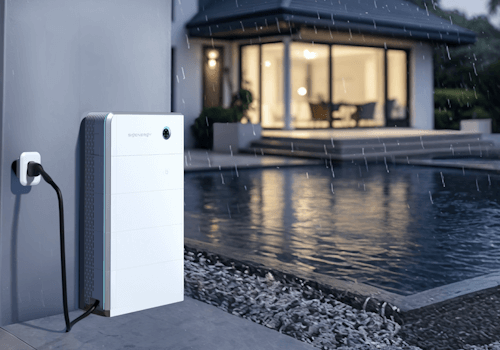
Home energy powered by AI

Leer más ›

Dispositivos compatibles

Tarjetas Flow

Haz clic en el dispositivo de arriba para mostrar solo las tarjetas Flow relacionadas.

Cuando...

Battery
El nivel de la batería ha cambiado
Battery
El estado de carga de la batería ha cambiado ...
Battery
La potencia ha cambiado
Battery
Firmware changed
Energy Meter
La potencia ha cambiado
Energy Meter
Grid status changed to Grid status
Energy Meter
Independent phase control changed to Phase control
EV AC Charger
Carga iniciada
EV AC Charger
Carga detenida
EV AC Charger
El estado de carga del cargador del VE ha cambiado ...
EV AC Charger
La potencia ha cambiado
EV DC Charger
Carga iniciada
EV DC Charger
Carga detenida
EV DC Charger
El estado de carga del cargador del VE ha cambiado ...
EV DC Charger
La potencia ha cambiado
EV DC Charger
La corriente eléctrica ha cambiado
EV DC Charger
DC charger state changed to State
Inverter
La potencia ha cambiado
Inverter
El contador de energía ha cambiado
Plant
El nivel de la batería ha cambiado

Y...

Battery
El estado de carga de la batería es ...
EV AC Charger
está cargando
EV AC Charger
El estado de carga del cargador del VE es ...
EV DC Charger
está cargando
EV DC Charger
El estado de carga del cargador del VE es ...

Entonces...

Energy Meter
Set max grid export power to Power (kW) kW
i
Caps how much power may be fed into the grid at the connection point. Set 0 to stop exporting entirely. Requires a grid sensor and applies regardless of EMS mode.
Energy Meter
Set max grid import power to Power (kW) kW
i
Caps how much power may be drawn from the grid at the connection point, for example to stay under a fuse rating. Requires a grid sensor and applies regardless of EMS mode.
EV AC Charger
Iniciar carga
EV AC Charger
Detener carga
EV DC Charger
Iniciar carga
EV DC Charger
Detener carga
EV DC Charger
Set max charging power to Power (kW) kW
EV DC Charger
Set max discharging power to Power (kW) kW
Plant
Force charge battery from grid at Power (kW) kW
i
Turns remote EMS on in 'Charge, grid first' mode and sets the max battery charge power to the given value. When done, turn remote EMS off and remove the max battery charge power limit.
Plant
Remove the max battery charge power limit
i
Lets the battery charge freely again by setting the limit to the system's rated charging power, shown under device settings. The battery is then no longer constrained, since it cannot exceed its rated power anyway.
Plant
Remove the max battery discharge power limit
i
Lets the battery discharge freely again by setting the limit to the system's rated discharging power, shown under device settings. The battery is then no longer constrained, since it cannot exceed its rated power anyway.
Plant
Set max battery charge power to Power (kW) kW
i
Caps how much power the battery may draw. Set 0 to stop it charging completely, for example to send surplus solar to the grid instead. Applies to the whole system. Some firmware ignores these limits in AI mode.
Plant
Set max battery discharge power to Power (kW) kW
i
Caps how much power the battery may supply. Set 0 to stop it discharging completely, for example while the car is charging. Applies to the whole system. Some firmware ignores this limit in AI mode - if the battery keeps discharging, use remote EMS Standby instead.
Plant
Turn remote EMS State
i
While remote EMS is on, the system follows the remote EMS control mode set from Homey and ignores the mode chosen in mySigen. Turning it off hands control back to the system's own EMS, but some firmware falls back to Max self consumption rather than AI mode - re-select AI mode in mySigen if needed. Limits set with the max charge/discharge power cards stay in place until removed.
Plant
Set remote EMS control mode to Mode
i
Turns remote EMS on and sets what the system does. Standby holds the battery. Charge modes charge the battery, from the grid or PV first, at up to the max battery charge power. Discharge modes export, from PV or the battery first. Turn remote EMS off to hand control back to the system (some firmware then runs Max self consumption instead of AI mode).

Widgets

Puedes añadir los widgets de esta aplicación a tu cuadro de mando o a la pantalla de inicio desde la aplicación móvil.

Live view
Live view
Live view compact
Live view compact

Asistencia

¿Tienes algún problema con esta aplicación? Contacta con el desarrollador aquí.

Novedades

Versión 0.6.6 — Battery device: Min cell temperature always showed 0 because the battery does not report it, so it has been replaced by the average cell temperature.

Ver registro de cambios

Sigenergy

Sigenergy no es compatible con el Homey seleccionado.

Sigenergy se instalará en Homey en breve.
Instalar