








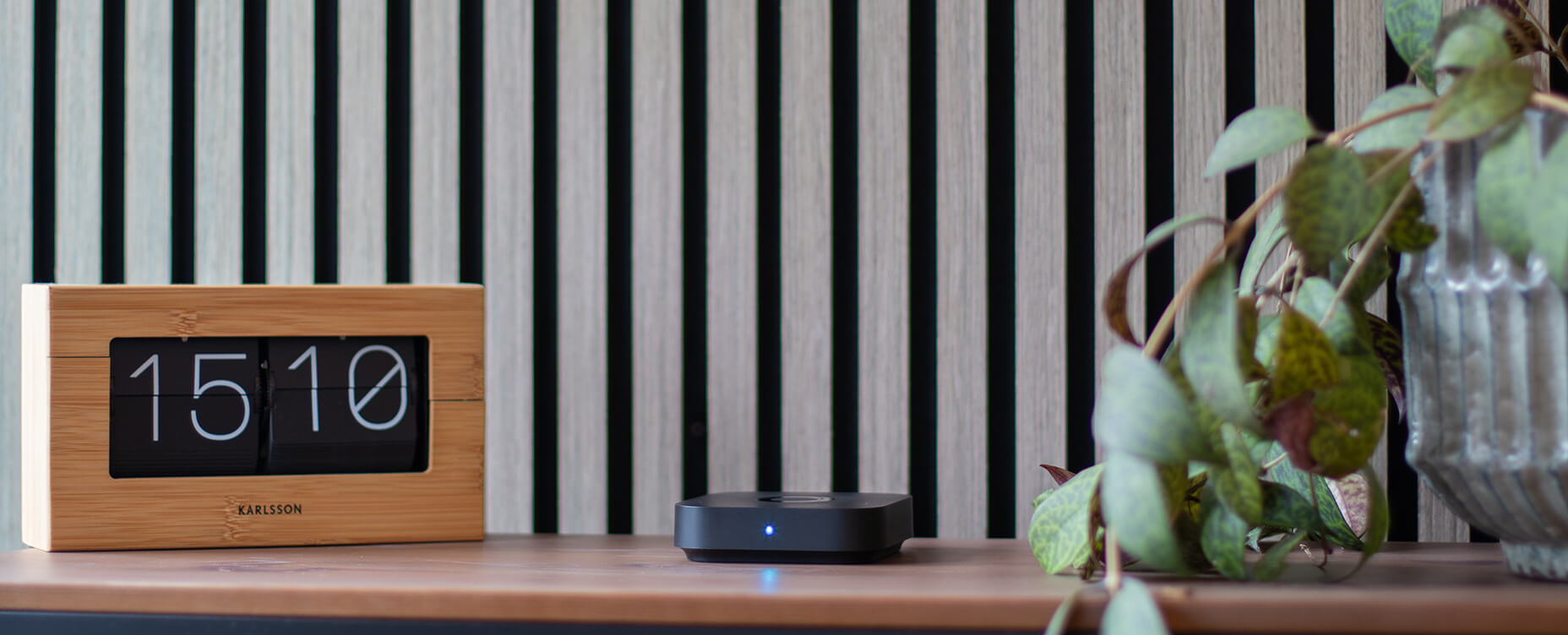
Which Homey Is Right for You in 2026?
Homey brings your smart devices together in one easy-to-use smart home platform. Instead of switching between separate apps for your lights, heating, energy meter, security sensors and appliances, you can control and automate them from one place.
There are four ways to run Homey:
- Homey Pro is the most complete plug-and-play option, with all major smart home technologies built in.
- Homey Pro mini offers the same local-first Homey experience in a smaller hub focused on Matter, Thread and Zigbee.
- Homey Self-Hosted Server lets you run the Homey platform on hardware you already own and maintain.
- Homey Cloud lets you start without purchasing any Homey hardware.
All four options share the familiar Homey experience, including device control, Flows, Energy, Insights and Dashboards. The main differences are how Homey runs, which devices can connect directly, how much technical setup is required and whether you need additional hardware.
This guide compares every option and helps you choose the right Homey for your home.
The quick answer
For most people who want the broadest device compatibility and the least setup, Homey Pro is the best overall choice.
Choose Homey Pro mini when most of your smart home uses Matter, Thread or Zigbee and you want local control at a lower price.
Choose Homey Self-Hosted Server when you already own a Raspberry Pi, NAS, server or homelab and prefer to manage the underlying hardware yourself.
Choose Homey Cloud when you want to try Homey without buying hardware or only need to connect a smaller number of compatible Wi-Fi and cloud-connected devices.
Which Homey should you choose?
| Homey Cloud | Homey Self-Hosted Server | Homey Pro mini | Homey Pro | |
|---|---|---|---|---|
| Best for | Trying Homey or running a small cloud-based setup | Experienced users who already self-host | Smart homes built around Matter, Thread and Zigbee | More varied smart homes with multiple protocols |
| Our recommendation | Best way to start without hardware | Best for self-hosters | Best value | Best overall |
| Price | Free for up to five devices; Premium is $2.99/month | $4.99/month or $149 lifetime | $249 | $449 |
| Homey hardware required | No | No | Yes | Yes |
| Setup difficulty | Easy | Advanced | Easy | Easy |
| Who maintains it? | Homey | You maintain the server and installation | Homey | Homey |
| Processing | Cloud-based | Primarily local | Local-first | Local-first |
| Built-in Thread Border Router | No | No | Yes | Yes |
| Community Apps | No | Yes | Yes | Yes |
| Main advantage | Start without purchasing hardware | Run Homey on hardware you already own | Modern protocols and local control at a lower price | The widest built-in protocol support |
| Main limitation | No Matter, Thread or LAN support | Requires technical knowledge and maintenance | Fewer built-in radios and less memory than Homey Pro | Highest upfront price |
| Choose this when… | You want to explore Homey before committing to hardware | You enjoy self-hosting and want control over the underlying system | Your devices mainly use Matter, Thread or Zigbee | You want maximum compatibility without extra hardware |
Homey Cloud is free for up to five devices while Homey Premium costs $2.99 per month and adds unlimited devices, Advanced Flow, Insights and Logic & Variables. Homey Self-Hosted Server includes a 30-day trial, followed by a $4.99 monthly subscription or $149 lifetime license. Current US pricing is $249 for Homey Pro mini and $449 for Homey Pro.
One Homey feel, four ways to run it
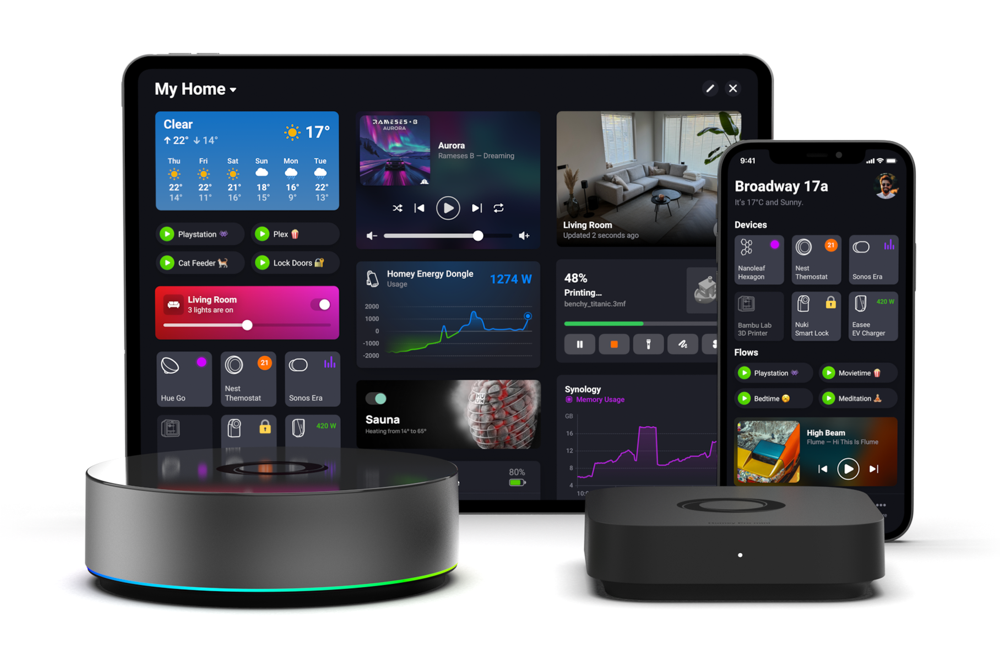
Whichever option you choose, the goal stays the same: bring the different parts of your smart home together.
A motion sensor can switch on lights from another brand. An energy meter can show how much electricity your home is using. A smart thermostat can lower the temperature when everyone leaves. And a smoke or carbon monoxide detector can send an alert when you are away.
Homey Flow lets you create straightforward automations using When, And and Then conditions. Advanced Flow gives you a visual canvas for more complex automations with multiple conditions, delays and actions.
You can also use Homey Energy to understand energy consumption, Insights to view historical device data and Dashboards to build a personalized control screen. The experience is broadly consistent across the Homey platform. The most important difference is how devices connect.
Homey Pro: everything built-in, nothing to add
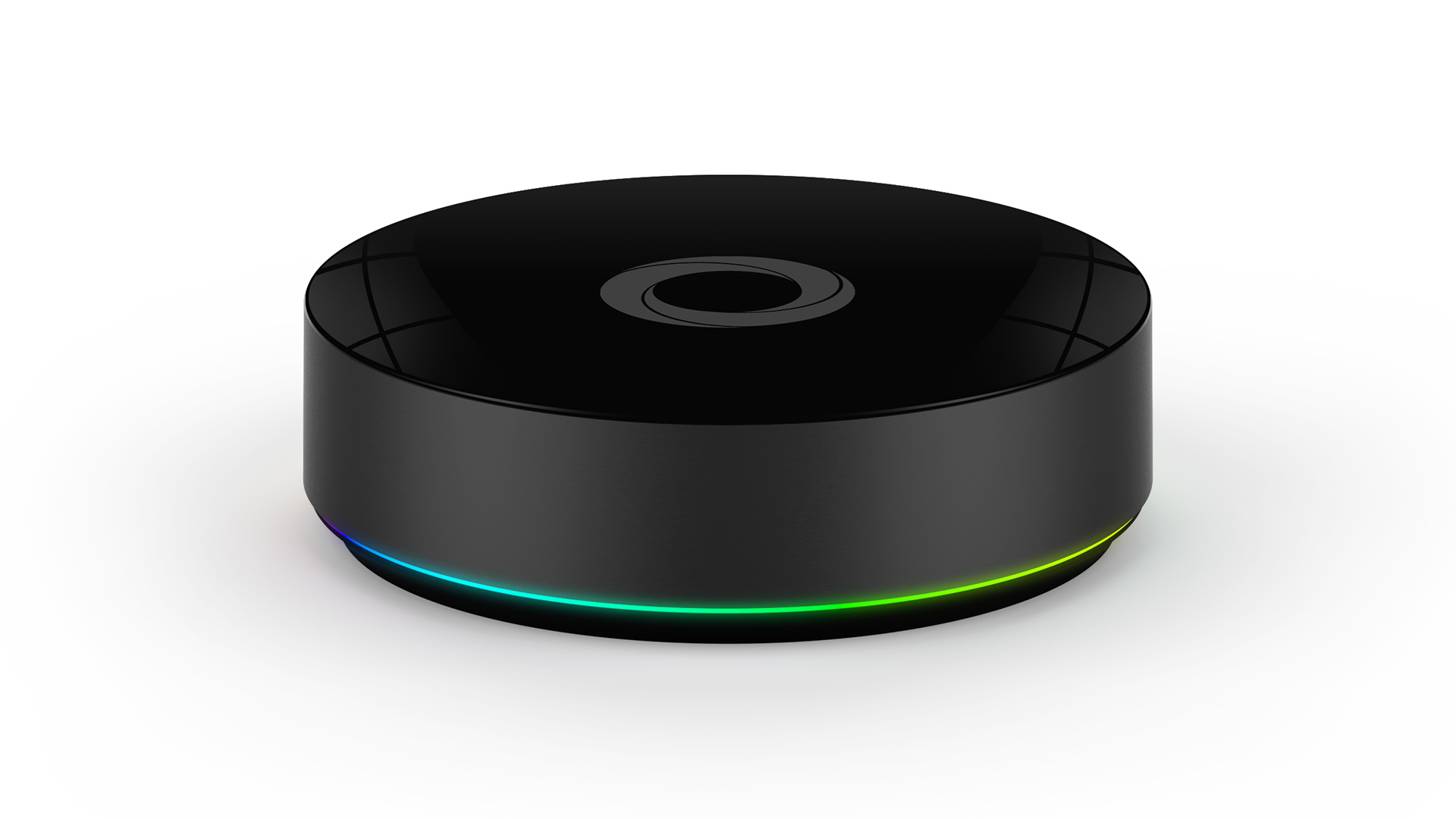
Homey Pro is the most complete Homey smart hub. Matter, Thread, Zigbee, Z-Wave, Bluetooth, Infrared, 433 MHz and Wi-Fi are all built directly into the hub.
That means you can connect many different types of smart home devices without first checking whether you need another Homey accessory. It is especially useful in homes that combine newer Matter and Thread devices with established technologies such as Zigbee, Z-Wave, Infrared and 433 MHz.
For example, a Z-Wave motion sensor can activate a Zigbee light. A Matter-compatible smart lock can trigger an arrival Flow. An infrared-controlled air conditioner can respond to a separate temperature sensor. Devices do not have to use the same technology or come from the same brand to work together.
Homey Pro runs locally and continues processing compatible local devices and automations when the internet is unavailable. Features and products that depend on external cloud services still require an internet connection.
The 2026 model has 4 GB of RAM and is designed for extensive setups with many Homey Apps and integrations. It includes Wi-Fi for its network connection. Wired Ethernet is available through the optional Homey Pro Ethernet Adapter.
Why choose Homey Pro?
- All major smart home protocols are built-in.
- It is the strongest option for homes with many brands and technologies.
- It has more memory and app capacity than Homey Pro mini.
- It requires very little technical maintenance.
- Homey Bridge can be added later to extend wireless coverage.
What should you consider?
Homey Pro has the highest upfront price, but is the most advanced smart home hub out there. Choose Homey Pro when you want the broadest compatibility and do not want to depend on additional bridges for core smart home protocols.
Homey Pro mini: modern, local and expandable
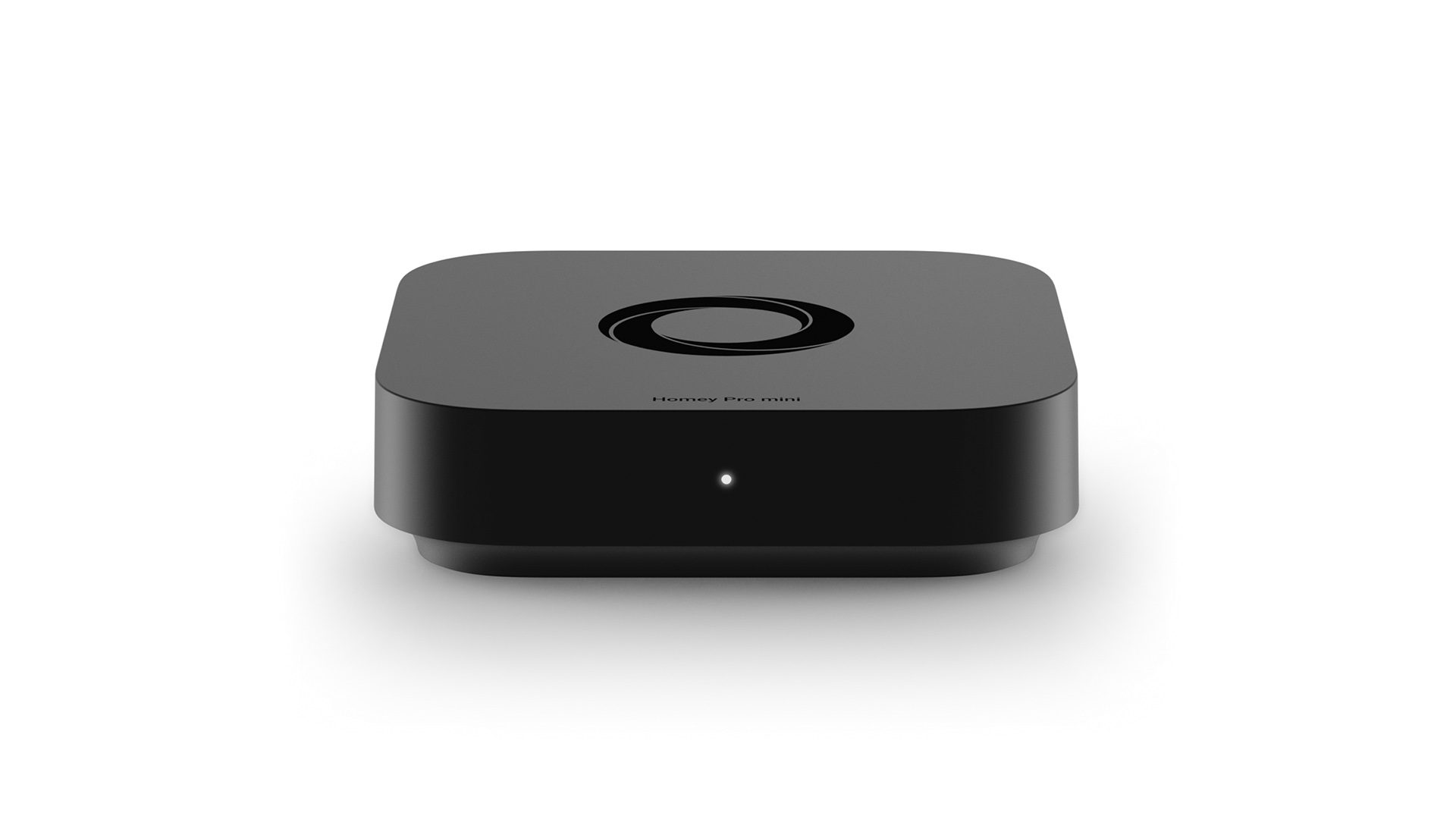
Homey Pro mini provides the local-first Homey experience in a smaller and more affordable hub. It has Matter, Thread, Zigbee and gigabit Ethernet built in and can act as a Thread Border Router. It is a strong fit for a modern smart home built around Matter accessories, Thread devices and Zigbee lights, plugs and sensors.
Homey Pro mini does not have Wi-Fi for its own network connection. It must be connected to your router or network switch using Ethernet. It can still communicate with Wi-Fi smart devices through your local network and you can add Z-Wave, Bluetooth, Infrared and 433 MHz through Homey Bridge.
This makes Homey Pro mini a flexible starting point. You can begin with Matter, Thread and Zigbee and expand your setup without replacing the hub.
Homey Pro mini has 1 GB of RAM. This is sufficient to run approximately 20 to 25 Apps comfortably, although the exact number depends on the memory requirements of each App.
Why choose Homey Pro mini?
- It runs compatible devices and automations locally.
- Matter, Thread and Zigbee are built in.
- It functions as a Thread Border Router.
- Gigabit Ethernet is included.
- It offers the full Homey Pro OS experience at a lower price.
- Homey Bridge provides a clear expansion path.
What should you consider?
Homey Pro mini has less memory than Homey Pro and does not contain Z-Wave, Bluetooth, infrared, 433 MHz or Wi-Fi radios.
It is therefore less suitable when you already own many devices using older or more varied protocols. Adding a Homey Bridge reduces the price difference between Homey Pro mini and Homey Pro, so compare the complete setup rather than only the price of the hub.
Choose Homey Pro mini when most of your devices use Matter, Thread or Zigbee and you want a powerful local-first setup at a lower price.
Homey Self-Hosted Server: your hardware, Homey's OS
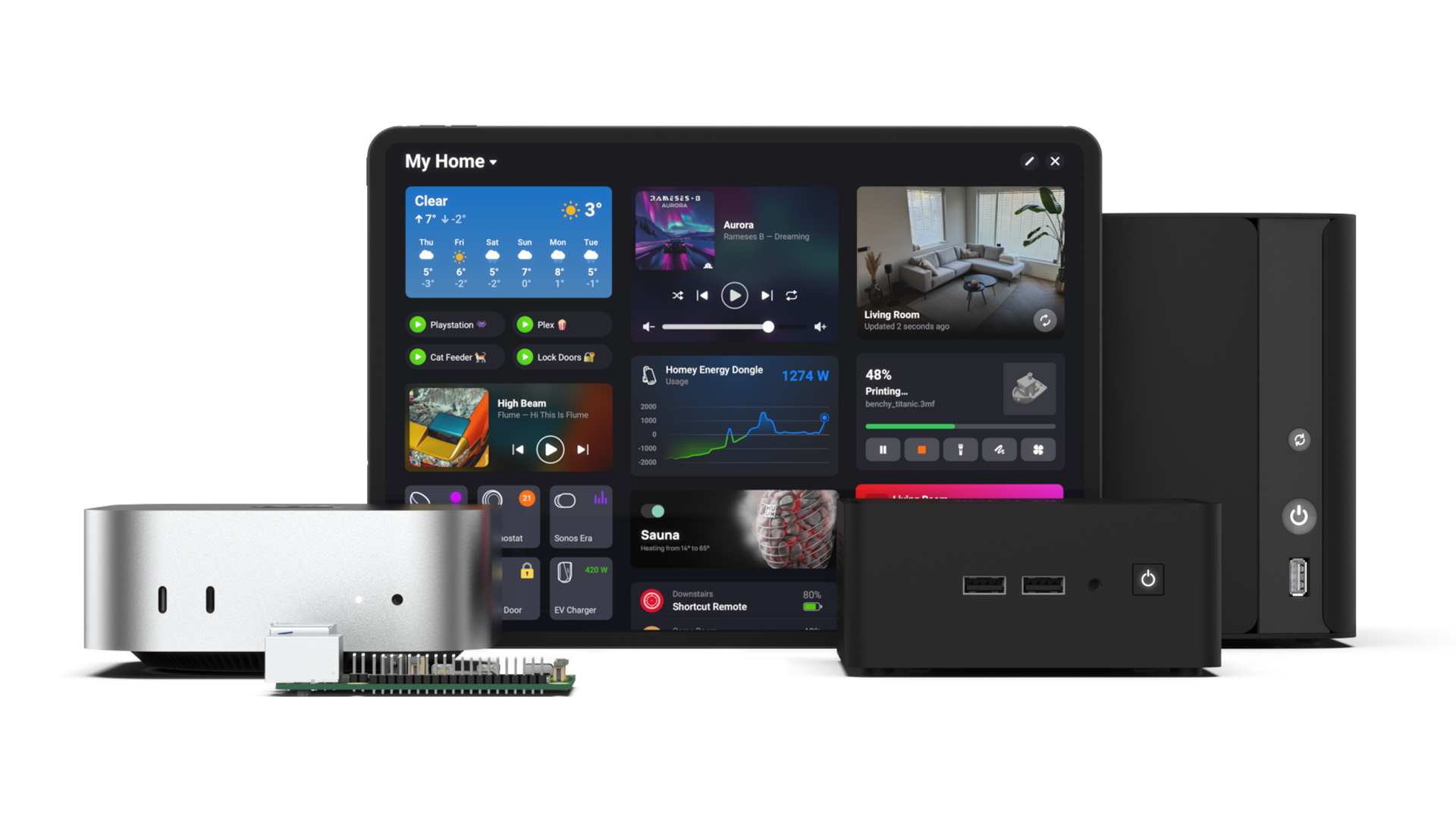
Homey Self-Hosted Server is a software-based version of Homey that runs on hardware you manage yourself. It can be installed on supported Raspberry Pi devices and systems based on Linux, macOS, Windows, Docker, Proxmox, TrueNAS, QNAP, Synology and Unraid. The exact installation process depends on your platform.
Out of the box, Homey Self-Hosted Server connects to compatible Matter, LAN, Wi-Fi and cloud-connected devices. It can also control Matter-over-Thread devices when another Thread Border Router is already available in your home.
The server does not contain its own wireless radios. Add Homey Bridge when you need Zigbee, Z-Wave, Bluetooth, Infrared or 433 MHz connectivity.
Homey Self-Hosted Server is primarily local, but some functions still rely on an internet connection. These include initial activation, push notifications, live weather information and products or services that depend on an external cloud.
Unlike Homey Pro and Homey Pro mini, you are responsible for the server hardware, operating system, installation, updates and backups. The Homey team cannot provide direct technical support for every possible hardware configuration.
Homey Self-Hosted Server requires a Linux-based operating system with Docker at its core and supports ARM64 and AMD64 hardware. Homey recommends a processor of at least 1.5 GHz, preferably with multiple cores.
Why choose Homey Self-Hosted Server?
- You can run Homey on compatible hardware you already own.
- Computing power and app capacity depend on the hardware you select.
- Matter, LAN and cloud integrations work without Homey radio hardware.
- Homey Bridge provides wireless protocol support without separate USB dongles.
- Secure remote access and Homey cloud services are included with the license.
What should you consider?
Self-hosting requires more technical knowledge and ongoing maintenance than purchasing a Homey hub.
It is also not currently possible to transfer existing user data from Homey Cloud, Homey Pro or Homey Pro mini to Homey Self-Hosted Server. A Self-Hosted Server installation must be configured as a new Homey setup.
Choose Homey Self-Hosted Server when you already operate server hardware and prefer maintaining your smart home platform yourself.
Homey Cloud: start without Homey hardware
Homey Cloud is the simplest way to start using Homey. You create an account, install the Homey app and connect compatible devices without purchasing a Homey hub.
The free version supports up to five devices and lets you create regular Flows. Homey Premium costs $2.99 per month and unlocks unlimited devices, Advanced Flow, Insights and Logic & Variables.
Homey Cloud works with compatible products that connect through Wi-Fi or their manufacturer’s cloud service. Availability depends on whether a suitable official Homey App exists for the product or service.
For example, you might connect a Wi-Fi smart plug, smart lighting system, robot vacuum, thermostat or speaker through its existing network or cloud connection.
Homey Cloud does not support Matter, Thread or LAN devices. Because it has no physical radios, Zigbee, Z-Wave, Bluetooth, Infrared and 433 MHz devices require Homey Bridge.
Why choose Homey Cloud?
- No Homey hardware purchase is required.
- You can connect up to five devices for free.
- It is the easiest way to explore the Homey interface and Flow.
- You can add Homey Bridge when you need additional wireless technologies.
- Premium is available as a low-cost monthly upgrade.
What should you consider?
Homey Cloud depends more heavily on your internet connection and external cloud services than the other Homey options.
It does not support Community Apps, Matter, Thread or LAN devices. When your smart home grows, the combination of Homey Premium and Homey Bridge may also become less attractive than purchasing a local Homey hub.
Choose Homey Cloud when you want to try Homey without buying hardware or have a small collection of compatible cloud-connected devices.
Smart home protocol comparison
The table below shows whether each technology is built in, requires Homey Bridge or needs other infrastructure.
| Connectivity | Homey Cloud | Homey Self-Hosted Server | Homey Pro mini | Homey Pro |
| Wi-Fi and cloud devices |  | | | |
| LAN devices |  | | | |
| Matter | | | | |
| Matter over Thread | | Requires an existing Thread Border Router | | |
| Thread Border Router | | | | |
| Zigbee |  | | | |
| Z-Wave | | | | |
| Bluetooth | | | | |
| Infrared | | | | |
| 433 MHz¹ | | | | |
| Ethernet connection | | Depends on host hardware | | Requires an Ethernet adapter |
| Wi-Fi connection for Homey | | Depends on host hardware | | |
 = With Homey Bridge
¹ Regional availability: Due to regulatory differences, 433 MHz transmission is currently disabled on Homey Pro and Homey Bridge
in the United States, Canada and South Korea.
Homey Pro includes Matter, Thread, Zigbee, Z-Wave, Bluetooth, infrared, 433 MHz and Wi-Fi. Homey Pro mini includes Matter, Thread, Zigbee and Ethernet and can be expanded with Homey Bridge. Self-Hosted Server supports Matter and Matter-over-Thread when another Thread Border Router is available.
Homey platform feature comparison
| Homey Cloud | Homey Self-Hosted Server | Homey Pro mini | Homey Pro | |
|---|---|---|---|---|
| Price | $2.99/mo1 | $4.99/mo or $1492 | $249 | $449 |
| Mobile App | | | | |
| Web App | | | | |
| Flow | | | | |
| Advanced Flow | | | | |
| Insights | | | | |
| Energy | | | | |
| Dashboards | | | | |
| Official Apps | | | | |
| Community Apps | | | | |
| Logic & Variables | | | | |
| HomeyScript | | | | |
| Experiments | | | | |
| Google Assistant | | | | |
| Amazon Alexa | | | | |
| Siri Shortcuts | | | | |
| Local Processing | | Yes, if supported by the device or integration | Yes, if supported by the device or integration | Yes, if supported by the device or integration |
| Local Backups | | Manually managed | | |
| Cloud Backups | | Manually managed | Optional | Optional |
2 - 30-day risk free trial
Homey Bridge works as a wireless extension rather than a separate system. It adds multi-protocol support that a given hub does not have built-in, and passes that signal along to whichever Homey product you are running. On Homey Pro, it is not required for any of the protocols above, though an extra Bridge can still be added to boost coverage in a larger home.
Where does Homey Bridge fit in?
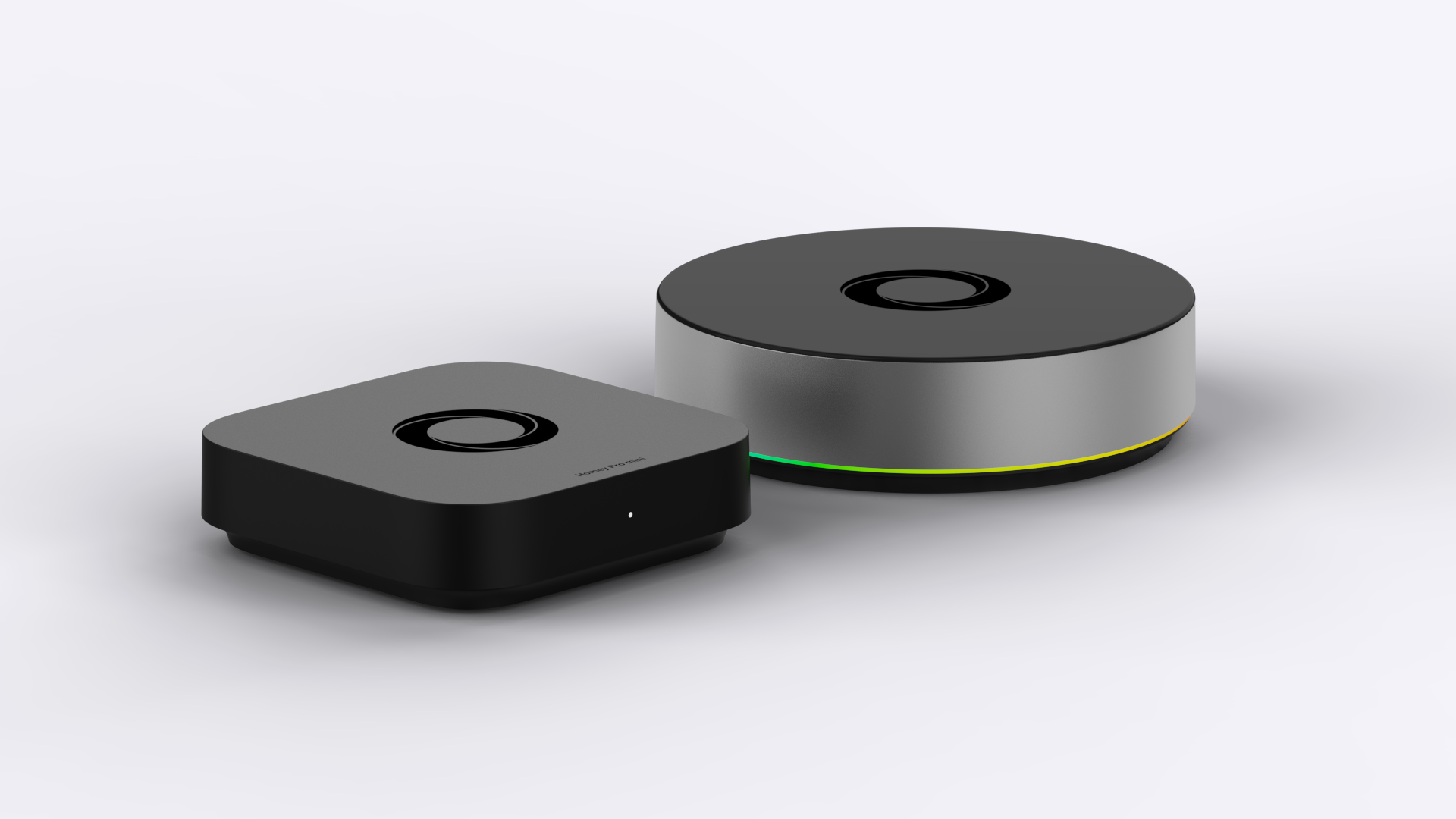
Homey Bridge is an expansion product rather than a separate Homey system. Its role depends on which Homey setup you use.
Homey Bridge with Homey Cloud
Homey Bridge adds:
- Zigbee
- Z-Wave
- Bluetooth
- Infrared
- 433 MHz
This allows Homey Cloud to connect devices that cannot communicate through a Wi-Fi or cloud integration.
Homey Bridge with Homey Pro mini
Homey Bridge adds:
- Z-Wave
- Bluetooth
- Infrared
- 433 MHz
It can also extend the range of the existing Zigbee network.
Homey Bridge with Self-Hosted Server
Homey Bridge adds the physical radios that the server hardware does not provide:
- Zigbee
- Z-Wave
- Bluetooth
- Infrared
- 433 MHz
Self-Hosted Server does not support generic USB radio dongles, so Homey Bridge is the supported way to add these technologies.
Homey Bridge with Homey Pro
Homey Pro already has all Homey Bridge protocols built in, so a Bridge is not required for basic connectivity.
You can still add one or more Homey Bridges in Satellite Mode. A Bridge can strengthen the Zigbee and Z-Wave mesh networks and place Bluetooth, infrared and 433 MHz coverage closer to devices in another part of the home.
Homey Pro or Homey Pro mini?
For many buyers, the final decision will be between Homey Pro and Homey Pro mini.
Choose Homey Pro mini when:
- Your smart home mainly uses Matter, Thread or Zigbee.
- Ethernet is available near the hub.
- You expect to install no more than approximately 20 to 25 Homey Apps.
- You do not currently need Z-Wave, Bluetooth LE, infrared or 433 MHz.
- You are comfortable adding Homey Bridge if your needs grow.
Choose Homey Pro when:
- You already own devices using several different protocols.
- You want all supported radios built into one product.
- You need Wi-Fi connectivity for the hub.
- You expect to use many brands and Homey Apps.
- You want the most flexible and future-proof Homey hardware.
- You do not want to add Homey Bridge for basic protocol support.
Homey Pro mini and Homey Pro run the same Homey Pro OS without artificial software limitations. Their main differences are hardware, memory, networking and built-in radios. Homey Pro mini has 1 GB of RAM and comfortably supports approximately 20 to 25 Apps, while the 2026 Homey Pro has 4 GB of RAM and is designed for much larger setups.
Which Homey fits your home?
Choose Homey Pro if you want everything built in
Homey Pro is the strongest all-round option. It is best suited to larger smart homes, homes containing several generations of devices and people who want maximum compatibility without assembling a system from separate radio accessories.
Choose Homey Pro mini if you want modern essentials
Homey Pro mini is the best-value local option for homes primarily using Matter, Thread and Zigbee. It offers room to grow through Homey Bridge while keeping the initial purchase price lower.
Choose Homey Self-Hosted Server if you already manage infrastructure
Self-Hosted Server gives experienced users the freedom to run Homey on compatible hardware they already own. In exchange, you take responsibility for installation, updates, backups and hardware reliability.
Choose Homey Cloud if you want to start without hardware
Homey Cloud is ideal for exploring Homey or connecting a small number of compatible cloud-based devices. You can start for free and upgrade to Premium or add Homey Bridge later.
FAQ
Which Homey is best for most people?
Homey Pro is the best overall choice for people who want the broadest device compatibility and the least technical setup. It has all major Homey-supported smart home protocols built in and has the most memory for larger setups. Homey Pro mini provides better value when your smart home mainly uses Matter, Thread and Zigbee.
What is the difference between Homey Pro and Homey Pro mini?
Both products run Homey Pro OS and include features such as Advanced Flow, Insights, Energy, HomeyScript and Community Apps. Homey Pro mini includes Ethernet, Matter, Thread and Zigbee. Homey Pro adds Wi-Fi, Z-Wave, Bluetooth LE, infrared and 433 MHz directly in the hub and has significantly more RAM.
Does Homey require a monthly subscription?
Homey Pro and Homey Pro mini do not require a subscription for their standard features. Homey Cloud is free for up to five devices. Connecting unlimited devices and using Premium features costs $2.99 per month. Homey Self-Hosted Server costs $4.99 per month or $149 for a lifetime license after the free 30-day trial.
Why doesn't Self-Hosted Server support Thread?
Self-Hosted Server runs on hardware you provide, which does not include the radios built into Homey Pro or Homey Pro mini. Thread is not available on Self-Hosted Server even with Homey Bridge connected, so Thread devices require Homey Pro or Pro mini instead.
Can Homey work without an internet connection?
Homey Pro, Homey Pro mini and Self-Hosted Server can continue controlling compatible local devices and running compatible local automations when the internet is unavailable. Cloud-connected devices and features such as push notifications, remote cloud access, voice assistants and live online information may remain unavailable until the connection returns. Homey Cloud requires an internet connection.
When do I need Homey Bridge?
You need Homey Bridge when your chosen Homey setup does not contain the radio required by a device. Homey Cloud and Self-Hosted Server use Homey Bridge for Zigbee, Z-Wave, Bluetooth LE, infrared and 433 MHz. Homey Pro mini uses it for Z-Wave, Bluetooth LE, infrared and 433 MHz and to extend Zigbee coverage. Homey Pro does not require Homey Bridge, but a Bridge can extend wireless coverage through Satellite Mode.
Can I move from Homey Pro mini to Homey Pro later?
Yes. You can move from Homey Pro mini to Homey Pro by restoring a compatible local or cloud backup.
Can I migrate to Homey Self-Hosted Server?
Not currently. User data from Homey Cloud, Homey Pro or Homey Pro mini cannot yet be transferred to Self-Hosted Server. You must create the installation as a new Homey setup.
Is Homey Cloud completely free?
You can use Homey Cloud for free with up to five connected devices and regular Flows. Homey Premium is required for unlimited devices, Advanced Flow, Insights and Logic & Variables.
Glossary
Smart home hub
A central platform that connects, controls and automates smart home devices. A hub can include physical radios, software or both.
Advanced Flow
A visual, canvas-based way to build more complex routines once a simple rule is not enough.
Matter
A smart home standard built to make devices easier to set up and more compatible across ecosystems.
Thread
A low power mesh networking technology often paired with Matter devices for reliable coverage around the home.
Thread Border Router
A device that connects a Thread network to the rest of your home network. Homey Pro and Homey Pro mini can both act as Thread Border Routers.
Zigbee
A low-power wireless mesh protocol commonly used by smart lights, plugs, buttons and sensors.
Z-Wave
A low-power wireless mesh protocol widely used by sensors, locks, switches and other smart home products.
LAN
Your local area network. LAN integrations allow Homey to communicate directly with compatible devices through your home network rather than through an external cloud service.
Local processing
Processing that happens within your home rather than on a remote internet server. Local processing can improve response time, privacy and reliability.
Cloud integration
A connection where Homey communicates with a manufacturer’s online service. These integrations normally require an active internet connection.
Homey App
A software integration that adds support for a brand, device category or online service. Official Apps are published or approved through Homey, while Community Apps are created by community developers.
Flow
Homey’s automation system. A Flow connects a trigger with optional conditions and one or more actions.


