








How To Run A Privacy-First Airbnb Rental with Homey
Homey can make an Airbnb or short-term rental safer, more comfortable, and easier to manage. It can help with open windows, forgotten lights, humidity, leaks, smoke alerts, energy waste, and check-out routines. But it should never be used to track guests as individuals, film private moments, listen to conversations, or make people feel observed during their stay.
A smart rental should protect the home, not watch the people staying in it. This guide explains how hosts can use smart home technology responsibly, with privacy and guest trust at the center.
The golden rule: protect the property, never monitor the stay
Guests should feel at home when they rent a property. They should be able to cook breakfast, relax in the garden, watch a film, shower, sleep, and enjoy their trip without wondering whether someone is watching them.
A privacy-first Homey setup focuses on the condition of the home, not the behavior of people. Are some windows open while the air conditioning runs? Is the bathroom too humid? Is there smoke, carbon monoxide, or a water leak? Did the guest press Check out? Are sound levels unusually high during quiet hours?
These are practical signals that help protect the home and improve the stay. They are not personal surveillance.
No indoor cameras. No exceptions.
Indoor cameras do not belong in a privacy-first rental.
Airbnb’s policy clearly says hosts are not allowed to have security cameras or recording devices that monitor any part of a listing’s interior, even if they are turned off or disconnected. This includes areas such as hallways, bedrooms, bathrooms, living rooms, and guest houses.
That rule should be easy for guests to understand: there are no cameras inside. Not hidden. Not disabled. And not “only for security.” None. A Homey-powered rental does not need indoor cameras to be smart. It can use privacy-friendly sensors instead.
Do not film private outdoor spaces
Privacy does not stop at the back door. Guests also expect privacy in gardens, terraces, balconies, pools, hot tubs, outdoor showers, and outdoor dining areas.
A family having breakfast on the terrace should not be filmed. A couple relaxing by the pool should not be on camera. Children playing in the garden should not be recorded.
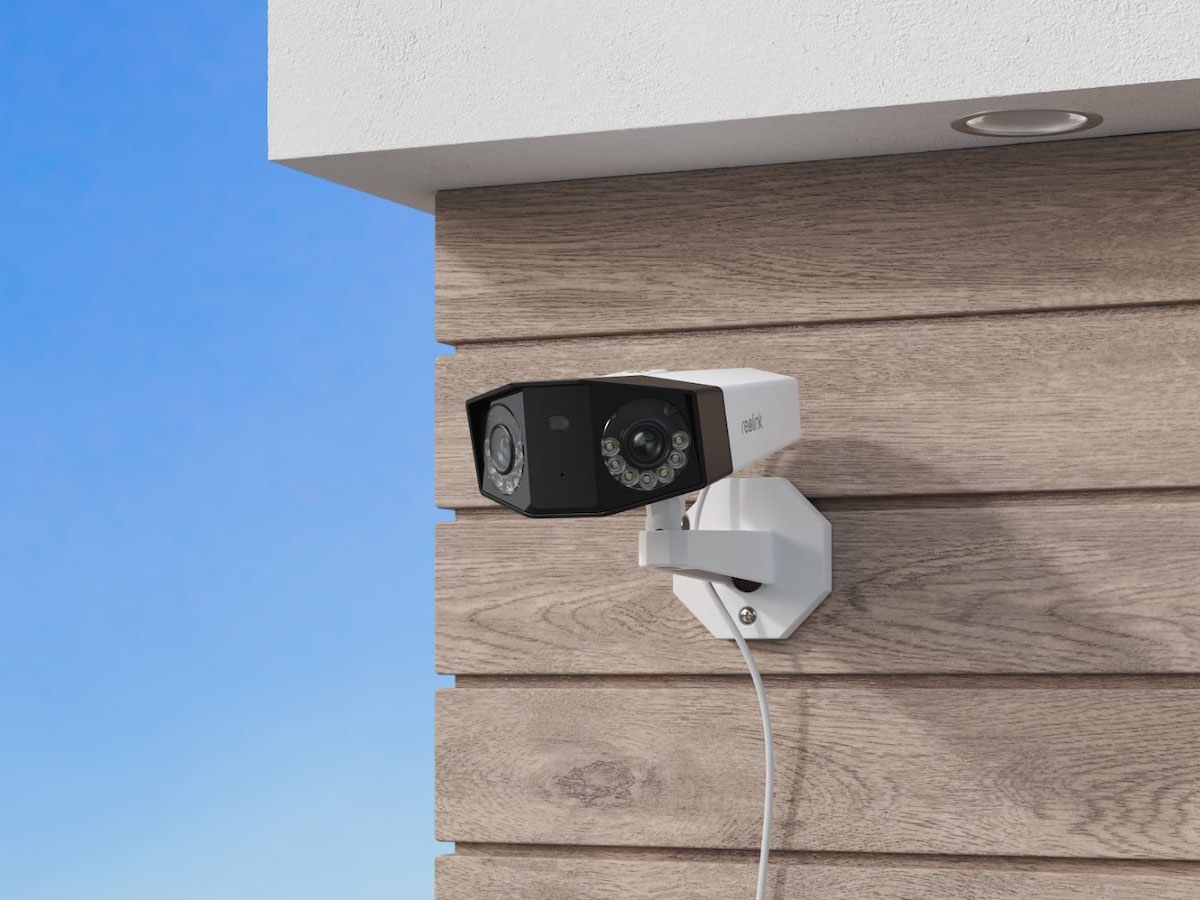
If a host uses a camera, it should only be for clear property access and security, such as a disclosed smart doorbell, front gate, driveway entrance, or front-door area. Airbnb’s policy allows exterior security cameras when they follow its guidelines and applicable laws, and exterior cameras must not monitor private areas where guests have a greater expectation of privacy.
A useful way to think about it: an entrance camera may help you know who rang the bell. It should never show how guests spend their holiday.
Use sensors instead of surveillance
The best smart rental setup is built around non-invasive sensors. These devices do not record faces, conversations, or private moments. They simply help the owner understand the current practical conditions.
A door/window sensor can tell Homey that a window is open while the heating is on. A temperature and humidity sensor can start bathroom ventilation after a shower. A water leak detector can alert the host before a small leak becomes serious damage. A smoke and CO detector can warn about danger. A motion sensor can turn on a hallway light at night.
These are exactly the kinds of devices that make a rental smarter without making it feel watched.
Decibel sensors should never record audio
Noise can be a real concern for hosts, especially in apartments, terraced houses, and quiet neighborhoods. A disclosed decibel sensor can help prevent problems with neighbors, but it must be used carefully.
A decibel sensor should measure sound level and duration only. It should not record audio, transmit conversations, identify voices, or store what guests say. Airbnb describes noise decibel monitors as devices that assess sound levels and duration but do not record audio.
With Homey, a responsible Flow might send the host a notification only when sound levels stay above a certain threshold during quiet hours. The host can then send a polite reminder, rather than waiting for a neighbor complaint.
This protects the stay and the neighborhood without invading guest privacy.
Be transparent before guests arrive
Trust starts before check-in. Guests should know which smart devices are present, where they are located, and what they do.
Airbnb says hosts are allowed to have exterior security cameras, noise decibel monitors, and smart devices in homes when they comply with its guidelines and applicable laws. Airbnb also emphasizes disclosure so guests know what to expect.
For example, a clear disclosure note could say:
“This home uses smart devices for safety, comfort, and energy management. There are no indoor cameras or recording devices. No cameras monitor the garden, terrace, pool, hot tub, or other private guest areas. A disclosed doorbell camera monitors the property entrance only. Privacy-friendly sensors may detect open windows, humidity, water leaks, smoke, carbon monoxide, motion for lighting, and sound levels during quiet hours. Noise monitoring measures decibel levels only and does not record audio.”
That wording is calm, clear, and reassuring. It tells guests the home is protected, but their privacy comes first.
Make the guest interface simple
A Homey Dashboard in Kiosk Mode can give guests control without exposing the whole smart home system. The dashboard can show simple buttons such as lights control, bathroom ventilation, or enabling quick routines like Leaving for the day, or Check out.
This also helps with privacy. Guests can see that Homey is there to make the home easier to use, not to monitor them. A simple screen with practical controls feels very different from a hidden system that guests do not understand.
How Homey protects privacy and the home at the same time
| Situation | Privacy-first Homey approach | What it avoids |
| Guest arrives | Entrance light turns on after smart lock or doorbell activity | No need to film indoor areas |
| Bathroom gets humid | Ventilation starts from a humidity sensor | No need to ask guests or inspect the room |
| AC runs with window open | Door/window sensor triggers a reminder or climate pause | No need to track guest behavior |
| Noise is high at night | Disclosed decibel sensor sends a threshold alert | No audio recording or conversation monitoring |
| Leak starts under sink | Water leak detector alerts host | No cameras needed |
| Smoke or CO detected | Smart detector sends urgent alert | Safety response without surveillance |
| Guest checks out | Dashboard button resets lights, climate, and appliances | No need to watch guests leaving |
| Cleaner arrives | Temporary access and turnover Flow support the process | No permanent shared keys |
Link privacy back to better hosting
Privacy-first does not mean less control. It means better control.
A host does not need to see guests to know the home is safe. Homey can report the things that matter: doors, windows, smoke, leaks, humidity, temperature, sound level, energy use, and check-out status. That gives hosts confidence while giving guests the privacy they deserve.
Want to see how this works in a complete rental setup? Read our companion article: Homey for Airbnb: A Smarter Way to Run a Rental
Conclusion
The best smart rentals are not the ones with the most devices. They are the ones that feel thoughtful.
Homey can help hosts protect their property, reduce waste, respond to safety risks, and make stays smoother. But the setup should always be privacy-first: no indoor cameras, no filming private outdoor spaces, no audio recording, no hidden monitoring, and clear disclosure where required.
Homey is not there to watch guests. It is there to help the home look after itself.
Ready to make your rental smarter and more respectful? Start with privacy-friendly sensors, simple guest controls, and clear communication — and let Homey support a stay that feels safe, comfortable, and trusted.
FAQ
Does Homey track guests?
No. A responsible Homey setup should not track guests as individuals. It should use practical device signals for safety, comfort, energy, and property protection.
Does Homey mean hosts are spying on guests?
No. Homey is not a surveillance system. It connects devices and automations so the home can respond to conditions like open windows, humidity, leaks, smoke, and high sound levels.
Are indoor cameras allowed in Airbnb rentals?
Airbnb says hosts are not allowed to have security cameras or recording devices that monitor indoor spaces in homes, even if they are turned off or disconnected.
Can hosts film the garden or pool?
Private guest areas such as gardens, terraces, pools, hot tubs, outdoor showers, and outdoor dining spaces should not be filmed.
What camera use is acceptable?
A disclosed entrance camera or smart doorbell may be appropriate where allowed, disclosed, and legally compliant, as long as it focuses on property access and not private guest areas.
Can decibel sensors record conversations?
No. A decibel sensor should only measure sound level and duration. It should not record or transmit audio.
Can Homey still help without cameras?
Yes. Homey can automate access, lights, heating, cooling, ventilation, safety alerts, water leak alerts, and check-out routines using privacy-friendly sensors.
Should guests be told about smart devices?
Yes. Hosts should clearly disclose devices where required and explain what they do in simple language.
What is a privacy-friendly sensor?
It is a device that detects a condition, such as humidity, motion for lighting, smoke, water, or an open window, without recording people.
How does this connect to the main Homey x Airbnb article?
The main article shows the complete smart rental setup. This guide explains the privacy principles that support it.
Glossary
Privacy-first automation
Smart home automation designed to protect the property without identifying, recording, or tracking guests.
Surveillance
Monitoring people through cameras, microphones, or recording devices. This is not the goal of a Homey rental setup.
Private guest area
Any place where guests reasonably expect privacy, such as bedrooms, bathrooms, living rooms, gardens, terraces, pools, and hot tubs.
Entrance camera
A disclosed exterior camera or doorbell camera focused only on property access, such as the front door or gate.
Smart doorbell
A connected doorbell that may include a camera for entrance communication and access awareness.
Non-invasive sensor
A sensor that detects conditions like motion, humidity, leaks, smoke, or open windows without recording people.
Decibel sensor
A device that measures sound level, usually in decibels, without recording conversations.
Noise decibel monitor
A device that measures sound levels and duration to help identify possible noise issues.
Audio recording
Capturing conversations or sound. A rental decibel sensor should not do this.
Disclosure
Clearly telling guests about smart devices, cameras, or monitoring tools where required.
Local control
Smart home control that can happen inside the home rather than depending entirely on cloud services.
Guest trust
The confidence guests have that the home is safe, transparent, and respectful of their privacy.
Homey Dashboard
A visual control screen for devices, scenes, and automations.
Kiosk Mode
A locked Dashboard view for simple shared or wall-mounted use.
Flow
A Homey automation that connects triggers, conditions, and actions.
References and useful links
| Resource | Link |
| Airbnb: Security cameras, recording devices, noise decibel monitors, and smart home devices | Read Airbnb’s device policy |
| Airbnb: Disclosure of cameras, recording devices, and noise monitors | Read Airbnb’s disclosure guidance |
| Airbnb: Connect a smart lock to Airbnb | Read Airbnb’s smart lock guide |
| Homey Kiosk Mode | Start a Homey Dashboard in Kiosk Mode |
| Door and window sensors | Explore door and window sensors |
| Motion sensors | Explore motion sensors |
| Temperature and humidity sensors | Explore temperature and humidity sensors |
| Smoke and CO detectors | Explore smoke and CO detectors |
| Water leak detectors | Explore water leak detectors |
| Smart doorbells | Explore smart doorbells |
| Smart locks | Explore smart locks |


