








Choosing the Right Z-Wave Devices for Your Home
The Z-Wave ecosystem is broad. That’s good news for flexibility, but it can also feel overwhelming when you’re just trying to pick a motion sensor or a dimmer. Instead of starting from a long list of brands, it helps to start from your home and your goals.
In this post, we’ll walk through how to choose Z-Wave devices based on use case, quality and compatibility with Homey, so you can build a setup that feels coherent rather than random.
Start With Use Cases, Not Products
Rather than asking “Which device is best?”, begin with “What do I want my home to do better?”. Common starting points are hallway lighting, bedroom comfort, heating control, entry security and energy awareness.
If your goal is safer, more comfortable movement at night, motion sensors plus dimmers in key areas make sense. If your goal is lower bills, energy metering plugs and radiator valves might be the right investment. Homey then connects these pieces into Flows and Advanced Flows that reflect your routines.
By anchoring your choices in use cases, you avoid buying gadgets you don’t really need.
Evaluating Quality: Build, Range and Support
Quality in Z-Wave devices is not just about looks. Practical signs of a good device include reliable range, consistent behaviour and well-maintained software support.
Look for devices from established brands that are known to work well with controllers like Homey Pro. Pay attention to how often firmware is updated, how clear the documentation is and whether the manufacturer provides realistic specifications rather than marketing promises.
In daily life, a “good” device is one you stop thinking about: it just responds, reports and participates in Flows without fuss.
Compatibility and Homey Apps
Even within Z-Wave, each brand implements features in slightly different ways. That’s where Homey’s app model comes in: support for a device is provided through specific Homey apps for brands or product lines.
Before buying, it’s smart to check whether there is a Homey app for the brand and device type you’re considering. This helps ensure full access to features such as energy metering, multiple endpoints, advanced parameters and so on.
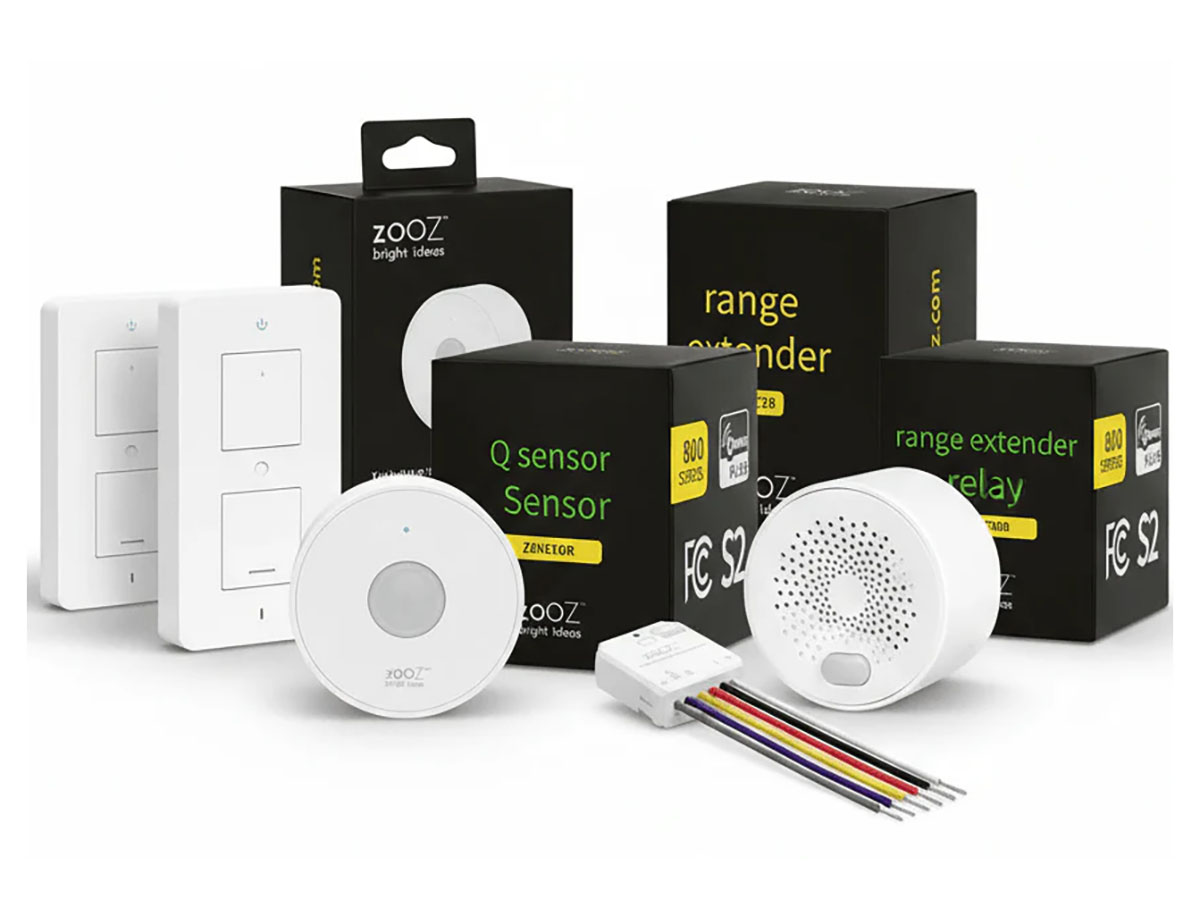
Picking devices that are explicitly supported means you spend less time tweaking and more time enjoying what they do. Homey works with over 50,000 devices from 1000 different Z-Wave brands such as Aeotec, Fibaro or Zooz.
Matching Device Types to Rooms
Different rooms have different needs:
- Hallways and staircases benefit from motion sensors and dimmers that create soft, safe lighting.
- Bedrooms benefit from quiet radiator valves, temperature sensors and gentle scene control rather than harsh switching.
- Living areas often combine lighting, entertainment and climate control, so you might mix dimmers, plugs, sensors and thermostat controls.
- Entrances benefit from door contact sensors, locks and maybe a camera or doorbell on another protocol, all brought together by Homey.
Thinking room by room helps you pick the device types that match the actual activities in those spaces.
Security, Privacy and Future-Proofing
For locks, alarms and safety devices, prioritize modern Z-Wave devices with S2 security. It’s worth spending a little more on products that treat security and updates seriously.
For future-proofing, choose brands with a track record of supporting their products over time. Avoid highly proprietary designs that rely solely on a single cloud to function. Z-Wave combined with Homey’s local control gives you more independence and flexibility for the long term.
Conclusion: Choose Calm, Not Complexity
Choosing Z-Wave devices doesn’t have to be a technical puzzle. Start with your home’s needs, then pick devices that fit those scenarios, work well with Homey and come from brands that care about support.
When you do that, your Z-Wave network becomes a calm, dependable layer under your daily life. With Homey as the backbone of your smart home, automating becomes easy, light control comes natural, and home security is not an afterthought.
FAQ
Where should I start with Z-Wave devices?
Begin with one or two clear use cases, like hallway lighting or heating control, and choose devices that solve those specific needs.
How do I know if a device works with Homey?
Check if there is a Homey app for the brand and device category. The app description often lists supported models.
Is it better to buy everything from one brand?
Not necessarily. Homey lets you mix brands freely, so you can choose the best device for each job, regardless of manufacturer.
Should I always choose the cheapest option?
Price is important, but reliability and support matter more. A slightly more expensive device that just works will save you time and frustration.
Do I need S2 security on every device?
It’s most important for locks, alarms and safety devices. For less critical devices, S2 is still nice but not always essential.
Are all Z-Wave motion sensors basically the same?
No. They differ in range, battery life, extra sensors (temperature, light) and how configurable they are in Homey.
What’s the difference between a smart plug and an in-wall module?
A smart plug is external and easy to move; an in-wall module is hidden behind a switch for a more integrated look. Both can be controlled by Homey.
Should I choose smart bulbs or Z-Wave dimmers?
If you want to keep your wall switches and existing fixtures, in-wall dimmers are often a good choice. Smart bulbs shine when you need colour or flexible placement.
How important is energy metering?
Energy metering is very helpful if you care about consumption and optimisation. It’s not mandatory but often worth having on key circuits.
Can I mix Z-Wave with other protocols later?
Yes. Homey is designed to combine Z-Wave with Zigbee, Matter, Wi-Fi and more, so your device choices stay flexible.
Glossary
Use Case
A use case is a specific scenario you want to improve, such as “turn on hallway lights when someone walks by at night”. Starting from use cases helps you choose devices that directly support your daily life.
Device Class
Device class refers to the general type of a device, such as sensor, switch, thermostat or lock. Understanding classes helps you match device capabilities to your needs.
Compatibility
Compatibility is the ability of a device to work correctly with a given controller, including full access to its functions. With Homey, compatibility is often handled via specific apps for brands and protocols.
Vendor Support
Vendor support covers firmware updates, documentation and customer service from the device manufacturer. Strong support helps keep your devices secure and reliable over time.
S2-Capable Device
An S2-capable device supports the newer Z-Wave security standard. This is important for locks and sensitive devices that need robust encryption and authentication.
Scene Control
Scene control is the ability to trigger multiple actions with a single button press or event. Some Z-Wave switches and buttons support multiple scene commands, which Homey can use in Flows.
Multi-Sensor
A multi-sensor combines several measurements, such as motion, temperature and light level, into one device. This can be more efficient than installing several separate sensors.
Firmware
Firmware is the software that runs inside a device. Updates can fix bugs, improve performance and add features. Devices with updateable firmware tend to age more gracefully.
Form Factor
Form factor is the physical shape and design of a device, including size, mounting style and appearance. Choosing a suitable form factor ensures your smart home blends into your interior.
Homey App (for Devices)
A Homey app is a software component that adds support for specific brands and device types. It defines how Homey communicates with those devices and exposes their capabilities in the interface and Flows.


