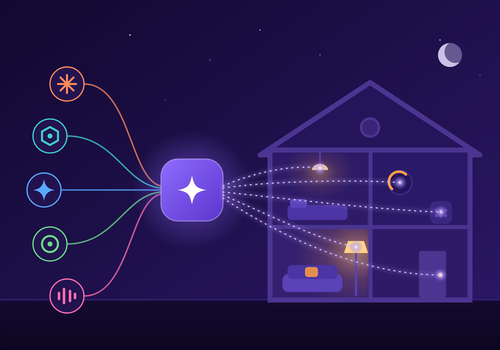
Control your Homey with any AI assistant, like Claude, ChatGPT, Gemini, Copilot or Cursor. Just ask in plain language: turn off the lights, check the temperature, create a new flow, or manage your apps and devices. No programming required.
You can also build your own AI-powered automations in the Homey flow editor. Create flows that respond when your AI calls a custom command, and send a real answer back to the AI using device values and flow tokens.
Read more ›
Flow cards
Click on a device above to show related Flow cards only.
When...
MCP AI Bridge
The generic alarm turned on
MCP AI Bridge
The generic alarm turned off
MCP AI Bridge
An AI agent connects
MCP AI Bridge
The AI controls a device
MCP AI Bridge
A flow becomes broken
MCP AI Bridge
AI agent calls a custom tool
MCP AI Bridge
A security event occurs
MCP AI Bridge
MCP AI Bridge server starts
MCP AI Bridge
An AI tool call fails
And...
MCP AI Bridge
The generic alarm is on
MCP AI Bridge
There is a broken flow
MCP AI Bridge
Remembered Name is Value
MCP AI Bridge
The tool input contains Text to look for
MCP AI Bridge
The tool input is empty
MCP AI Bridge
The tool name is Tool name
Then...
MCP AI Bridge
Remember Name as Value for the AI
MCP AI Bridge
Return error Error message to the AI agent
MCP AI Bridge
Return Response to the AI agent
Support
Having an issue with this app?
Contact the developer via the developer website.
What’s new
Version 4.13.0 — Six things, and the thread through them is knowing what an assistant is about to do and being able to take it back. FIRST, every tool now carries a count of how often it has actually been used, shown next to its name when you pick tools for an API key. You have 155 tools and a household uses a few dozen; until now the list was a quiz. SECOND, five quick choices in that same screen: everything, only what has been used, read only, read and control, and under 100, which is the limit several clients refuse to go past. Under 100 orders by what your house actually calls, so what you would miss ends up above the line. THIRD, dry_run. Add it to a call that changes something and you get what would happen instead of it happening: the current value, the value it would become, and the name of the thing it would touch. A tool that cannot be previewed is refused rather than run, because somebody asking for a preview is asking not to change anything yet. FOURTH, undo. The last change an assistant made can be put back: a value, a name, a zone, an on or off. Deletes and overwrites are deliberately not offered, because nothing here can restore them and pretending otherwise would be a lie told at the worst possible moment. The undo goes through the same permission checks as the original, so it can never be a way to make a change you are not allowed to make. FIFTH, listings can be asked for less. A house of 96 devices answers with 31.5 KB; ask for name and zone and it is 11.3 KB. On an assistant with a small context window that is the difference between answering and giving up. SIXTH, an optional daily summary as a Homey notification: how many calls, how many failed, what was refused and whether any flows are broken. Off unless you switch it on, under Planning.
View changelog