





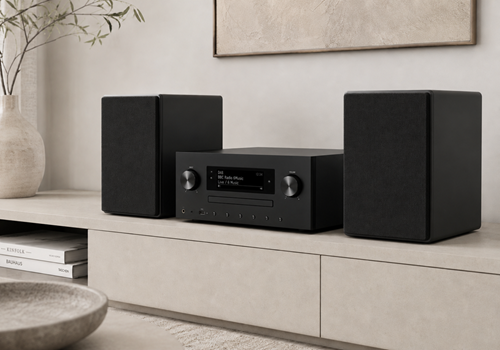
UNDOK / OKTIV Radio

Listen smarter, automate your internet radio

Read more ›

Supported devices

Flow cards

Click on a device above to show related Flow cards only.

When...

Radio
Turned on
Radio
Turned off
Radio
The volume changed
Radio
Started playing
Radio
Stopped playing
Radio
Volume changed
i
Triggered when the volume changes externally (not via Homey). The trigger speed depends on the poll interval configured in the device settings.
Radio
Preset changed
i
Triggered when the preset changes externally (not via Homey). The trigger speed depends on the poll interval configured in the device settings.
Radio
Now playing changed
i
The trigger speed depends on the poll interval configured in the device settings.
Radio (manual adding)
Turned on
Radio (manual adding)
Turned off
Radio (manual adding)
The volume changed
Radio (manual adding)
Started playing
Radio (manual adding)
Stopped playing
Radio (manual adding)
Volume changed
i
Triggered when the volume changes externally (not via Homey). The trigger speed depends on the poll interval configured in the device settings.
Radio (manual adding)
Preset changed
i
Triggered when the preset changes externally (not via Homey). The trigger speed depends on the poll interval configured in the device settings.
Radio (manual adding)
Now playing changed
i
The trigger speed depends on the poll interval configured in the device settings.

And...

Radio
Is turned on
Radio
Is playing
Radio
Current preset is equal to Preset
Radio
Current volume is Operator Volume
Radio
Is playing
Radio
Radio is muted
Radio (manual adding)
Is turned on
Radio (manual adding)
Is playing
Radio (manual adding)
Current preset is equal to Preset
Radio (manual adding)
Current volume is Operator Volume
Radio (manual adding)
Is playing
Radio (manual adding)
Radio is muted

Then...

Radio
Turn on
Radio
Turn off
Radio
Toggle on or off
Radio
Set the volume to %
Radio
Set relative volume %
i
Change the volume with respect to the device's current volume.
Radio
Turn the volume down
Radio
Turn the volume up
Radio
Mute the volume
Radio
Unmute the volume
Radio
Toggle muted volume on or off
Radio
Previous
Radio
Play
Radio
Pause
Radio
Toggle Play/Pause
Radio
Next
Radio
Select source Source
Radio
Select preset Preset
Radio
Turn on, source Source, preset Preset, volume Volume%
Radio (manual adding)
Turn on
Radio (manual adding)
Turn off
Radio (manual adding)
Toggle on or off
Radio (manual adding)
Set the volume to %
Radio (manual adding)
Set relative volume %
i
Change the volume with respect to the device's current volume.
Radio (manual adding)
Turn the volume down
Radio (manual adding)
Turn the volume up
Radio (manual adding)
Mute the volume
Radio (manual adding)
Unmute the volume
Radio (manual adding)
Toggle muted volume on or off
Radio (manual adding)
Previous
Radio (manual adding)
Play
Radio (manual adding)
Pause
Radio (manual adding)
Toggle Play/Pause
Radio (manual adding)
Next
Radio (manual adding)
Select source Source
Radio (manual adding)
Select preset Preset
Radio (manual adding)
Turn on, source Source, preset Preset, volume Volume%

Support

Having an issue with this app? Contact the developer via the developer website.

What’s new

Version 1.3.1 — Added similar custom flow cards for manually added radio.

View changelog

UNDOK / OKTIV Radio

UNDOK / OKTIV Radio is not compatible with the selected Homey.

UNDOK / OKTIV Radio will install on Homey shortly.
Install App