





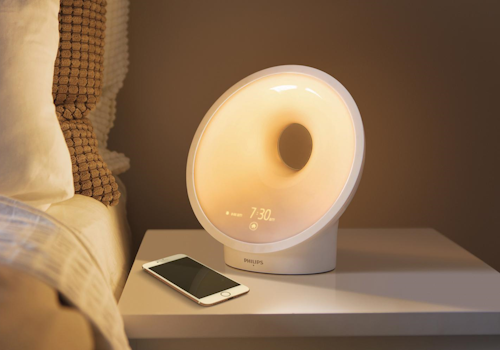
Philips Sleepmapper

Monitor and improve your sleeping.

Read more ›

Supported devices

Flow cards

Click on a device above to show related Flow cards only.

When...

Wakeup light
The dim level changed
Wakeup light
The humidity changed
Wakeup light
The luminance changed
Wakeup light
The noise changed
Wakeup light
The temperature changes
Wakeup light
Turned on
Wakeup light
Turned off
Wakeup light
Alarm Alarm goes off
i
When an alarm starts the wake-up sequence on the device
Wakeup light
Alarm Alarm ends
i
When the wake-up sequence of an alarm finishes
Wakeup light
The sunset mode is deactivated
i
When the sunset mode is deactivated
Wakeup light
The sunset mode is activated
i
When the sunset mode is activated
Wakeup light
The nightlight is turned off
i
When the nightlight has been turned off
Wakeup light
The nightlight is turned on
i
When the nightlight has been turned on
Wakeup light
The sunrise preview is deactivated
i
When the sunrise preview has been turned off
Wakeup light
The sunrise preview is activated
i
When the sunrise preview has been turned on
Wakeup light
Relax breathe is stopped
i
When the relax breathe program has stopped
Wakeup light
Relax breathe is started
i
When the relax breathe program has started
Wakeup light
Sleep tracking is turned off
i
When sleep tracking has been turned off
Wakeup light
Sleep tracking is turned on
i
When sleep tracking has been turned on
Wakeup light
The audio source changed to Source
i
When the audio source switches (FM Radio / AUX)

And...

Wakeup light
Is turned on
Wakeup light
Mode is on
i
Checks whether one of the device's modes is currently on
Wakeup light
The audio source is Source
i
Checks which audio source is currently selected
Wakeup light
Any alarm is enabled
i
True when at least one alarm is enabled on the device
Wakeup light
Alarm Alarm is enabled
i
Checks whether the selected alarm is currently enabled on the device

Then...

Wakeup light
Dim to %
Wakeup light
Set relative dim-level %
i
Dim or brighten with respect to the device's current dim-level.
Wakeup light
Turn on
Wakeup light
Turn off
Wakeup light
Toggle on or off
Wakeup light
Stop the running wake-up
i
Dismisses a sounding alarm by turning off the light and the sound
Wakeup light
Set alarm Alarm to State
i
Enables or disables the selected alarm on the device
Wakeup light
Turns the sunset mode on or off: Start
i
Toggles the sunset mode of the wake-up light
Wakeup light
Turns the nightlight on or off: On
i
Toggles the nightlight
Wakeup light
Turns the sunrise preview on or off: On
i
Toggles the sunrise preview of the wake-up light
Wakeup light
Turns the relax breathe program on or off: On
i
Toggles the relax breathe program of the wake-up light
Wakeup light
Turns sleep tracking on or off: On
i
Turns sleep tracking on or off
Wakeup light
Set the audio source to Source
i
Switches the audio source of the wake-up light

Support

The developer of this app does not offer direct support.

What’s new

Version 2.0.12 — Added fitting icons for the night light, sunset, sunrise preview, relax breathe, sleep tracking, active alarm and audio source controls.

View changelog

Philips Sleepmapper

Philips Sleepmapper is not compatible with the selected Homey.

Philips Sleepmapper will install on Homey shortly.
Install App