





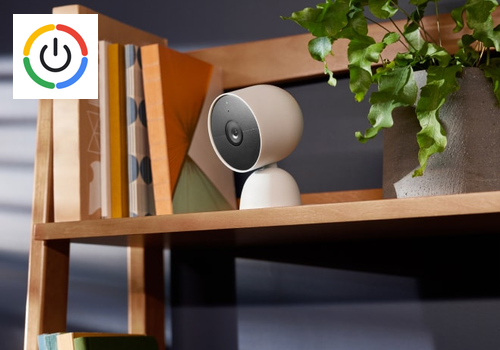
Google Nest Controls

Keep your cameras ready and your Wifi running smoothly

Warning! This app might not work properly.

This app version is currently being tested, and has not yet been reviewed. It might not work as expected.
Be extra careful when installing this app.
« Back to the regular version

Keep your cameras ready and your Wifi running smoothly

Read more ›

Supported devices

Flow cards

Click on a device above to show related Flow cards only.

When...

Nest camera or doorbell
Turned on
Nest camera or doorbell
Turned off
Nest camera or doorbell
Battery drops below Battery level%
i
Uses Google cloud status, refreshed every ten minutes. Unknown values do not trigger this card.
Nest camera or doorbell
Charging started
i
Uses Google cloud status, refreshed every ten minutes. Unknown values do not trigger this card.
Nest camera or doorbell
Charging stopped
i
Uses Google cloud status, refreshed every ten minutes. Unknown values do not trigger this card.
Nest camera or doorbell
Power connected
i
Uses Google cloud status, refreshed every ten minutes. Unknown values do not trigger this card.
Nest camera or doorbell
Power disconnected
i
Uses Google cloud status, refreshed every ten minutes. Unknown values do not trigger this card.
Wifi network
A restart was started
i
Google has accepted the restart command. The network goes down shortly after.
Wifi network
The restart is confirmed
i
The network went down and all mesh points are back.
Wifi network
A restart failed
Wifi network
The internet went down
i
Reported by Google. Not triggered during a restart started from this app.
Wifi network
The internet is back
Wifi network
A mesh point was restarted
i
The mesh point went offline and is back in the mesh.
Wifi network
A speed test finished
Wifi network
Device connected
i
Useful for presence, for example when a phone comes home. Requires Presence in the device settings.
Wifi network
Device disconnected
i
Triggers when the device has been gone for about 3 minutes, so short dropouts are ignored. Requires Presence in the device settings.
Wifi network
A new device joined the network
i
A device the app has never seen before. Requires Presence in the device settings.
Wifi node
The node connected
i
Based on Google cloud status, checked every ten minutes.
Wifi node
The node disconnected
i
Based on Google cloud status, checked every ten minutes.

And...

Nest camera or doorbell
Is turned on
Nest camera or doorbell
Battery is below Battery level%
i
Checks the latest reading. Unknown battery levels stop the Flow.
Nest camera or doorbell
The battery is charging
i
Checks the latest reading. Unknown status stops the Flow.
Nest camera or doorbell
The camera is on
Nest camera or doorbell
Power is connected
i
Checks the latest reading. Unknown status stops the Flow.
Wifi network
The internet is online
Wifi network
A restart is in progress
Wifi network
Total traffic is below Mbit/s Mbit/s
i
Download plus upload right now. Useful to avoid restarting while someone is streaming.
Wifi network
A restart is allowed now
i
False while a restart is running or within the minimum time between restarts.
Wifi network
Device is connected
Wifi network
Device is paused
Wifi network
A speed test is running
Wifi node
The node is connected

Then...

Nest camera or doorbell
Turn on
Nest camera or doorbell
Turn off
Nest camera or doorbell
Toggle on or off
Nest camera or doorbell
Turn camera off
Nest camera or doorbell
Turn camera on
Nest camera or doorbell
Refresh camera status
i
Reads camera and battery status. Reuses the shared five-minute cache; it does not force an extra Google request.
Wifi network
Restart the whole network
i
Restarts the router and all mesh points, like Restart network in the Google Home app. Internet is gone for about 2 minutes.
Wifi network
Restart Mesh point
i
Only that point restarts; the rest of the network stays online. The main router cannot be restarted alone, so use Restart the whole network for it.
Wifi network
Run a speed test
i
Measures the internet speed from the router. Takes about 30 seconds.
Wifi network
Pause Device for Minutes minutes
i
The device stays on the Wifi but gets no internet, like Pause in the Google Home app.
Wifi network
Resume internet for Device
Wifi network
Prioritize Device for Minutes minutes
i
Gives the device priority on the network. Only one device can be prioritized at a time.
Wifi network
Stop prioritizing
Wifi node
Restart this Wifi node

Support

Having an issue with this app? Contact the developer via the developer website.

What’s new

Version 0.3.9 — Fixed Homey settings styles overriding the camera sort pills and coloured power buttons.

View changelog

Google Nest Controls

Google Nest Controls is not compatible with the selected Homey.

Google Nest Controls will install on Homey shortly.
Install App