




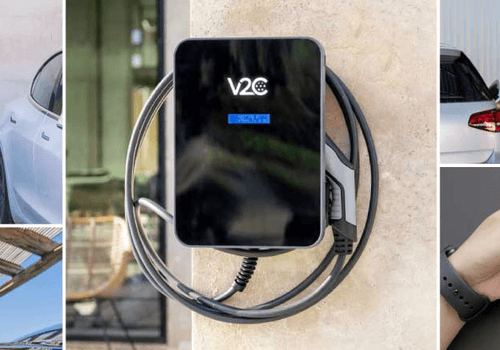
V2C Wallbox

Intelligence, innovation and maximum control at your fingertips

Warning! This app might not work properly.

This app version is currently being tested, and has not yet been reviewed. It might not work as expected.
Be extra careful when installing this app.
« Back to the regular version

Intelligence, innovation and maximum control at your fingertips

Read more ›

Supported devices

Flow cards

Click on a device above to show related Flow cards only.
When...

V2C Wallbox
Target power mode changed to ...
i
"Homey" means Homey controls the device’s target power. Other modes are determined by the device.
V2C Wallbox
The target power changed
V2C Wallbox
Locked
V2C Wallbox
Unlocked
V2C Wallbox
The power changed
V2C Wallbox
The power meter changed
V2C Wallbox
Started charging
V2C Wallbox
Stopped charging
V2C Wallbox
The EV charger charging state changed ...
V2C Wallbox
Car starts charging
V2C Wallbox
Slave Error Changed
V2C Wallbox
Connection state changed to State changed to

And...

V2C Wallbox
Target power mode is ...
i
"Homey" means Homey controls the device’s target power. Other modes are determined by the device.
V2C Wallbox
A lock is locked
V2C Wallbox
Is charging
V2C Wallbox
The EV charger charging state is ...
V2C Wallbox
Power is greater than Power (W) W
V2C Wallbox
Power is less than Power (W) W
V2C Wallbox
API connection has error
V2C Wallbox
Calculated current Current Input (A) is ... Compare Current (A) A
i
You can use this card together with the calculate current card and then set intensity for better control of surplus from your PV system.

Then...

V2C Wallbox
Set target power mode to ...
i
To control the target power of this device via Homey, select "Homey". Other modes are determined by the device.
V2C Wallbox
Set the target power W
i
This also switches the target power mode to Homey. For EV chargers, charging is automatically started or stopped.
V2C Wallbox
Lock
V2C Wallbox
Unlock
V2C Wallbox
Start charging
V2C Wallbox
Stop charging
V2C Wallbox
Set Charger Intensity to Intensity Amps
V2C Wallbox
Set charging power to Power W - parameters: Phase Mode phase, Voltage V Voltage Type, min 6 A, max Maximum Amps A, round result Amps - Rounding
i
Sets charging power of the wallbox according to specified value in Watts. Useful for solar charging - always charges at minimum 6A even if there is not enough surplus. Negative power values will be converted to positive. Calculated current is limited by minimum 6A and maximum per parameter. You can choose rounding method for finer control over charging power.
Advanced
V2C Wallbox
Calculate current from Power W (with buffer Buffer Power W) - parameters: Phase Mode phase, Voltage V Voltage Type, max Maximum Amps A, round result Amps - Rounding
i
Calculates charging current based on given power with optional buffer. Perfect for smart solar charging control - if calculated current drops below 6A even with buffer, you can pause charging and wait for more surplus. Buffer allows utilizing short-term surplus. Rounding can be used to optimize surplus utilization. Result can be used in other flow cards for charging control.
Advanced
V2C Wallbox
Set Dynamic Mode to Dynamic Mode
V2C Wallbox
Set Minimum Intensity in Dynamic Mode to Minimum Intensity Amps
V2C Wallbox
Set Maximum Intensity in Dynamic Mode to Maximum Intensity Amps
V2C Wallbox
Set Dynamic Power Mode to Dynamic Power Mode
V2C Wallbox
Set Counter Type energy counter to Energy Value (kWh) kWh
i
Note: Counters are automatically reset at the beginning of each period. Use this card only for manual corrections if needed.

Widgets

You can add this app’s widgets to your dashboard or homescreen in the mobile app.

Wallbox Status
Wallbox Status

Support

Having an issue with this app? Contact the developer via email.

What’s new

Version 2.0.1 — bugfix of energy tab consumption

View changelog

V2C Wallbox

V2C Wallbox is not compatible with the selected Homey.

V2C Wallbox will install on Homey shortly.
Install App