SecureGen

Your security, working together

Mehr lesen ›

Unterstützte Geräte

Flow-Karten

Klicke oben auf ein Gerät, um nur verwandte Flow-Karten anzuzeigen.

Wenn ...

SecureGen
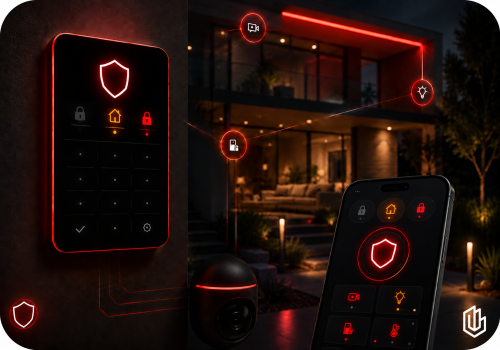
SecureGen Alarm is Triggered
i
Alias of When Alarm is Triggered for easier Flow search.
Advanced
SecureGen
SecureGen keypad PIN accepted
Advanced
SecureGen
SecureGen keypad PIN failed
Advanced
SecureGen
SecureGen Lighting Command Confirmed
Advanced
SecureGen
SecureGen Mode Changed — Automation Only: [[mode]]
Advanced
SecureGen
SecureGen requests Alarm Lighting
i
Outgoing SecureGen Lighting LINK request for Alarm Triggered. Connect this WHEN card to the corresponding lighting-app action, then add Confirm SecureGen Lighting Command as the final THEN card.
Advanced
SecureGen
SecureGen requests Away
Advanced
SecureGen
SecureGen requests Away Lighting
i
Outgoing SecureGen Lighting LINK request for Armed Away. Connect this WHEN card to the corresponding lighting-app action, then add Confirm SecureGen Lighting Command as the final THEN card.
Advanced
SecureGen
SecureGen requests Disarm
Advanced
SecureGen
SecureGen requests Disarm Lighting
i
Outgoing SecureGen Lighting LINK request for Disarmed Confirmation. Connect this WHEN card to the corresponding lighting-app action, then add Confirm SecureGen Lighting Command as the final THEN card.
Advanced
SecureGen
SecureGen requests Home / Stay
Advanced
SecureGen
SecureGen requests Home / Stay Lighting
i
Outgoing SecureGen Lighting LINK request for Armed Home. Connect this WHEN card to the corresponding lighting-app action, then add Confirm SecureGen Lighting Command as the final THEN card.
Advanced
SecureGen Base Station LINK
Der Status hat sich geändert ...

Und ...

SecureGen
SecureGen alarm is active
Advanced
SecureGen
SecureGen is armed Away
Advanced
SecureGen
SecureGen is armed Home
Advanced
SecureGen
SecureGen is disarmed
Advanced
SecureGen
A SecureGen Lighting LINK is ready
i
Checks whether the active dedicated SecureGen Lighting LINK has at least one validated device.
Advanced
SecureGen
SecureGen lighting profile ... is enabled
Advanced
SecureGen Base Station LINK
Der Status ist  ...

Dann ...

SecureGen
Sync SecureGen from Base Station Mode Change Home Alarm State
i
Primary incoming Ring sync. Use after Community Ring Base Station → The mode changed and drag the Home Alarm State tag into this card. SecureGen updates its confirmed mode immediately and never sends a command back to Ring.
Advanced
SecureGen
Flash ... alarm lights ... for ... seconds using ...
i
Use after a real alarm trigger. SecureGen flashes only the devices bound to the active Lighting LINK and restores their prior state.
Advanced
SecureGen
Flash SecureGen bound lights red for alarm
i
Use this THEN card after a real alarm trigger. SecureGen uses the active Lighting LINK binding; no light IDs are entered in the Flow.
Advanced
SecureGen
Blink red once for Away mode
i
Use after SecureGen confirms Away mode. This performs one short red confirmation blink. Use the separate alarm-lighting card only for a real alarm event.
Advanced
SecureGen
Confirm SecureGen lighting command Command ID for ... as ... from Confirmation source
i
Place this as the final THEN card after the lighting app action. Drag the SecureGen Command ID token from the WHEN card into Command ID so SecureGen can verify the exact request.
Advanced
SecureGen
Blink SecureGen bound lights blue 3 times for Disarmed
i
Use this THEN card after SecureGen confirms Disarm. SecureGen uses the active Lighting LINK binding.
Advanced
SecureGen
Flash SecureGen selected lights ... Times times
Advanced
SecureGen
Blink SecureGen bound lights twice for Home/Stay
i
Use this THEN card after SecureGen confirms Home / Stay. SecureGen uses the active Lighting LINK binding.
Advanced
SecureGen
Restore SecureGen lighting state
Advanced
SecureGen
Run SecureGen lighting profile ...
Advanced
SecureGen
Stop SecureGen lighting
Advanced
SecureGen
Test SecureGen lighting
Advanced
SecureGen Base Station LINK
Status setzen ...

Widgets

Du kannst die Widgets dieser App zu deinem Dashboard oder Startbildschirm in der mobilen App hinzufügen.

SecureGen Control Wall
SecureGen LINK Wall
SecureGen LINK Wall

Support

Der Entwickler dieser App bietet keinen direkten Support an.

Was ist neu?

Version 3.2.25 — Rev 665: Compact single-line LINK Wall title with stronger SecureGen gradient; simplified LINK settings and status displays. Existing driver icons and pairing photos preserved.

Changelog ansehen

SecureGen

Diese App kann dein gesamtes Heim verwalten.

SecureGen ist mit dem gewählten Homey nicht kompatibel.

SecureGen wird in Kürze auf Homey installiert.
Installieren