





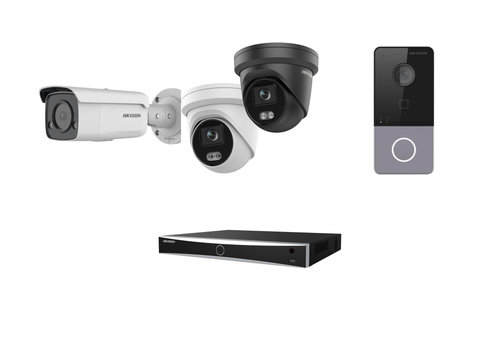
Connect a Hikvision recorder, IP camera or doorbell to Homey the way a security system should work: every channel behind your DVR or NVR shows up on its own, live video plays right inside the Homey app, and a camera or doorbell event can trigger a Flow the moment it happens, with a snapshot attached.
Unlike most camera integrations, this app understands recorders: it enumerates every analog and IP channel automatically, so you're never adding devices by hand one camera at a time. It finds recorders and cameras on your network on its own, and recovers on its own if a device's IP address changes.
Getting started: add your recorder first, then choose Camera via recorder to add its cameras. Use Standalone IP camera only for a camera that is not connected to a recorder.
Klicka på en enhet ovan för att visa endast relaterade Flow-kort.
När...
Alarm input
Kontaktalarmet aktiverat
Alarm input
Kontaktalarmet inaktiverat
Alarm output
Aktiverad
Alarm output
Inaktiverad
Camera via recorder
Rörelselarmet aktiverat
Camera via recorder
Rörelselarmet inaktiverat
Camera via recorder
Sabotagelarmet aktiverat
Camera via recorder
Sabotagelarmet inaktiverat
Camera via recorder
Det generiska larmet är aktiverat
Camera via recorder
Det generiska larmet är inaktiverat
Camera via recorder
Any event occurred on [[device]]
i
Fires for every event, known or unknown — useful for events this app doesn't have a dedicated trigger for yet.
Camera via recorder
Intrusion stopped
Camera via recorder
Intrusion started
Camera via recorder
Line crossing stopped
Camera via recorder
Line crossing started
Camera via recorder
Region entry or exit stopped
Camera via recorder
Region entry or exit started
Doorbell
Rörelselarmet aktiverat
Doorbell
Rörelselarmet inaktiverat
Doorbell
Det generiska larmet är aktiverat
Doorbell
Det generiska larmet är inaktiverat
Doorbell
The doorbell button on [[device]] was pressed
Recorder
Det generiska larmet är aktiverat
Recorder
Det generiska larmet är inaktiverat
Recorder
Was disarmed
i
Fires when detection is switched off for every channel through this app.
Recorder
Was armed
i
Fires when detection is switched back on for every channel through this app.
Recorder
[[device]] is not reachable
i
Fires when the recorder has been unreachable for a few minutes, or when its login is rejected.
Recorder
[[device]] is reachable again
i
Fires when a recorder that was unreachable responds again. "Offline since" tells you when it went away.
Standalone IP camera
Rörelselarmet aktiverat
Standalone IP camera
Rörelselarmet inaktiverat
Standalone IP camera
Sabotagelarmet aktiverat
Standalone IP camera
Sabotagelarmet inaktiverat
Standalone IP camera
Det generiska larmet är aktiverat
Standalone IP camera
Det generiska larmet är inaktiverat
Standalone IP camera
Intrusion stopped
Standalone IP camera
Intrusion started
Standalone IP camera
Line crossing stopped
Standalone IP camera
Line crossing started
Standalone IP camera
Region entry or exit stopped
Standalone IP camera
Region entry or exit started
Och...
Alarm input
Kontaktalarmet är på
Alarm output
Är på
Camera via recorder
Rörelselarmet är på
Camera via recorder
Sabotagelarmet är på
Camera via recorder
Det generiska larmet är på
Camera via recorder
Motion detection is on
i
Checks the motion detection setting on the device itself at the moment the Flow runs.
Camera via recorder
Intrusion is active
Camera via recorder
Line crossing is active
Camera via recorder
Region entry or exit is active
Doorbell
Rörelselarmet är på
Doorbell
Det generiska larmet är på
Doorbell
Motion detection is on
i
Checks the motion detection setting on the device itself at the moment the Flow runs.
Recorder
Det generiska larmet är på
Recorder
Hard disk is healthy
i
Healthy means the recorder reports its hard disk status as OK. The status is checked every minute.
Recorder
Is armed
i
Disarmed means detection was turned off on every channel with the Disarm action or the Armed switch of this app.
Standalone IP camera
Rörelselarmet är på
Standalone IP camera
Sabotagelarmet är på
Standalone IP camera
Det generiska larmet är på
Standalone IP camera
Motion detection is on
i
Checks the motion detection setting on the device itself at the moment the Flow runs.
Standalone IP camera
Intrusion is active
Standalone IP camera
Line crossing is active
Standalone IP camera
Region entry or exit is active
Då...
Alarm output
Aktivera
Alarm output
Stäng av
Alarm output
Växla på och av
Alarm output
Pulse for Duration ms
Camera via recorder
Post Event type state Event state to Webhook URL
i
Posts a small JSON payload (device, channel, event type, state, timestamp) — never credentials. 10s timeout, no retries; a failure shows as a Flow error.
Camera via recorder
Pan Pan, tilt Tilt, zoom Zoom for Duration ms
i
Only works on cameras that report PTZ support — most fixed cameras and analog DVR channels don't have this.
Camera via recorder
Go to preset Preset number
i
Only works on cameras that report PTZ support, with the preset already saved on the camera itself.
Camera via recorder
Set brightness to Brightness, contrast to Contrast and saturation to Saturation
i
Values match the recorder's own web UI scale (0-255, 128 is the typical default).
Camera via recorder
Take a snapshot with [[device]]
Advanced
Doorbell
Take a snapshot with [[device]]
Advanced
Recorder
Arm detection
i
Switches detection back on for every channel, restoring exactly the settings each channel had before it was disarmed.
Recorder
Disarm detection
i
Switches detection off on every channel and remembers each channel's exact settings, so Arm detection can restore them later.
Standalone IP camera
Pan Pan, tilt Tilt, zoom Zoom for Duration ms
i
Only works on cameras that report PTZ support — most fixed cameras and analog DVR channels don't have this.
Standalone IP camera
Go to preset Preset number
i
Only works on cameras that report PTZ support, with the preset already saved on the camera itself.
Standalone IP camera
Take a snapshot with [[device]]
Advanced
Support
Utvecklaren av den här appen erbjuder ingen direktsupport.
Vad är nytt?
Version 5.0.0 — Big update. New: a 'Check and report' section in the app settings. 'Test everything' checks login, cameras, events, pictures, live video, disk and clock and tells you in plain words what to fix; 'Copy report' makes a privacy-safe text (no addresses or passwords) to send along with a question. The app is now available in Dutch. When the recorder is switched off or unreachable, it and its cameras show as unavailable with a clear message, with new Flow triggers 'The recorder is not reachable' and 'The recorder is reachable again' and optional Homey timeline messages (also for disk errors). Flow pictures now show the moment of the event (motion, doorbell press). Camera pictures no longer hang when the recorder stalls and appear at once while live video loads. Recorders with IP cameras (NVR) are handled properly, and starting up is lighter on the recorder. 'Take a snapshot' works for every camera and doorbell, and the PTZ actions also work for cameras behind a recorder. 'Sync time' now keeps the recorder's time zone and no longer switches off NTP. Disarm no longer reports success when nothing changed. New per-camera option: Try H.265 live video (experimental). Free disk space is logged in Insights. The unused 'Manual recording' switch is removed.