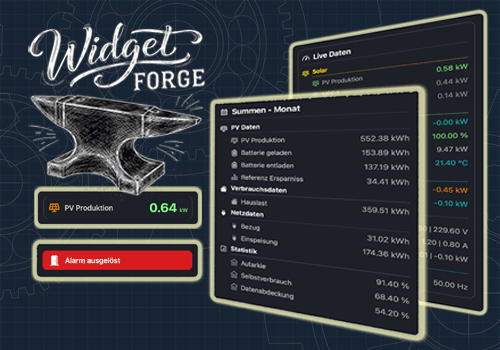
Widget Forge

Flow- and tag-driven independent widgets

Varning! Den här appen kanske inte fungerar korrekt.

Den här appen testas och har aldrig granskats. Den kanske inte fungerar som förväntat.
Var extra försiktig när du installerar den här appen.
« Tillbaka till den vanliga versionen

Flow- and tag-driven independent widgets

Läs mer ›

Flow-kort

Då...

Widget Forge
Clear Big Data Block Widget ID
i
Clears all lines of the selected Big Data Block widget.
Widget Forge
Clear styled list Widget ID
i
Clears all lines of the selected Styled List widget.
Widget Forge
Set data line Line in Big Data Block Widget ID: Title = Value Unit (Factor, Invert sign, Icon, Title color, Icon color, Value color, Title size, Value size)
i
Sets one line of the selected Big Data Block widget as data line. Factor and invert also work with values like 191 | -11 | -166.
Widget Forge
Set spacer line Line in Big Data Block Widget ID: Pixels px
i
Sets one line of the selected Big Data Block widget as spacer line with a defined height in pixels.
Widget Forge
Set big display Widget ID: Title = Value Unit (Factor, Invert sign, Icon, Title color, Icon color, Value color, Background color, Title size, Value size)
i
Sets the full content of the selected Big Display widget. Factor and invert also work with values like 191 | -11 | -166.
Widget Forge
Set separator line Line in styled list Widget ID (Thickness, Style, Separator color)
i
Sets one line of the selected Styled List widget as separator line.
Widget Forge
Set spacer line Line in styled list Widget ID: Pixels px
i
Sets one line of the selected Styled List widget as a spacer line with a configurable height in pixels. Empty or invalid values default to 10 px.
Widget Forge
Set title line Line in styled list Widget ID to Text (Style, Text size, Icon, Icon position, Text color, Icon color, Separator, Separator thickness, Separator style, Separator color, Opacity)
i
Sets one line of the selected Styled List widget as title line.
Widget Forge
Set value line Line in styled list Widget ID: Text = Value Unit (Factor, Invert sign, Style, Text size, Icon, Icon position, Data color, Text color, Icon color, Opacity)
i
Sets one line of the selected Styled List widget as value line. Factor and invert also work with values like 191 | -11 | -166.

Widgetar

Du kan lägga till den här appens widgetar på din instrumentpanel eller hemskärm i mobilappen.

Big Data Block
Big Data Block
Big Display
Big Display
Styled List
Styled List

Support

Har du problem med den här appen? Kontakta utvecklaren genom att skicka ett e-postmeddelande.

Vad är nytt?

Version 1.1.0 — Added the Big Data Block widget with new Flow Cards, spacer lines, frame options, color settings, value formatting, and realtime updates.

Visa ändringslogg

Widget Forge

Widget Forge är inte kompatibelt med vald Homey.

Widget Forge installeras på Homey inom kort.
Installera