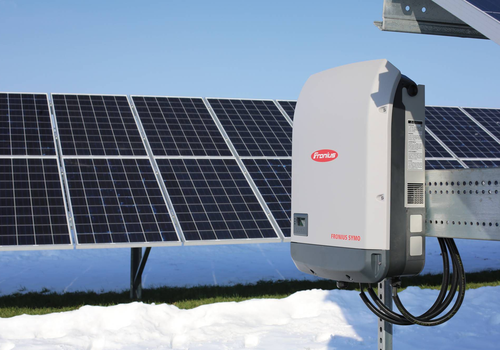

Solar power is worth the most when it is used, not when it is sold. This app lets Homey decide what your Fronius system does with it: charge the battery when electricity is cheap, discharge it when it is expensive, keep imports below your fuse rating, and hold production back on the hours when feeding the grid costs you money instead of paying you.
It works with GEN24 inverters and their batteries, and with the older SnapINverter generation such as Symo and Primo running a Datamanager 2.0. Each inverter is added as its own device, and a GEN24 with a battery is added twice, once as a battery and once as a solar panel, so Homey Energy counts production and storage separately. A Fronius Smart Meter is needed for anything that reacts to what passes the grid connection.
BEFORE YOU ADD A DEVICE
Modbus is switched off on a new Fronius inverter, and no app can turn it on for you. Open the inverter's web interface in a browser and set it up first. The settings live on the inverter, so this is a one-time job.
GEN24, under Communication - Modbus:
- Mode: TCP Server
- SunSpec Model Type: int + SF
- Modbus Port: 502
- Meter Address Offset: 200
- Allow Control: on
- Restrict Control: off, or add Homey's IP address to it
Two of those decide whether the app works at all. int + SF is not what Fronius ships with, and the battery device reads a fixed set of addresses that only exist in that mode. Allow Control is what permits the inverter to accept a command instead of only answering questions.
SnapINverter with a Datamanager 2.0, under Settings - Modbus:
- Data output via Modbus: tcp
- Modbus port: 502
- Sunspec Model Type: float or int + SF, either one, the app detects which is in use
- Inverter control via Modbus: on, if you want production or export limiting
- Restrict control: off, or add Homey's IP address
ADDING THE DEVICES
Add a device, pick Fronius Control, and choose what you have. Enter the inverter's IP address and press Test connection. The app reads the model, serial number and power ratings from the inverter itself and fills in the rest, so there is nothing to look up in a datasheet.
Unit ID is 1 on a GEN24. On a Datamanager it is the inverter number shown on the inverter's own display, which is also 1 unless several inverters share one Datamanager.
The Smart Meter is found automatically. It normally answers at unit 200 on a GEN24 and 240 on a Datamanager, and if it is wired to a different Fronius inverter than the one you are adding, the app looks for it there as well.
WHEN EXPORTING COSTS MONEY
On hours with negative prices, selling power costs money, and buying it can pay you. The battery device has two cards for this:
- Negative prices: use solar, export nothing. The sun powers the house and charges the battery, and nothing goes out to the grid. If the sun is not enough, the house takes the rest from the grid.
- Negative prices: buy from the grid and charge the battery with ... W. The house takes all its power from the grid and the battery charges with the power you set. The sun goes into the battery first and the grid tops up the rest. The inverter must allow charging from the grid. Set your main fuse in the battery device's settings and the charging stays within it, also when an EV charges at the same time. Only worth it when buying, after taxes and fees, still pays.
Both need a Fronius Smart Meter, and with both the battery does not discharge. Run a card from a Flow when the price turns negative, and End negative prices when it turns positive again. A card stays on through a restart of Homey or the app, until End negative prices or another battery card.
WHAT WILL FIGHT THIS APP
Turn off Multiple Inverter Control if your installation has it. It writes to the same registers as this app, and whichever wrote last wins. The same applies to any other Modbus master pointed at the same inverter, which also matters because a Fronius inverter accepts only about two Modbus connections at a time.
Fronius has its own permanent export limit under Safety and grid regulation. It is a fine thing to have, but it applies around the clock. This app limits production only for as long as a Flow asks it to, which is the point when you only want to hold back during the hours when export is worthless.
Czytaj więcej ›