





ZoneLight Pro

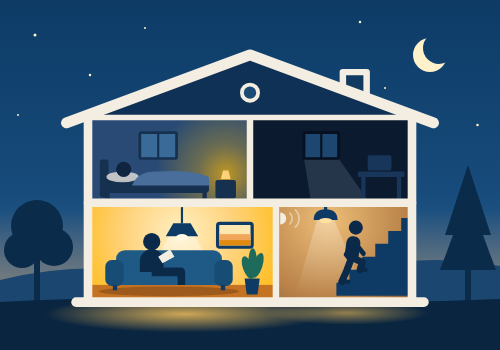
Every room lights itself — bright by day, calm at night, dark when empty.

Czytaj więcej ›

Obsługiwane urządzenia

Karty Flow

Kliknij na urządzenie powyżej, aby wyświetlić tylko powiązane karty Flow.

Kiedy...

ZoneLight Controller
Włączone
ZoneLight Controller
Wyłączone
ZoneLight Controller
Czujnik ruchu włączony
ZoneLight Controller
Czujnik ruchu wyłączony
ZoneLight Controller
Zmiana luminacji
ZoneLight Controller
ZoneLight switched the lights on
i
Fires when ZoneLight switches this zone from dark to lit. Not when it only adjusts lights that are already on, and not when someone switches a lamp on by hand. Reason is activity, schedule, hold or simulation.
ZoneLight Controller
ZoneLight switched the lights off
i
Fires when ZoneLight switches this zone from lit to dark, as the fade-out starts. Not when someone switches the lights off by hand. Reason is idle, schedule, hold or simulation.
ZoneLight Pro
Presence simulation turned State
i
Runs when presence simulation is switched on or off, from a Flow or from the app settings.
ZoneLight Pro
Sleep / do not disturb turned State
i
Runs when sleep / do not disturb is switched on or off, from a Flow or from the app settings.
ZoneLight Pro
Bedtime turned State
i
Runs when bedtime is switched on or off, from a Flow, the app settings, or by itself in the morning.

Oraz...

ZoneLight Controller
Jest włączone
ZoneLight Controller
Czujnik ruchu jest włączony
ZoneLight Controller
Zone is active
i
True while the controller reports its zone as occupied, which is when its Motion indicator is on.
ZoneLight Controller
Zone profile is Profile
i
Checks which time profile the zone is in right now, using the controller's own times: fixed clock times or sunrise/sunset, depending on its Time source setting.
ZoneLight Controller
Zone is held
i
True while a hold started by a ZoneLight Flow card (hold zone, hold at a brightness or hold all zones) is running in this zone.
ZoneLight Controller
Zone preset is Preset
i
Compares the preset the zone actually uses. With Auto that is the preset picked from the zone name, for example Living room for a zone called 'Stue'.
ZoneLight Controller
Lights in the zone are on
i
True when at least one light ZoneLight controls in this zone is on, including sub-zones without their own controller, whoever switched it on. The controller's own on/off means automation enabled, not lights on.
ZoneLight Pro
Presence simulation is active
i
True while presence simulation is switched on for the whole app, either from a Flow or on the app's settings page.
ZoneLight Pro
Sleep / do not disturb is on
i
Checks the switch only. It holds lights back only in zones with the Bedroom preset during the night profile; add 'Zone profile is Night' to test that.
ZoneLight Pro
Bedtime is on
i
True from the moment bedtime is switched on until every zone has reached its day start (or it is switched off).

Wtedy...

ZoneLight Controller
Włącz
ZoneLight Controller
Wyłącz
ZoneLight Controller
Przełącz na wł. lub wył.
ZoneLight Controller
Mark zone as active
i
Treats the controller's zone as occupied for 90 seconds, as if motion was detected. Handy for a button in that room. It also lights a bedroom at night when do not disturb is on, so do not start it from a bedroom door sensor.
ZoneLight Controller
Enable zone automation
i
Switches the controller's automation back on, so the zone's lights follow motion and the time profiles again. The same as turning on the controller's Enabled switch.
ZoneLight Controller
Disable zone automation
i
Pauses the controller's automation: the app stops switching the zone's lights and leaves them as they are until it is enabled again. The same as turning off the controller's Enabled switch.
ZoneLight Controller
Hold zone State for Minutes minutes
i
Forces the zone's lights on or off and ignores motion until the time runs out, then normal automation resumes. Also overrides presence simulation. At most 720 minutes (12 hours).
ZoneLight Controller
Resume normal automation
i
Ends an active hold right away, so motion and the time profiles take over again.
ZoneLight Controller
Set preset to Preset
i
Changes the controller's Preset / behavior setting, the same as picking it in the device settings. It stays that way until it is changed again.
ZoneLight Controller
Hold zone on at Brightness (%) % for Minutes minutes
i
Turns the zone's lights on at this brightness and keeps them there for the chosen time (max 12 hours), ignoring motion and the off-timer. The colour follows the current time profile. 'Resume normal automation' ends it early.
ZoneLight Controller
Wake up over Minutes minutes to Brightness (%) %
i
The lights rise slowly from a warm 1 % (or their current level) to this brightness at the day colour, then stay on for 30 minutes before normal automation takes over. Overrides motion and Sleep / do not disturb. Changing a light by hand or 'Resume normal automation' ends it.
ZoneLight Controller
Fade to off over Minutes minutes, then Afterwards
i
Each light that is on dims slowly from its own level to 1 % and warmer, then switches off. Lights that are off stay off. Then either normal automation takes over, or the zone stays off until its day start (motion does not turn it on). Changing a light by hand or 'Resume normal automation' ends it.
ZoneLight Pro
Turn presence simulation State
i
One switch for the whole app. Zones that take part (see each controller's Presence simulation setting) switch on and off in a lived-in evening pattern. If someone is home after all, motion lights the room as usual and the pattern resumes once it is quiet.
ZoneLight Pro
Turn sleep / do not disturb State
i
While it is on, motion does not turn on the lights in zones with the Bedroom preset during the night profile, so it takes effect from each zone's night start time. Lights that are already on turn off on their normal timer.
ZoneLight Pro
Turn bedtime State
i
Bedtime starts the night now: indoor zones use their night profile instead of waiting for their night start time. It ends by itself at each zone's day start. Bedrooms stay dark only while Sleep / do not disturb is on; set a zone to Stay dark or Ignore bedtime in its settings.
ZoneLight Pro
Hold all zones State for Minutes minutes
i
Applies to every ZoneLight zone whose automation is enabled, outdoor zones included. Motion and the off-timer are ignored until the time runs out (max 12 hours) or 'Resume normal automation in all zones' runs.
ZoneLight Pro
Resume normal automation in all zones
i
Ends every hold that a ZoneLight Flow card started, in all zones at once.

Pomoc

Masz problem z tą aplikacją? Skontaktuj się z twórcami aplikacji, wysyłając mejla.

Nowości

Wersja 1.8.3 — The settings page marks devices Homey has no contact with as no response, instead of showing their last values (a TV that does not respond no longer looks like it is playing).

Zobacz listę zmian

ZoneLight Pro

Ta aplikacja może zarządzać całym Homey.

ZoneLight Pro nie jest kompatybilna z wybranym Homey.

ZoneLight Pro zostanie wkrótce zainstalowana na Homey.
Zainstaluj