Ostrzeżenie! Ta aplikacja może nie działać prawidłowo.

Ta wersja aplikacji jest obecnie testowana i nikt nie wystawił opinii na jej temat. Aplikacja może nie działać zgodnie z oczekiwaniami.
Podczas jej instalowania zachowaj szczególną ostrożność.
« Powrót do wersji zwykłej

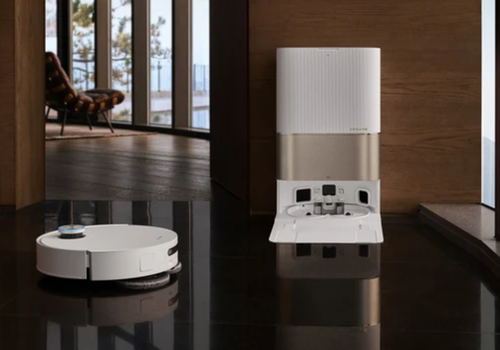
Smart Robot Vacuum Control

Czytaj więcej ›

Obsługiwane urządzenia

Karty Flow

Kliknij na urządzenie powyżej, aby wyświetlić tylko powiązane karty Flow.
Kiedy...

Dreame Vacuum
Włączone
Dreame Vacuum
Wyłączone
Dreame Vacuum
Zmiana stanu na... ...
Dreame Vacuum
Zmienił się poziom baterii
Dreame Vacuum
Cleaning finished
i
Triggers when the vacuum finishes any cleaning task and returns to the dock.
Dreame Vacuum
Cleaning progress changed
i
Triggers when the cleaning progress percentage changes.
Dreame Vacuum
Cleaning time changed
i
Triggers when the cleaning time (in seconds) changes.
Dreame Vacuum
A consumable is running low
i
Triggers when a consumable drops below the alert threshold
Dreame Vacuum
The dock state changed to ...
i
Triggers when the dock cleaning/drying state changes.
Dreame Vacuum
An error occurred
i
Triggers when the vacuum reports an error
Dreame Vacuum
Drying progress changed
i
Triggers when the mop drying progress percentage changes.
Dreame Vacuum
The dust bin is full
i
Triggers when the dust bin or dust bag becomes full
Dreame Vacuum
Clean water tank is low
i
Triggers when the dock's clean water tank is low or empty
Dreame Vacuum
The operational state changed to ...
i
Triggers when the vacuum's operational state changes (e.g. cleaning, returning, washing, drying)
Dreame Vacuum
The robot is stuck
i
Triggers when the vacuum gets stuck or blocked
Dreame Vacuum
The robot is no longer stuck
i
Triggers when the vacuum is freed after being stuck
Dreame Vacuum
Room cleaning finished
i
Triggers when the vacuum finishes cleaning a specific room (returns to dock, pauses, or moves to next room)
Dreame Vacuum
Room ID Room ID cleaning finished
i
Triggers when the vacuum finishes cleaning a specific room. Enter a room ID or leave empty for any room.
Dreame Vacuum
Room cleaning started
i
Triggers when the vacuum starts cleaning a specific room
Dreame Vacuum
Room ID Room ID cleaning started
i
Triggers when the vacuum starts cleaning a specific room. Enter a room ID or leave empty for any room.
Dreame Vacuum
The water tank was ...
i
Triggers when the water tank is installed or removed
Dreame Vacuum
Waypoint Waypoint reached
i
Triggered when the vacuum arrives at a waypoint.
Dreame Vacuum
Zone Zone cleaning finished
i
Triggers when the vacuum finishes zone cleaning. Optionally filter by zone name (only works for zones started via Flow cards).

Oraz...

Dreame Vacuum
Jest włączone
Dreame Vacuum
Stan odkurzacza to ...
Dreame Vacuum
Battery is above Percentage%
i
Check if the battery level is above a threshold
Dreame Vacuum
Carpet boost is on
i
Check if carpet boost is enabled
Dreame Vacuum
Do Not Disturb is on
i
Check if Do Not Disturb mode is enabled
Dreame Vacuum
CleanGenius is Level
i
Check the current CleanGenius level
Dreame Vacuum
Cleaning mode is Mode
i
Check the current cleaning mode
Dreame Vacuum
Cleaning route is Route
i
Check the current cleaning route
Dreame Vacuum
Mop wash frequency is Frequency
i
Check the current mop wash frequency
Dreame Vacuum
Suction level is Level
i
Check the current suction level
Dreame Vacuum
Water volume is Volume
i
Check the current water volume level
Dreame Vacuum
Dust bag is full
i
Check if the dust bag is full
Dreame Vacuum
Vacuum has error
i
Check if the vacuum has an active error
Dreame Vacuum
Vacuum is charging
i
Check if the vacuum is currently charging
Dreame Vacuum
Vacuum is cleaning
i
Check if the vacuum is currently cleaning
Dreame Vacuum
Is cleaning room Room
i
Check if the vacuum is currently cleaning a specific room
Dreame Vacuum
Is cleaning room ID Room ID
i
Check if the vacuum is currently cleaning a specific room by its numeric ID
Dreame Vacuum
Vacuum is docked
i
Check if the vacuum is docked at its station
Dreame Vacuum
Vacuum is stuck
i
Check if the vacuum is currently stuck or blocked
Dreame Vacuum
Operational state is ...
i
Check the current operational state of the vacuum
Dreame Vacuum
Water tank is installed
i
Check if the water tank is installed

Wtedy...

Dreame Vacuum
Włącz
Dreame Vacuum
Wyłącz
Dreame Vacuum
Przełącz na wł. lub wył.
Dreame Vacuum
Zacznij sprzątać
Dreame Vacuum
Zacznij sprzątać punktowo
Dreame Vacuum
Wróć do bazy
Dreame Vacuum
Przestań
Dreame Vacuum
Clear warning/error
i
Dismiss the current warning or error
Dreame Vacuum
Navigate to Waypoint, then After arrival
i
Send the vacuum to a specific point on the map using a tiny zone clean. Configure waypoints in app settings.
Dreame Vacuum
Pause the vacuum
i
Pause the current cleaning task. The vacuum stays in place and can be resumed.
Dreame Vacuum
Reset filter life counter
i
Reset after replacing the filter
Dreame Vacuum
Reset main brush life counter
i
Reset after replacing the main brush
Dreame Vacuum
Reset mop pad life counter
i
Reset after replacing the mop pad
Dreame Vacuum
Reset sensor life counter
i
Reset after cleaning the sensors
Dreame Vacuum
Reset side brush life counter
i
Reset after replacing the side brush
Dreame Vacuum
Set auto empty frequency to Frequency
i
Change how often the dust bin is automatically emptied
Dreame Vacuum
Set carpet cleaning to Mode
i
Change how the vacuum handles carpets during cleaning
Dreame Vacuum
Set carpet sensitivity to Sensitivity
i
Change how sensitively the vacuum detects carpets
Dreame Vacuum
Set CleanGenius to Level
i
Set the CleanGenius cleaning intelligence mode
Dreame Vacuum
Set CleanGenius method to Method
i
Choose how CleanGenius cleans (only works when CleanGenius is on)
Dreame Vacuum
Set cleaning route to Route
i
Set the cleaning route pattern
Dreame Vacuum
Set cleaning mode to Mode
i
Change the cleaning mode of the vacuum. Automatically disables CleanGenius if active.
Dreame Vacuum
Set mopping type to Mopping type
i
Change the mop scrubbing mode (standard, deep, or quick)
Dreame Vacuum
Set suction level to Level
i
Change the suction power of the vacuum
Dreame Vacuum
Set water volume to Volume
i
Change the water volume for mopping
Dreame Vacuum
Set drying time to Hours hours
i
Change how long the mop is dried after washing
Dreame Vacuum
Set mop pressure to Pressure
i
Change the downward pressure applied by the mop
Dreame Vacuum
Set mop wash frequency to Frequency
i
How often the mop returns to the station for washing
Dreame Vacuum
Set mop wash level to Level
i
Change how thoroughly the mop is washed at the station
Dreame Vacuum
Set volume to Volume%
i
Change the speaker volume of the vacuum
Dreame Vacuum
Set water temperature to Temperature
i
Change the water temperature used for mop washing
Dreame Vacuum
Empty dust bin into dock
i
Start emptying the robot's dust bin into the dock bag
Dreame Vacuum
Start station drainage
i
Drain dirty water from the station
Dreame Vacuum
Start hot air mop drying
i
Start the dock's hot air drying cycle
Dreame Vacuum
Clean rooms Rooms at Suction suction, Water Volume water, Repeatsx
i
Clean multiple rooms. Select rooms one at a time — each selection adds to the list. Use 'All rooms' to clean everything.
Dreame Vacuum
Clean room IDs Room IDs at Suction suction, Water Volume water, Repeatsx
i
Clean multiple rooms by entering comma-separated room IDs. Find room IDs in the app settings page.
Dreame Vacuum
Clean rooms Rooms
i
Clean multiple rooms using the current device settings (suction, water, repeats are taken from the vacuum's active configuration).
Dreame Vacuum
Clean room Room in Cleaning mode mode, Suction suction, Water Volume water, Repeatsx
i
Start cleaning a specific room. Rooms are discovered automatically via MQTT.
Dreame Vacuum
Clean room ID Room ID at Suction suction, Water Volume water, Repeatsx
i
Start cleaning a room by its numeric ID. Find room IDs in the app settings page.
Dreame Vacuum
Clean Room
i
Start cleaning a room using the current device settings (suction, water, repeats are taken from the vacuum's active configuration).
Dreame Vacuum
Start dock mop washing cycle
i
Start the dock's mop pad washing cycle
Dreame Vacuum
Run shortcut Shortcut
i
Run a shortcut configured in the Dreame Home app. Shortcuts appear automatically after they are created in the Dreame app.
Dreame Vacuum
Clean zone Zone Repeatsx, then After cleaning
i
Start cleaning a saved zone. Configure zones in the app settings by drawing rectangles on the map.
Dreame Vacuum
Stop the vacuum and end the current task
i
Stop the vacuum and end the current cleaning task completely. Use 'Pause' to temporarily halt instead.
Dreame Vacuum
Switch to Floor
i
Switch the vacuum's active floor map. Only available on multi-floor devices.
Dreame Vacuum
Play locate sound
i
The device will play a sound so you can find it

Widżety

Widżety tej aplikacji można dodać do pulpitu nawigacyjnego lub ekranu głównego w aplikacji mobilnej.

Vacuum Consumables
Vacuum Consumables
Vacuum Map
Vacuum Map

Pomoc

Masz problem z tą aplikacją? Skontaktuj się z twórcami aplikacji tutaj.

Nowości

Wersja 1.0.0 — Multi-floor support, memory optimizations, UI improvements **Multi-floor:** - Automatic multi-floor detection via relay probe (MULTI_FLOOR_MAP property) - Floor list discovery from Dreame cloud MAP_LIST with proper floor names - Per-floor rooms, zones, and waypoints - Floor selector in app settings with loading spinner during switch - Floor-aware flow cards: room/zone/waypoint autocomplete shows floor name, auto-switches floor before cleaning - New flow action card: Switch to floor - Per-floor room list in settings with floor headers - Zero noise for single-floor users (no extra UI or cards) **Memory optimizations:** - Removed large base64 map strings from in-memory floor cache - Suppressed debug logging in production - Nullify temporary buffers after map parsing - Skip redundant map parsing for already-cached floors **Other:** - Loading spinner in map widget and settings page - CleanGenius and multi-floor status shown in settings - Fixed state mapping for X50 Ultra and newer models - Auto-disable CleanGenius when user sets manual cleaning mode - New trigger cards: cleaning progress, cleaning time, drying progress, dock state - Fixed multi-device widgets showing same data

Zobacz listę zmian

Dreame

Dreame nie jest kompatybilna z wybranym Homey.

Dreame zostanie wkrótce zainstalowana na Homey.
Zainstaluj