

PostNL for Homey
PostNL for Homey brings your expected mail items and PostNL parcels into Homey. It provides live device information, Dashboard widgets and extensive Flow cards for automations.
What can the app do?
• See whether mail is expected and how many mail items are known.
• View scans/images of mail items when PostNL makes them available.
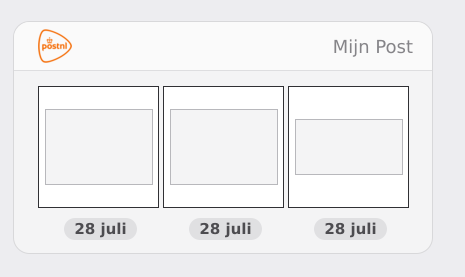
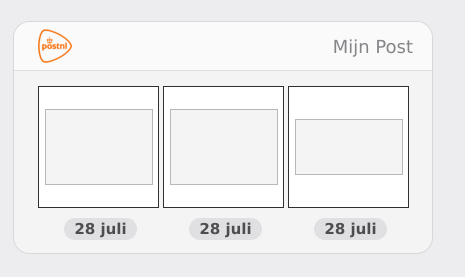
• Use the My Post widget: up to 5 recent mail items in a horizontal swipe/scroll gallery. Tap a scan to enlarge it.
• Use the My Package widget: up to 5 recent parcels, including delivered shipments, with a clear Incoming, In transit or Delivered phase.
• View parcel details such as sender, barcode, delivery date/window and tracking URL when PostNL provides them.
• Use Flow triggers for new mail, new parcels, parcel status changes, synchronization failures and expired logins.
• Flow cards expose extensive tags/tokens. New mail can also provide a native Homey image token.
• The PostNL device exposes the latest mail scan as a Homey camera image when an image is available.
Connecting PostNL
Authentication is handled from the app settings. The PostNL Homey Login Helper for Google Chrome is required. Download the helper from the official Homey Community topic:
https://community.homey.app/t/app-pro-postnl-for-homey/159674
1. Download the PostNL Homey Login Helper from the Community topic and extract the ZIP.
2. Open chrome://extensions in Chrome.
3. Enable Developer mode and choose Load unpacked.
4. Select the extracted PostNL Homey Login Helper folder.
5. In Homey, open More → Apps → PostNL → Settings.
6. Choose Open PostNL and sign in to PostNL.
7. The Chrome helper captures the postnl://login callback. Choose Copy callback.
8. Paste the callback into the PostNL app settings in Homey and complete authentication.
9. Then add the My PostNL device.
The browser helper only captures the OAuth callback and does not store your PostNL password. The callback is temporary and single-use; do not share it with anyone.
Synchronization and storage
The app synchronizes every 5 minutes by default and checks more frequently around midnight for new My Post items. Mail item data and available images are stored locally in Homey so recent mail can remain visible. Parcel data is retained for the widget so recently delivered parcels can also be shown.
Please note
PostNL does not provide a public consumer API for these features. This app uses the same non-public interfaces used by PostNL mobile services. If PostNL changes those interfaces, a feature can temporarily become unavailable. Parcel data and My Post are handled independently where possible, so a My Post issue does not automatically disable the complete device.
자세히 읽기 ›