





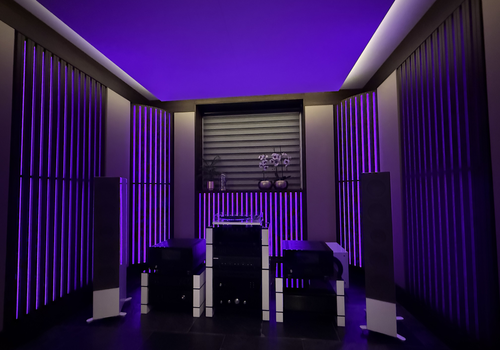
ArtiLED

Control ArtiLED lighting from Homey. Rooms, zones and lights appear as light devices; scenes and modes can be run from the home screen or from a flow.

자세히 읽기 ›

지원되는 디바이스

Flow 카드

위의 디바이스를 클릭하면 관련 Flow 카드만 표시됩니다.

언제...

Lights
켜지면
Lights
꺼지면
Lights
밝기가 변경되면
Modes
켜지면
Modes
꺼지면
Rooms
켜지면
Rooms
꺼지면
Rooms
밝기가 변경되면
Zones
켜지면
Zones
꺼지면
Zones
밝기가 변경되면

그리고...

Lights
켜지면
Modes
켜지면
Rooms
켜지면
Zones
켜지면

그러면...

ArtiLED
Run mode Mode in Room or zone
i
Runs an ArtiLED mode in one room or zone. The mode list is fetched from the Hub for the scope you pick, so it shows exactly what that room or zone supports.
ArtiLED
Run scene Scene in Room or zone
i
Runs an ArtiLED scene in one room or zone. The scene list is fetched from the Hub for the scope you pick, so it shows exactly what that room or zone supports.
ArtiLED
Stop the mode running in Room or zone
i
Stops whatever mode is running in that room or zone. This is not the Hub's own 'Off' mode, which is a mode that darkens the lights.
Lights
켜기
Lights
끄기
Lights
켬/끔 상태 전환하기
Lights
다음 밝기로 조절 %
Lights
상대 밝기 설정 %
i
제품의 현재 디밍 수준에 따라 어둡게 또는 밝게 설정돼요.
Lights
색조 설정 °
i
색조 스케일에서 색상을 선택하세요. 빨간색은 (0°/360°), 노란색은 (60°), 파란색은 (180°)이에요.
Lights
색상 설정 ...
Lights
무작위 색상 설정
Lights
채도 설정 %
Lights
온도 설정 %
i
조명의 온도를 조정해요. 값이 높을수록 따뜻한 색이에요.
Modes
켜기
Modes
끄기
Modes
켬/끔 상태 전환하기
Rooms
켜기
Rooms
끄기
Rooms
켬/끔 상태 전환하기
Rooms
다음 밝기로 조절 %
Rooms
상대 밝기 설정 %
i
제품의 현재 디밍 수준에 따라 어둡게 또는 밝게 설정돼요.
Rooms
색조 설정 °
i
색조 스케일에서 색상을 선택하세요. 빨간색은 (0°/360°), 노란색은 (60°), 파란색은 (180°)이에요.
Rooms
색상 설정 ...
Rooms
무작위 색상 설정
Rooms
채도 설정 %
Rooms
온도 설정 %
i
조명의 온도를 조정해요. 값이 높을수록 따뜻한 색이에요.
Scenes
버튼 누르기
Zones
켜기
Zones
끄기
Zones
켬/끔 상태 전환하기
Zones
다음 밝기로 조절 %
Zones
상대 밝기 설정 %
i
제품의 현재 디밍 수준에 따라 어둡게 또는 밝게 설정돼요.
Zones
색조 설정 °
i
색조 스케일에서 색상을 선택하세요. 빨간색은 (0°/360°), 노란색은 (60°), 파란색은 (180°)이에요.
Zones
색상 설정 ...
Zones
무작위 색상 설정
Zones
채도 설정 %
Zones
온도 설정 %
i
조명의 온도를 조정해요. 값이 높을수록 따뜻한 색이에요.

지원

이 앱에 문제가 있습니까? 개발자에게 문의하려면 여기를 클릭하세요..

새로운 기능

버전 0.6.2 — Scenes and modes are now devices you can tap from the home screen, not only flow cards. Rooms, Zones, Lights, Scenes and Modes each have their own entry under Add device, and you sign in with your ArtiLED Hub username and password instead of an API token.

업데이트 로그 보기

ArtiLED

선택하신 Homey에 ArtiLED이(가) 호환되지 않습니다.

ArtiLED이(가) 곧 Homey에 설치됩니다.
앱 설치