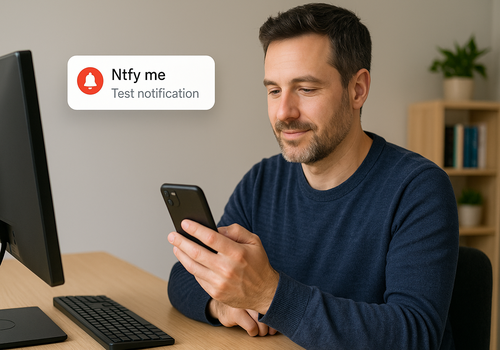
Ntfy me is a Homey app that lets you trigger ntfyme.net push notifications straight from your Homey flows. Use it to forward critical alerts, flows events, or attach images captured by Homey-enabled devices without leaving the Homey ecosystem.
Features
--------
- Send plain text or pre-formatted JSON payloads to ntfyme.net.
- Automatically wrap simple messages in a JSON envelope when needed.
- Build JSON payloads inside a flow with the `Start Global Ntfy me JSON` and `Update JSON` action cards.
- Include images or thumbnails (drop tokens or flow tokens) in notifications.
Requirements
------------
- Homey firmware v12.4.0 or higher.
- The ntfyme.net app for iOS or android
Getting Started
---------------
1. Install the Ntfy me app from the Homey App Store.
2. Add the "Ntfy me" device to your Homey. Pairing creates a virtual device that represents your ntfy endpoint.
3. Open the device settings and paste your ntfyme.net token.
4. Create or edit a Homey flow and add one of the Ntfy me action cards.
5. Test your flow to confirm notifications arrive in the ntfy.me app
Flow Action Cards
-----------------
- Ntfy me: Send a raw message (plain text or JSON).
- Ntfy me (flow): Send a message with the flow name included in the payload.
- Ntfy me (img): Upload an image along with an optional JSON body.
- Ntfy me with thumbnail: Upload an image as a thumbnail along with an optional JSON body.
- Start Global Ntfy me JSON: Reset the global JSON token and start it with a key/value pair.
- Update JSON: Add or replace a key/value pair in either the global JSON token or an explicitly supplied JSON object.
Tips
----
- When the message field contains plain text, the app automatically wraps it in `{ "topic": "homey-message", "msg": "..." }` so ntfy understands the payload.
- Provide a full JSON string if you want to control fields manually (for example, to set `priority` or `tags`).
- The image and thumbnail actions accept uploaded images, Drop tokens, and image tokens from other cards.
- Use Start Global Ntfy me JSON to reset the global `Global Ntfy me JSON` token, then use Update JSON to add more fields.
- Leave the Global Ntfy me JSON field empty in Update JSON to update the global token, or enter `{}` to build a separate JSON output without updating the global token.
Troubleshooting
---------------
- "No device available": ensure the flow card is linked to the Ntfy me device.
- "No message provided": double-check that the message field is not empty or whitespace.
- ntfy.me request failed: verify that your bearer token is valid and that ntfyme.net is reachable from your network.
자세히 읽기 ›