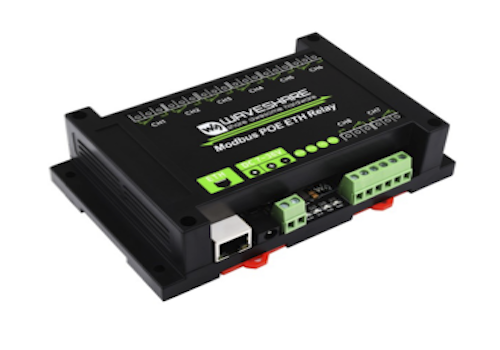
Waveshare Modbus Relay
This app adds Homey Pro support for Waveshare 8-channel Ethernet/PoE Modbus TCP relay boards.
Each paired Waveshare board is exposed in Homey as separate relay and contact/input devices. The relay devices use Homey's standard on/off capability. The contact/input devices use Homey's contact alarm capability.
The app supports more than one physical Waveshare board. Each Homey device stores the board name, IP address, port and Modbus device ID that were configured when it was added. This keeps devices from different boards separate, even after adding more boards later.
Supported hardware
This app is intended for Waveshare 8-channel Ethernet/PoE Modbus TCP relay boards that support Modbus function 01 for reading relay coils, Modbus function 02 for reading contact/input states, and Modbus function 05 for writing a single relay coil.
The app uses Modbus TCP framing, not RTU-over-TCP.
Adding a board
Open the app Configure screen. In Add a new board, enter the board name, IP address, port and Modbus device ID. Unless you have a specific reason to change it, leave Modbus device ID as 1. Use Board name to label and distinguish boards in Homey.
Click Test new board and confirm the board responds. Then click Save for Add Device. After that, use Homey's normal Add Device flow to add the Waveshare relay devices and/or Waveshare contact input devices.
The newly added devices are bound to the board details that were saved when they were paired.
Removing a board
A paired board is inferred from the Homey devices that belong to it. There is no separate board object to delete.
To remove a board, delete all Homey relay and input devices that belong to that board. The board will disappear from the Configure screen once no devices remain for it.
Deleting devices may affect Homey Flows that reference those devices.
Configure screen
The Configure screen shows paired boards, board test results, live relay and input status, a separate Add a new board form, and global app options such as verbose logging.
The Configure screen is used for testing and preparing boards. Actual device creation is done through Homey's standard Add Device flow.
Flows
Relay devices use Homey's standard on/off capability and can be used directly in Flows.
For a timed pulse, create a Flow that turns a relay on and then turns it off again after a delay.
Input devices use Homey's contact alarm capability and can be used as triggers or conditions in normal Homey Flows.
Notes
The app is for Homey Pro/local use. The Waveshare board must be reachable from Homey on your local network.
Typical settings are port 4196, Modbus device ID 1, normal polling interval 100 ms, error polling interval 2000 ms, and response timeout 750 ms.
자세히 읽기 ›