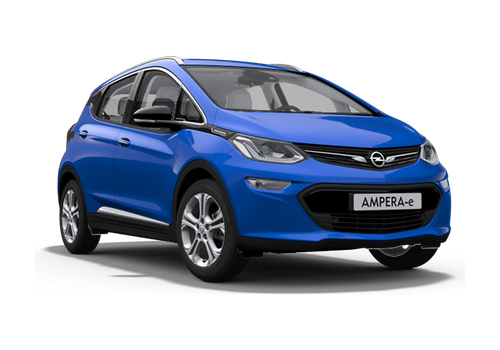
Bring your Opel Ampera-e (Chevrolet Bolt EV) into Homey with a WiCAN or WiCAN Pro OBD-II dongle.
The WiCAN reads the car's battery data and publishes it over MQTT. This app receives that data and shows it as a Homey device: state of charge, charging power, AC charging voltage and current, charging state, battery and outdoor temperature, minimum and maximum cell voltage, usable battery capacity, battery resistance and charge cycles. It also estimates the remaining range from the state of charge, the battery capacity and your own average consumption (kWh/100 km).
No separate MQTT broker is needed: the app can run its own broker on Homey, so the WiCAN publishes straight to your Homey. If you already have a broker, you can connect to that one instead.
The app only reads data; it never sends anything to the car.
Setup:
1. Configure AutoPID for the Ampera-e / Bolt EV in the WiCAN and enable MQTT.
2. Add the device in Homey, choose the built-in broker, and set a username, password and topic.
3. Enter the Homey address shown during pairing, together with the same username, password and topic, in the WiCAN's MQTT settings.
Tested WiCAN Pro settings (firmware 4.50):
- Settings > CAN: Protocol AutoPID, MQTT Enable.
- Settings > MQTT: URL = your Homey's IP address, port 1883, Security None (MQTT), user wican, password as set in Homey.
- Automate > Vehicle Specific PIDs: Enable, model "Opel: Ampere-E 2019" (provides SOC, BATT_TEMP, AC_C_C, AC_C_V).
- Automate > Custom PIDs (init ATSH7E4), names must match exactly:
CHARGE_CYCLES 2243A51 ((B4*256)+B5)
HV_CAPACITY 2241A31 ((B4*256)+B5)*0.032
MIN_CELL_V 2243291 ((B4*256)+B5)/1666.666
MAX_CELL_V 22432B1 ((B4*256)+B5)/1666.666
BATT_RESISTANCE 2240E91 [B4:B5]/2
AMBIENT_TEMPERATURE 2200461 B4-40
- Automate > Destinations: one MQTT Topic destination with the same topic as in Homey (e.g. ampera-e/telemetry), cycle 5000 ms.
- Power Saving: Sleep Mode Enable (13.1 V, 5 min) to protect the 12V battery.
Data only arrives while the car is awake (driving or charging); the WiCAN sleeps when the car is off, and the last known values remain visible.
This app is not affiliated with Opel, Chevrolet or MeatPi Electronics.
자세히 읽기 ›