








Deye Inverter (Local - Solarman V5)
Local integration for Deye inverters using Solarman V5 protocol (port 8899)
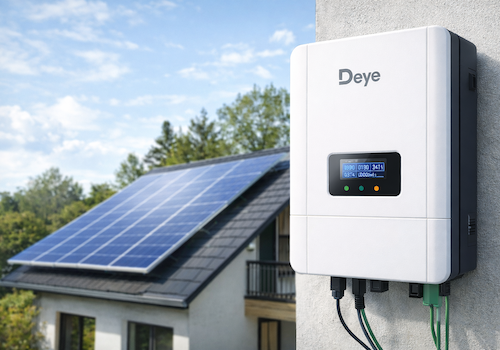
Monitor your Deye solar inverter directly on your local network — no cloud account, no internet dependency.
This app communicates with the Solarman Wi-Fi data logger stick using the SolarmanV5 protocol over TCP port 8899, polling your inverter every 60 seconds.
SUPPORTED MODELS
- Deye Microinverter 2 MPPT (SUN600G3 / SUN800G3 / SUN1000G3)
- Deye Microinverter 4 MPPT (SUN2000G3)
- Deye String Inverter 3-phase, 2 MPPT
- Deye Hybrid Inverter with battery, 2 MPPT
- Deye Hybrid Inverter 3-phase SG04LP3 (SUN-8K / SUN-10K / SUN-12K-SG04LP3-EU)
REQUIREMENTS
- Homey Pro (firmware 13.0 or later)
- Solarman Wi-Fi data logger stick connected to your local network
- TCP port 8899 accessible from Homey (no firewall blocking)
AVAILABLE DATA
Depending on inverter model:
- Real-time AC output power (W)
- PV string voltage and current per channel (PV1–PV4)
- Grid voltage, current and frequency
- Inverter temperature
- Daily and total production (kWh)
- Battery power, voltage, current and state of charge (hybrid models)
- Grid import / export energy (hybrid models)
- Load power consumption (hybrid models)
- Fault / Alarm state
HOMEY ENERGY
Fully integrated with Homey Energy. Your inverter appears as a solar panel device and contributes to your energy dashboard automatically.
PAIRING
1. Open Homey and add a new device
2. Leave the IP field empty to auto-discover loggers on your network, or enter the IP manually
3. The logger serial number is detected automatically (or enter it manually from the sticker)
4. Select your inverter model from the list
5. Capabilities are configured automatically based on your model
NOTES
- Local communication only — no Deye cloud or SolarmanCloud required.
- Auto-discovery uses UDP broadcast on port 48899 (Solarman discovery protocol).
- Night-time detection pauses polling between sunset and sunrise to avoid false unavailability alerts.
- Inverter definitions based on the home_assistant_solarman open-source project.
지원되는 디바이스
지원
이 앱의 개발자는 직접 지원을 제공하지 않습니다.
새로운 기능
버전 1.2.3 — TCP polling fix
Deye Inverter (Local - Solarman V5)
 선택하신 Homey에 Deye Inverter (Local - Solarman V5)이(가) 호환되지 않습니다.
 Deye Inverter (Local - Solarman V5)이(가) 곧 Homey에 설치됩니다.
업데이트 로그
Gabriel Pedrosa Machado 님에게 고맙다는 인사를 전해드리겠습니다!
Gabriel Pedrosa Machado 님께 앱을 잘 사용하고 있다고 알려주세요.
제안이 전송되었습니다.
제안을 보내주셨다고 Gabriel Pedrosa Machado 님에게 알리겠습니다.
Africa


Asia


Europe

 Belgium
Deutsch English
 Bulgaria
 Croatia
 Cyprus
 Czech Republic

 Estonia
 Finland


 Greece

 Hungary
 Iceland
 Ireland

 Latvia
 Lithuania

 Malta
Malta
 Moldova
 The Netherlands


 Portugal
 Romania
 Slovakia
 Slovenia


 Türkiye
 Ukraine
 United Kingdom


