





Connects directly to your Wiser HeatHub over the local network — no cloud connection required.
Supported features:
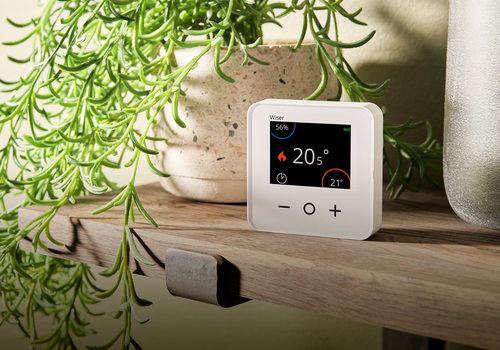
- Room temperature monitoring (current and target)
- Set target temperatures from Homey
- Humidity monitoring (rooms with a RoomStat)
- Battery level monitoring across TRVs and RoomStats per room (reports the lowest device)
- Per-room diagnostic details for linked TRVs and RoomStats in Advanced settings
- Low battery alerts
- Auto-discovery of Wiser HeatHub on your network
- Automatic reconnection if the hub becomes temporarily unreachable
Setup:
1. Add a new device and select "Drayton Wiser"
2. Enter your hub's IP address (or use Discover to find it automatically)
3. Enter your hub's secret key (obtained by putting the hub into setup mode and visiting http://192.168.8.1/secret/)
4. Select which rooms to add
Requirements:
- A Drayton Wiser HeatHub on your local network
- The hub's secret key (one-time setup)
Credits:
- aioWiserHeatAPI library by Mark Parker (msp1974)
- Wiser Home Assistant integration by Angelo Santagata (asantaga)
자세히 읽기 ›
Flow 카드
위의 디바이스를 클릭하면 관련 Flow 카드만 표시됩니다.
언제...
Wiser Heating Zone
희망 온도가 변경되면
Wiser Heating Zone
온도가 변경되면
Wiser Heating Zone
습도가 변경되면
Wiser Heating Zone
배터리 수준이 변경되면
Wiser Heating Zone
배터리 알람이 '예'이면
Wiser Heating Zone
배터리 알람이 '아니요'이면
Wiser Heating Zone
열림 감지 열리면
Wiser Heating Zone
열림 감지 닫히면
그리고...
Wiser Heating Zone
배터리 알람이 '예'이면
Wiser Heating Zone
열림 감지 열리면
그러면...
Drayton Wiser
Boost all heating zones by ... for ...
Drayton Wiser
Cancel all heating overrides
Wiser Heating Zone
희망 온도 설정 °C
지원
이 앱의 개발자는 직접 지원을 제공하지 않습니다.
새로운 기능
버전 1.1.0 — Open window detection, Boost All flow action, Cancel All Overrides flow action, remove broken Settings/Configure page
업데이트 로그 보기