






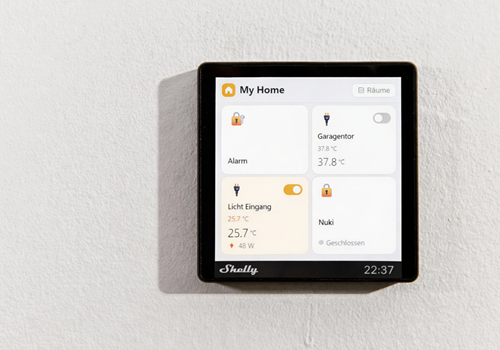
Shelly Wall Display Dashboard
Show Select camera… on All displays for Auto-close after (seconds, 0 = stay open) s
경고! 이 앱이 제대로 작동하지 않을 수 있습니다.
이 앱 버전은 현재 테스트 중이며 아직 검토되지 않았습니다. 기대한 대로 작동하지 않을 수 있습니다.
이 앱을 설치할 때는 각별히 주의하세요.
이 앱에 문제가 있습니까? 개발자에게 문의하려면 여기를 클릭하세요..
버전 1.3.69 — Colour and colour temperature control for lights. A light that can do more than on/off now opens its own window when you tap the tile, the same way a thermostat does — the on/off switch in the corner and the brightness slider on the tile keep working as before. The window shows only what the lamp actually supports: brightness, colour with hue and saturation, white tone, and a colour/white switch for lamps that do both. Lights with nothing but on/off are unchanged.
 이 앱으로 Homey 전체를 관리할 수 있습니다.
선택하신 Homey에 Shelly Wall Display Dashboard이(가) 호환되지 않습니다.
 Shelly Wall Display Dashboard이(가) 곧 Homey에 설치됩니다.
 Belgium
 Bulgaria
 Croatia
 Cyprus
 Czech Republic
 Estonia
 Finland
 Greece
 Hungary
 Iceland
 Ireland
 Latvia
 Lithuania
 Malta
Malta
 Moldova
 The Netherlands
 Portugal
 Romania
 Slovakia
 Slovenia
 Türkiye
 Ukraine
 United Kingdom


