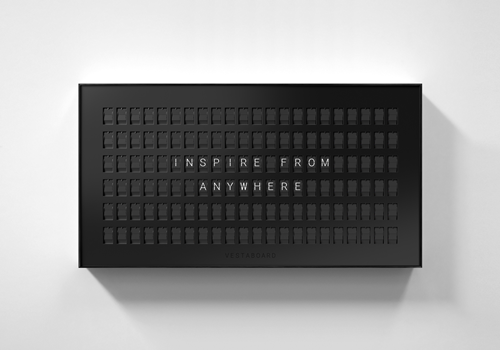
Your Vestaboard turns words into a moment. This app brings that same split-flap magic into your smart home, so the messages that matter appear exactly when they should.
Greet your family by name when they walk in, count down to the holidays, celebrate good news, or quietly show the time. Compose straight from a dashboard, automate it from any Flow, and watch your board flip to life over Wi-Fi or your local network.
WHAT YOU CAN DO
- Send text, quotes, colours, lists and aligned layouts to your board.
- Drive everything from Flow: send on arrival, show the time, run a countdown, rotate presets, or react to any sensor.
- Compose visually with the dashboard widget, including a colour grid editor.
- Show images mapped to the board's colour chips.
- Save and restore named scenes, and keep favourite messages as presets.
- Add more than one board and send to all of them at once.
HOW TO CONNECT
You can connect over the Cloud API or the Local API.
- Cloud API: create a token in the Vestaboard app (Settings) or the web app's Developer section, then paste it when adding the device.
- Local API: enable the Local API on your board to get a key, then enter your board's IP address (port 7000 is assumed) and the key.
Pick your board's frame colour (black or white) while pairing so the device image matches your board. You can change it later in the device settings.
TROUBLESHOOTING
- "Vestaboard is unreachable": check the board is online. For the Local API, confirm the IP address is correct and the board is on the same network.
- "Check your Vestaboard API credentials": the token or key was rejected; re-enter it via Repair.
- Cloud sends are limited to roughly one message every 15 seconds; the app queues and paces messages automatically.
- Quiet hours are configured in the Vestaboard app. Use the "forced" send to override them.
PRIVACY
The app talks only to your Vestaboard (locally or via Vestaboard's Cloud API) and, for the image feature, to the image URL you provide. No data is sent anywhere else.
자세히 읽기 ›