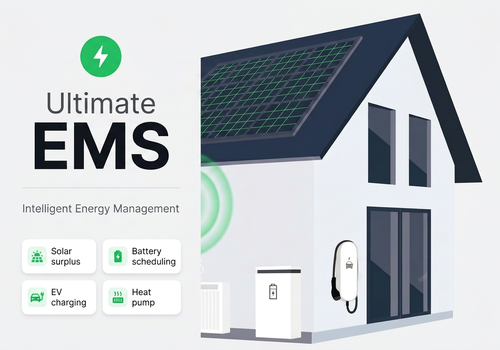
Ultimate EMS

Intelligent energy management for solar, battery, EV and heat pump

자세히 읽기 ›

지원되는 디바이스

Flow 카드

위의 디바이스를 클릭하면 관련 Flow 카드만 표시됩니다.

언제...

EMS Controller
켜지면
EMS Controller
꺼지면
Ultimate EMS
EMS mode changed
i
Triggers when the EMS switches to a different operating mode.
Ultimate EMS
Priority 1 not fully achievable tomorrow
i
Triggers when the forecast shows insufficient solar energy to cover all priority 1 loads.
Ultimate EMS
EV ready for departure
i
Triggers when the EV has reached the target SoC for a planned trip.
Ultimate EMS
Battery below minimum SoC
i
Triggers when the battery drops below the configured minimum state of charge.
Ultimate EMS
Dump load activated
i
Triggers when all priority 1 and 2 devices are satisfied and surplus energy is available.
Ultimate EMS
Dump load deactivated
i
Triggers when the solar surplus drops and dump loads are turned off.
Ultimate EMS
EMS wants to set EV charge current
i
Fires every time the EMS calculates a new target charge current. Connect this to the 'Set charge current' action of your EV app.
Ultimate EMS
EMS wants to start or stop EV charging
i
Fires when the EMS starts or stops charging. Connect to your EV app's start/stop action.
Ultimate EMS
EMS wants to start EV charging
i
Fires when the EMS wants to start charging. Connect to your EV app's start charging action.
Ultimate EMS
EMS wants to stop EV charging
i
Fires when the EMS wants to stop charging. Connect to your EV app's stop charging action.
Ultimate EMS
EMS wants to charge on 1 phase
i
Fires when the EMS wants to switch the charger to single-phase (e.g. low solar surplus). For chargers without a phase-switch capability — connect to your charger app's own 1-phase action (e.g. Amina S).
Ultimate EMS
EMS wants to charge on 3 phases
i
Fires when the EMS wants to switch the charger to three-phase (e.g. enough solar surplus, or a non-solar mode). For chargers without a phase-switch capability — connect to your charger app's own 3-phase action (e.g. Amina S).
Ultimate EMS
EMS wants to control the battery (flow-fallback)
i
Fires when the EMS wants to charge, discharge or stop a battery whose app has no writable control capability or whose names could not be verified from source (Huawei FusionSolar LUNA2000, SMA battery) — connect this to your battery or inverter app's own action cards (SMA: the inverter's 'Set the target power'). The tokens say charge, discharge or stop and the power in W; the card is repeated every 4 minutes while the action continues. Two signed tokens are included for direct use in a register or action: 'charge +' (Homey target_power convention) and 'discharge +' (e.g. SMA register 40149). See DESIGN.md task #311.
Ultimate EMS
EMS requests a PV limit in % (e.g. SMA)
i
Fires when the EMS wants to dim a solar inverter that cannot be written directly without wearing its flash memory (SMA via the SMA Energy app). Connect it to the inverter app's own percentage action, e.g. SMA 'Curtail active power to %', and pass the 'Percent' token. The percentage is a fraction of the inverter's manual power limit. 100% means no limit.
Ultimate EMS
EMS internal mode changed
i
Triggers once per day when the EMS's internal, weather-forecast-based heating/cooling mode changes. This is a planning signal, not a physical device switch — air conditioners that report their own mode always follow their own current setting instead.
Ultimate EMS
SG Ready: heat pump blocked (peak hours)
i
Triggers during peak hours, for heat pumps with SG Ready wiring enabled. Wire this to your own Flow that switches the relay(s) on the heat pump's SG Ready 'blocked' input — Homey cannot control the physical contacts directly.
Ultimate EMS
SG Ready: heat pump normal operation
i
Triggers when neither peak hours, surplus nor a cheap price apply, for heat pumps with SG Ready wiring enabled.
Ultimate EMS
SG Ready: heat pump increased operation advised
i
Triggers when there is solar surplus or the price is cheap, for heat pumps with SG Ready wiring enabled.
Ultimate EMS
SG Ready: heat pump maximum power
i
Triggers when there is solar surplus AND the price is cheap at the same time — the strongest signal — for heat pumps with SG Ready wiring enabled.
Ultimate EMS
Boiler schedule updated
i
Triggers once per configured boiler/DHW slot whenever the day plan (re)calculates a new Phase-1 price-driven heating schedule. Connect this to your own relay/smart plug Flow.

그리고...

EMS Controller
켜지면
Ultimate EMS
EMS mode is Mode
Ultimate EMS
Battery SoC is above Threshold (%)%
Ultimate EMS
A trip for EV is planned today
Ultimate EMS
Heat pump is in Mode mode
Ultimate EMS
Solar is producing
Ultimate EMS
Boiler Boiler is scheduled to heat now

그러면...

EMS Controller
켜기
EMS Controller
끄기
EMS Controller
켬/끔 상태 전환하기
Ultimate EMS
Set EMS mode to Mode
Ultimate EMS
Plan trip for EV: depart Departure time at Target SoC (%)%
i
Use this action in a Shortcut or Flow to schedule an EV charging session before departure.
Ultimate EMS
Charge EV to Target SoC (%)% now
i
Temporarily forces fast charging up to the given SoC, regardless of the current charge mode — your normal target SoC setting is left unchanged. Stops automatically once the % is reached, or use 'Stop extra EV charging'.
Ultimate EMS
Stop extra charging for EV
i
Cancels an active 'Charge EV to % now' override and returns to the normal charge mode/target.
Ultimate EMS
Recalculate day plan now
i
Forces the EMS to recalculate tomorrow's energy plan immediately.
Ultimate EMS
Set EV charge profile to Profile
Ultimate EMS
Set EV fixed current to Current (A)A
Ultimate EMS
Set EV max current to Max current (A)A
Ultimate EMS
Set EV critical minimum SoC to Minimum SoC (%, 0 = off)%
Ultimate EMS
Tell the EMS that EV is Status
i
For chargers without a status sensor (e.g. Alfen ACE) when the car app does not report the plug status reliably. Tell the EMS yourself whether the car is plugged in. Valid for 24 hours — repeat it in a Flow to keep it current. Real charging power always counts as 'connected'.
Ultimate EMS
Set battery target SoC to Target SoC (%)%
Ultimate EMS
Set dump load to Enabled
Ultimate EMS
Postpone charging for EV
i
Temporarily stops EV charging for the duration set in app settings (ev_postpone_minutes, default 30 min). Use this in a flow that monitors per-phase current to prevent overload.
Ultimate EMS
Import PBTH prices for Period: Prices (JSON)
i
Feed the full-resolution price array from Power by the Hour's 'New prices received' trigger (or its 'Get prices JSON' action) into the EMS, so today/tomorrow's plan uses real ENTSO-E prices instead of the sparse capability anchors.
Ultimate EMS
Force charging phase for EV: Phase mode
i
For testing/debugging chargers with dynamic 1-phase/3-phase switching (e.g. Alfen ACE, Peblar). Overrides the automatic surplus-based decision until you pick 'Automatic' again. No effect on chargers without phase-switch support.
Ultimate EMS
Set active vehicle to Vehicle
i
Switches which configured vehicle profile is active on the EV charger — the same as picking a vehicle in the EV widget. Use this to drive vehicle selection from your own detection logic (e.g. location/charge-port based) instead of switching manually.

위젯

모바일 앱 내 대시보드 또는 홈 화면에 이 앱의 위젯을 추가할 수 있습니다.

EMS Tomorrow
EMS Tomorrow
EMS Today
EMS Today
EV Charging
EV Charging
PV Fleet
PV Fleet

지원

이 앱에 문제가 있습니까? 개발자에게 문의하려면 여기를 클릭하세요..

새로운 기능

버전 2.5.115 — Fixed: the pairing wizard showed blank screens after the first step on some Homey versions (web app and Homey Pro), so the setup could not be completed. The wizard steps now run in one screen with their own Back and Next buttons. Repair now ends with a Save and close button. At the end of a new pairing the wizard also shows your link code for ultimate-ems.com with a copy button. Fixed: on the EV and charger step the screen could stay blank in the Homey app, and the choice Fixed/Dynamic contract now clearly shows which one is selected. Improved: if Homey does not start a screen, the wizard now explains what to do instead of showing a blank page.

업데이트 로그 보기

Ultimate EMS

이 앱으로 Homey 전체를 관리할 수 있습니다.

선택하신 Homey에 Ultimate EMS이(가) 호환되지 않습니다.

Ultimate EMS이(가) 곧 Homey에 설치됩니다.
앱 설치