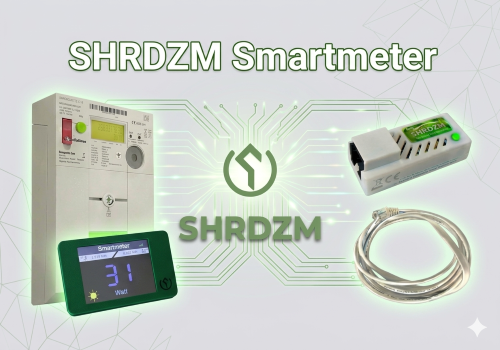
SHRDZM Smartmeter
The All-in-One Solution for SHRDZM Bridge & GD28 Dashboard
This app seamlessly integrates your SHRDZM ecosystem into Homey Pro. It combines high-precision energy monitoring with total control over your GD28 Real-time Dashboard, giving you the ultimate overview of your home's energy flow.
🚀 Key Features
1. Smart Meter Bridge (Modbus & WebSocket)
Connect your SHRDZM Bridge (e.g., for Sagemcom T210-D) and choose your preferred data protocol:
WebSocket (High Speed): Receive real-time updates for instantaneous power monitoring.
Modbus TCP: Industrial-grade stability for cumulative energy data.
Parallel Mode: The best of both worlds – use WebSocket for speed and Modbus for total energy accuracy.
Measured Values:
Active Power (W): Real-time grid feed-in and consumption.
Cumulative Energy (kWh): Total imported and exported energy.
Phase Monitoring: Detailed Voltage (V) and Current (A) for L1, L2, and L3.
Power Factor: Calculation for advanced energy analysis.
2. GD28 Dashboard Control
Turn your GD28 Display into a powerful smart home hub. Use Homey Flows to push any data to your screen:
Fullscreen Mode: Massive, easy-to-read numbers for consumption or PV yield.
Matrix View: Display up to 4 different values simultaneously.
Visual Feedback: Dynamic color control via Hex-Codes (e.g., Green for feed-in, Red for grid consumption).
Flexible Layouts: Support for Bar Charts and Gauge views to visualize your data.
💡 Use Cases
PV Optimization: Visualize your surplus in real-time and trigger appliances.
Cost Savings: Identify power-hungry devices by monitoring phase-specific loads.
Dashboarding: Create a central energy kiosk in your living room with the GD28.
🔧 Setup
Enter the IP address of your SHRDZM Bridge and/or GD28 Display in the device settings.
Choose your desired protocol (WebSocket recommended for real-time flows).
Start building Advanced Flows to push your smart home data to the GD28 Dashboard!
자세히 읽기 ›