Galaxy Gateway
==============
Connect your Honeywell Galaxy alarm panel to Homey using the Galaxy Gateway ESP32 firmware over MQTT.
FEATURES
--------
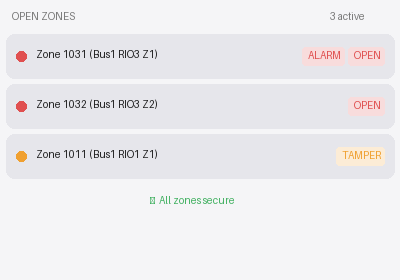
Zones
- Auto-discovers all physical zones (DIP8, RIO bus)
- Zone state monitoring (open/closed/tamper)
- Omit zone via flow action
- Flow triggers: zone opened, zone closed, tamper
Outputs
- Auto-discovers all physical RIO outputs
- On/off control from the device page and flows
- Output state monitoring with history
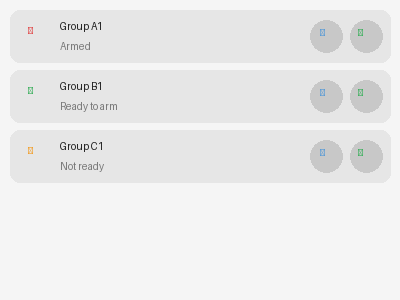
Groups (Areas)
- Auto-discovers all Galaxy groups (A1–D8)
- Full set, Part set, Night set, Force set and Unset
- Per-group settings to allow/disallow Part set, Night set and Force set
- Real-time state with history and Homey Insights
- Flow conditions: group state is (Unset / Set Full / Part Set / Night Set / Alarm)
- Flow actions: arm group, disarm group
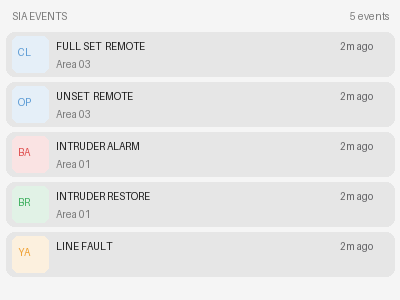
SIA Event Receiver
- Receives all SIA events from the panel in real time
- Displays last 10 events in a dashboard widget with code, description, area, device and user
- Flow trigger: SIA event received (with tokens: code, description, area, device, user, event_text)
- Flow conditions: SIA event code is (with grouped filters: any alarm, any disarm, any restore etc.)
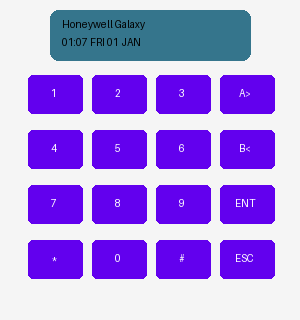
Virtual Keypad
- Full interactive keypad widget on the Homey dashboard
- Matching layout of the physical Honeywell Galaxy keypad
- Live 2×16 LCD display with cursor and flash animation
- Send keys from Homey flows
REQUIREMENTS
------------
- Homey Pro (self-hosted) running firmware 12.3.0 or later
- Galaxy Gateway ESP32 module with firmware configured and connected to MQTT
- MQTT broker on your local network (e.g. Mosquitto)
SETUP
-----
1. Install the app and open its settings page
2. Enter your MQTT broker host, port and credentials
3. Enter the Galaxy UID (found in the Gateway web interface)
4. Publish a hareset command from the Gateway console to trigger device discovery
5. Open Add Device in the Homey app and pair the discovered devices
SUPPORTED PANELS
----------------
Honeywell Galaxy Dimension, Honeywell Galaxy Flex, Honeywell Galaxy G2 — via the Galaxy Gateway ESP32 firmware.
LINKS
-----
Support: https://seasoft.nl
Galaxy Gateway firmware: https://github.com/GalaxyGateway
자세히 읽기 ›