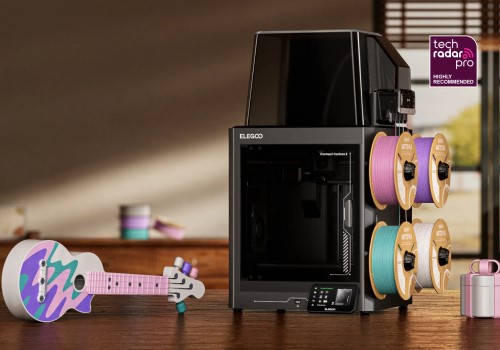
Control and monitor your Elegoo Centauri Carbon and Elegoo Centauri Carbon 2 3D printers directly from Homey over your local network. No cloud account required.
SUPPORTED PRINTERS
Elegoo Centauri Carbon (SDCP v3 protocol)
Elegoo Centauri Carbon 2 (Local MQTT protocol with Canvas 4-slot AMS support)
FEATURES
Real-time monitoring of print progress, current layer, total layers, and estimated time remaining. Live camera snapshot and 3D model print preview thumbnail. Full fan control including part cooling, auxiliary, and enclosure/exhaust fans. Chamber light toggle. Emergency stop, pause, resume, and home axes controls. Print speed preset adjustment. On the Centauri Carbon 2, adjust target nozzle and bed temperatures and monitor all 4 Canvas multi-color filament slots including Canvas Auto-Refill.
SENSORS AND INSIGHTS
Nozzle temperature and target nozzle temperature
Bed temperature and target bed temperature
Chamber temperature
Print progress and layer progress
Current layer and total layers
X, Y, Z position and Z offset
Remaining print time
Current filename
Printer status and error reason
Canvas connected status, active filament tray, and Tray 1 to 4 material and color (Centauri Carbon 2)
Fan speeds
Filament sensor, door sensor, and USB disk status
Camera enabled status and active video streams
Motor status
Network interface, IP address, and MAC address
Remaining storage
Firmware version and printer model
SETUP AND CENTAURI CARBON 2 LAN-ONLY MODE REQUIREMENT
Add the app and use built-in discovery to find your printer automatically on the local network. The printer must be connected to the same Wi-Fi or LAN as your Homey.
For the Elegoo Centauri Carbon 2, local MQTT connections require LAN Only Mode to be enabled on the printer touchscreen under Settings -> Network -> LAN Only Mode. If you have enabled a 6-digit LAN Access Code on the printer, enter it during pairing.
자세히 읽기 ›