경고! 이 앱이 제대로 작동하지 않을 수 있습니다.
이 앱 버전은 현재 테스트 중이며 아직 검토되지 않았습니다. 기대한 대로 작동하지 않을 수 있습니다.
이 앱을 설치할 때는 각별히 주의하세요.
« 일반 버전으로 돌아가기
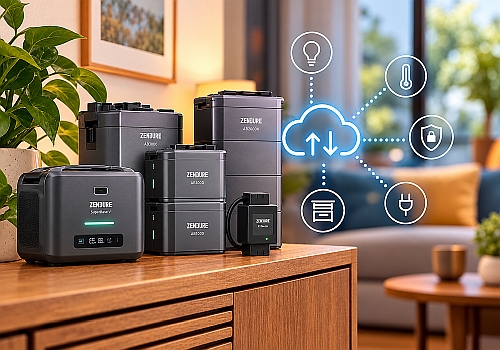
# ZENDURE LAN – No internet needed !
**ZENDURE LAN communicates directly with your devices over your home network (LAN), without relying on an internet connection or Zendure's cloud services. This gives you direct access to your energy data in Homey and puts you in control of your energy system.
[ZENDURE LAN (Test version)](https://homey.app/en-nl/app/com.dezware.zendure/test)
Connect and control your Zendure home battery, P1 meter and/or 3CT-S meter directly through Homey. Monitor your entire Zendure system in real time, manage your energy flows and create smart automations – all without opening the Zendure app.
Monitor your energy flows, manage your battery settings and create powerful Homey automations that respond to your Zendure system's status. Make smarter use of your stored energy and get more out of your Zendure installation.
## Key features
- **LAN Only - No internet needed**
- Calculate round-trip efficiency.
- Display battery state of charge (SoC).
- Monitor charging and discharging power.
- Display the automatically detected IP address.
- Display the date and time of the last received data.
- Manually change the automatically detected IP address.
- Set charging or discharging power using a single Flow action.
- Set charging and discharging power through separate Homey Flow actions.
- Configure minimum and maximum SoC limits individually for each Zendure device.
- **CSTI (Combined Status Tile Indicator)** – a custom-developed indicator displaying two capabilities directly on one single Homey device tile.
- Supports a wide range of Zendure devices. The models listed below are confirmed supported.
- **RAM-based power settings** – power settings are stored in RAM rather than flash memory, reducing unnecessary flash-memory write cycles on your Zendure device (SmartMode).
**Important limitation:** Changing settings on a Zendure device is only possible when that device is not integrated into a Zendure HEMS. This is a limitation imposed by Zendure.
## Supported models
- P1 Meter
- 3CT-S Meter
- SolarFlow 800
- SolarFlow 800 Pro
- SolarFlow 800 Plus
- SolarFlow 800 Pro 2
- SolarFlow 1600 AC+
- SolarFlow 2400 AC
- SolarFlow 2400 Pro
- SolarFlow 2400 AC+
- SolarFlow 3000 Mix AC+
- SolarFlow 4000 Mix Pro
- SolarFlow 4000 Mix AC+
## Supported languages
- DE – German
- EN – English
- ES – Spanish
- FR – French
- NL – Dutch
자세히 읽기 ›
Flow 카드
위의 디바이스를 클릭하면 관련 Flow 카드만 표시됩니다.
언제...
Battery
Solar input power changed
그리고...
Zendure LAN
Battery Battery is above Minimum SoC (%)% SoC
Zendure LAN
Battery Battery is below Maximum SoC (%)% SoC
그러면...
Battery
Set AC charge power to Power (W) W
Battery
Set AC discharge power to Power (W) W
Battery
Set maximum SoC to Maximum SoC (%)%
Battery
Set minimum SoC to Minimum SoC (%)%
Battery
Set AC power to Power (W) watts
Battery
Reset energy meters
새로운 기능
버전 0.3.3 — Temporare cleanup specific capabilities added, Capability cleanup disabled so counters for total charged and discharged are not reset, Homey RAM memory usage decreased, extra version number needed for testing
업데이트 로그 보기








 Belgium
 Bulgaria
 Croatia
 Cyprus
 Czech Republic
 Estonia
 Finland
 Greece
 Hungary
 Iceland
 Ireland
 Latvia
 Lithuania
 Malta
 Moldova
 The Netherlands
 Portugal
 Romania
 Slovakia
 Slovenia
 Türkiye
 Ukraine
 United Kingdom


