Home State

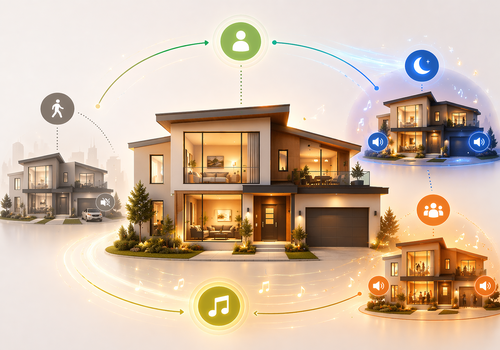
State engine for house presence and music zones in Homey

자세히 읽기 ›

지원되는 디바이스

Flow 카드

위의 디바이스를 클릭하면 관련 Flow 카드만 표시됩니다.

언제...

House State Engine
House profile changed
i
Runs when the house profile changes.
House State Engine
House profile became Profile
i
Runs only when the house changes to the selected profile.
House State Engine
House occupancy changed to Occupied
i
Runs when house occupancy changes.
House State Engine
Owner presence changed to Owner present
i
Runs when the owner home state changes.
House State Engine
Guest mode changed to Guest mode
i
Runs when guest mode changes.
House State Engine
Sleep mode changed to Sleep mode
i
Runs when sleep mode changes.
House State Engine
House manual override changed to Manual override
i
Runs when manual control of the house profile starts or stops.
Music Zone
볼륨이 변경되면
Music Zone
Music zone selected scene changed to Selected scene
i
Runs when the selected scene changes. When the zone is occupied and not blocked, the active scene follows this selection.
Music Zone
Music zone active scene changed
i
Runs when the active scene changes. The active scene follows the selected scene only while the zone is occupied and not blocked.
Music Zone
Music zone active scene became Active scene
i
Runs when the active scene becomes the chosen value. Occupied Yes activates the selected scene. Occupied No makes the active scene Off.
Music Zone
Music zone status changed to Status
i
Runs when the zone status changes between off, playing, or blocked.
Music Zone
Music zone was blocked
i
Runs when playback becomes blocked, for example because the zone follows the house and the house is sleeping.
Music Zone
Music zone was unblocked
i
Runs when playback becomes allowed again.
Music Zone
Music zone follows house changed to Follows house
i
Runs when the zone starts or stops following House State.
Music Zone
Music zone occupied changed to Occupied
i
Runs when the occupied input changes. Occupied Yes activates the selected scene when playback is allowed. Occupied No sets the active scene to Off.
Music Zone
Music zone volume changed
i
Runs when the zone volume changes.
Music Zone
Music zone volume fade started
i
Runs when a timed zone volume fade starts.
Music Zone
Music zone volume fade changed
i
Runs on each fade step. Use this to send the current fade volume to the real player.
Music Zone
Music zone volume fade completed
i
Runs when a timed zone volume fade completes.
Music Zone
Music zone volume fade cancelled
i
Runs when the active zone volume fade is cancelled or replaced.

그리고...

House State Engine
House profile is Profile
i
Checks the current house profile.
House State Engine
Owner is present
i
Checks whether the owner is home.
House State Engine
Guests are active
i
Checks whether guest mode is active.
House State Engine
Sleep is active
i
Checks whether sleep mode is active.
House State Engine
House is occupied
i
Checks whether the house is occupied.
House State Engine
Manual override is active
i
Checks whether manual control of the house profile is active.
Music Zone
Music zone selected scene is Selected scene
i
Checks the selected scene. This is the scene chosen by the user or a Flow.
Music Zone
Music zone active scene is Active scene
i
Checks the active scene. This is what the zone is actually running now.
Music Zone
Music zone status is Status
i
Checks the current status of the zone.
Music Zone
Music zone is blocked
i
Checks whether playback is currently blocked.
Music Zone
Music zone follows the house
i
Checks whether the zone follows House State.
Music Zone
Music zone is occupied
i
Checks the occupied input for the zone.

그러면...

House State Engine
Set owner home state to Owner present
i
Updates whether the owner is home.
House State Engine
Set guest mode to Guest mode
i
Updates whether guest mode is active.
House State Engine
Set sleep mode to Sleep mode
i
Updates whether sleep mode is active.
House State Engine
Set house manual override to Manual override for Duration seconds s
i
Turns manual control of the current house profile on or off. Use 0 seconds to keep it active until you turn it off.
House State Engine
Record recent activity for Duration seconds s
i
Keeps the house marked as active for the selected number of seconds.
House State Engine
Clear recent activity
i
Clears the current activity hold.
House State Engine
Recalculate house profile now
i
Recalculates the house profile from the latest inputs.
Music Zone
볼륨을 다음으로 설정 %
Music Zone
상대 볼륨 설정 %
i
제품의 현재 볼륨을 기준으로 볼륨을 변경해요.
Music Zone
Set selected scene to Selected scene
i
Changes the selected scene for the zone. If the zone is occupied and not blocked, the active scene changes to the same scene.
Music Zone
Set follows house to Follows house
i
Turns follow-house on or off for the zone.
Music Zone
Set occupied input to Occupied
i
Updates the occupied input. Occupied Yes activates the selected scene when playback is allowed. Occupied No sets the active scene to Off.
Music Zone
Fade zone volume from From volume (%)% to To volume (%)%
i
Starts a cancellable fade from the chosen start percentage to the chosen end percentage. Use Homey's duration selector for the fade time.
Music Zone
Fade zone volume to To volume (%)%
i
Starts a cancellable fade from the current zone volume to the chosen end percentage. Use Homey's duration selector for the fade time.
Music Zone
Cancel zone volume fade
i
Stops the active zone volume fade immediately.
Music Zone
Recalculate zone scene now
i
Recalculates the zone scene from the latest inputs.

지원

이 앱에 문제가 있습니까? 개발자 연락 방법 이메일 보내기.

새로운 기능

버전 2.0.1 — Minor fixes

업데이트 로그 보기

Home State

선택하신 Homey에 Home State이(가) 호환되지 않습니다.

Home State이(가) 곧 Homey에 설치됩니다.
앱 설치